Leftover Halloween Candy and Pumpkins: What to Do Next

Sort leftover Halloween candy safely, share or repurpose sealed treats, and choose food use or compost for pumpkins based on their condition.
Solve quadratic equations
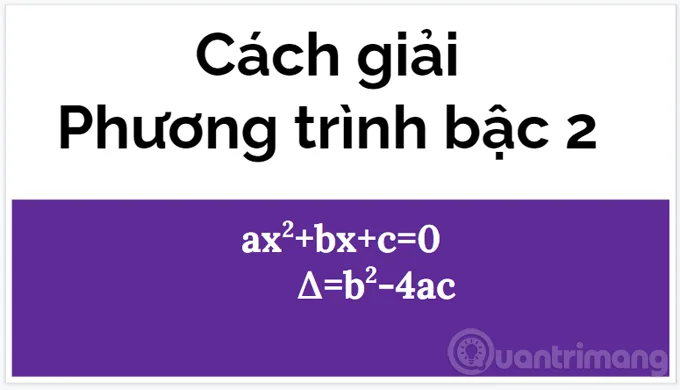
A quadratic equation is an equation of the form (a≠0) (1).
With x being the unknown and since there is only one unknown, it is also called a 'single variable' equation. The numbers a, b, and c are known numbers, called the coefficients of the equation; they can be distinguished by calling them respectively: quadratic coefficients, first-order coefficients, and free or constant coefficients.
A quadratic equation is a type of polynomial equation, it only contains powers of x which are natural numbers.
Solving a quadratic equation is to find the values of x so that when x is substituted into equation (1), ax2+bx+c=0 is satisfied. There are 4 common ways to solve quadratic equations: factoring; square complement method; using the root formula; graphing.
Step 1: Calculate Δ=b2-4ac
Step 2: Compare Δ with 0
and
If is the solution of the equation then
If two numbers exist, then they are solutions to the equation , (exists when)
Example 1: Solve the following quadratic equation: x2 - 49x - 50 = 0
Solution guide
Method 1: Use the root formula (a = 1; b = -49; c = -50)
Because ∆ > 0, the equation has two distinct solutions.
Method 2: Mental calculation
Because a – b + c = -1 – (-49) + (-50) = 0
So the equation has two solutions.
Method 3:
According to Viet's theorem we have:
So the equation has two solutions:
Example 2: Solve the equation 4x2 - 2x - 6 = 0 (2)
Δ=(-2)2 - 4.4.(-6) = 4 + 96 = 100 > 0 => the given equation (2) has 2 distinct solutions.
and
You can also calculate the solution in your head quickly, because you see that 4-(-2)+6=0, so x1 = -1, x2 = -c/a = -(-6)/4=3/2. The solution is still the same as above.
Example 3: Solve the equation 2x2 - 7x + 3 = 0 (3)
Calculate Δ = (-7)2 - 4.2.3 = 49 - 24= 25 > 0 => (3) has 2 distinct solutions:
and
To check if you have calculated the solution correctly is very easy, just substitute x1, x2 into equation 3, if the result is 0 then it is correct. For example, substitute x1, 2.32-7.3+3=0.
Example 4: Solve the equation 3x2 + 2x + 5 = 0 (4)
Calculate Δ = 22 - 4.3.5 = -56 < 0=""> equation (4) has no solution.
Example 5: Solve the equation x2 – 4x +4 = 0 (5)
Calculate Δ = (-4)2 - 4.4.1 = 0 => equation (5) has a double solution:
Actually, if you are quick-witted, you can also see that this is the memorable identity (ab)2 = a2 - 2ab + b2, so it is easy to rewrite (5) as (x - 2)2 = 0 <=> x=2.
If equation (1) has two distinct solutions x1, x2, you can always write it in the following form: ax2 + bx + c = a(x-x1)(x-x2) = 0.
Returning to equation (2), after finding 2 solutions x1, x2 you can write it in the form: 4(x-3/2)(x+1)=0.
1. Equation with solution
2. Equation with no solution
3. The equation has a unique solution (double solution or two equal solutions)
4. The equation has two distinct (different) solutions.
5. The equation has two solutions with the same sign.
6. The equation has two solutions with opposite signs.
7. The equation has two positive roots (two roots greater than 0)
8. The equation has two negative roots (two roots less than 0)
9. The equation has two opposite solutions.
10. Two inverse solutions
Things to remember:
Along with the quadratic equation, there is also Viet's theorem with many applications such as calculating the roots of the quadratic equation mentioned above, finding 2 numbers when the sum and product are known, determining the signs of the roots, or factoring. These are all necessary knowledge that will be associated with you in the process of learning algebra, or in the exercises of solving and discussing quadratic equations later, so you need to remember carefully and practice fluently.
If you intend to study programming , you also need to have basic math knowledge, even advanced math knowledge, depending on the project you will do.
Sort leftover Halloween candy safely, share or repurpose sealed treats, and choose food use or compost for pumpkins based on their condition.
Compare workplace Halloween costume choices by respect, dress code, mobility, and safety—and learn when a subtle accessory or a policy check is the better option.
Find a couples costume that fits your style, budget, and comfort level, from Addams Family classics to original inside-joke duos.
Need a last-minute high school Halloween costume? Compare 10 easy closet-based ideas by prep time, comfort, school-day practicality, and simple safety checks.
Use a simple 2026 Halloween decorating timeline for indoor décor, outdoor displays, and fresh pumpkins, with practical adjustments for weather and events.
Mix five vivid, approachable Halloween cocktails with measured recipes, simple prep tips, and an alcohol-free option for your party guests.
Find 15 office-friendly Halloween costume ideas for 2026, with practical checks for dress codes, respectful themes, comfort, and workplace safety.
Plan a fun elementary school Halloween party with easy crafts, games, inclusive treats, costume tips, and a sample 75-minute classroom schedule.
Compare realistic side hustles for 2026 by startup cost, fees, flexibility, and income control, with current tax and scam guidance from official sources.
Upgrade your home office ergonomics with current OSHA and NIOSH guidance on chair fit, monitor height, laptop setup, lighting, and movement.








