Home
» Today
»
Permanent Daylight Saving Time: What It Would Mean for Your Clocks, Phones, and Daily Schedule
Permanent Daylight Saving Time: What It Would Mean for Your Clocks, Phones, and Daily Schedule
Permanent daylight saving time is not in effect nationwide in the United States. As of September 21, 2026, the current federal schedule still applies: daylight saving time began on March 8, 2026, and is scheduled to end on November 1, 2026, at 2:00 a.m. local time. The U.S. Department of Transportation continues to oversee the uniform observance of daylight saving time, while federal law allows states to opt out of DST but does not currently let them adopt permanent daylight saving time on their own. See the NIST daylight saving time rules and the U.S. Department of Transportation uniform time overview.
The political status changed materially in July 2026. The House passed H.R. 139, the Sunshine Protection Act of 2025, on July 14 by a 308–117 vote. On July 15, the bill was received in the Senate and referred to the Committee on Commerce, Science, and Transportation. It has not become law as of this writing. The official records are available from the Office of the Clerk of the U.S. House and GovInfo.
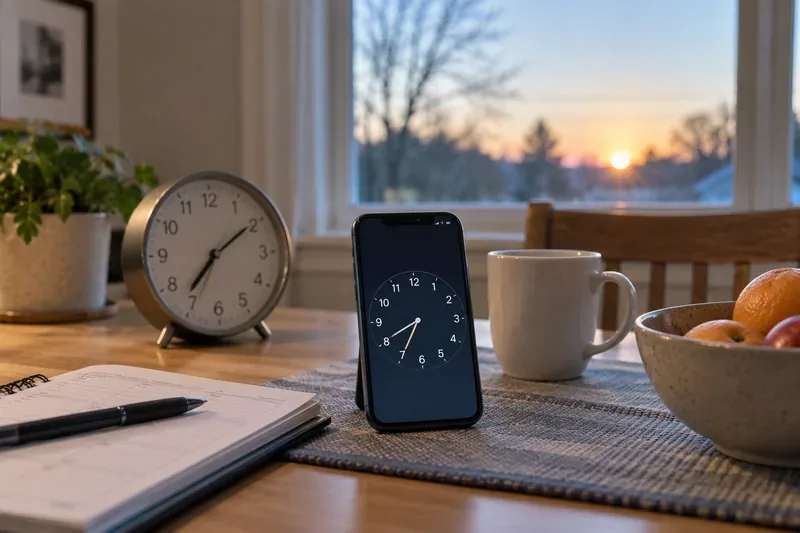
A phone, analog clock, and daily planner illustrate the practical side of a time-rule change: devices may update automatically, while routines and manually set clocks still need attention.
The practical answer: your clock time would stop changing twice a year
If federal law ultimately makes daylight saving time permanent for a jurisdiction, the everyday effect is simple: after the transition is implemented, that area would no longer switch back to standard time in the fall and then forward again in the spring. The clock would remain on the offset now used during daylight saving time.
That does not mean the sun changes when it rises or sets. It means the clock label attached to those events changes. In winter, sunrise and sunset would both appear about one hour later by the clock than they would under standard time. A sunrise that would be labeled 7:15 a.m. under standard time would be labeled about 8:15 a.m. under permanent daylight time; a 4:45 p.m. sunset would be labeled about 5:45 p.m. The actual amount of daylight is unchanged.
This is the main quality check for understanding the proposal: if you picture “more daylight,” the better mental model is “the same daylight shifted one clock hour later.” That distinction matters for school starts, commutes, outdoor activity, and morning routines.
What happens to your iPhone or Android phone?
Modern phones can adjust automatically, but they do not independently interpret a new law. They rely on operating-system updates, carrier or network information, location settings, and time-zone databases that encode the rules for a region.
Apple advises users to keep devices connected to the internet, install current software, and use the automatic date-and-time setting so iPhone and related devices can adjust for time-zone or clock changes. Google similarly documents automatic date, time, and time-zone controls on Android. You can review the official instructions at Apple Support and Android Help.
The important limitation is timing. A legal change has to be translated into software data and then distributed to devices. The IANA Time Zone Database is one of the major sources used across operating systems and software platforms; IANA explains that government rule changes are incorporated into time-zone data and then often reach users through operating-system updates. The current 2026d release, dated September 11, 2026, does not establish U.S. permanent daylight saving time because no such federal law is currently in force. See the IANA Time Zone Database.
How to know your phone is handling a future rule change correctly
Your phone is running current system software.
Automatic date and time are enabled.
Automatic time zone is enabled when your device supports it.
The displayed local time matches another trusted, updated source after the legal transition.
If one device changes and another does not, do not immediately assume the law or the network is wrong. First check whether the older device has received the relevant operating-system or time-zone-data update.
Windows PCs, Macs, and other computers would need updated time-zone rules too
Windows can set the time and time zone automatically and, under current rules, can adjust for daylight saving time automatically. Microsoft documents these controls in Windows Date & Time settings. Macs and many Linux systems likewise depend on maintained time-zone information.
The outcome to aim for is consistency: your phone, laptop, work calendar, smart speaker, vehicle, and any networked clocks should all agree on local civil time. A disagreement is a sign that at least one device may be using old rules or a manually configured time zone.
Which clocks would still need your help?
Permanent daylight saving time would reduce the twice-yearly ritual of resetting many devices, but it would not make every clock self-maintaining. Traditional wall clocks, wristwatches without radio or network synchronization, oven clocks, microwave clocks, some car clocks, irrigation controllers, thermostats, and older appliances may still require manual adjustment during the one-time transition to any new legal regime.
After that transition, those devices would generally stay on the same displayed hour year-round unless they lose power, drift, or are moved to another time zone. The test is straightforward: if the device currently requires you to “spring forward” or “fall back,” it may also require a manual setting change when a permanent rule first takes effect.
Your calendar may be more complicated than your clock
Calendar software distinguishes between a local wall-clock time and a fixed instant. This matters for recurring meetings.
Type of event
Likely behavior after a time-rule update
What to verify
A recurring 9:00 a.m. meeting tied to “America/New_York”
It should normally remain at 9:00 a.m. local time once the calendar service has updated time-zone rules.
Check several future occurrences, especially around the date when clocks previously would have changed.
An event stored as a fixed UTC instant
Its local displayed time can shift when the local UTC offset changes.
Confirm the intended real-world meeting time with participants.
A flight, broadcast, or appointment published by another organization
The organizer may update the schedule independently.
Use the issuer's current confirmation rather than relying on an old screenshot or saved message.
This is one of the places where “my phone updated” is not enough. If you manage recurring cross-time-zone meetings, automation jobs, reservations, or travel plans, verify future events after vendors publish updated rules.
What would change in your daily schedule?
The largest human-visible change would be in winter mornings and evenings. Under permanent daylight saving time, winter mornings would be darker by the clock than under standard time, while evening light would extend one clock hour later. Whether that feels helpful or disruptive depends on where you live, your latitude, your commute, school hours, and your personal schedule.
For example, someone who currently leaves for work at 7:30 a.m. after the fall return to standard time would leave at the same labeled 7:30 under permanent DST, but the sun would be at roughly the position it previously had at 6:30 standard time. Conversely, a person finishing work at 5:00 p.m. would experience outdoor light comparable to about 4:00 p.m. standard time, which can mean more light after work.
No single sunrise example fits the whole country. The United States spans multiple time zones and a wide range of longitudes and latitudes, so winter darkness would be much more noticeable in some places than others. If the policy becomes law, the most useful local check is to compare official or reputable sunrise tables for your city under the new clock offset rather than relying on a national average.
What about Arizona, Hawaii, and other places that do not currently observe DST?
Under current federal rules, Hawaii, most of Arizona, and several U.S. territories do not observe daylight saving time. H.R. 139 includes special treatment for states and areas that were already exempt before enactment, allowing them to choose between the advanced standard-time offset created by the bill and their prior standard-time offset. Because the bill has not become law, residents should not assume a specific final outcome for those jurisdictions yet. The controlling details would depend on enacted federal law and any state decisions made under it. The official bill text is available from GovInfo.
Would time zones such as Eastern and Pacific Time disappear?
No. Permanent daylight saving time is about the offset used within each time zone, not the elimination of U.S. time zones. Eastern, Central, Mountain, Pacific, Alaska, and other zones would still represent different local times. A permanent-DST policy would change whether a zone switches between two seasonal offsets.
That means a 3:00 p.m. Eastern meeting would still be a different local time in the Central and Pacific zones. Travelers would still change their clocks when crossing time-zone boundaries, even if seasonal clock changes disappeared.
What should you do right now?
For now, do not manually force your devices onto permanent daylight saving time. The current federal schedule remains active, and NIST lists November 1, 2026, as the end of daylight saving time for jurisdictions that observe it. Keeping automatic time settings enabled and devices updated is the safer approach under the rules currently in force.
If legislation is enacted later, the practical sequence should be: confirm the effective rule from an official federal source, install operating-system and device updates, verify automatic time-zone settings, then inspect recurring calendars and manually set clocks. The moment to change your process is when an enacted rule and implementation date exist—not when a proposal, vote, or headline appears.
Bottom line
Permanent daylight saving time would be easy to describe but more complex to implement. For most people, the visible goal would be a stable year-round clock with no spring-forward or fall-back changes. Phones and computers would probably handle the new rules automatically once their software and time-zone data were updated, while older clocks and appliances could need manual attention. The more important personal effect would be a one-hour shift in the clock time of winter daylight: darker mornings and lighter evenings compared with standard time.
As of September 21, 2026, that scenario remains prospective. H.R. 139 has passed the House and is in the Senate, but current daylight saving time rules still govern U.S. clocks. Until that changes, the best indicator that your setup is correct is simple: updated devices agree with official local time, your calendar events occur when intended, and you have not overridden automatic settings based on a proposal that is not yet law.