How to Check Your PHP Version and Find Security Updates
Check which PHP version your website really uses, verify support and security releases, and plan safer PHP updates without disrupting your site.
Checking for a PHP vulnerability starts with identifying the PHP version your site actually uses, then matching it against official PHP security announcements and your operating system’s patch records. Run php -v for the command-line version, check the web server separately, and apply the latest security update available from your trusted package provider. A version number alone does not prove a server is vulnerable, particularly when a Linux distributor has backported a fix.
Security update, October 22, 2026: PHP’s official news reports critical security fixes released October 21, 2026, involving CVE-2026-109618 and CVE-2026-109619. Operators should consult the release-specific advisory and update promptly. Do not assume that every installation, configuration, or branch has identical exposure; confirm the affected versions and patches from the advisory and your software vendor. Read the official PHP release announcements.
On a Linux server or macOS terminal, run:
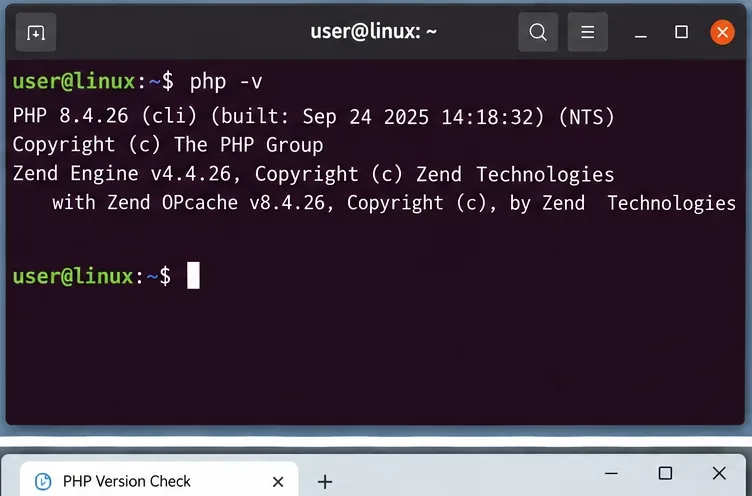
php -vOn Windows, open PowerShell or Command Prompt and run the same command if PHP is on your PATH. The output identifies the command-line interpreter (CLI). If the command is not found, PHP might still be installed for a web server, or its executable may be outside your shell PATH.
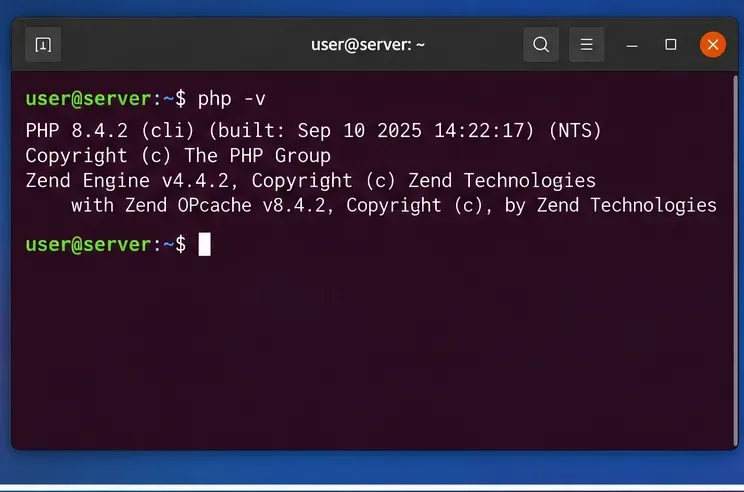
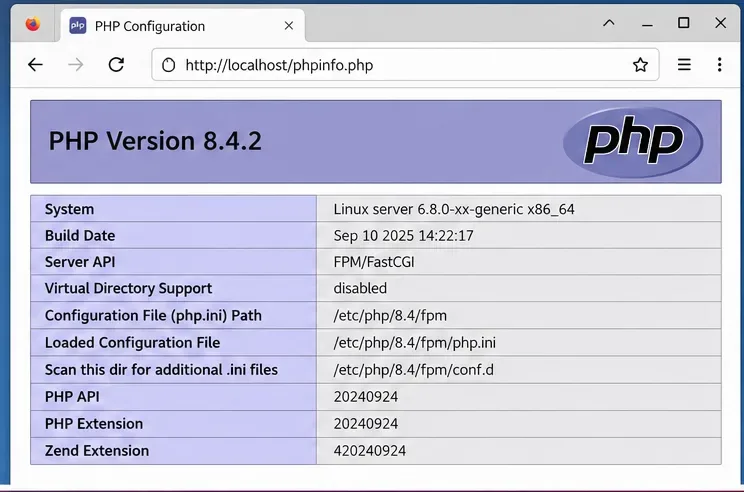
Command-line PHP and web-serving PHP may use different installations. Check the version in your hosting dashboard, your PHP-FPM pool configuration, or a trusted administration interface. If you administer the site directly, you can temporarily create a file in a restricted staging or localhost environment containing <?php echo PHP_VERSION; ?>, request it through the web server, record the value, and delete the file immediately. Never leave an openly accessible phpinfo() page online: its configuration output can expose sensitive operational details.
For PHP-FPM, check the service or pool assigned to your virtual host; for containers, query the running application container rather than only the host. The relevant version is the one that processes the site’s requests.
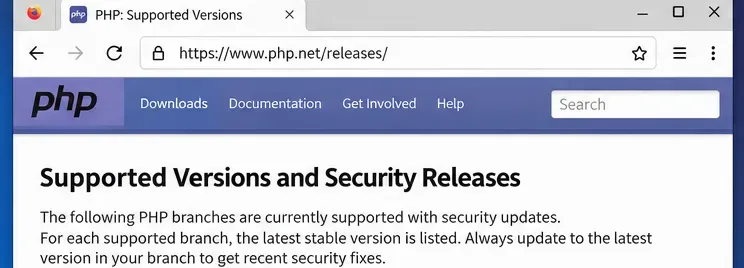
PHP currently lists the 8.2, 8.3, 8.4, and 8.5 branches as supported, with differing active-support and security-only periods. PHP 8.2 reaches upstream end of life on December 31, 2026. PHP 8.1 and older have already reached upstream end of life. Verify support dates at PHP Supported Versions.
An unsupported upstream branch calls for an upgrade plan, even if an individual vulnerability does not apply. However, enterprise Linux vendors sometimes maintain packages beyond PHP’s upstream schedule; check the specific distribution’s security lifecycle and advisories before interpreting the status of a packaged build.
Official distribution references include Ubuntu Security Notices, Debian Security Tracker, and Red Hat Security Updates.
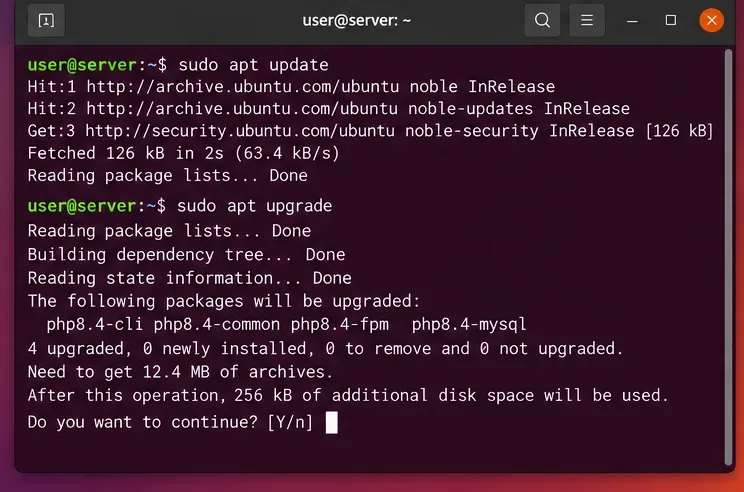
Back up application files, configuration, and database state, and test a supported PHP version with your framework and extensions. On Ubuntu or Debian, check available updates using:
sudo apt update
sudo apt list --upgradable
Then apply the appropriate vendor-provided package upgrades under your normal change-control process, for example sudo apt upgrade. A major PHP migration may require explicit package selection and changes to PHP-FPM pool configuration; it is not guaranteed by a routine upgrade command. Restart or reload the affected PHP-FPM and web services only as appropriate for your deployment, and check application health afterward.
On Red Hat-family systems, review dnf updateinfo and your vendor advisories before applying the relevant updates. For Docker and other containers, rebuild from a patched trusted base image, redeploy, and verify the PHP version inside the running container. Update extensions and application dependencies separately when advisories affect them.
For sites handling sensitive data, review logs for suspicious activity and follow your organization’s incident response procedures when an applicable critical vulnerability may have been exposed. A successful update prevents future exploitation of the fixed bug but does not by itself establish that the server was never compromised.
Check which PHP version your website really uses, verify support and security releases, and plan safer PHP updates without disrupting your site.
Learn how magma, gas, and water drive eruptions; compare eruption and volcano types, understand warning signs, and follow practical U.S. safety advice.
Find official early voting dates, hours, and locations in your state. Learn what to verify for registration, ID, accessibility, and in-person absentee voting.
Learn what Social Security trust fund depletion means, the latest 2032 and 2034 projections, what benefits could be payable, and how to plan using SSA estimates.
Check a Kayem Foods recall product against the official brand, product description, UPC, lot code, and USDA establishment number. Here’s what to do if it matches.
AI adoption is widespread, but business returns vary. Learn why U.S. companies revisit AI budgets and how to measure full costs, productivity, and value.
Check automatic time and time-zone settings on iPhone, Android, and Galaxy phones before the U.S. fall clock change on November 1, 2026.
Learn how to vote in the 2026 U.S. midterms: check registration, confirm your state’s deadlines, compare voting options, and find official election resources.
Learn how Tesla Autopilot’s cruise and steering assistance works, what it can miss, how it differs from FSD (Supervised), and what U.S. drivers must still do.
See who may qualify for the expanded Amazon Prime FTC refund, how payments work through April 2027, where to check status, and how to avoid scams.