What It Takes to Target an A+ Nextcloud Security Rating

Fix common Nextcloud scan findings with current updates, HTTPS and HSTS, precise reverse-proxy trust, and checks against the public server.
Your Nextcloud site can work normally and still receive a weak grade from an external security scan. Common causes include an outdated or end-of-life server version, no HSTS header, or a reverse proxy that hides HTTPS from Nextcloud. Start by updating Nextcloud, enforce HTTPS at the public web-server edge, configure proxy trust narrowly, and clear the warnings reported by Nextcloud’s own administration page.
There is no single universal “A+” standard. Nextcloud’s official Security Scan rates a publicly visible Nextcloud server using known advisories and hardening checks it can perform from outside; SSL Labs grades TLS configuration. Treat any grade as a point-in-time result, not proof that the server is secure or a guarantee against unknown vulnerabilities.
Record which scanner produced the grade before changing settings. Nextcloud’s official scan reports known vulnerabilities, end-of-life versions, and visible hardening issues. A TLS-only grade may instead come from SSL Labs. Fix the warnings from the scanner you are using, then re-run that same scan; different services use different criteria.
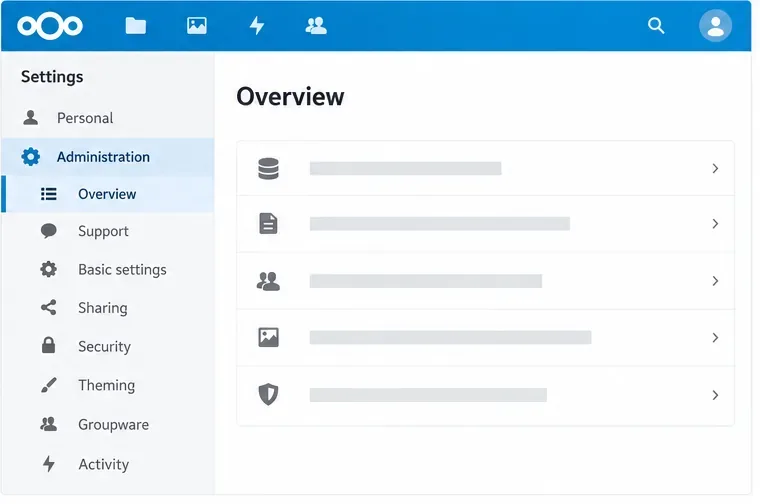
In Nextcloud Administration settings, check the server version and any security or setup warnings. Upgrade to a supported Nextcloud release and install its current security updates before adjusting headers. An old release can remain vulnerable even if a header scanner returns A+. If an upgrade is not available for your installation package, follow that package’s supported upgrade path rather than replacing files manually.
Serve the public Nextcloud URL over HTTPS with a valid certificate, and redirect unencrypted HTTP traffic to HTTPS. Nextcloud’s hardening guide recommends HTTPS on production servers. Then add HTTP Strict Transport Security (HSTS) at the server or proxy that sends the public HTTPS response. Nextcloud’s admin warning calls for a Strict-Transport-Security max-age of at least 15,552,000 seconds.
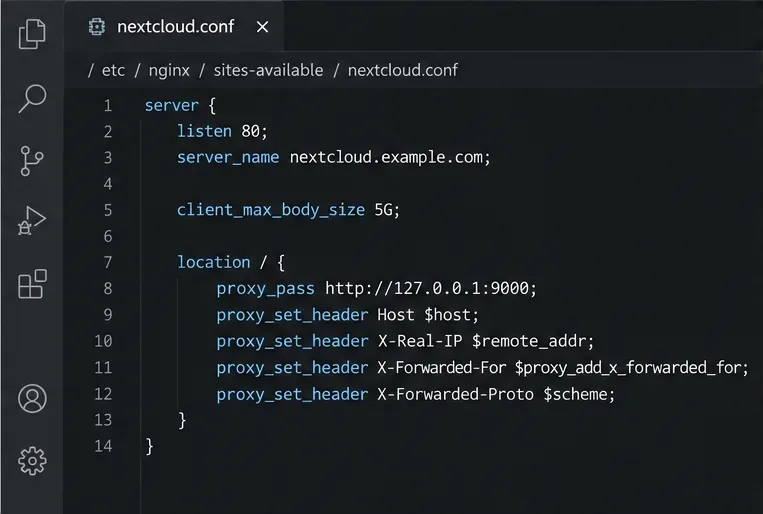
For Nginx, add a directive like this to the active TLS server block, replacing the hostname and preserving the rest of your known-good Nextcloud configuration:
add_header Strict-Transport-Security "max-age=15552000; includeSubDomains" always;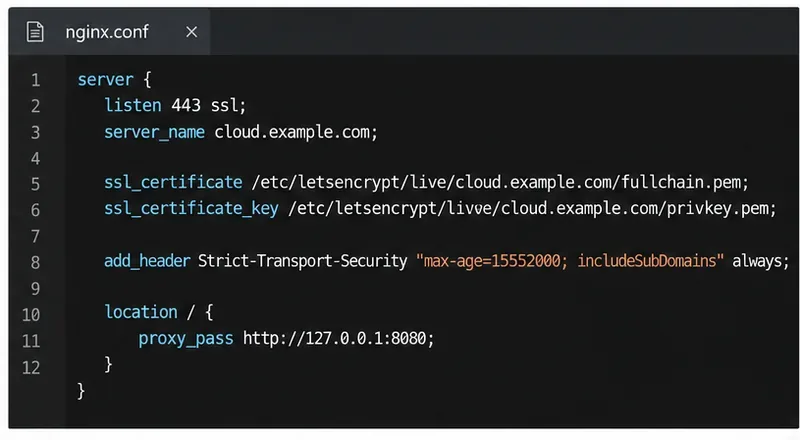
Use includeSubDomains only if every subdomain is also available over HTTPS. Do not add the optional preload flag casually: browser preload lists can take months to remove a domain after submission. If a reverse proxy handles TLS, configure HSTS on that public-facing proxy; setting it only on an internal Nextcloud host may not change the header the scanner sees.
Nextcloud already sends basic headers such as X-Content-Type-Options, X-Frame-Options, Referrer-Policy, and X-Robots-Tag in a default environment. Avoid adding duplicate or conflicting versions before checking the response. Nextcloud’s Nginx example configuration shows how to serve these headers from Nginx.
If a reverse proxy sits in front of Nextcloud, list only that proxy’s actual IP address or private network range under trusted_proxies. Nextcloud uses forwarded client-IP headers only for trusted proxies; trusting the wrong addresses can let clients spoof their apparent IP and undermine access controls or logs.
For example, if the TLS-terminating proxy is actually at 10.0.0.10, merge the relevant entries into the existing $CONFIG array in config/config.php:
'trusted_proxies' => ['10.0.0.10'],
'overwriteprotocol' => 'https',Set overwriteprotocol to https when TLS ends at the proxy and Nextcloud otherwise detects the internal HTTP connection as public HTTP. If your proxy uses a nonstandard forwarded-IP header, configure forwarded_for_headers to match it exactly. Do not set a broad trusted range such as 0.0.0.0/0. After editing the file, check the merged configuration and test sign-in, sharing, and generated links.
Open Administration settings and review the Overview or Security and setup warnings. Address the warning that appears rather than applying unrelated hardening directives to chase a letter grade.
overwriteprotocol for the trusted proxy setup.debug disabled in production; enable it only for targeted troubleshooting and turn it off again.Only restrict admin actions with allowed_admin_ranges if administrators have stable, known management IP ranges. A mistaken range can hide administrative functions from legitimate admins. Nextcloud’s hardening guide also recommends disabling HTTP compression to mitigate BREACH; check your web-server or proxy configuration if compression is enabled for authenticated pages.
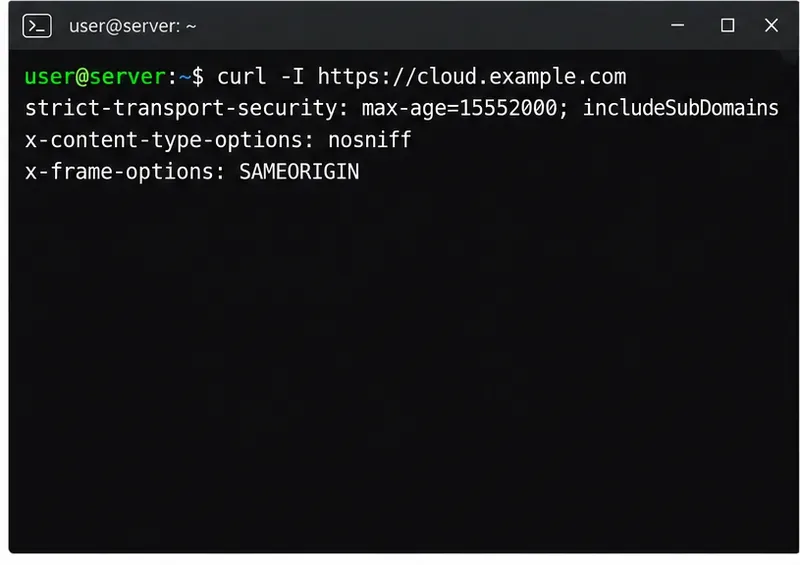
Check what an outside client actually receives, not only what the configuration file contains:
curl -I https://cloud.example.comConfirm the response includes an HSTS header with the intended max-age and that the basic Nextcloud security headers are present. A browser’s developer tools can show the same response headers. If the values differ from your configuration, inspect the TLS terminator, proxy, and any cached or nested Nginx locations.
Next, run the official Nextcloud Security Scan against the public hostname, then review Administration settings again. Use Qualys SSL Labs when you need a separate TLS grade and details. The official scan requires a reachable Nextcloud hostname; it cannot assess a private-only instance from the public internet.
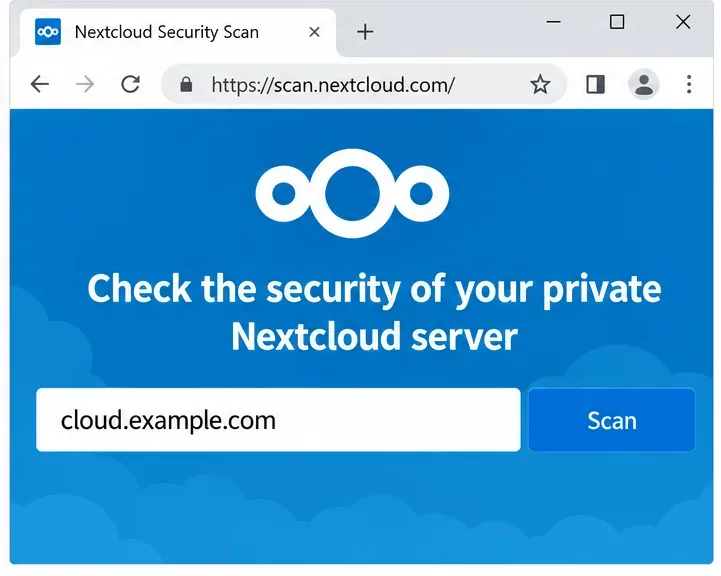
If the grade remains below A+, use the specific finding to identify the layer responsible. Fix one issue at a time, check that Nextcloud still works through its public URL, and scan again. A+ is a useful configuration signal, but patching, backups, access controls, and ongoing monitoring remain necessary after the scan passes.
Fix common Nextcloud scan findings with current updates, HTTPS and HSTS, precise reverse-proxy trust, and checks against the public server.
Back up Nextcloud’s files and MariaDB together, schedule encrypted Restic snapshots with cron, and verify recovery without risking the live server.
Configure Nextcloud SSE for the storage that needs it, protect encryption keys, and measure transfer and CPU impact before encrypting existing files.
Connect Nextcloud’s file search to Elasticsearch, index document contents, and choose a setup that fits your server and security needs.
Configure Nextcloud to remove deleted files after a defined retention period, schedule background jobs reliably, and avoid commands that purge every user’s trash.
Run Nextcloud’s OCC repair safely, preview the database changes, and check why the warning might remain.
Allow larger Nextcloud browser uploads by aligning PHP, Nginx or Apache, temporary storage, and timeout settings—and verify which limit is blocking the file.
Set the PHP memory limit Nextcloud actually uses, restart the right service, and confirm the 512 MB setting in Admin Overview.
Mount a compatible object-storage bucket in Nextcloud using its S3 backend, with the right endpoint, credentials, access scope, and verification steps.
Safely move a Linux Nextcloud data directory to an external drive using a persistent UUID mount, maintenance mode, a verified copy, and the original-path symlink.