The most commonly deficient nutrients in the diet

Diet is important to our health. Yet most of our meals are lacking in these six important nutrients.
Dmail for Chrome is an upgraded plugin that allows sending and canceling emails securely from Gmail on your Google Chrome browser. With Dmail, you gain enhanced control over your emails and can revoke (cancel) them at any time, even after they have been sent.
Currently, Google allows users to cancel incorrectly sent emails within a window of up to 30 seconds. However, it is not always possible to notice a mistake immediately; this could take 1, 2 minutes, or even 1 or 2 hours later. Dmail aims to address this issue, providing a more flexible solution to ensure that sensitive information can be controlled even after sending.
Dmail not only enables self-destructing emails but also ensures that only the intended recipient can access the email content. You can revoke access to any sent email at any time, even if it has been read, making your communications safer and more secure.
| Feature | Description |
|---|---|
| Self-Destructing Emails | Send emails that expire after a set period. |
| Secure Messaging | Send emails securely from Gmail. |
| Revocation Options | Revoke access to any email sent based on user-defined settings. |
| No Forwarding | Emails can only be read by specified recipients. |
| No Account Required | Use the application without creating an account. |
| Unlimited Emails | Send an unlimited number of emails per month. |
| Cross-Browser Compatibility | The recipient can read emails in any web browser. |
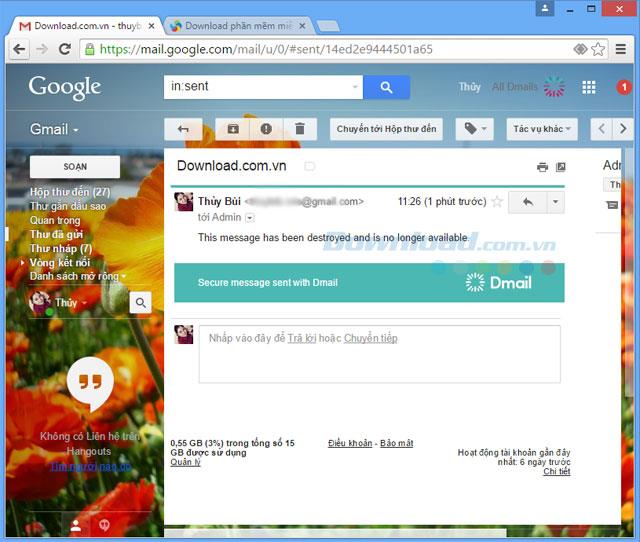
Email is inaccessible after being canceled by Dmail
With Dmail's sophisticated features, users can not only recover mistakenly sent emails but can also enhance the privacy and security of their communications. The no-forwarding option is invaluable for sensitive discussions where privacy is paramount. Once access is revoked, the email content becomes completely inaccessible, rendering it as if it was never sent.
Furthermore, Dmail allows any recipient to read the emails without requiring the installation of additional plugins or the use of Gmail, ensuring seamless usability. This flexibility means that users can securely send messages knowing they retain control over them.
In summary, Dmail is an essential tool for anyone who values email security and privacy, offering a reliable method for managing sent communications. Whether you want to avoid embarrassing mistakes or keep sensitive information secure, Dmail is the solution you need.
To set up and utilize Dmail, follow these steps:
Step 1: Download Dmail by clicking Download, then select Add to Chrome.
Step 2: Open Gmail in your Google Chrome browser and activate Dmail. When you click Create (or Compose), you will see the Dmail icon. Select On to enable it.
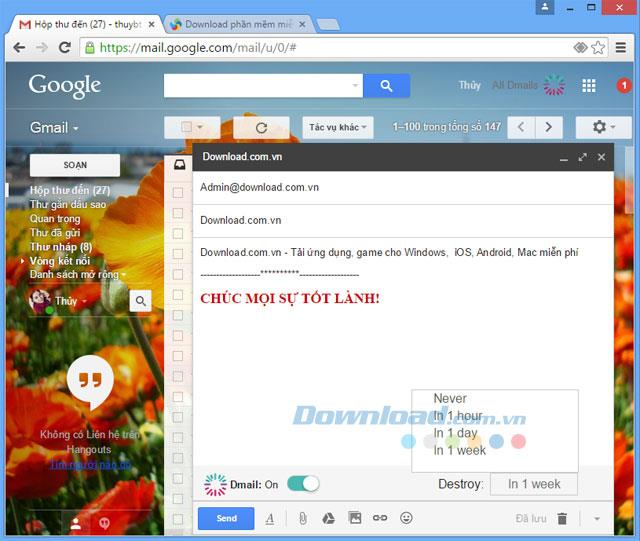
Dmail's Automatic Cancellation Options
In the Destroy section, choose how long you want the email to remain accessible (options include one hour, one day, or a month) before it automatically cancels.
Step 3: To revoke an email, open your Gmail outbox and click All Dmails in the upper-right corner. Select the email you wish to cancel, and click Revoke Email.
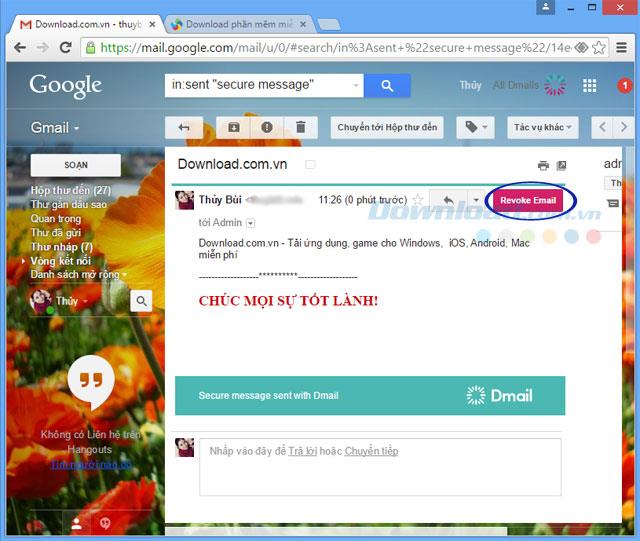
Select Revoke Email to revoke access
Once revoked, the emailed content will be deleted, and the email will no longer be available to either the sender or recipient.
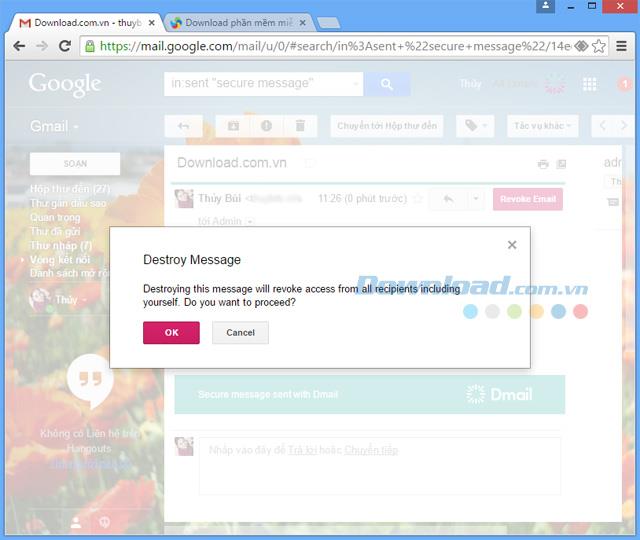
Select OK to cancel the sent email
After confirmation, the message will be permanently deleted. It will seem as if it had never been created or sent.
Diet is important to our health. Yet most of our meals are lacking in these six important nutrients.
At first glance, AirPods look just like any other true wireless earbuds. But that all changed when a few little-known features were discovered.
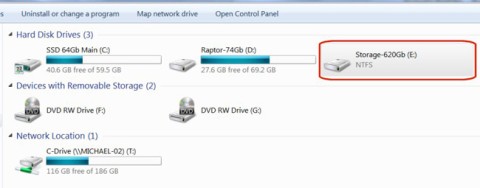
In this article, we will guide you how to regain access to your hard drive when it fails. Let's follow along!
Dental floss is a common tool for cleaning teeth, however, not everyone knows how to use it properly. Below are instructions on how to use dental floss to clean teeth effectively.
Building muscle takes time and the right training, but its something anyone can do. Heres how to build muscle, according to experts.
In addition to regular exercise and not smoking, diet is one of the best ways to protect your heart. Here are the best diets for heart health.
The third trimester is often the most difficult time to sleep during pregnancy. Here are some ways to treat insomnia in the third trimester.
There are many ways to lose weight without changing anything in your diet. Here are some scientifically proven automatic weight loss or calorie-burning methods that anyone can use.
Apple has introduced iOS 26 – a major update with a brand new frosted glass design, smarter experiences, and improvements to familiar apps.
Yoga can provide many health benefits, including better sleep. Because yoga can be relaxing and restorative, its a great way to beat insomnia after a busy day.
The flower of the other shore is a unique flower, carrying many unique meanings. So what is the flower of the other shore, is the flower of the other shore real, what is the meaning and legend of the flower of the other shore?
Craving for snacks but afraid of gaining weight? Dont worry, lets explore together many types of weight loss snacks that are high in fiber, low in calories without making you try to starve yourself.
Prioritizing a consistent sleep schedule and evening routine can help improve the quality of your sleep. Heres what you need to know to stop tossing and turning at night.
Adding a printer to Windows 10 is simple, although the process for wired devices will be different than for wireless devices.
You want to have a beautiful, shiny, healthy nail quickly. The simple tips for beautiful nails below will be useful for you.