Home
» Technology
»
How AI Is Reshaping Everyday Productivity Heading Into Q4 2026
How AI Is Reshaping Everyday Productivity Heading Into Q4 2026
AI productivity in late 2026 is becoming less about asking a chatbot for a better paragraph and more about giving software enough context to help complete an outcome. The practical problem is that many people still use AI as an extra tab: they copy text into a prompt, copy the answer back, switch to another app, and repeat. That can save a few minutes, but it can also create more review work, more context switching, and more chances to lose track of what the AI actually changed.
Timing note: as of September 14, 2026, Q4 has not started yet. This article is therefore a forward-looking Q4 guide based only on capabilities that have already been released or officially announced by this date. It does not claim to report results from October through December 2026.
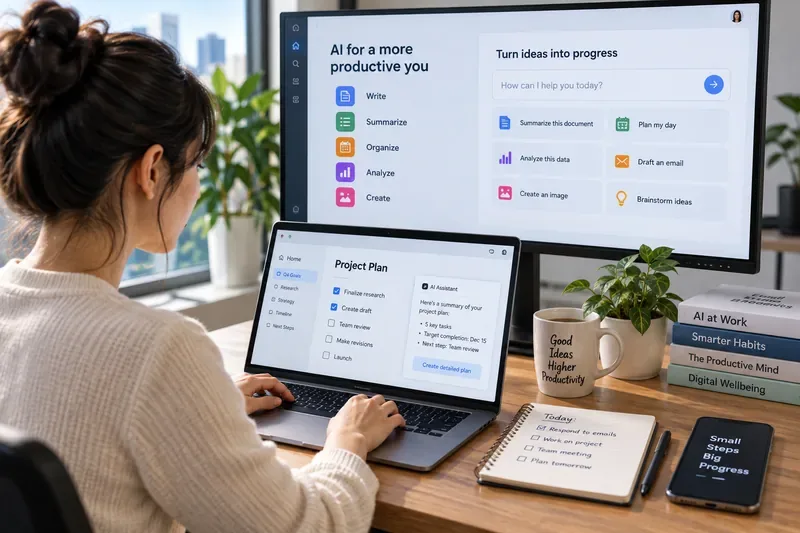
A modern productivity setup increasingly combines writing, planning, analysis, and task coordination instead of treating AI as a separate destination.
A fictional example to make the changes concrete
Consider Maya, a fictional operations coordinator at a small design company. This is an illustrative scenario, not a testimonial, benchmark, or report of a real person's results. Maya spends much of her day moving between email, meetings, project documents, spreadsheets, calendars, and internal chat.
At the start of 2025, her use of AI might have looked like this: summarize a long email, rewrite a paragraph, brainstorm an agenda, or explain a spreadsheet formula. Heading into Q4 2026, the more important question is different: can AI use the context from those tools, produce a useful artifact, and move a task forward while Maya remains responsible for the final decision?
That shift is visible across the major productivity ecosystems. OpenAI introduced ChatGPT Work in July 2026 as an agent for longer tasks that can work across apps and files and produce finished documents, spreadsheets, presentations, reports, and sites. Google announced new agentic Workspace capabilities on September 9 that can coordinate work across Gmail, Drive, Docs, Slides, and Chat. Microsoft has been moving Copilot from answering and drafting toward taking actions through Copilot Cowork and business agents. Apple, meanwhile, announced a new generation of Apple Intelligence for fall 2026 with deeper system integration and a mix of on-device processing and Private Cloud Compute. Readers can verify those announcements at OpenAI's ChatGPT Work announcement, Google Workspace's September 2026 agentic update, Microsoft's Copilot Cowork announcement, and Apple's June 2026 Apple Intelligence announcement.
1. The biggest change: AI is moving from answers to actions
For Maya, the clearest productivity gain is not a smarter answer. It is reducing the number of manual handoffs between steps. Suppose she receives ten project updates by email and needs to prepare a weekly client brief. A traditional assistant can summarize each message. An agentic system can potentially gather the relevant updates, compare them with project files, draft the brief, organize the supporting material, and leave the result ready for review.
This is an important distinction. A copilot mainly assists a person who is actively doing the work. An agent is software that can pursue a multi-step task, use tools, and take actions within boundaries set by the user or organization. The terms are not perfectly standardized, but this difference is useful when deciding how much authority to give an AI system.
OpenAI's 2026 Workspace Agents documentation describes repeatable workflows that can connect to tools and run on schedules, while Microsoft's agent portfolio includes workflow-oriented agents intended to automate recurring business processes. The productivity opportunity is obvious: fewer repetitive transfers between apps. The tradeoff is equally important: the broader the agent's permissions, the more carefully access, review, and failure handling must be designed. See OpenAI's Workspace Agents guidance and Microsoft's official Copilot agents overview.
2. Cross-app context is becoming more valuable than a longer prompt
Maya's second problem is context. She may know that a client changed a deadline in email, the product team discussed a dependency in chat, and the latest budget lives in a spreadsheet. A standalone AI assistant only knows what she pastes into it. A connected assistant can be more useful because it can work with authorized sources directly.
Google's September 2026 Workspace update explicitly describes Gemini gathering context from selected files, emails, and chat threads to complete cross-app tasks. Earlier in June, Google also added AI features for organizing Drive files, fixing spreadsheet formula errors, and improving email drafts. Those are not glamorous examples, but they show where everyday productivity is going: AI is increasingly embedded in the places where work already happens. Google's details are available in its June 2026 Workspace feature drop.
For a user like Maya, the practical test is simple: does the AI remove unnecessary switching without hiding where its information came from? If the answer is yes, integration is useful. If the system makes it difficult to verify the source or understand why it took an action, a less automated workflow may be safer.
3. Background work changes how people manage their day
Another late-2026 shift is that some AI systems can continue work after the initial request instead of requiring the user to stay in a back-and-forth chat. ChatGPT Work, for example, is designed for longer projects and includes scheduled tasks that can run once, repeat, or monitor for changes. Microsoft's Cowork is also positioned around delegated work rather than only conversational assistance.
In the fictional scenario, Maya might ask an agent to prepare a draft status pack every Thursday afternoon. That could be useful if the inputs, structure, and review process are stable. It would be a poor use of automation if the task changes every week, requires nuanced judgment, or depends on ambiguous source material.
The key productivity lesson is that automation should usually follow process clarity, not precede it. A messy workflow automated at scale can produce more messy output, just faster.
4. Voice and multimodal input are reducing the friction of starting
AI is also becoming easier to invoke. Google announced conversational voice capabilities for Gmail, Docs, and Keep in May 2026, while Apple has been pushing AI deeper into system experiences. The practical effect is not that typing disappears; it is that users gain more ways to capture intent before it is lost.
For Maya, that might mean speaking a rough outline while walking between meetings, then asking AI to turn it into a structured note for later review. A field worker might photograph a handwritten checklist and ask for a clean summary. A manager might talk through a decision tree instead of starting from a blank document.
The tradeoff is that lower input friction can produce more low-quality instructions. Voice is fast, but spoken requests can be vague. A useful habit is to let AI capture the first draft, then explicitly check objective, audience, constraints, and source material before accepting the result.
5. On-device AI is becoming part of the productivity equation
Not every productivity task needs to go to the cloud. Windows Copilot+ PCs include AI components designed to use a dedicated neural processing unit, or NPU, for local machine-learning workloads. Microsoft says these components support on-device features with lower latency and reduced dependence on cloud connectivity. Apple similarly describes a hybrid model that uses on-device processing where possible and Private Cloud Compute for more demanding requests.
That matters for everyday work because the "best" AI workflow is not only about model intelligence. It can also depend on latency, privacy requirements, battery use, connectivity, and whether the hardware supports the feature. Microsoft's current description of these local components is available on its Windows Copilot+ AI components support page.
What should people actually delegate to AI?
Task
Good AI role
Human responsibility
Main tradeoff
Email triage
Summarize threads, group topics, propose replies
Check tone, commitments, recipients, and sensitive details
Speed versus the risk of missing nuance
Meeting follow-up
Draft notes, extract actions, prepare status updates
Confirm decisions, owners, and deadlines
Consistency versus incorrect attribution
Document creation
Build a first draft from approved sources
Verify facts, argument, audience, and final wording
Faster drafting versus generic or unsupported content
Validate logic, inputs, formulas, and business meaning
Accessibility versus silent analytical errors
Recurring workflows
Collect inputs, create a standard artifact, run on schedule
Define permissions, exception handling, and review gates
Automation versus amplified mistakes
High-stakes decisions
Organize evidence and surface alternatives
Make the decision and document accountability
Useful synthesis versus overreliance
6. Productivity is shifting from “how fast did I write?” to “how much work moved forward?”
The older way to measure AI productivity was often based on the time required to draft text. That is too narrow for the agentic systems arriving in 2026. If Maya can ask for a client brief and receive a nearly finished artifact, the relevant question is not merely how many minutes she saved typing.
Better measures include how much rework was required, whether the output used the right sources, how many handoffs were eliminated, whether deadlines were met more reliably, and whether the final result improved. An AI workflow that produces a draft in 30 seconds but takes 20 minutes to correct may be worse than a slower system that produces something easier to verify.
This also means that productivity gains will vary widely by job. Repetitive, well-defined knowledge work is easier to delegate than work built around negotiation, judgment, accountability, or incomplete information.
7. The new bottleneck is review, not generation
When AI can create emails, spreadsheets, presentations, research summaries, and scheduled reports, the scarce resource becomes trustworthy review. Maya can generate more material than she can realistically inspect. That is why the most useful Q4 2026 productivity habit may be deciding what deserves human attention.
A practical review hierarchy looks like this:
Low-risk, reversible work: let AI do more, with quick spot checks.
Externally visible work: review facts, tone, links, names, and commitments before sending.
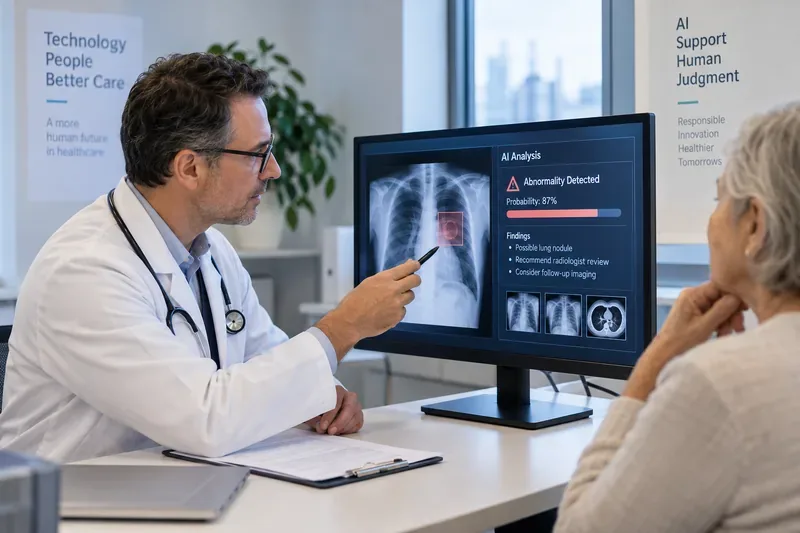
Financial, legal, medical, security, or personnel decisions: use AI for organization and analysis, but keep accountable human review and domain expertise in the loop.
Automated actions: require clear permissions, logs, and an easy way to stop or correct the workflow.
8. A realistic Q4 2026 adoption plan
For the fictional Maya, the sensible path is not to automate her whole job. It is to choose a few workflows where the inputs and desired outputs are already understood.
She might begin with three areas: weekly status reporting, meeting follow-up, and first-draft client communications. During the first few weeks, she measures how often the AI output can be accepted with minor edits, how often it misses context, and what kinds of errors recur. Only after the workflow is stable does she consider a scheduled or agentic version.
This approach matters because the tools are changing quickly. A workflow that was awkward in early 2026 may be much easier by Q4 because the assistant can now reach the relevant app directly. Conversely, a newly launched feature may look impressive but still lack the controls or reliability required for a particular workplace.
9. How to tell whether AI is actually improving your productivity
At the end of a week, do not ask only, “Did I use AI a lot?” Ask whether the work improved. A useful self-check is:
Did I finish more meaningful tasks, or just generate more drafts?
Did AI reduce app switching and repeated data entry?
Did the number of corrections and follow-up fixes go down?
Could I verify the sources behind important outputs?
Did I maintain control over permissions, sending, publishing, and other consequential actions?
Did the workflow still work when the input was unusual or incomplete?
If several answers are no, the right response may be to simplify the workflow rather than add more automation.
What Q4 2026 is likely to feel like
Heading into Q4 2026, the most important AI productivity trend is not a single model or app. It is the convergence of three ideas: assistants embedded inside everyday software, agents that can perform multi-step work across tools, and local AI that can handle some tasks directly on personal devices.
For users, that changes the skill that matters most. Prompt writing is still useful, but process design, source selection, permission management, and review discipline are becoming just as important. The people who benefit most from these tools are unlikely to be the ones who automate everything. They are more likely to be the ones who know which parts of a workflow are repetitive, which parts require judgment, and where a human should remain accountable.
For Maya, the fictional operations coordinator, the win is not an inbox that magically disappears or a workday without effort. It is a quieter workflow: fewer manual transfers, faster first drafts, better-organized context, and more time reserved for decisions that actually need a person.