Collabora Online vs ONLYOFFICE: Measure RAM and Editing Latency
Compare Collabora Online and ONLYOFFICE Docs on the same server with a repeatable test for memory use, document-open time, and collaborative editing delay.
Short answer: HamoniKR OS is ready for a controlled desktop pilot, but public product information alone does not establish that it is ready to replace a managed enterprise desktop fleet. Its current 8.0 Paektu release has useful Korean-language integration and a long support horizon; before a broad rollout, an organization still needs written answers on service levels, centralized administration, security response, and its own application compatibility.
Illustrative example: Imagine a 40-person Korean design and accounting firm considering Linux on a few office PCs. This is a hypothetical scenario, not a real deployment or test. The decision process below shows how that firm could evaluate HamoniKR without mistaking a polished desktop for a complete enterprise service.

HamoniKR is a Korean open-source desktop project, not a Linux kernel or a server-only distribution. Its publisher describes version 8.0 Paektu as based on Ubuntu 24.04 LTS, with Linux kernel 6.8 and feature and security updates planned through May 2034. The project publishes standard LTS and Lite desktop editions; the Lite edition is aimed at lower-resource machines. Check the current official download and edition notes before selecting an image, because edition details and support statements can change.
The product’s clearest differentiator is local desktop fit. The publisher lists Korean input and HWP document editing support, and says it has checked compatibility for selected Korean-market software such as KakaoTalk, Hancom Office, ALZip, and V3. It also documents familiar desktop conveniences, including Cinnamon, a software manager, and common browser and collaboration applications. These claims are useful screening evidence, but “compatible” should not be read as a guarantee for every version, workflow, plug-in, or vendor support contract.
Official product material also reports GS certification and a software quality award, and describes adoption across public and private organizations. Treat those as publisher-reported credentials and history. They do not by themselves answer whether a particular release, configuration, or planned use is covered by a procurement rule, security baseline, or independent certification requirement at your organization.
For the hypothetical firm, a few shared workstations used for web apps, email, document review, and Korean-language communication are a sensible pilot target. The Ubuntu LTS foundation and stated support horizon make it easier to plan a lifecycle than with a short-lived community snapshot. Korean input and HWP handling may also reduce friction where staff exchange local-language documents. Verify formatting, tracked changes, embedded objects, macros, and print output using the firm’s actual files; file opening is not the same as round-trip fidelity.
HamoniKR is also attractive when reducing proprietary desktop license exposure is part of a broader plan. The OS is freely downloadable, and its code and project components are publicly available through the HamoniKR GitHub organization. Open source does not remove operating costs: someone still owns patch deployment, backups, identity integration, endpoint monitoring, user support, and application testing.
Enterprise readiness depends on the operating model around the desktop as much as on the desktop itself. The public HamoniKR 8.0 materials reviewed for this article explain installation, features, editions, and an upgrade path. They do not clearly publish a complete enterprise service catalog with guaranteed response times, a security vulnerability disclosure and remediation SLA, centralized fleet-management architecture, or long-term maintenance terms for a paid deployment. The publisher provides business contact details, so organizations can ask for these terms; do not assume them from the existence of a commercial supplier.
Likewise, the existence of a community manual and issue tracker is not equivalent to a contracted support path. Ask who owns the system image, repositories, package signing, critical updates, and escalation when a release update breaks a business workflow. Get the answers in writing and confirm that the proposed terms cover the exact version and number of endpoints.
Some Windows-only applications can be installed or run through compatibility tools, but that is not the same as support from the application vendor. A business should check its required accounting, VPN, smart-card, endpoint security, printer, scanner, video-conference, and document workflows one by one. In particular, confirm any government or regulated-sector applications with their official supplier before changing operating systems.
For the hypothetical firm, success means staff can finish defined daily tasks, IT can deploy and recover the machines repeatably, security updates arrive within the company’s required window, and each blocker has an owner. If a critical application remains unsupported or the required endpoint controls cannot be demonstrated, keep that workload on its current supported platform while evaluating Linux for better-fit roles.
HamoniKR OS 8.0 looks like a credible Korean desktop candidate, particularly for organizations that value Korean-language integration and want an Ubuntu-based LTS desktop. That is enough to justify a structured pilot, not enough to make a blanket enterprise recommendation. The deciding evidence is whether the supplier can document the service commitments and management integrations your environment requires, and whether your own applications and devices pass acceptance testing.
Before committing, review the HamoniKR 8.0 manual, the publisher’s product page, and the current release information. The final go/no-go should be based on written support terms and pilot results—not national branding, an LTS label, or a feature list alone.
Compare Collabora Online and ONLYOFFICE Docs on the same server with a repeatable test for memory use, document-open time, and collaborative editing delay.
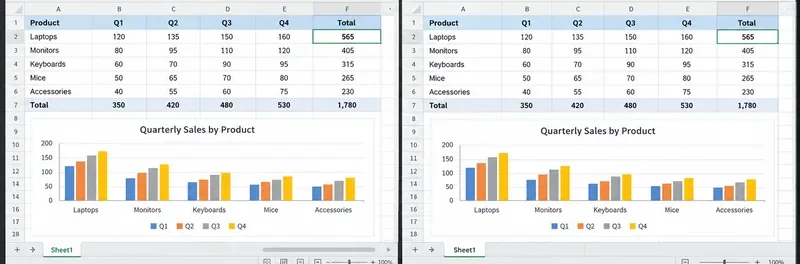
Compare document, spreadsheet, and layout behavior in ONLYOFFICE Docs and Microsoft 365 web apps, then use a quick test to choose the safer editor for your files.
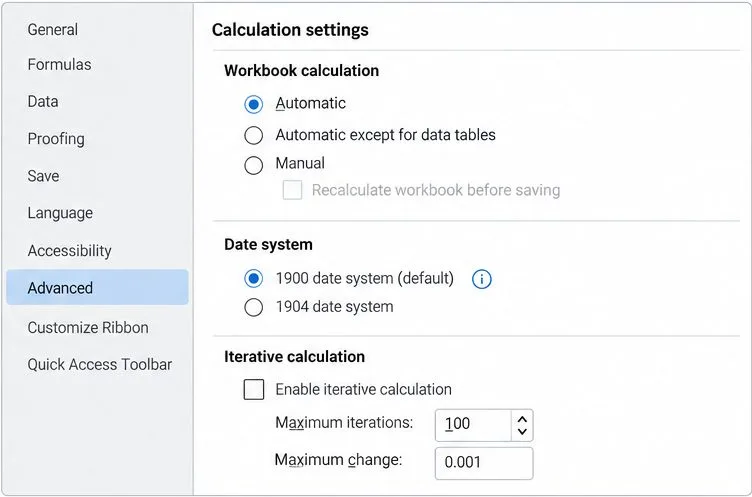
Trace formula mismatches to syntax, regional separators, recalculation, date systems, or unsupported functions, then verify the workbook before sharing it.
See what recent release data can—and cannot—prove, then compare both office suites on the same files and computer.
Compare exact matches, left-side lookups, missing-value handling, and version support so you can choose a reliable Calc formula.
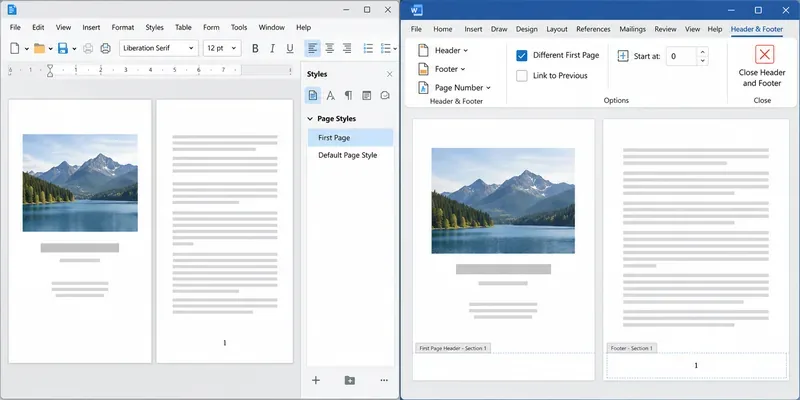
Learn how Writer page styles and Word section links affect cover pages, Roman numerals, and numbering restarts when you move a document.
You've just nailed a great product demo. The energy was right, you handled objections like a pro and you could see the lightbulb moment on your prospect's face. The Zoom call is over, you click “End Recording,” and you feel great.
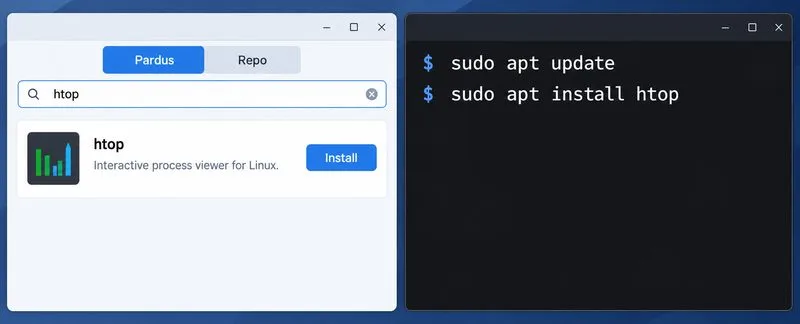
Compare Pardus Software Center with APT commands to find, install, remove, and update packages using the method that fits your task.
See what Pardus’s published RAM requirements mean, then compare XFCE and GNOME on the same PC with repeatable MemAvailable readings.
See where HamoniKR 8.0 fits in a business desktop plan, what its Korean-focused features support, and what to verify before a wider rollout.