Home
» Technology
»
SLES 15 SP7 vs RHEL 9.8: What Server Performance Depends On
SLES 15 SP7 vs RHEL 9.8: What Server Performance Depends On
A server can feel slower after a Linux migration even when the hardware is unchanged, leaving teams unsure whether the cause is the distribution, a changed kernel, or a different workload profile. There is no defensible universal speed winner between SUSE Linux Enterprise Server (SLES) 15 and Red Hat Enterprise Linux (RHEL) 9: compare the same application on matched systems and measure the latency, throughput, and resource use that matter to your service. As of October 9, 2026, this comparison uses SLES 15 SP7 and RHEL 9.8 as concrete release points.
Identify the releases before comparing them
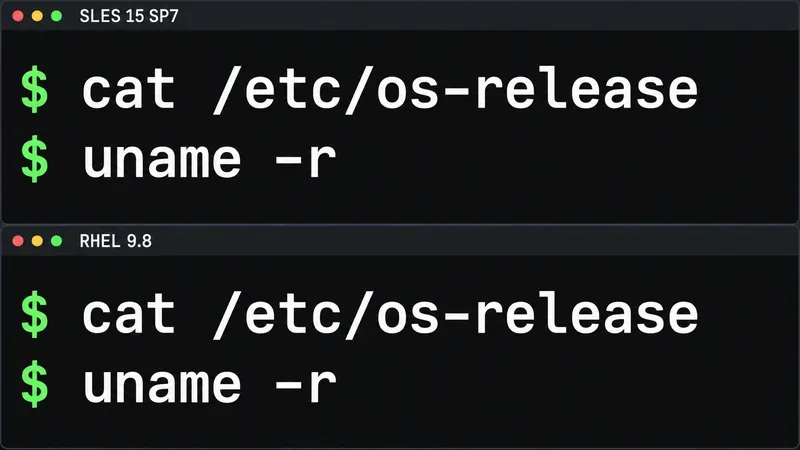
“SLES 15” is a product family with service packs; “RHEL 9” receives minor releases. Those labels alone are too broad for a useful performance comparison. Start by recording the exact release, architecture, and running kernel on each candidate:
cat /etc/os-release
uname -r
SUSE’s SLES 15 SP7 release notes, updated July 9, 2026, identify that release as based on Linux kernel 6.4. Red Hat lists RHEL 9.8 as generally available on May 19, 2026, with kernel 5.14.0-687.5.1.el9_8 at release. An installed server may report a later kernel build after updates, so use the output from the machines you are actually evaluating. The release notes for SLES 15 SP7 and Red Hat’s RHEL release-date table are the sources for those version details.
Both terminal panels show the same commands for recording the operating system and running kernel before testing; no performance results are shown.
Kernel version numbers are not benchmark scores. RHEL 9 keeps a kernel based on upstream 5.14 and incorporates selected changes through vendor updates and backports; SUSE’s SP7 kernel is based on 6.4. A higher upstream base can affect support for newer hardware or kernel features, but it does not prove that a particular database, web service, or virtual machine will run faster. Red Hat explains its kernel maintenance approach in its kernel update guidance.
What can make one installation faster?
Factor
Why it changes the result
What to compare
Application and workload
CPU-heavy code, databases, web traffic, and storage jobs stress different parts of the system.
Use the same application build, data, request mix, and concurrency.
Kernel and hardware support
Drivers, scheduling, storage paths, and device firmware can matter more than the distribution name.
Match the machine, firmware, architecture, devices, and kernel update level.
Power and tuning profile
Profiles can trade energy use for throughput or lower latency; defaults are not necessarily identical.
Record the active profile and test both vendor-supported defaults and a matched workload profile.
Virtualization and I/O
Guest topology, storage configuration, and network paths can become the bottleneck before CPU speed does.
Keep the hypervisor, VM shape, disk, network, and container settings equivalent.
Both vendors document TuneD for workload-specific tuning. SLES 15 SP7 documents profiles such as balanced, throughput-performance, network-latency, virtual-guest, and virtual-host. Red Hat’s RHEL 9 performance guide also describes TuneD and supported profiles. The same profile name does not guarantee identical parameter values or behavior on both distributions. Check the actual profile and its settings instead of assuming the labels are interchangeable. See the SLES 15 SP7 tuning guide and RHEL 9 performance documentation.
Build a fair test in three passes
Match the platform. Use the same server or identical hardware, BIOS settings, memory layout, storage devices, NICs, and firmware. Install the same supported application and runtime versions, then apply current supported updates to both systems. If testing in virtual machines, match vCPU count, memory, virtual disk, and network configuration.
Separate defaults from tuning. First test each distribution with its normal supported configuration and record the active TuneD profile where installed. You can check it with tuned-adm active. Then run a second comparison with an appropriate, vendor-supported workload profile on each OS. Do not tune only one system or copy undocumented kernel parameters across vendors; that would compare configurations rather than operating systems.
Run the workload that represents production. Use the same data set, warm-up, request rate, and concurrency. Record throughput and response-time percentiles such as p95, not just the best run or average. Also capture CPU utilization, memory pressure, storage latency, network use, and power draw when they affect the service. Repeat runs until the result is stable and preserve the command line and configuration with the results.
A CPU suite can help isolate processor and memory behavior, but it cannot answer every server question. SPEC describes SPEC CPU as a measure of compute-intensive performance; it is not designed to stress networking or the I/O system. For a database, file server, or API, pair any standardized CPU test with the application’s own realistic workload and service-level targets. The SPEC CPU overview explains that benchmark’s scope.
Choose by the result your service needs
Read the test against the service’s objective. If the requirement is maximum requests per second, a higher throughput result may matter; if it is interactive response or transaction consistency, p95 latency and its variation may matter more. Include energy use and capacity cost when the server runs continuously. A profile that improves one metric can increase power use or worsen another, so avoid turning a single score into a broad claim that one distribution is faster.
For SLES 15 SP7, the 6.4-based kernel may be relevant when your hardware or software needs a feature or driver included in that supported kernel. For RHEL 9.8, the 5.14-based kernel with Red Hat’s update and backport model may fit an application certification or support requirement. These are compatibility and lifecycle considerations, not automatic performance advantages. Confirm the exact SLES service pack, RHEL minor release, architecture, subscription, and application certification that your vendor supports before making production plans.
Verify the comparison before deciding
Keep the release and kernel outputs, package versions, active tuning profiles, benchmark commands, and raw results together. Re-run the key workload after a reboot and confirm that both systems still use the intended profile and configuration. The strongest conclusion is specific—for example, which supported setup meets your latency target on your hardware—not a general claim that SLES 15 or RHEL 9 is always faster. No numeric winner is claimed here because a valid score depends on a matched system, workload, software stack, and test method.