Home
» Technology
»
Tech-Enabled Senior Care in 2026: What AI and Smart Homes Can—and Can’t—Do for Aging in Place
Tech-Enabled Senior Care in 2026: What AI and Smart Homes Can—and Can’t—Do for Aging in Place
Two recent developments make the limits of technology-enabled aging in place clearer rather than more futuristic. In December 2025, the National Institute of Standards and Technology finalized guidance on cybersecurity and privacy risks when telehealth is integrated with smart-home systems. And as of May 13, 2026, the Centers for Medicare & Medicaid Services describes remote patient monitoring as a clinical service built around connected medical devices that transmit health data to a provider. Together, those updates point to a useful reality: smart homes and AI can extend support into the home, but they work best as part of a care plan, not as a substitute for one.
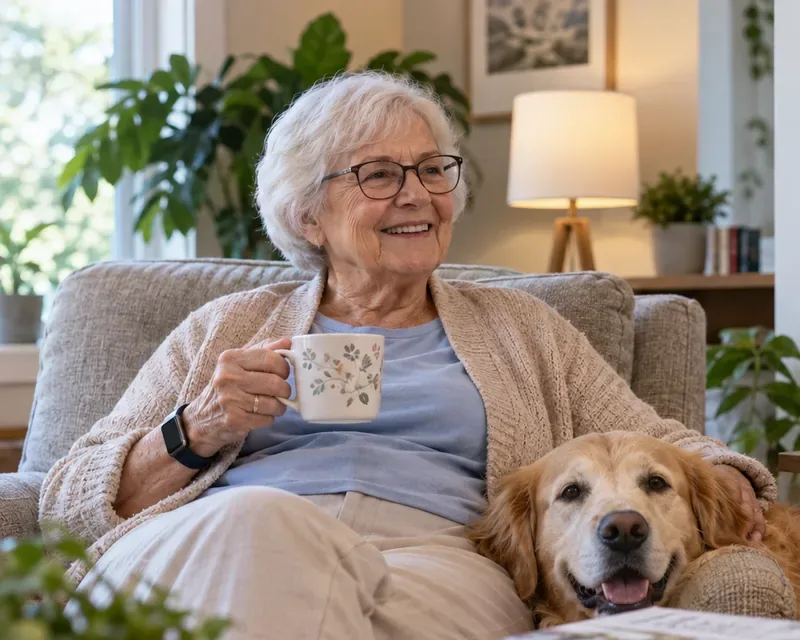
An older adult wearing a connected watch at home. Wearables can add useful signals, but safe aging in place still depends on the home environment, care needs, and a clear response plan.
What “tech-enabled senior care” actually means
Tech-enabled senior care is not one product category. It can include motion sensors, smart lighting, video doorbells, medication reminders, voice assistants, wearable devices, connected blood pressure cuffs, emergency call systems, and software that looks for changes in routine. Some systems use artificial intelligence to classify events, identify patterns, or prioritize alerts.
Verified: the National Institute on Aging defines aging in place as remaining in your own home as you grow older and emphasizes that doing so requires planning for safety, mobility, health needs, personal care, transportation, and other support. Its guidance recommends evaluating the home itself, not just adding technology. See the National Institute on Aging guidance on aging in place.
Action: start with the person’s actual needs—falls, medication management, chronic disease, memory, mobility, social connection, or emergency response—before shopping for devices.
Misconception 1: A smart home can prevent falls by itself
Fall detection and fall prevention are not the same thing. A wearable or room sensor may be able to detect a sudden event or send an alert after a fall. That can shorten the time before someone checks in. It does not remove the reasons a fall happened.
Verified: the CDC reported in January 2026 that more than one in four adults age 65 and older falls each year. Its current fall-prevention resources include evidence-based interventions such as exercise, home modification, and clinical approaches. The National Institute on Aging also recommends practical changes such as better lighting, grab bars, secure flooring, and reducing trip hazards. See the CDC facts on older-adult falls and the NIA home-safety recommendations.
Context-dependent: a fall-detection device can still be valuable, especially for someone who lives alone, but its benefit depends on whether it is worn or installed correctly, whether it can connect when needed, how accurate its alerts are in that environment, and who responds.
Action: fix known hazards first. Then add detection or alerting as a second layer, and test exactly what happens when an alert is triggered.
Misconception 2: Remote monitoring and a consumer smart home are the same thing
They overlap, but they are not interchangeable. A smart speaker that turns on lights is a consumer automation product. A connected blood pressure cuff used in a clinician-managed monitoring program is part of health care.
Verified: CMS describes remote patient monitoring as the collection of health data such as blood pressure, weight, or glucose through an internet-connected medical device that automatically transmits information to a health care provider. CMS also states that Medicare coverage applies to qualifying remote patient monitoring for chronic or acute conditions and requires a device that meets the FDA definition of a medical device. The current CMS page says the device must collect and transmit health data on at least two days in a 30-day period for eligibility under the described service. See the CMS remote patient monitoring guidance.
Context-dependent: coverage, clinical appropriateness, cost-sharing, and provider participation vary. A consumer smartwatch or smart-home sensor is not automatically part of a covered remote-monitoring service.
Action: if the goal is managing a medical condition, ask the clinician whether formal remote patient monitoring is appropriate before building a do-it-yourself system around consumer gadgets.
Misconception 3: If a product says “AI,” it has been medically validated
“AI” describes a technology approach, not a level of clinical evidence. AI may be used to recognize speech, distinguish normal from unusual motion, summarize readings, detect patterns, or prioritize notifications. Whether any of those functions are clinically meaningful depends on the product, its intended use, the population tested, and how it performs in real homes.
Verified: the FDA maintains an AI-Enabled Medical Device List for devices that have received FDA marketing authorization and met applicable premarket requirements. That list does not turn general consumer smart-home products into medical devices, and an AI feature on a consumer device should not be assumed to have undergone the same type of review.
Still uncertain: a 2026 systematic review of smart-home technologies for older adults found promising results in areas such as safety, independence, chronic-disease support, and health care utilization, but the evidence remained heterogeneous across technologies, populations, and outcomes. The review also identified privacy, cost, technical reliability, and digital literacy as implementation barriers. See the 2026 systematic review indexed by PubMed.
Action: for any AI feature tied to health or safety, look for its intended use, validation data, regulatory status when relevant, and what happens when the system is uncertain or wrong.
Where smart-home technology can add practical value
Need
Useful technology layer
What it can do
What it cannot guarantee
Nighttime mobility
Motion-activated lighting, pathway lighting
Reduce the need to walk through dark rooms
Eliminate balance problems or medication-related dizziness
Possible falls
Wearable or ambient fall alerts
Send an alert after a detected event
Detect every fall or prevent one from happening
Chronic conditions
Connected medical devices and clinician-managed RPM
Transmit measurements such as blood pressure or weight
Replace clinical judgment or emergency care
Medication routines
Reminder systems, connected dispensers
Prompt a scheduled action and sometimes log it
Prove that the correct medication was swallowed safely
Daily routines
Door, motion, appliance, or occupancy sensors
Identify changes in patterns that may deserve attention
Explain why the pattern changed
Social connection
Voice or video calling, shared calendars
Make communication easier
Replace meaningful human contact
Action: choose one or two needs with a clear benefit and a clear responder. A smaller system that is understood and maintained is often more useful than a house full of poorly coordinated devices.
AI is most useful when it reduces noise, not when it makes decisions alone
In a well-designed system, AI can help filter repetitive sensor data and surface changes that a caregiver or clinician can review. For example, a pattern-recognition system might notice that someone is moving less often than usual, opening the refrigerator less frequently, or waking repeatedly at night. Those observations can be useful signals.
But a signal is not a diagnosis. Less movement could reflect illness, fatigue, travel, a dead sensor battery, a new routine, or simply a day spent reading. AI can rank possibilities; it cannot know the full context unless someone checks.
Action: define what each alert means operationally. “Unusual activity detected” should lead to a specific next step, such as a phone call, a neighbor check-in, or a clinical review—not automatic assumptions about the person’s health.
Privacy and cybersecurity are part of safety
More connected devices mean more accounts, more software, and more places where sensitive information can move. This matters especially when health data, voice recordings, cameras, or occupancy patterns are involved.
Verified: in December 2025, NIST finalized Cybersecurity White Paper 34 on telehealth and smart-home integration. NIST specifically notes that adding consumer Internet of Things devices to home-based clinical environments can introduce privacy and cybersecurity risks. Its guidance builds on the NIST Cybersecurity Framework, Privacy Framework, and consumer IoT security baseline. Read the NIST announcement and final smart-home telehealth guidance.
The FDA likewise advises users of connected medical devices to use strong password practices, follow manufacturer instructions, and pay attention to cybersecurity communications. See the FDA guidance on medical-device cybersecurity.
Action: maintain a simple device inventory that lists the device, account owner, data it collects, who can access it, how it receives updates, and what happens if the vendor stops supporting it. Remove devices that no longer have a clear purpose.
More monitoring is not automatically better care
One common assumption is that collecting more data will make a person safer. Sometimes it does. Sometimes it creates alert fatigue, anxiety, false alarms, or a feeling of being constantly watched.
Context-dependent: acceptance varies by person and by technology. A 2026 systematic review of older adults’ acceptance of robotic and smart-home health technologies found that convenience often supported adoption, while privacy and security concerns were among the recurring reasons for resistance. See the 2026 systematic review on technology acceptance in older adults.
Action: get the older adult’s input before installing monitoring technology whenever possible. Decide together which rooms, times, and types of data are acceptable. For many households, non-camera sensors are a better fit for routine monitoring than always-on video.
A practical hierarchy for building support at home
1. Fix the physical environment
Address lighting, railings, rugs, bathroom safety, stairs, and walking paths. These changes keep working even if the internet is down.
2. Make communication easy
Set up simple ways to contact family, neighbors, caregivers, or emergency services. The best system is one the older adult can actually use under stress.
3. Add targeted monitoring
Use monitoring only where it answers a real question: Did the person take a measurement? Has there been movement this morning? Did a door open overnight? Is there a possible fall?
4. Automate low-risk tasks
Lighting, temperature schedules, door reminders, and routine prompts can reduce friction. Keep manual controls available so automation never becomes a trap.
5. Use AI for triage and pattern recognition
AI should help people focus on the signals that matter. High-consequence actions should still have human review or a clearly defined emergency protocol.
Action: build from the bottom of this hierarchy upward. If the home has loose rugs, poor lighting, and no reliable emergency contact plan, adding an AI dashboard first is solving the wrong problem.
When aging in place needs to be reevaluated
Technology can extend independence, but it cannot make every home situation safe indefinitely. The National Institute on Aging notes that there may come a time when living alone is no longer safe or comfortable and recommends revisiting the decision as needs change.
Signals that deserve a fresh assessment include repeated falls, missed medications despite support, wandering or leaving appliances on, inability to perform essential activities of daily living, frequent emergencies, caregiver burnout, or technology failures that repeatedly go unnoticed.
Action: set review points before a crisis. A quarterly or semiannual check with the older adult, family, and relevant clinicians can ask whether the current home setup still matches the person’s health, mobility, cognition, and support network.
A buying checklist that focuses on outcomes
Problem first: What specific risk or task is this device meant to address?
Responder: Who receives an alert, and what will they do?
Failure mode: What happens during a power outage, internet outage, dead battery, or vendor outage?
Evidence: Is the product making a convenience claim, a safety claim, or a medical claim?
Regulatory status: If it is used for a medical purpose, is it a medical device and, when applicable, has it been authorized for that use?
Privacy: What data is collected, stored, shared, or recorded?
Security: Does the manufacturer provide updates, account protections, and a clear support lifecycle?
Usability: Can the older adult operate it without memorizing a complex sequence?
Maintenance: Who replaces batteries, checks connectivity, updates apps, and tests alerts?
Exit plan: Can the system be removed or changed without disrupting essential care?
The bottom line
AI and smart homes can support aging in place in meaningful ways: they can make communication easier, automate routine tasks, transmit health measurements, detect possible emergencies, and flag changes that deserve attention. The evidence is strongest when technology is paired with proven safety measures, clinical care when needed, and people who know how to respond.
What technology cannot do is certify that someone is safe to live alone, prevent every fall, interpret every behavior correctly, or replace hands-on care. The practical goal is not to make the home “smart.” It is to make support timely, understandable, respectful, and resilient enough to help a person live well at home for as long as that remains the right choice.