Home
» PC Tips
»
How to enter BIOS (UEFI) on Windows 10, how to fix the error of not being able to enter BIOS Win 10
How to enter BIOS (UEFI) on Windows 10, how to fix the error of not being able to enter BIOS Win 10
Windows 10 gives users a lot of options to configure directly from within the operating system, but on most computers there are settings that can only be changed in the BIOS (basic input/output system). The BIOS is software built into the computer's motherboard and controls everything from the drive's boot sequence to pre-booting to security options, Fn keys , and more.
Because BIOS is a pre-boot environment, users cannot access BIOS directly from within Windows. With older operating systems, you can enter BIOS by pressing a key such as F2, F12, Del when restarting the computer, but on Windows 10 it will be a bit more complicated. In this article, WebTech360 will guide you on how to enter BIOS on Windows 10 or access UEFI settings , with an illustrative video.
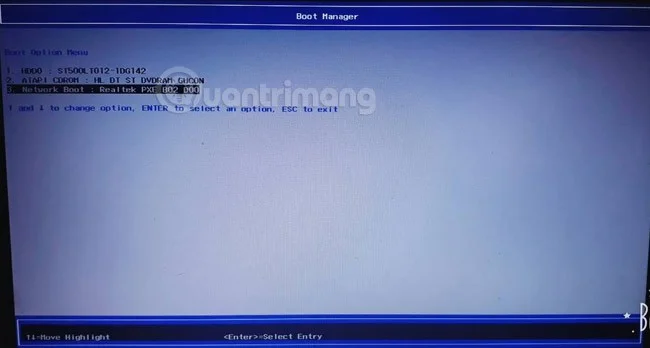
Note: If you just need to choose to boot from USB on Windows 10, when restarting the computer, press the key combination to enter BIOS as usual, Windows 10 will display options for you to change the boot type, press the arrow keys to move to the boot type you need and press Enter to select.
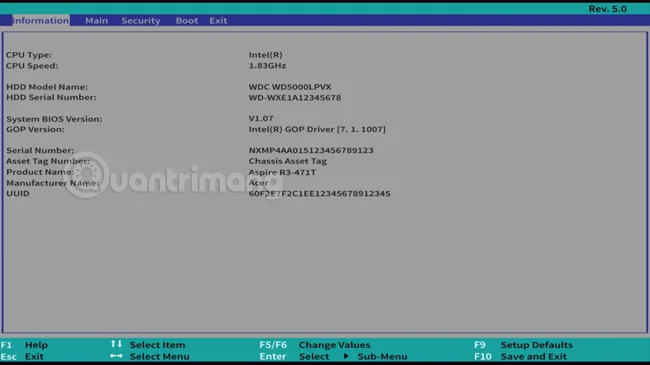
In this picture, I use an Acer computer, Windows 10 Fall Creators Update , when restarting, press F12 to enter the boot option. Because there is no USB boot connected , you do not see the option to boot from USB.
1. How to enter Windows 10 BIOS using Settings
Step 1: Save all activities and close all running programs on your Windows 10 computer.
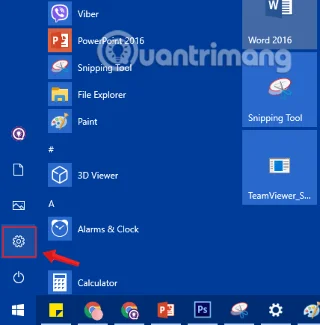
Step 2: Open the Settings application by clicking the Settings icon on the Start menu or pressing the + key combination .WindowsI
Click the Settings icon in the Start Menu
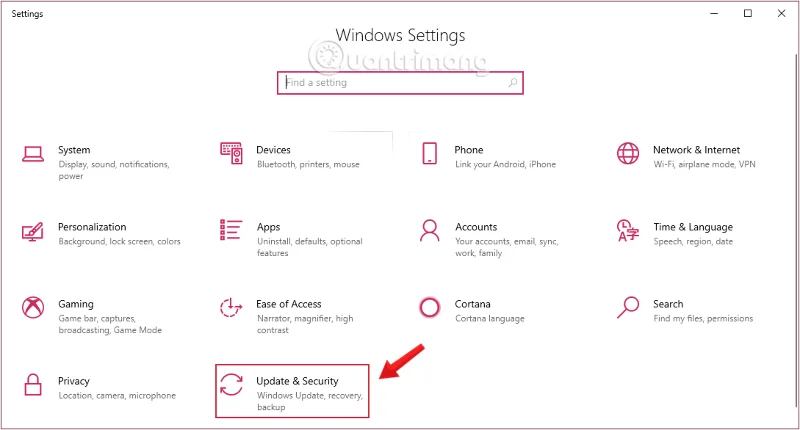
Step 3: On the Settings interface , click Update & security.
Click Update & security in Windows Settings
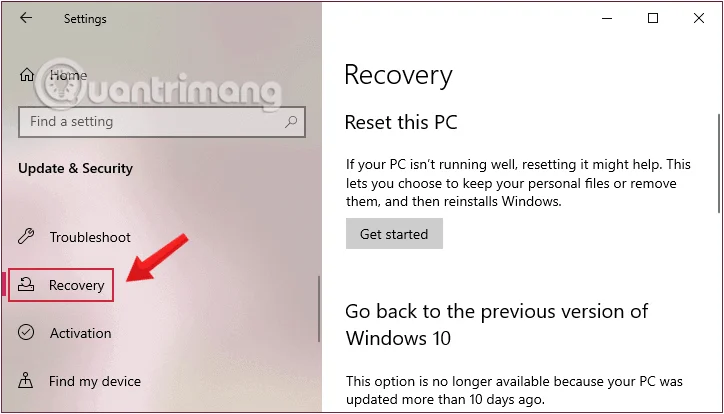
Step 4: Under Update & security, click Recovery from the left pane of the window.
Click Recovery from the Settings window
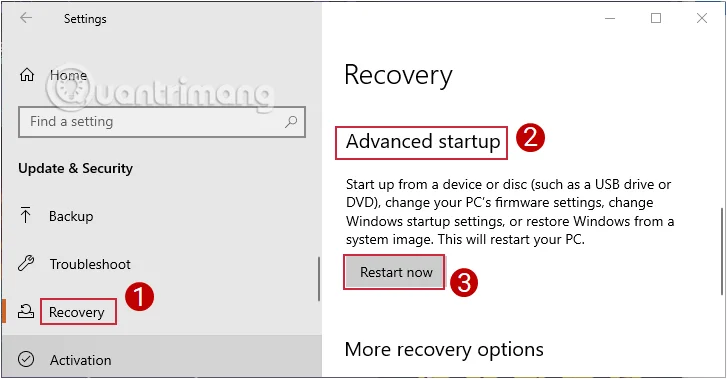
Step 5 : Next, in the right pane of the window, click Restart now in the Advanced startup section.
Select Restart now in Advanced startup
Your computer will now restart.
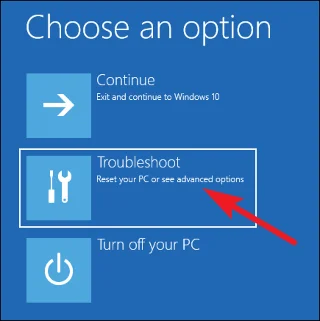
Step 6: After your computer restarts, you will see the Choose an option screen appear, where you click Troubleshoot.
Select Troubleshoot in the Choose an option menu
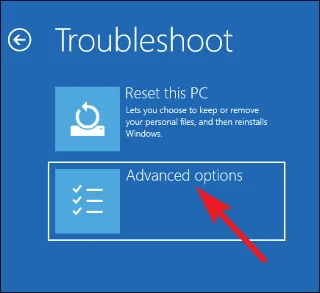
Step 7: On the Troubleshoot screen, click Advanced options to access the Advanced Startup Options option.
Select Advanced options in Troubleshoot
Step 8: When the Advanced options screen appears , click UEFI Firmware Settings .
Select UEFI Firmware Settings
Note: If the UEFI Firmware Settings option does not appear, it means your computer does not support UEFI.
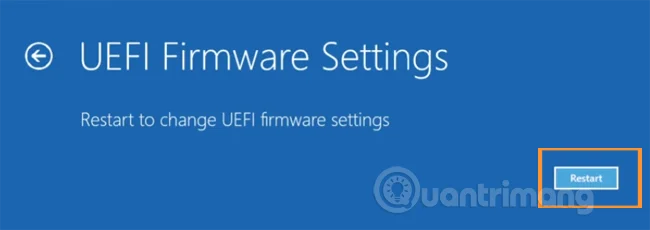
Step 9: Finally, when the UEFI Firmware Settings screen appears, accompanied by the message “Restart to change UEFI firmware settings” , click Restart to restart your computer and access the UEFI firmware settings.
Select Restart in UEFI Firmware Settings
Step 10: The computer will restart and take you into Windows 10 BIOS.
Video tutorial on accessing UEFI settings on Windows 10
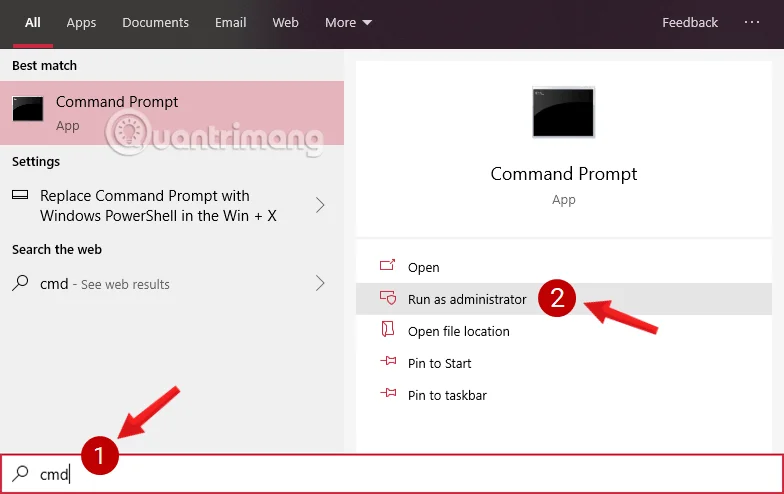
Step 2: On the Command Prompt window , type the command below and press Enter:
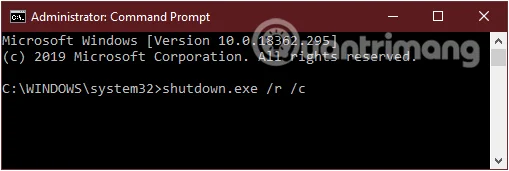
shutdown.exe /r /o
Enter the command into the Command Prompt window
You will see a message displayed saying You are about to be signed off , close the message and wait a moment, Windows 10 will reboot into the Advanced Startup Options menu .
Step 3: Do the same as the last part of method 1 to access UEFI settings.
Go to UEFI Firmware Settings
3. Open BIOS/ UEFI from Windows 10 Desktop
Step 1: Open Start Menu, then click the Power button.
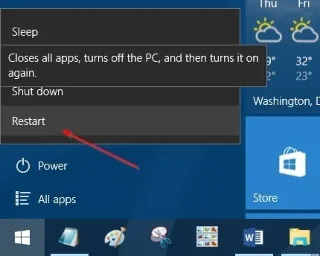
Step 2: Press and hold the Shift key , then click Restart to restart your computer. You will now see the Choose an options screen.
Step 3: On the Choose an option screen , click Troubleshoot to open the Troubleshoot screen and go to the Advanced Startup Options menu .
Step 4: Do the same as the last part of method 1 to access UEFI settings.
4. How to enter UEFI BIOS using shortcut or command
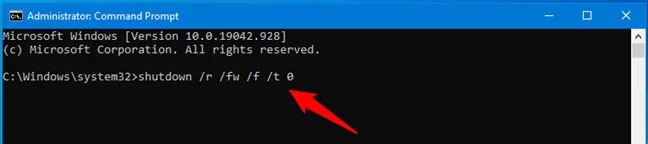
There are a number of ways you can access the UEFI BIOS in Windows 10, but one of the quickest ways is probably to run a fairly simple command.
Open CMD with admin rights, type the following command and press Enter on the keyboard:
shutdown /r /fw /f /t 0
This will immediately restart your Windows 10 PC and then access your computer's UEFI BIOS.
Quickly open UEFI BIOS by running the command shutdown /r /fw /f /t 0
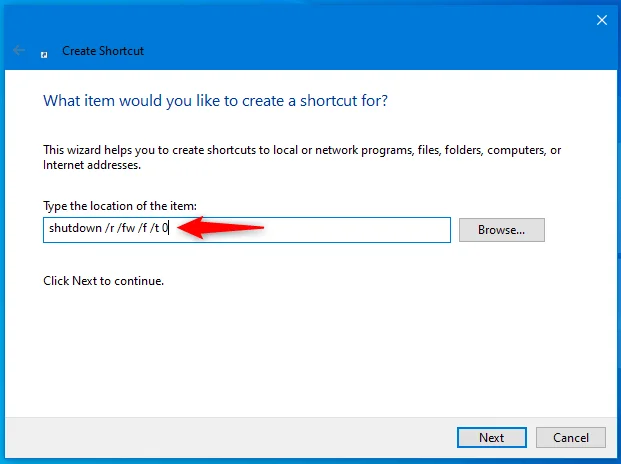
If you like this command but want to run it even faster, you can create a Windows 10 BIOS shortcut. When you do that, make sure you specify the exact command (shutdown /r /fw /f /t 0) in the shortcut location field, as shown below.
How to create a shortcut to UEFI BIOS
If you want something even easier, you can just download the Windows 10 BIOS shortcut that this article has created for you, called UEFI BIOS (restart Windows 10 and enter UEFI BIOS). Download this ZIP file , extract its contents and you will find the shortcut in there.
Double-click the shortcut and your Windows 10 PC or device will reboot and open its UEFI BIOS interface, after you press Yes in the UAC prompt that will be displayed.
5. How to fix the error of not being able to enter BIOS on Windows 10
In fact, some of you have used all 3 methods above but still cannot access BIOS on Windows 10. In that case, it is likely that your computer has encountered a problem. To fix it, follow these steps:
Method 1: Turn off Fast Startup feature
To turn off Fast Startup, follow these steps:
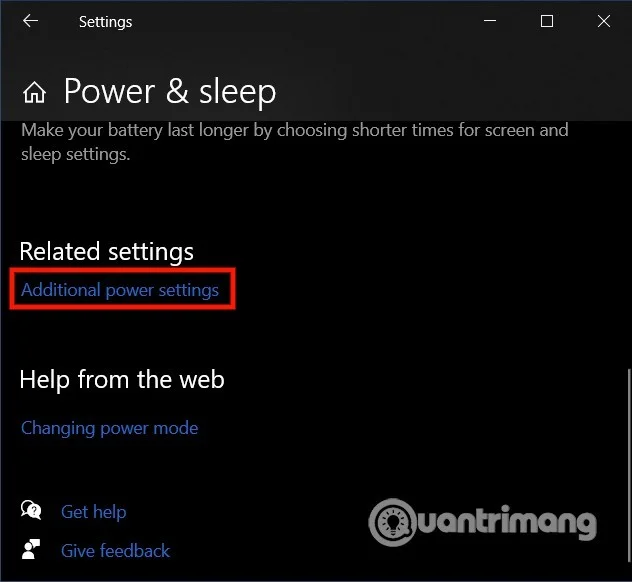
Press Windows + I to open Settings then go to System > Power & sleep
Scroll down and click on Additional power settings
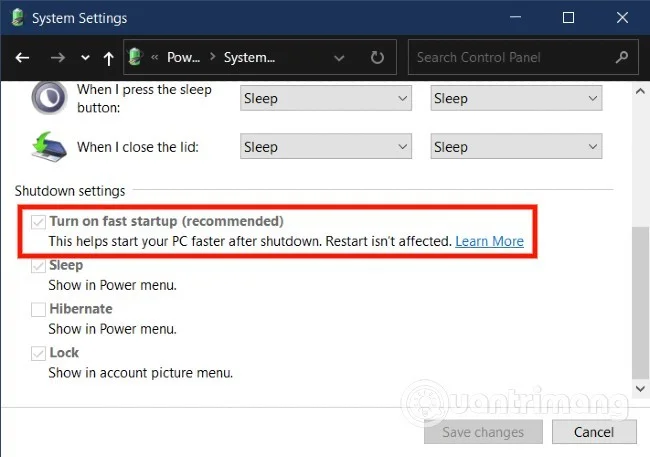
In the new Power Options window that appears, select Choose what the power buttons do
A new window appears and you scroll down to uncheck the box Turn on fast startup
Click Save changes
Please restart your computer and try to enter BIOS, if not, please try the second method.
Method 2: Reset CMOS
If you cannot access the BIOS, follow these steps to reset the CMOS settings. You will need to perform a few hardware tricks.
Turn off all peripheral devices connected to the computer.
Disconnect power from the computer
Open the computer lid
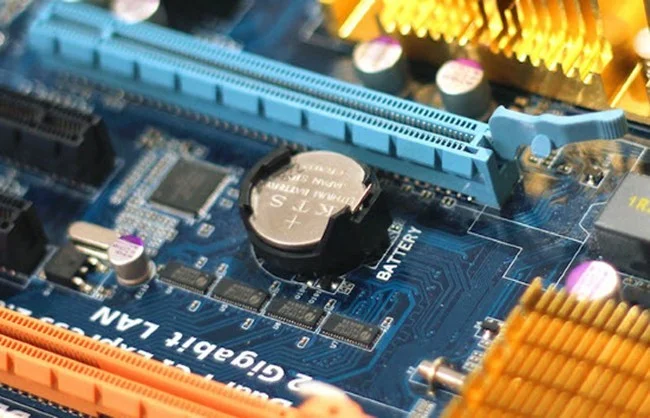
Find the battery (flat round shape) on the motherboard
Remove the battery from the motherboard
Wait about an hour then reinsert the battery.
Close the computer lid
Connect the power supply and peripherals to the computer
CMOS battery mounted on motherboard
Now you can try to see if you can access the BIOS. Most users can access the BIOS successfully after resetting the CMOS. After you have entered the BIOS, you should reset the BIOS settings to eliminate any issues that were preventing you from accessing it before.