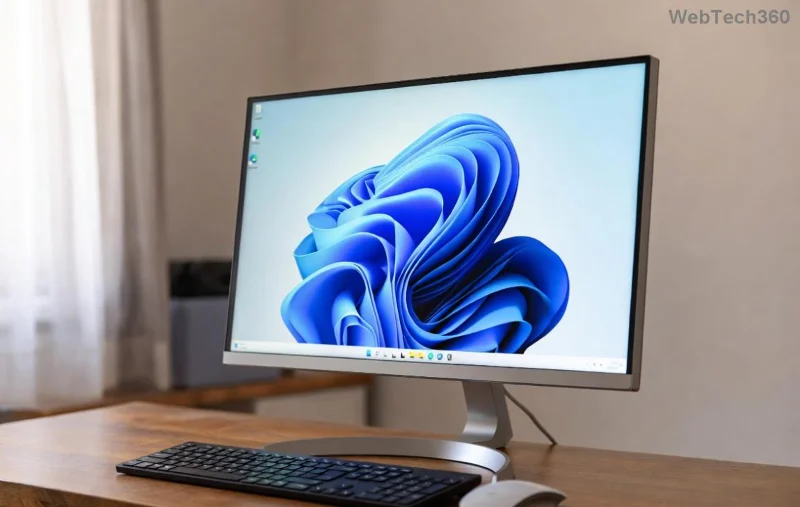
Is your Windows 11 laptop screen flickering driving you up the wall? 😩 That annoying blink can turn a productive day into a headache, but don't worry – you're not alone, and it's fixable! Whether it's a quick glitch or a deeper hardware hiccup, this guide walks you through how to fix Windows 11 screen flickering with straightforward, effective steps. We'll keep things focused, so you can get back to seamless scrolling in no time. Let's dive in and reclaim your screen's clarity!
Why Is Your Windows 11 Laptop Screen Flickering? Common Culprits
Before jumping into fixes, understanding the "why" behind Windows 11 screen flickering helps you target the right solution. Flickering often stems from software conflicts, outdated drivers, or hardware quirks – especially on laptops where display tech meets Windows updates.
- 👉 Outdated Graphics Drivers: Windows 11 relies heavily on GPU drivers; if they're stale, your screen might flicker like a bad movie.
- 👉 Recent Updates: A fresh Windows patch can sometimes clash with your display settings, causing instability.
- 👉 App Conflicts: Third-party apps or browser extensions might interfere with rendering.
- 👉 Hardware Issues: Loose connections or overheating in laptops can trigger flickers, though this is rarer.
Spot on? Great – now let's tackle these with proven methods. Start with the simplest and escalate if needed. Your frustration ends here! ✨
Step 1: Quick Troubleshooting for Instant Relief
Feeling the flicker mid-task? Try these no-fuss checks first. They're like a reset button for your Windows 11 laptop screen.
- Restart Your Laptop: Sounds basic, but a reboot clears temporary glitches. Hold the power button if it's frozen – poof, often fixed! 👍
- Check External Displays: Unplug any HDMI or external monitors. If the flickering stops, the issue might be cable-related.
- Boot in Safe Mode: Press Windows + R, type
msconfig, and enable Safe Boot under the Boot tab. Restart. If no flicker, it's software – we'll fix that next.
Pro Tip: While in Safe Mode, note if the issue persists. This narrows it down without guesswork. Ready for more? Keep reading – we've got driver magic ahead.
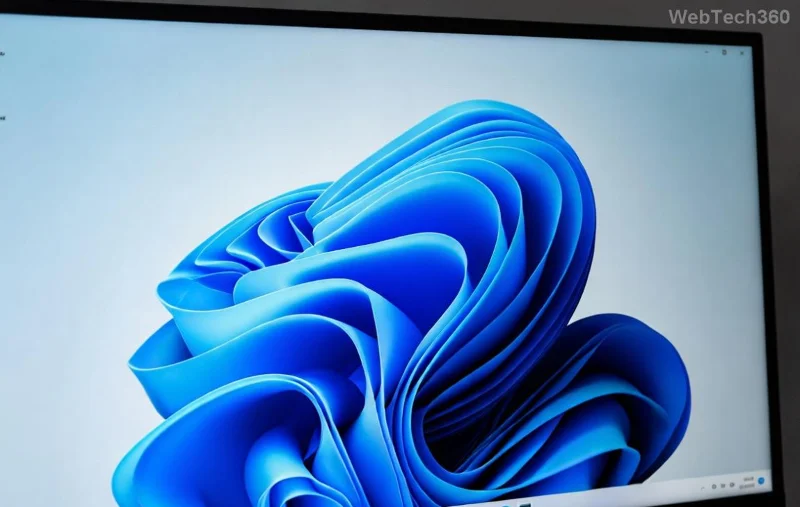
Step 2: Update Graphics Drivers – The #1 Fix for Screen Flickering
Ah, drivers – the unsung heroes (or villains) of Windows 11 screen flickering. Outdated or corrupted ones are a top cause. Updating them is straightforward and often resolves 70% of cases. Here's how:
- Open Device Manager: Right-click the Start button and select it.
- Expand Display Adapters: Right-click your GPU (e.g., NVIDIA, AMD, or Intel) and choose Update Driver.
- Select Search Automatically: Let Windows hunt for the latest. If nothing shows, visit your laptop manufacturer's site (like Dell or HP) for custom drivers.
- Restart and Test: Fire up a video or scroll – smooth now? 🎉
For NVIDIA/AMD users, download from their official sites for the freshest versions. Intel? Use the Intel Driver & Support Assistant app from the Microsoft Store. This step alone has saved countless screens from the flicker frenzy!
Still flickering? Don't sweat – let's tweak those display settings next. Your laptop's about to shine brighter.
Step 3: Adjust Display Settings to Banish Flickers
Windows 11 display settings can sometimes overreach, causing flickers on high-refresh-rate laptop screens. Fine-tune them like this:
| Setting |
How to Adjust |
Why It Helps |
| Refresh Rate |
Right-click desktop > Display Settings > Advanced Display > Choose 60Hz (instead of 120Hz+). |
High rates strain older hardware, triggering flickers. |
| Resolution & Scale |
Display Settings > Scale & Layout > Set to recommended (e.g., 1920x1080 at 100% scale). |
Mismatched settings cause rendering glitches. |
| Night Light & HDR |
Turn off in Display Settings if enabled – they can conflict with drivers. |
These features alter color output, sometimes unstably. |
After changes, hit Apply and watch for stability. If your laptop supports variable refresh rates (like FreeSync), disable it temporarily via GPU control panel. Feeling empowered? You're halfway to a flicker-free experience – but what if it's deeper?
![Close-up of laptop display settings in Windows 11]()
Step 4: Run Built-in Troubleshooters and Scans
Windows 11 packs smart tools to auto-detect screen flickering fixes. Leverage them for hands-off help:
- Hardware & Devices Troubleshooter: Search for "Troubleshoot" in Start menu > Other Troubleshooters > Run the Hardware one.
- System File Checker (SFC): Open Command Prompt as admin (Windows + X > Terminal (Admin)). Type
sfc /scannow and hit Enter. It repairs corrupted files – essential for display stability.
- DISM Tool: If SFC flags issues, run
DISM /Online /Cleanup-Image /RestoreHealth first, then SFC again.
- Windows Update: Go to Settings > Windows Update > Check for updates. Install any pending ones, as recent patches (like those in 2026 builds) address display bugs.
These scans are like a health check for your OS – thorough yet quick. If flickers persist post-scan, it might point to apps or hardware. Hang tight; we're almost there!
Step 5: Tackle App Conflicts and Advanced Fixes
Sometimes, a rogue app is the flicker fiend. Here's how to sleuth it out:
- 👉 Disable Startup Apps: Task Manager (Ctrl + Shift + Esc) > Startup tab > Disable non-essentials like antivirus or RGB software.
- 👉 Clean Boot: In msconfig, hide Microsoft services, then disable others. Restart and test. Re-enable one by one to isolate the culprit.
- 👉 Update or Reinstall Graphics Software: For NVIDIA, use GeForce Experience; AMD, Radeon Software. If all fails, uninstall via Device Manager and reinstall from scratch.
For the brave: If you suspect malware, run a full scan with Windows Defender. Still no luck? Time for hardware checks.
Step 6: When to Suspect Hardware and What to Do
Hardware issues in Windows 11 laptops are less common but possible – think loose cables or failing screens. Signs? Flickering worsens when tilted or only on battery.
- Test with External Monitor: Connect via HDMI. If external is fine, it's likely your laptop's display panel or cable.
- Check for Overheating: Use tools like HWMonitor (free download). Clean vents if dusty – heat warps connections!
- Professional Help: If under warranty, contact your manufacturer. For DIY, avoid opening unless experienced – it could void coverage.
For deeper diagnostics, refer to Microsoft's official guide on troubleshooting screen flickering. You're equipped now – most users fix it software-side without pros.
Prevent Future Windows 11 Screen Flickering: Pro Tips
Congrats on troubleshooting! To keep flickers at bay:
- ⭐ Schedule monthly driver updates via tools like Snappy Driver Installer.
- ⭐ Avoid beta Windows builds unless you're adventurous.
- ⭐ Use a cooling pad for intensive tasks – happy laptop, happy screen! 😊
There you have it – a complete roadmap to fix Windows 11 screen flickering on your laptop. Start with Step 1, and you'll likely be flicker-free fast. If one method clicks for you, drop a comment below – sharing wins keeps the community strong! Got more display dilemmas? Our guides on battery optimization and performance tweaks are just a click away. Smooth screens ahead! 🚀