How to Play Sunderfolk: Useful Tips for Beginners

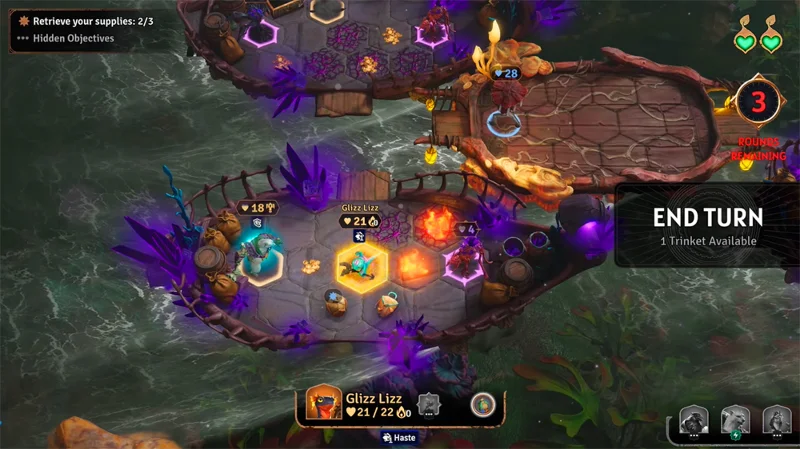
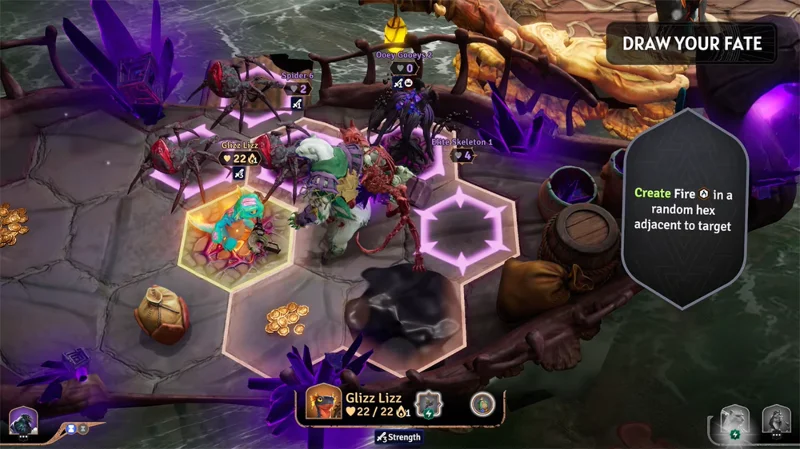
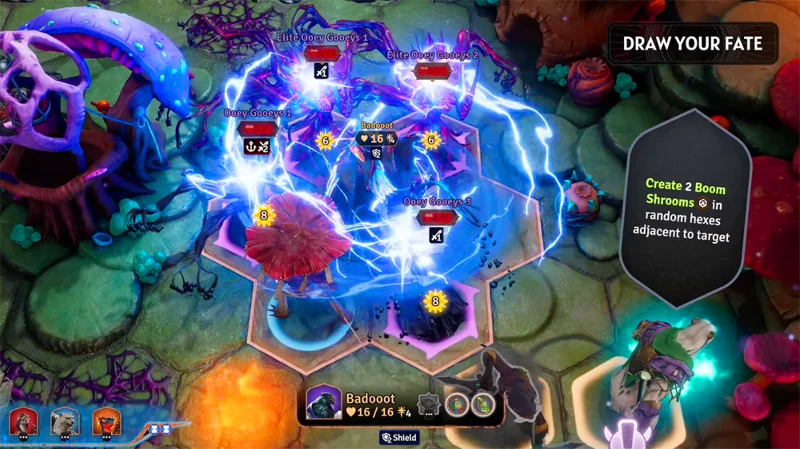
Sunderfolk is a fun, turn-based, TableTop-style tactical RPG where you and your friends battle it out on a grid filled with enemies, items, and surprises. Controlled by your phone or tablet, the game offers a flexible, accessible co-op experience, whether you’re playing together in the same room or remotely.

You will choose character classes such as thieves, berserkers, magicians or fire magicians, and use skill cards to overcome challenges. Get ready for an adventure in the world of humanoid animals and wild forests!

Select character class

Each player chooses a character from four classes: Rogue, Bard, Arcanist, Berserker, Wizard, or Pyromancer.

Actions in the game are performed through ability cards, with an emphasis on precise placement and positioning on the map.
How to Play Sunderfolk: Useful Tips for Beginners

Before you begin, you'll need to choose a character class. Each class has its own playstyle and role, so consider your personal preferences as well as the needs of your team:

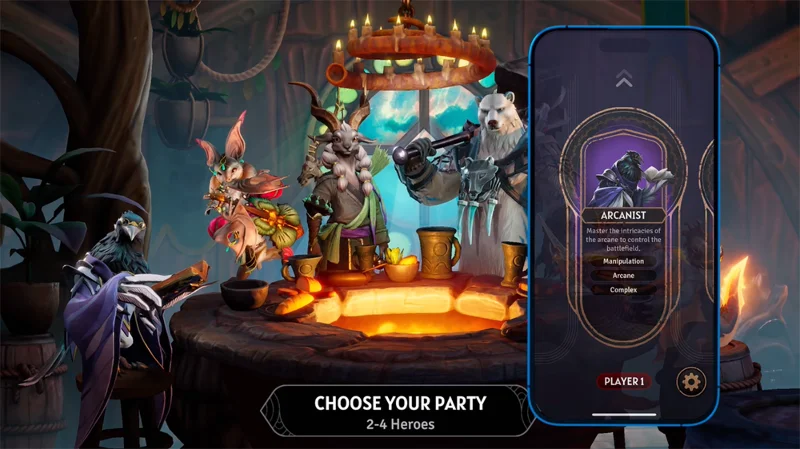
Arcanist

Role: Battlefield control, magical damage, tactical support.

Strengths:

  • Spells range from high damage to creating decoys or teleporting teammates/enemies.
  • Ability to change the course of battle with wide-range spells.
  • Remote support, keep safe location.

Weaknesses:

  • Low health and armor, vulnerable to being taken down if approached.
  • High mana consumption, need careful skill management.
  • Suitable for: Players who enjoy complex tactics and remote control of the game.

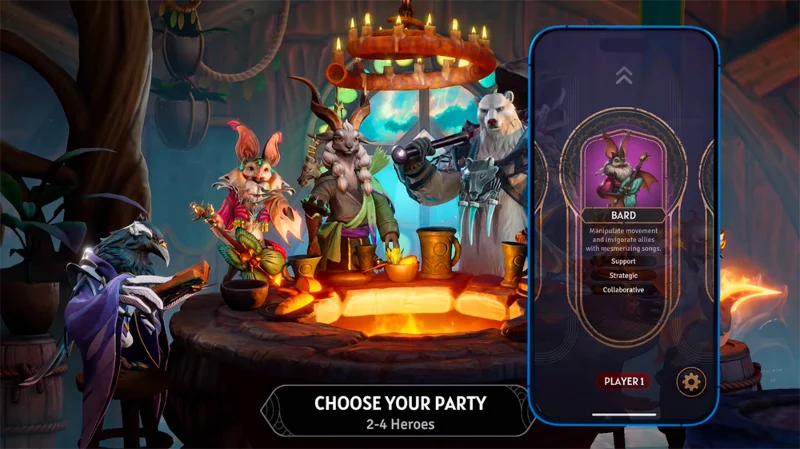
Bard

Role: Support teammates, weaken enemies, increase team power.

Strengths:

  • Use magical music to buff, heal, or speed up teammates.
  • Inflicts debuffs on enemies, such as slowing or reducing damage.
  • The ability to reposition enemies or teammates for tactical advantage.

Weaknesses:

  • Low direct damage, depends on teammates to deal damage.
  • Need to coordinate well with the team to be effective.
  • Suitable for players who enjoy support roles, team coordination, and creating surprises.

How to Play Sunderfolk: Useful Tips for Beginners

Berserker

Role: Tanker, deals close range damage, protects teammates.

Strengths:

  • High health and armor, good resistance.
  • Deals heavy damage at close range, can throw enemies or teammates to change position.
  • Ideal for initiating fights or protecting the backline.

Weaknesses:

  • Low mobility, easily surrounded.
  • Depend on support from teammates to survive longer.
  • Suitable for: Players who like aggressive, front-line play.

Pyromancer

Role: Deals area damage, controls area.

Strengths:

  • Burn multiple enemies at once with fire magic.
  • Creates a chaotic effect, disrupting enemy formations.
  • High damage, especially effective against large groups.

Weaknesses:

  • Large mana consumption, need skill management.
  • Can accidentally harm teammates if not careful.
  • Suitable for: Players who want to deal massive damage and control the battlefield.

Ranger (Archer/Hunter)

Role: Ranged attack, trap setting, tactical support.

Strengths:

  • Deals consistent damage from a distance.
  • Set traps or inflict debuffs to slow/lock enemies.
  • Hold a safe position, supporting the team from the back.

Weaknesses:

  • Low health, vulnerable to being knocked out if approached.
  • Depend on the front line for protection.
  • Suitable for: Players who prefer safe, tactical play from a distance.
How to Play Sunderfolk: Useful Tips for Beginners

Rogue

Role: Fast damage dealer, resource gatherer, dodger.

Strengths:

  • Move flexibly, attack quickly.
  • Collect gold/items to power up or support the team.
  • Activate the Shrouded effect to avoid damage.

Weaknesses:

  • Low health and armor, easy to kill if caught.
  • Precise positioning is required to be effective.
  • Suitable for: Players who enjoy speed and tactical opportunities.

Tips for choosing character classes:

Coordinate with friends to create a balanced team (e.g. Berserker frontline, Bard support, Pyromancer AoE damage). Feel free to experiment with a few teams before you find one that works for you.

Gameplay Mechanics

How to Play Sunderfolk: Useful Tips for Beginners

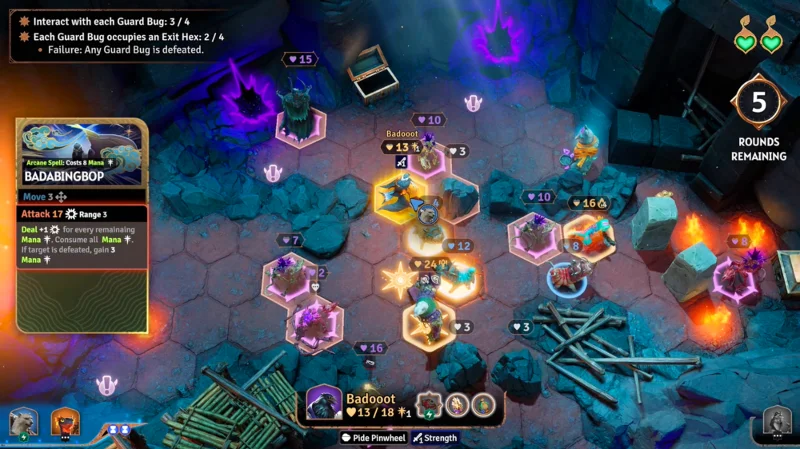
Since it is a turn-based combat game, you will have to choose carefully for each step you take. On each turn, you choose a skill card from your character's deck. This card determines your actions, from attacking, moving, to collecting items.

Strategy: The cards emphasize sequencing and positional play, similar to the Gloomhaven game.

For example:

The thief can choose the card: “Quick attack, pick up gold nearby” to deal damage and loot some money. Or they can choose a more complex sequence like: “Move 2 spaces, attack, move 1 space, attack again, move 1 space to activate the Shrouded effect”.

There is no set order for each move, so your strategy can adapt to any situation on the battlefield. New enemies appear every turn, so you and your team will always have to find new ways to complete your mission.

Your goal is to complete missions such as defeating all enemies, touching markers on the map, or you can choose to survive past a certain threshold.

Control by phone/tablet

Establish:

  • The main screen (TV, laptop, or stream) will display the map and match status.
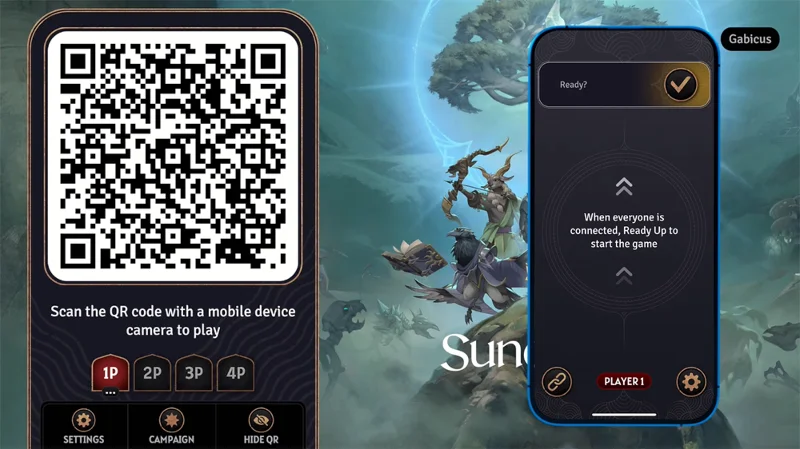
  • Scan the QR code from the home screen to connect your phone/tablet.
  • Use the touch screen to select cards, move characters, or interact with items/NPCs.

Initial feel: It can be a bit difficult to get used to, but the lack of lag and tactile feedback help you adapt quickly.

Tip: Spend the first few minutes of the game experimenting with card selection and moves. After a few turns, you'll get used to it and feel pretty comfortable.

Play together
How to Play Sunderfolk: Useful Tips for Beginners

The game offers players two multiplayer modes, including:

  • Couch co-op: The group sits together, uses a shared screen (like a living room TV) and controls via phone.
  • Play remotely: One game owner shares their screen via Discord, Zoom, or Google Meet. Others scan a QR code to join.

And whether near or far, you can play comfortably without the need for complicated equipment.

AFK Player Support Mechanism

If a player is unable to join, the game will automatically adjust the difficulty and keep their character leveled up to the same level as the group. If a player leaves the game mid-game, another player can temporarily take control of both characters to continue the game. If you find yourself unable to continue the game, you can let the group know in advance if you are unable to join so they can plan better.

Town Management

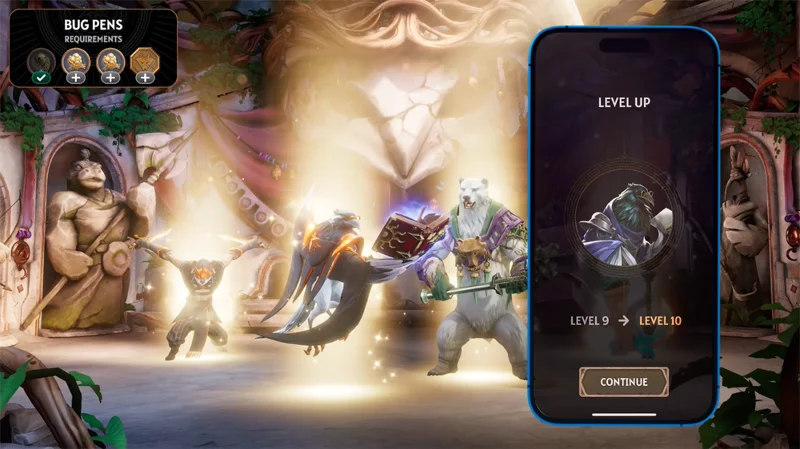
After each mission, you will return to town, where you can rest, upgrade, and prepare for the next battle.

How to Play Sunderfolk: Useful Tips for Beginners
  • Interact with NPCs: Talk to familiar characters to receive new quests, build relationships (which can reward you with gifts), and discover hidden information.
  • Upgrade equipment: Use the gold you earn to buy weapons, armor, or support items like healing potions.
  • Town Upgrades: The group invests gold to upgrade structures like bridges, taverns, or temples, unlocking shared benefits that increase the power of their entire team.

For example, buy a meal at the tavern to temporarily increase your stats, invest in a shrine to receive a random fate card. Note that don't ignore small upgrades, although small, they can make a big difference in the next match.

Tips and notes for players

How to Play Sunderfolk: Useful Tips for Beginners

Tips for fighting

  • Coordination: Discuss with teammates before each turn to avoid overlapping actions.
  • Positioning: Pay attention to your positioning so you don't accidentally push your teammates off important squares.
  • Skill Management: Save your strong cards for the decisive moment, don't waste them early.

Some notes on control

  • Move: The move indicator is sometimes unclear, which can easily cause you to lose your turn. Observe carefully before acting.
  • Pick a Card: There have been cases where players accidentally skipped an attack despite the confirmation message. Read carefully before confirming.

Town Management: Interact with every NPC and check out every upgrade option. If you have a lot of gold, support your teammates to make the whole group stronger.

Why should you play Sunderfolk?

Sunderfolk is a turn-based strategy game where you control characters on a grid-based map filled with enemies, items, and unexpected challenges. The game is designed for co-op play, allowing you to play with friends in the same room (couch co-op) or remotely via platforms like Discord or Zoom.

Each player will use their phone or tablet as a controller, while the entire action is displayed on a shared screen like a TV, laptop, or streaming window.

How to Play Sunderfolk: Useful Tips for Beginners

It is clear that Sunderfolk, although a strategy game with an unoriginal fighting style, supports players in a unique way. With such support, you can create a team to play with friends in the most convenient and comfortable way.

Leave a Comment

How to Check Microsoft Teams Version History and Build Number

How to Check Microsoft Teams Version History and Build Number

Discover simple steps to check your Microsoft Teams version history and build number on desktop, web, and mobile. Stay updated with the latest features and fixes effortlessly. Perfect for IT pros and everyday users.

How to Fix Microsoft Teams Uninstall Error Stuck

How to Fix Microsoft Teams Uninstall Error Stuck

Tired of Microsoft Teams "Uninstall Error" Stuck? Discover proven, step-by-step fixes to completely remove Teams from your PC. Works on latest Windows versions – no tech skills needed!

Troubleshooting Microsoft Teams Where is My Team? Error

Troubleshooting Microsoft Teams Where is My Team? Error

Facing the frustrating Microsoft Teams "Where is My Team?" error? Discover step-by-step troubleshooting tips, common causes, and quick fixes to resolve it instantly and resume seamless collaboration. Updated with the latest solutions.

How to Fix Microsoft Teams VDI Error on Virtual Machines

How to Fix Microsoft Teams VDI Error on Virtual Machines

Tired of Microsoft Teams VDI errors crashing your virtual machine calls? Get step-by-step fixes for audio glitches, video freezes, and optimization issues on Citrix, VMware, or RDP setups. Boost productivity now!

How to Fix Microsoft Teams Error AADSTS70011

How to Fix Microsoft Teams Error AADSTS70011

Struggling with Microsoft Teams Error AADSTS70011? Discover step-by-step fixes for invalid scope errors, clear cache tips, and quick authentication resets to get back to seamless collaboration in minutes. Updated with latest Teams patches.

Troubleshooting Microsoft Teams Unknown Error: Something Went Wrong

Troubleshooting Microsoft Teams Unknown Error: Something Went Wrong

Stuck with Microsoft Teams unknown error "Something Went Wrong"? Discover quick, effective troubleshooting steps to resolve it instantly. Updated with the latest fixes for seamless collaboration.

Troubleshooting Microsoft Teams Download for PC Not Working

Troubleshooting Microsoft Teams Download for PC Not Working

Is Microsoft Teams download not working on your PC? Discover proven fixes for installation errors, slow downloads, and crashes. Get Teams running smoothly in minutes with our step-by-step guide.

Solving Microsoft Teams Wiki Tab Missing Error

Solving Microsoft Teams Wiki Tab Missing Error

Tired of the frustrating Microsoft Teams Wiki Tab Missing error? Follow our proven, step-by-step guide to restore your Wiki tab instantly and boost team collaboration without hassle.

How to Fix Microsoft Teams Chat Message Failed to Send

How to Fix Microsoft Teams Chat Message Failed to Send

Tired of Microsoft Teams chat messages failing to send? Follow our expert, step-by-step guide to fix the "Failed to Send" error quickly and get back to productive chats without frustration. Proven solutions for all users.

Solving Microsoft Teams How Update Error 2026

Solving Microsoft Teams How Update Error 2026

Tired of Microsoft Teams "How Update" Error 2026 blocking your updates? Follow our proven, step-by-step solutions to resolve it fast and restore smooth teamwork. Works for latest Teams versions!

How to Use Microsoft Teams for Business: A Complete Guide

How to Use Microsoft Teams for Business: A Complete Guide

Discover how to use Microsoft Teams for business with this complete guide. Learn setup, meetings, collaboration, and pro tips to supercharge your workflow and team efficiency.

How to Record a Microsoft Teams Meeting: Step-by-Step

How to Record a Microsoft Teams Meeting: Step-by-Step

Master how to record a Microsoft Teams meeting with this simple step-by-step guide. Capture every detail effortlessly—perfect for work, training, or reviews. Updated for the latest features.

Troubleshooting Microsoft Teams OneDrive Error Syncing

Troubleshooting Microsoft Teams OneDrive Error Syncing

Struggling with Microsoft Teams 'OneDrive Error' syncing issues? Discover proven, step-by-step troubleshooting tips to resolve OneDrive sync errors in Teams quickly and restore seamless collaboration. Updated with the latest fixes.

Solving Microsoft Teams Password Error Recovery

Solving Microsoft Teams Password Error Recovery

Tired of Microsoft Teams password error blocking your work? Master solving Microsoft Teams "Password Error" recovery with proven, step-by-step fixes. Regain access fast and frustration-free!

Troubleshooting Microsoft Teams Installation Errors on Windows 11

Troubleshooting Microsoft Teams Installation Errors on Windows 11

Struggling with Microsoft Teams installation errors on Windows 11? Get step-by-step fixes for common issues like 0x80070005, 80070422, and more. Quick, effective troubleshooting to get you back to collaborating seamlessly.