Home
» Health
»
How to Reduce Your Digital Carbon Footprint: A Beginner’s Practical Guide
How to Reduce Your Digital Carbon Footprint: A Beginner’s Practical Guide
Your digital life has a physical footprint. Phones, laptops, home networking gear, data centers, and the electricity that powers them all require energy and materials. A digital carbon footprint is the greenhouse gas emissions associated with making, using, powering, transmitting data for, and eventually disposing of the devices and services you use.
For a beginner, the useful goal is not to calculate a perfect number for every email or search. Those estimates can vary widely with the device, network, data center, workload, and local electricity mix. A better approach is to focus on the choices that consistently matter: keep useful electronics in service longer, reduce wasted electricity, be deliberate with data-intensive activities, and handle purchasing and end-of-life responsibly.
Why Digital Energy Use Deserves Attention in 2026
Digital services are becoming more energy-intensive at the system level even as individual chips and software become more efficient. In its 2026 report Key Questions on Energy and AI, the International Energy Agency says global data-center electricity consumption grew 17% in 2025 and projects demand to rise from about 485 terawatt-hours in 2025 to roughly 950 terawatt-hours in 2030, around 3% of global electricity demand by then.
That does not mean every digital action is equally important. The same IEA report notes that simple text AI requests can use far less electricity than newer compute-heavy tasks such as video generation, deep reasoning, and agentic workflows. Likewise, an earlier IEA analysis of video streaming showed that energy use depends strongly on the viewing device, network connection, and resolution. The exact 2019-era figures in that analysis should not be treated as a 2026 universal footprint, but the underlying lesson remains useful: context matters more than viral “grams per click” claims. See the IEA's streaming video analysis for the methodology and limitations.
What to Prepare Before You Change Anything
You do not need a carbon calculator or special hardware. Spend 10 to 15 minutes taking inventory of the devices and habits you already have. This gives you a baseline without turning the exercise into a research project.
Area
Quick check
Beginner target
Phones and computers
Are you replacing a device because it is broken, unsupported, or simply because a newer model exists?
Keep safe, capable devices longer; repair before replacing when practical.
Power settings
Do screens and computers stay awake for long idle periods?
Use automatic sleep and display-off settings.
Video and AI
Do you default to maximum resolution or heavy AI tasks when a lighter option would work?
Match compute and video quality to the job.
Cloud and backups
Are large duplicate files, obsolete backups, or forgotten shared folders accumulating?
Are functioning devices sitting unused in drawers?
Reuse, donate, refurbish, or recycle through a responsible program.
A Four-Step Plan to Reduce Your Digital Carbon Footprint
Step 1: Keep Devices Useful for Longer
For many electronics, manufacturing is a major part of the life-cycle impact. Embodied emissions are emissions created before you even switch a product on, including mining, material processing, component manufacturing, assembly, and transport. The European Commission notes that embodied energy can account for half or more of total life-cycle energy for many electronics, and its smartphone work emphasizes durability, repairability, and longer product life.
A Joint Research Centre life-cycle study of smartphones found that extending replacement cycles can materially reduce annualized carbon impacts, while reuse can avoid part of the burden of manufacturing a new device. The exact percentage depends on the scenario, so the practical message is more important than a single number: do not replace a functioning, secure device early unless the new device solves a real need. See the original JRC smartphone life-cycle study.
Hands using a laptop during normal work. Keeping a capable computer in service longer can avoid an unnecessary replacement cycle.
Start with simple life-extension habits:
Use a protective case or sleeve when it reduces the chance of damage.
Replace a worn battery, storage drive, keyboard, or other repairable component when the repair is economical and safe.
Install security and operating-system updates while your device remains supported.
Before buying new, consider whether a reputable refurbished device can meet the same need.
If you shop in the EU, use the smartphone and tablet energy label and repairability information introduced under rules applying from June 20, 2025. The European Commission explains the current requirements on its smartphones and tablets page.
One important limit: keeping an obsolete device forever is not automatically greener if it is insecure, dangerously damaged, or consumes much more power than a reasonable replacement. Think in terms of useful life, not maximum age at any cost.
Step 2: Stop Wasting Electricity When Devices Are Idle
This is the easiest change because modern computers already include power-management tools. Sleep mode is a low-power state that keeps your session available while using much less electricity than normal active use.
ENERGY STAR's current computer criteria, effective October 2025, require certified computers to use power-management features, including default display sleep within 15 minutes and system sleep within 30 minutes of inactivity for applicable products. You can use those values as a sensible starting point and adjust them for your workflow. The official ENERGY STAR computer guidance also points out that screen savers are not an energy-saving feature.
A home Wi-Fi router beside a houseplant. Networking equipment is part of household electricity use, so keep only the always-on equipment you actually need.
Try this beginner setup:
Set the display to turn off after a short inactive period.
Set the computer to sleep after a longer idle period.
Shut down desktops and monitors overnight or during long periods of non-use when your work does not require them to remain available.
Disconnect chargers and accessories that do not need to stay energized once charging is complete, where the manufacturer permits it.
Review printers, game consoles, speakers, external drives, and other peripherals for standby or auto-sleep settings.
The U.S. Department of Energy similarly recommends using built-in power management and shutting computers off during extended non-use. See its computer efficiency guidance.
Do not blindly switch off equipment that provides a necessary service. A router may support alarms, calls, smart-home devices, backups, or remote access. The goal is to eliminate unnecessary idle power, not to break useful systems.
Step 3: Use Data-Intensive Services Deliberately
Cloud storage, streaming, video calls, generative AI, and online gaming all rely on shared networks and data centers. Because shared infrastructure serves many people at once, it is usually misleading to assign a fixed carbon number to one email, one file, or one search.
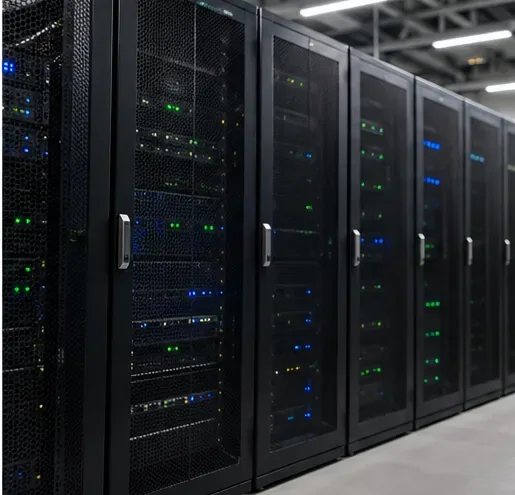
Rows of server racks in a data center. Streaming, cloud storage, and AI depend on shared infrastructure, but their energy use varies significantly by workload and electricity source.
Instead, reduce avoidable demand where it does not reduce usefulness:
Match video resolution to the screen and situation. A phone-sized display rarely benefits from the same resolution you might choose for a large television. Lower resolution generally means less data transfer, though the total energy effect depends on the device and network.
Use a smaller, efficient screen when it works for you. The IEA has shown that the viewing device can dominate streaming electricity use in some scenarios.
Avoid repeated large transfers. If a service legally offers offline downloads and you know you will replay the same content many times, a single download may avoid repeated network transfers. The benefit varies and should not be overstated.
Use AI at the level the task needs. In 2026, the IEA reports that simple text queries can be relatively low-energy while video generation and some reasoning or agentic tasks can be hundreds or thousands of times more energy-intensive per query. Use those heavier modes when they add real value rather than by default.
Clean cloud clutter selectively. Delete obsolete backups, duplicate archives, and large files you truly do not need. Do not expect deleting a handful of emails to produce a measurable immediate climate result; shared storage systems do not map one file to one powered server.
A good rule is “right-size the digital service.” Use enough quality, storage, and compute for the outcome you need, not the maximum setting automatically.
Step 4: Consider the Electricity Mix, Then Reuse or Recycle Responsibly
The carbon intensity of digital activity depends partly on how electricity is generated. Carbon intensity means the amount of greenhouse gas emissions associated with producing a unit of electricity. The same laptop or data center can have a different operational footprint on a cleaner grid than on a fossil-fuel-heavy one.
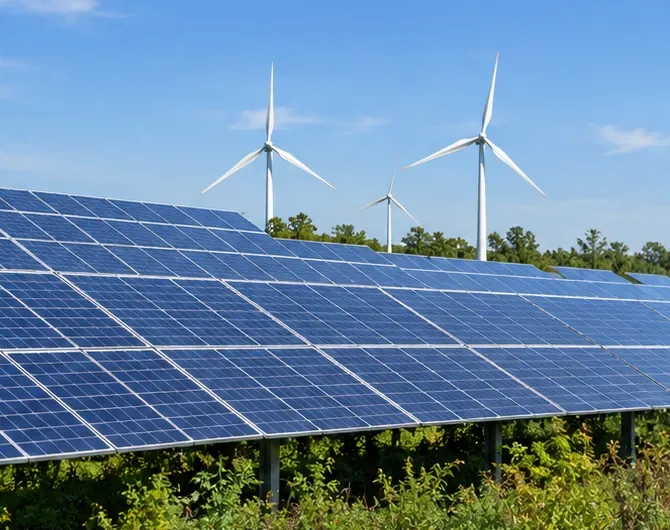
Solar panels and wind turbines under a clear sky. Cleaner electricity can reduce the operational emissions associated with devices, networks, and data centers.
If your utility offers a credible renewable electricity plan, community solar option, or time-of-use information showing cleaner periods, those may be worth considering. For businesses choosing cloud or hosting providers, review published energy and greenhouse-gas disclosures, the accounting boundary, and whether claims refer to annual matching, hourly matching, direct renewable supply, or offsets. Do not assume the provider with the greenest marketing page necessarily has the lowest real-world footprint.
Finally, give electronics a useful second life whenever possible. The U.S. Environmental Protection Agency says reuse and donation extend the life of valuable products and recommends responsible electronics recycling when reuse or repair is no longer viable. Its electronics stewardship guidance explains the life-cycle approach. For recycling in the United States, EPA recognizes R2 and e-Stewards as accredited certification standards and provides guidance for finding certified electronics recyclers.
Common Beginner Mistakes to Avoid
Obsessing Over Tiny Actions While Replacing Hardware Frequently
Inbox cleanup can be useful for organization, but it should not distract from bigger life-cycle decisions. Replacing a phone or laptop early can trigger another manufacturing cycle with material extraction, component production, transport, and packaging. Start with hardware longevity, then optimize smaller digital habits.
Treating One Carbon Number as Universal
Be skeptical of claims such as “one email equals exactly X grams of CO2.” Digital emissions change with hardware efficiency, network type, utilization, electricity generation, and system boundaries. Use credible estimates as context, not as permanent conversion factors.
Turning Everything Off Without Understanding What It Does
Power saving should not compromise security, backups, accessibility, alarms, or other essential functions. Use automatic sleep and shutdown intelligently. For shared work computers, follow your organization's IT policy rather than forcing settings that could interrupt management or backup processes.
Buying a New “Eco” Device to Save a Small Amount of Electricity
A more efficient new device can reduce use-phase electricity, but manufacturing also has an environmental cost. If your current device is secure, functional, and reasonably efficient, keeping it longer can be the better choice. Compare the whole life cycle rather than one specification.
Recycling a Working Device That Someone Else Could Use
Recycling recovers materials, but reuse preserves more of the value already invested in manufacturing. Before recycling, consider a secure factory reset followed by resale, trade-in, donation, or refurbishment if the device still works and receives appropriate software support.
A Simple 30-Day Digital Carbon Footprint Routine
You do not need to overhaul everything in one weekend. A lightweight routine makes the changes more durable:
Week 1: enable sleep settings, shorten unnecessary screen-on time, and identify electronics that stay powered for no reason.
Week 2: review your phone, laptop, and tablet replacement plans. Cancel an upgrade you do not actually need, or schedule a repair if that would extend useful life.
Week 3: review streaming quality, repeated downloads, large cloud duplicates, and compute-heavy AI habits. Right-size them without sacrificing the result you need.
Week 4: donate, sell, refurbish, or responsibly recycle one unused device, and check the sustainability information of the electricity or digital services you rely on most.
How to Tell Whether You Are Making Progress
Do not judge success by whether your cloud drive is perfectly empty. Track behaviors you can actually control:
Your main phone or computer lasts longer before replacement.
Screens and computers sleep automatically when inactive.
You use maximum video resolution only when it visibly improves the experience.
You choose compute-heavy AI features because the task needs them, not because they are the default.
Unused working electronics move to reuse or refurbishment instead of staying forgotten in a drawer.
Unusable electronics go to a responsible recycling channel rather than household trash.
The strongest digital sustainability strategy is not digital abstinence. It is intentional use: buy less often, keep useful devices longer, waste less electricity, right-size demanding online services, and make responsible choices when hardware reaches the end of its useful life.