Home
» Technology
»
Is Salesforce Affected by the Recent AWS Outage? What to Check Before You Blame the Cloud
Is Salesforce Affected by the Recent AWS Outage? What to Check Before You Blame the Cloud
If Salesforce feels slow, a login fails, or an integration suddenly stops working at the same time news breaks about an AWS outage, it is tempting to connect the two immediately. That can be the right diagnosis in some cases, but not always.
As of September 16, 2026, there is no public evidence of a broad Salesforce outage being attributed to the latest AWS disruption. AWS continues to report a major, long-running service disruption in its Middle East (Bahrain) Region and serious impairment in parts of its Middle East (UAE) Region. Salesforce does run Hyperforce workloads on AWS in multiple countries, including the UAE, so a regional AWS problem can matter to some Salesforce customers. But Salesforce status has to be checked at the specific org, instance, region, and service level before concluding that AWS is the cause.
This article explains what is confirmed, what is not, how to tell whether your Salesforce environment is affected, and when you should stop waiting on a public status page and investigate your own network, browser, integration, or tenant instead.
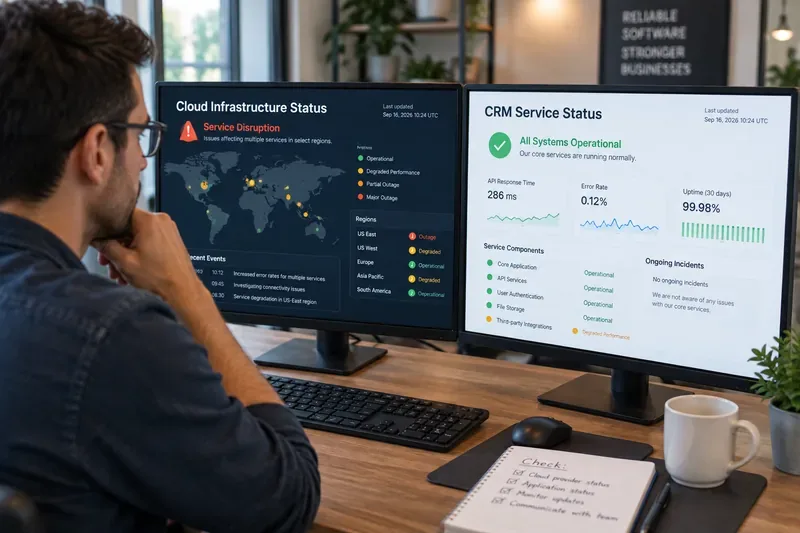
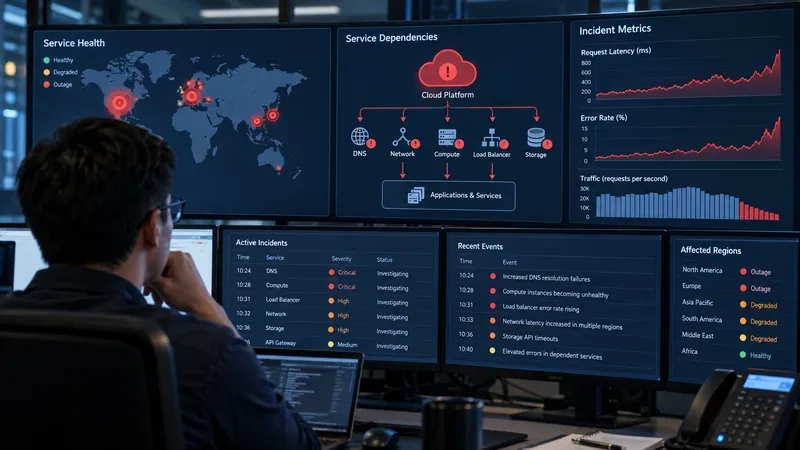
An operations analyst compares cloud-provider health with application-level status; a regional cloud incident does not automatically mean every Salesforce org is affected.
What is the recent AWS outage?
The latest major AWS disruption still visible in AWS's own public health history is concentrated in the Middle East. AWS says its Middle East (Bahrain) Region, identified as me-south-1, is unavailable following physical damage, while its Middle East (UAE) Region, me-central-1, has also suffered severe impairment.
AWS reported that the affected facilities sustained physical damage during the regional conflict in March 2026. On April 30, AWS said the Bahrain Region remained unavailable and that the UAE Region could not reliably support customer applications. AWS advised affected customers to recover workloads in other regions and restore inaccessible resources from remote backups where possible.
You can verify the current and historical event status directly on the AWS Health Dashboard. AWS also explains that the public Service Health view shows broad service events, while signed-in customers can see account-specific issues in their personalized AWS Health view.
Is Salesforce down because of AWS?
Not broadly, based on the public evidence available on September 16, 2026.
Salesforce's public Trust Status site is the primary place to check Salesforce incidents. At the time of review, Salesforce was not publishing a platform-wide incident that attributed current widespread Salesforce availability problems to the AWS Middle East disruption.
That distinction matters. A cloud provider can have a serious outage in one region without every software company that uses that provider going down globally. Modern SaaS platforms often operate across multiple regions, availability zones, routing layers, and infrastructure environments. The relevant question is therefore not just “Is AWS having an outage?” but “Does my Salesforce org or a service it depends on run in the affected infrastructure path?”
Why can AWS matter to Salesforce at all?
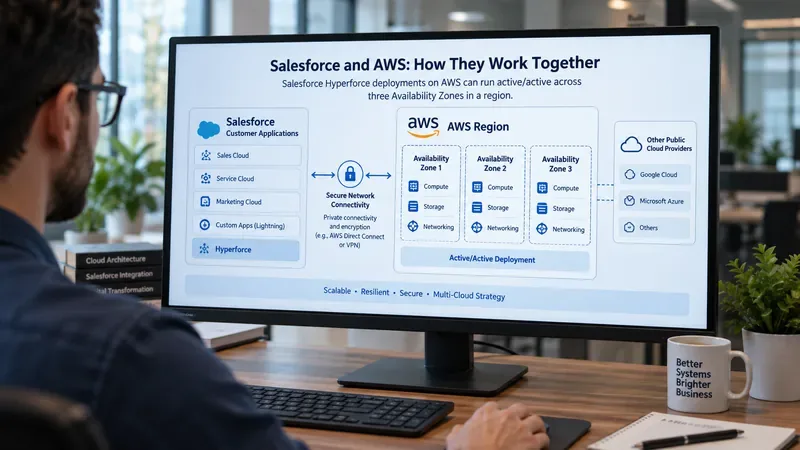
Salesforce's Hyperforce architecture runs many Salesforce workloads on public cloud infrastructure. Salesforce's current documentation says Hyperforce is available on AWS in multiple countries, including Australia, Brazil, Canada, France, Germany, India, Indonesia, Israel, Italy, Japan, Singapore, South Africa, South Korea, Sweden, Switzerland, the United Arab Emirates, the United Kingdom, and the United States.
Salesforce also documents that some Hyperforce instances are mapped to specific AWS regions. For example, its instance-location documentation lists AWS regions for a number of Hyperforce geographies. The company further states that customers can identify their Salesforce instance and use Salesforce Trust to view its location and status.
The goal is not simply to find a red or green status icon. A useful diagnosis should answer three questions:
Scope: Is the problem affecting everyone, one Salesforce instance, one product, one integration, or only your organization?
Cause: Is there an official Salesforce incident, an AWS regional event, or evidence that the issue is local to your browser, network, authentication setup, or integration?
Next action: Should users wait, fail over, retry later, switch a workflow, contact Salesforce Support, or investigate an internal dependency?
If you cannot answer those three questions yet, you have a status observation, not a diagnosis.
How do you check whether your own Salesforce org is affected?
1. Identify your Salesforce instance
Salesforce recommends checking the Instance field in Setup under Company Information or searching your domain on Salesforce Trust. Instance identity matters because service health can differ between regions and infrastructure groups.
A good result at this stage is simple: you know the instance name that your affected production org is actually using. Do not diagnose from a coworker's org, a sandbox in another region, or a generic Salesforce status headline.
2. Search that instance on Salesforce Trust
Go to Salesforce Trust and search for your instance or domain. Check current incidents, recent incident history, and scheduled maintenance.
If Salesforce lists an active disruption for your instance and the symptoms match what your users are seeing, that is much stronger evidence than a social-media post or a general cloud outage headline.
If Salesforce Trust shows your instance as healthy, do not stop there. Status pages can lag the first customer reports, and an issue may affect only a feature, dependency, or narrow group of tenants.
3. Compare the timing with AWS's official event
If your Salesforce org is on Hyperforce backed by AWS, compare the Salesforce incident window with the relevant AWS region's event window. A meaningful correlation requires more than both events happening in the same month.
For example, if your Salesforce environment is hosted in a European AWS region, an outage isolated to Bahrain does not by itself explain your failure. If your workload or a dependent service is in the UAE region, the relationship becomes more plausible and deserves deeper verification.
4. Test what still works
High-quality troubleshooting narrows the problem instead of repeatedly refreshing the same page. Test a few representative paths:
Can users sign in?
Can they open records?
Can they save updates?
Do API requests succeed?
Are outbound or inbound integrations failing?
Does the issue occur across browsers and networks?
Is the problem limited to one geography or office?
The pattern matters. A total login failure suggests a different fault domain from a single delayed integration. If the Salesforce UI is healthy but a middleware flow to an AWS-hosted system fails, the real impact may be downstream of Salesforce rather than Salesforce itself.
Could Salesforce be healthy while an integration is still broken?
Yes. This is one of the most important distinctions during a cloud outage.
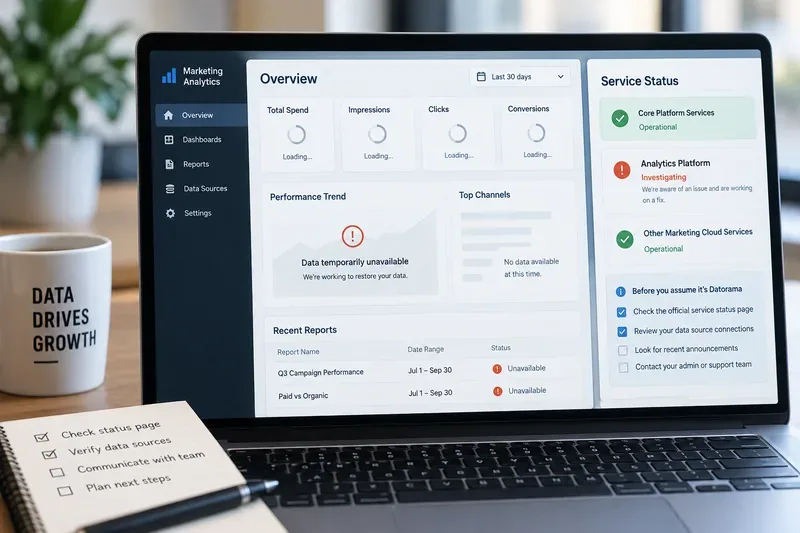
Your Salesforce org may be fully available while an AWS-hosted component that it talks to is degraded. Examples include middleware, custom APIs, data pipelines, file services, identity components, analytics jobs, or external applications running in AWS.
In that situation, Salesforce Trust may correctly show the Salesforce platform as healthy even though a business process inside your organization is failing.
A useful test is to separate Salesforce core behavior from external dependency behavior. If users can create and edit records but a callout to an external service times out, investigate the external dependency and its region. If even basic Salesforce navigation fails across many users and networks, Salesforce instance health becomes more relevant.
What about the Salesforce issues reported earlier in September?
Salesforce did publish several incidents in early September 2026, but the public incident records do not establish that they were caused by the current AWS Middle East outage.
For example, Salesforce recorded a September 5 service disruption affecting an “AWS US” platform grouping that lasted about 90 minutes and was later resolved. Separately, Salesforce reported a Revenue Cloud problem beginning September 6 and said its investigation indicated a recent release was the cause. Salesforce also published an informational notice about intermittent UI freezing in Chrome and Edge 153 and described that as a third-party browser issue rather than a Salesforce infrastructure problem.
The lesson is important: multiple outages can happen near each other for completely different reasons. Avoid grouping every Salesforce problem under “AWS outage” unless the vendor has actually linked them.
What signs suggest AWS may really be involved?
The evidence becomes stronger when several signals line up:
Signal
What it tells you
Your Salesforce instance is on Hyperforce using AWS
A dependency on AWS exists, but this alone does not prove impact.
The instance or dependent service maps to the affected AWS region
The regional outage is technically relevant.
Salesforce Trust reports an incident for your instance at the same time
There is direct Salesforce-side evidence of impact.
AWS Health reports degradation in the same region and time window
The infrastructure event aligns with the symptom.
Users in multiple locations see the same failure
A purely local office or ISP problem becomes less likely.
Only one external integration fails while Salesforce core remains healthy
The dependency, not Salesforce core, may be the actual failure point.
When should you stop waiting for the status pages?
Change your troubleshooting approach when the public information no longer matches what you see.
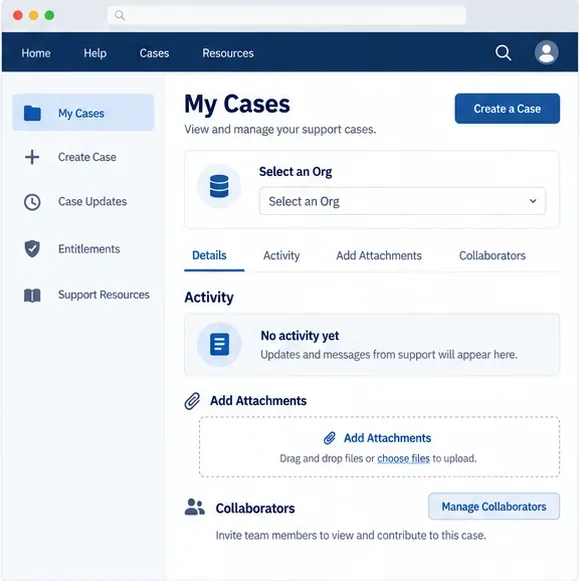
If Salesforce Trust is green but a large group of users cannot access the same instance from multiple networks, capture timestamps, request IDs, error messages, and affected usernames, then open a Salesforce Support case. If only one office is affected, compare with another network or mobile connection before escalating a global SaaS outage.
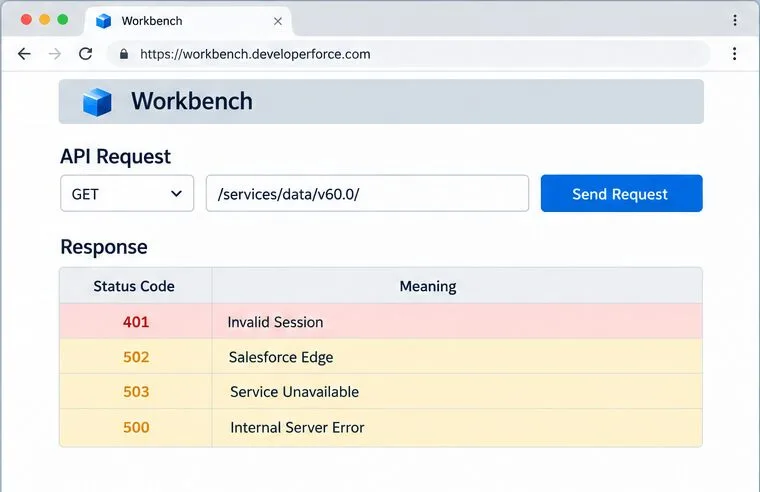
If the Salesforce UI works but integrations fail, inspect the external endpoint, DNS resolution, certificates, queues, API error codes, and the cloud region hosting that dependency. Do not wait for Salesforce to post an incident about a component Salesforce does not operate.
If the issue involves AWS resources you own, use the signed-in AWS Health Dashboard rather than relying only on the public dashboard. AWS documentation explicitly notes that account-specific health information can differ from the public service view. See AWS Health Dashboard documentation.
How can you tell when the problem is actually resolved?
A status page returning to green is useful, but operational recovery should be confirmed with your own workflow.
Before declaring the incident over, verify that:
users can log in normally;
record reads and writes succeed;
API error rates have returned to baseline;
queued integrations are draining rather than continuing to accumulate;
scheduled jobs are running again;
no manual failover or emergency configuration remains active;
business-critical transactions can complete end to end.
A strong result is not merely “the vendor says resolved.” It is “the vendor says resolved, and the workflows that matter to us are functioning again without abnormal error rates.”
What is the practical answer right now?
As of September 16, 2026, the available official information does not support saying that Salesforce as a whole is down because of the recent AWS outage. AWS's most serious ongoing disruption is region-specific, centered on Bahrain and parts of the UAE. Salesforce uses AWS for many Hyperforce environments, including in the UAE, so some Salesforce-hosted or Salesforce-connected workloads can have AWS dependencies. That makes regional verification important, but it does not make a global Salesforce outage automatic.
If your organization is experiencing problems now, the most reliable path is:
identify your Salesforce instance;
check that instance on Salesforce Trust;
identify whether the org or failing dependency is on AWS and in which region;
compare the exact incident time windows;
test Salesforce core separately from external integrations;
escalate with evidence if the official status does not explain your symptoms.
That approach gives you a defensible answer for your own environment instead of relying on a broad assumption. The limitation is that public status pages cannot reveal every tenant-specific failure immediately, so the final confirmation for a production incident may still require vendor support and your own telemetry.