Home
» Today
»
Samsung Galaxy: What to Know Before Choosing Your Next Phone
Samsung Galaxy: What to Know Before Choosing Your Next Phone
Choosing a Samsung Galaxy phone is easier when you begin with the way you use it, rather than the longest feature list. As of October 11, 2026, Samsung’s U.S. lineup spans the Galaxy A series for everyday value, Galaxy S slab phones for premium all-around use, and Galaxy Z foldables for buyers who want a phone that opens into a larger screen. The right fit depends on budget, size, camera priorities, work habits, and how long you plan to keep the device.
Samsung’s current U.S. catalog lists the Galaxy S26 family, Galaxy S26 FE, Galaxy Z Fold8 and Flip8, and Galaxy A57 5G among its newer options. Availability and configurations can differ by carrier and region, so confirm model number, storage, and unlocked or carrier version before paying.
Which Galaxy family fits your needs?
Family
Best fit
Main trade-off
Galaxy A
Everyday tasks and lower purchase cost
Less premium hardware and fewer top-tier extras than S models
Galaxy S
Conventional premium phone for photos, speed, and long-term use
Higher price; larger or Ultra models may feel bulky
Galaxy Z Flip
Compact storage and foldable design
Foldable construction adds cost and a different durability profile
Galaxy Z Fold
Reading, multitasking, and viewing more content on an inner display
Higher cost, more weight and thickness, and a foldable inner screen
These are broad differences, not guarantees that every model in a family has identical features. Compare the particular model’s specifications and support terms. Samsung’s U.S. smartphone catalog is the current starting point.
Do you need a flagship, or will a Galaxy A phone be enough?
For calls, messaging, maps, social media, video streaming, and routine photography, start by comparing Galaxy A models in your region. Samsung lists the A57 5G with a 5,000 mAh typical battery and a rear camera setup that includes a 50 MP wide camera, an 8 MP ultra-wide camera, and a 5 MP macro camera. Those numbers describe hardware, not guaranteed photo quality or battery life; software, lighting, network use, and settings matter.
Choose an A-series model when its screen, storage, camera options, and support window meet your needs at a price you can accept. Move up to Galaxy S if you rely on demanding games, premium camera controls, higher-end display capabilities, or advanced productivity features. Compare actual features rather than assuming a higher model number solves a problem you do not have.
Prices shift with promotions, trade-ins, and carrier plans. Compare total amount due over the full term, including required service, activation costs, and trade-in conditions. A discount attached to a long contract is not the same as a lower unlocked price.
Should you choose Galaxy S26, S26+, or S26 Ultra?
The standard Galaxy S26 is practical if you want flagship performance in a more manageable size. Samsung lists the S26+ with a 6.7-inch display, while the Ultra is positioned for people seeking extensive camera and productivity features. Samsung’s S26 Ultra page highlights up to 100x zoom and Galaxy AI photo editing; zoom claims describe maximum capability, not a promise that every distant subject will look sharp.
Consider S26+ if you prefer a larger screen for video, reading, or split-screen use but do not need every Ultra-specific feature. The Ultra is most compelling when its camera system, large display, or S Pen support on the exact regional variant will be used often enough to justify price and size. Check official specifications for dimensions, weight, storage tiers, and included accessories.
Is a foldable Galaxy worth the extra cost?
A Galaxy Z Flip folds into a smaller footprint, which can make it easier to carry in a pocket or small bag. A Galaxy Z Fold opens to a larger working and viewing area, suiting people who read documents, compare apps, or watch video on the go. Samsung describes Z Fold8 as bridging phone and tablet use. That workspace is useful only if you want to carry and pay for a foldable.
Foldables have moving hinges and flexible inner displays, so ownership differs from a conventional slab phone. Review Samsung’s current warranty and repair terms, inspect the device in person if possible, and decide whether you are comfortable with the form factor. Do not treat an IP rating, where listed, as a promise that a phone is invulnerable to every kind of dust, water, impact, or wear.
How much storage should you buy?
Choose storage based on photo and video habits, offline downloads, games, and cloud use. If you keep large video files or install many games, higher capacity can reduce cleanup. If most files are streamed or backed up and you regularly remove old downloads, base capacity may be adequate. Verify whether the exact model supports expandable storage; do not assume a microSD slot is present because an older Galaxy had one.
How long will a Galaxy receive updates?
Support varies by model and market. Samsung says the Galaxy S26 series is eligible for seven generations of OS upgrades and seven years of security updates from its global launch date. That is useful for buyers who keep phones for years, but it does not mean every Galaxy model receives the same duration or that updates arrive on the same day in every market. Check the specific model’s support statement before buying, especially for discounted older inventory.
Samsung’s S26 launch announcement states the S26 policy. The company notes that timing and availability can vary. Confirm current security-update status and the policy for the exact regional version.
What should you check before checkout?
Network compatibility: Confirm the model works with your carrier’s supported bands, 5G service, eSIM needs, and coverage.
Size and weight: Hold the phone if possible. A large screen can help with reading but may be harder to use one-handed.
Camera use: Compare lens types and features you will use, then look at sample photos from the exact model in similar conditions.
Storage and backup: Match capacity to your habits and check cloud costs or transfer needs.
Accessories and charging: Verify what comes in the box and whether your charger, case, earbuds, or car mount will fit. The U.S. Galaxy Z Fold8 purchase page says a charger is not included.
Price and protection: Compare unlocked and carrier totals, trade-in requirements, return windows, and repair coverage.
Which Galaxy should you shortlist?
For a tight budget and routine daily use, compare Galaxy A models and choose one with enough storage and a support policy that suits your ownership period. For a premium conventional phone, begin with Galaxy S26 and move to S26+ or Ultra only when screen size, camera tools, or productivity features justify the extra cost. Choose Flip8 for a compact foldable format, or Fold8 when its expanded screen would replace meaningful tablet-like tasks.
Before ordering, write down your two must-have features, maximum total price, and comfortable size. Then compare a few exact models using those criteria. This helps keep launch marketing, large specification numbers, and temporary discounts from steering you toward a phone that does not match everyday use.
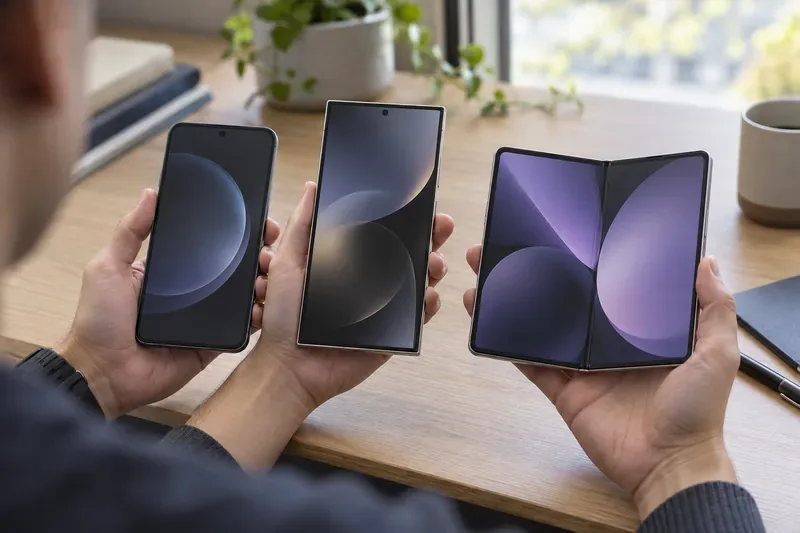
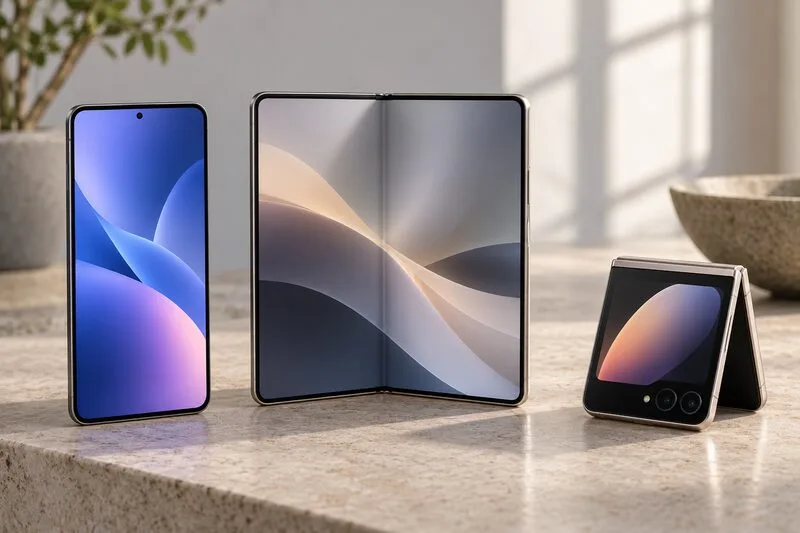
Three smartphones in different sizes, including an open book-style foldable, illustrate the form-factor choices to compare before selecting a Galaxy phone.