Home
» Technology
»
Tech Detox: How to Unplug in a Hyper-Connected World Without Going Off the Grid
Tech Detox: How to Unplug in a Hyper-Connected World Without Going Off the Grid
You pick up your phone to answer one message. Twenty-five minutes later, you are still scrolling, now reading something you never planned to open. The same pattern happens during breakfast, between tasks, in bed, and in the five quiet minutes that used to belong to nothing in particular.
A tech detox does not have to mean deleting every app, buying a basic phone, or disappearing for a week. A more useful definition is a deliberate reduction in digital input so that technology returns to a supporting role instead of automatically filling every pause. The goal is not “zero screen time.” The goal is more choice.
That distinction matters because the evidence does not support a simple claim that less screen time automatically produces dramatic improvements for everyone. A 2025 meta-analysis of randomized trials found that restricting social media produced a small average improvement in subjective well-being, with meaningful variation across studies. A separate randomized trial among 110 Chinese college students found that simply recording daily phone use for two weeks reduced phone-use time and mobile-phone-dependence scores, but that narrow sample should not be generalized to every adult. In other words, behavior can change, but a good tech detox should be measured by your own sleep, focus, mood, relationships, and ability to choose when to be online.
Research also suggests that bedtime use deserves special attention. A 2025 cross-sectional study of more than 122,000 U.S. adults found that daily electronic-screen use before bed was associated with later bedtimes, poorer self-reported sleep quality, and slightly shorter sleep duration. Because the study was observational, it cannot prove that screens caused those outcomes, but the pattern is consistent with practical sleep guidance from the U.S. Centers for Disease Control and Prevention, which recommends turning off electronic devices at least 30 minutes before bedtime.
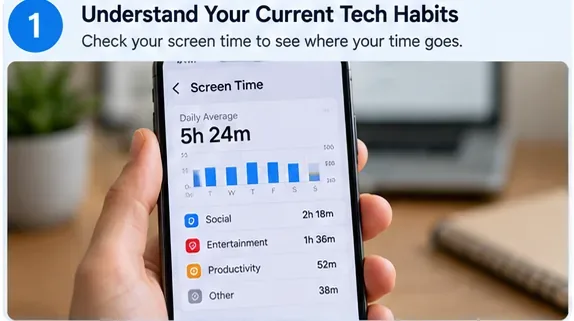
Start with observation, not punishment: use your phone’s built-in screen-time dashboard to see which apps, categories, and times of day consume the most attention.
Step 1: Measure your current habits for three days
The easiest first step is to collect a baseline. Do not change anything yet. For three ordinary days, note your total phone screen time, your top three apps, how often you pick up or unlock the device if that metric is available, and the times when usage spikes.
Also write down the context. Did you open social media because you were bored between meetings? Did you read news because you felt anxious? Did video apps expand into an hour because you were too tired to start a harder task? Screen-time numbers are useful, but the trigger is often more actionable than the total.
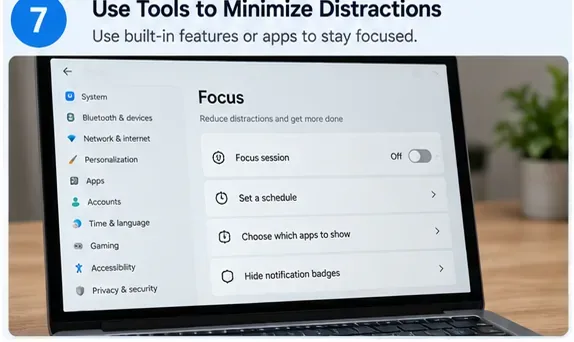
Android’s Digital Wellbeing dashboard can show screen time, app openings, and notification counts, and it supports app timers and Focus mode. Apple’s Screen Time provides similar usage reports and app limits. If you work on Windows, Microsoft’s Focus feature can temporarily reduce notifications and taskbar distractions. These tools are most useful as feedback systems, not as moral scoreboards.
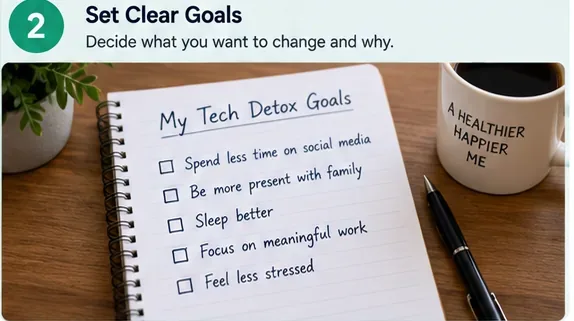
Define what “less technology” is supposed to create more room for. Goals such as better sleep or more present family time are easier to act on than a vague promise to “use my phone less.”
Step 2: Set one outcome goal, not a giant screen-time target
A detox works better when it serves something you actually want. Choose one outcome for the next week. Examples include: “I want to be off my phone for the first 30 minutes after waking,” “I want one uninterrupted hour for deep work,” “I want dinner to be phone-free,” or “I want a screen-free wind-down before bed.”
Avoid starting with an extreme target such as cutting six hours of phone use to one hour overnight. Large reductions can work for a short challenge, but they often fail to survive ordinary work, family, navigation, banking, messaging, and authentication needs. A smaller rule attached to a specific time or place is easier to remember.
Step 3: Turn off interruptions before limiting apps
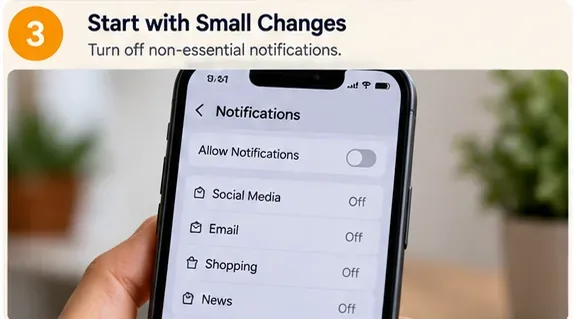
Most people try to solve digital overload by relying on willpower while leaving every alert, badge, vibration, email banner, shopping promotion, breaking-news notification, and group-chat ping active. Reverse the order. Reduce the number of times the device asks for your attention.
Keep notifications that are genuinely time-sensitive: calls from important contacts, calendar reminders, security alerts, transportation updates, or work messages that truly require immediate response. Silence promotional alerts, most social notifications, news pushes, shopping apps, game reminders, and anything you routinely dismiss without acting.
If you are on call for work, caregiving, or emergencies, use exception lists rather than shutting everything off. Apple Focus, Android Modes/Do Not Disturb, and Windows Focus all allow some form of scheduled quiet period or controlled interruptions.
Removing nonessential notifications reduces the number of attention bids you have to resist throughout the day.
Step 4: Create two device-free zones
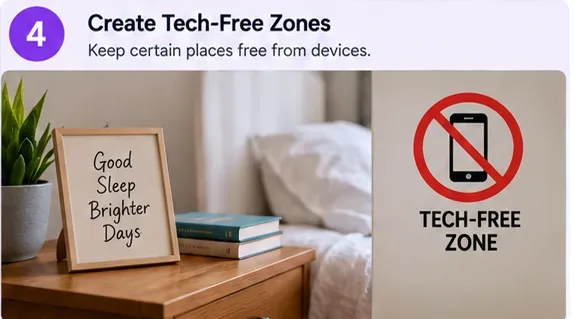
Once interruptions are quieter, change the physical environment. Pick two places where the default becomes “no phone in hand.” Good candidates are the dining table, bedroom, bathroom, reading chair, workout space, or a particular desk used for focused work.
The bedroom is especially worth testing. The CDC recommends turning off electronic devices at least 30 minutes before bedtime as part of better sleep habits. If your phone is also your alarm clock, you can still create distance: charge it across the room, outside the bedroom, or on a shelf you cannot reach from bed.
Do not interpret every sleep problem as a screen problem. Sleep is affected by many factors, including stress, schedules, caffeine, medical conditions, medications, and the sleep environment. If sleep problems persist, the CDC recommends talking with a healthcare provider.
A physical rule can be easier to follow than a time limit: make the bed or bedroom a place where the phone is not used by default.
Step 5: Add friction to the apps that pull you in
If you still open certain apps automatically, make the path less convenient. Start with built-in app timers. Then try moving the app off the home screen, signing out after each session, removing saved passwords from the device, disabling autoplay where available, or using the mobile web version instead of the app.
Android Digital Wellbeing lets you set daily app timers and pause chosen apps with Focus mode. On iPhone, Screen Time can apply app limits and Downtime. These controls are not impossible to override—and that is fine. The point is to insert a moment in which you have to decide whether you actually want to continue.
A useful test is whether the extra step makes you ask, “Why am I opening this?” If it does, the friction is doing its job.
Built-in focus tools can automate quiet periods during work or study so you do not have to make the same decision repeatedly.
Step 6: Replace scrolling with something specific
Removing a habit leaves a gap. If you do not decide what fills that gap, the phone usually returns. Choose replacements that fit the same moment in your day.
For a five-minute break: stretch, make tea, step outside, or look out a window without opening another feed.
For a commute on public transit: carry a paperback, saved long-form article, crossword, or offline playlist.
For evening decompression: take a short walk, cook, journal, work on a hobby, or call someone instead of passively refreshing a feed.
For social connection: schedule an actual conversation or shared activity rather than assuming more messages automatically create more closeness.
The CDC’s stress-management guidance includes spending time outdoors, journaling, relaxing activities, physical movement, and connecting with people you trust. None of these requires rejecting technology; they simply widen the menu of things you can do when you need rest or connection.
Replacement matters: offline activities work better when they are concrete, accessible, and genuinely enjoyable rather than framed as chores.
Step 7: Try a longer offline block only after the small rules work
Now move to the harder part: a half-day, evening, or weekend block with sharply reduced discretionary screen use. Do not make it a test of purity. Keep the phone available for maps, tickets, family calls, two-factor authentication, or safety if you need it. The rule can simply be “no feeds, no work email, no casual browsing.”
Before the block begins, tell people who may reasonably expect a fast reply. Download tickets or directions, write down important phone numbers, and decide how you will handle photos, payments, and emergencies. Preparation prevents a digital break from becoming needlessly inconvenient.
Research does not suggest that everyone needs a total social-media fast. A 2025 meta-analysis covering 32 randomized-trial articles and 5,544 participants found a small average improvement in subjective well-being from social-media restriction, not a dramatic universal effect. Use a longer detox block as an experiment: notice what becomes easier, what becomes harder, and which online activities you genuinely miss.
Once smaller boundaries feel stable, test a longer offline block such as an evening, half-day, or weekend with only essential device use.
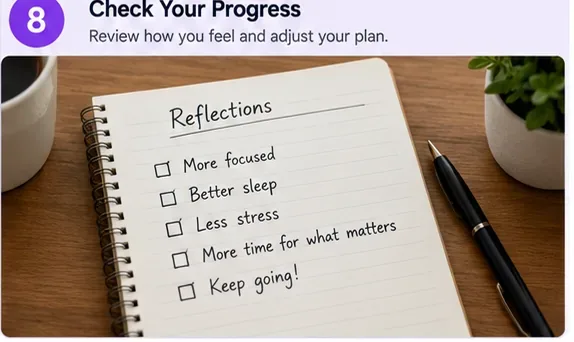
Step 8: Review the results after one week
A successful tech detox is not measured only by a lower screen-time number. At the end of the week, compare your baseline with what changed. Look at total screen time and your most-used apps, but also answer these questions:
Am I falling asleep more easily or going to bed closer to the time I intended?
Can I work, read, eat, or talk with someone for longer without checking my phone?
Do I feel calmer during idle moments, or simply more deprived?
Did I gain time for something I value?
Which rule required constant effort, and which rule quickly became automatic?
One simple measurement strategy has some experimental support. In a 2025 randomized controlled trial of 110 college students in China, participants who recorded their phone use daily for two weeks reduced both phone-use time and mobile-phone-dependence scores relative to the control group. The study was small and population-specific, but it supports the idea that measurement itself can be a useful intervention.
Evaluate the detox by its effects on focus, sleep, stress, relationships, and time for priorities—not just by chasing the lowest possible screen-time total.
What to do if your first tech detox fails
If you disable everything on Monday and reinstall every app by Thursday, the lesson is not that detoxes are useless. It usually means the plan depended on too many simultaneous restrictions.
Problem
Adjustment
You override every app timer.
Move the app off the home screen, sign out, or use it only on desktop so opening it requires more effort.
You need your phone for work.
Create work and personal Focus modes with exceptions rather than trying to go completely offline.
You scroll because you are exhausted.
Reduce the goal and choose a low-effort replacement such as music, stretching, a shower, or a short walk.
You fear missing urgent messages.
Whitelist specific people or allow repeated calls while muting everything else.
Your sleep does not improve.
Keep the screen-free bedtime rule if it feels useful, but consider other sleep factors and seek medical advice when problems persist.
A sustainable endpoint: selective connection
The most useful tech detox ends by bringing some technology back deliberately. You may decide that messaging friends is worth keeping, while algorithmic video is not. You may love podcasts on walks but want a phone-free dinner. You may need social media for work yet prefer to post from a desktop and remove the app from your phone.
That is not a failed detox. It is the point. In a hyper-connected world, the realistic skill is not permanent disconnection; it is being able to choose when to connect, what deserves your attention, and when a quiet moment is allowed to stay quiet.