Troubleshooting Edge Browser Security Plugin Errors

Encountering frustrating Edge browser security plugin errors? You're not alone. These issues can block sites, cause crashes, or slow down your browsing. But don't worry—with this concise guide, you'll resolve them quickly and get back to seamless surfing. We've focused on the most effective, up-to-date solutions to save you time and hassle. Let's dive in! 🚀
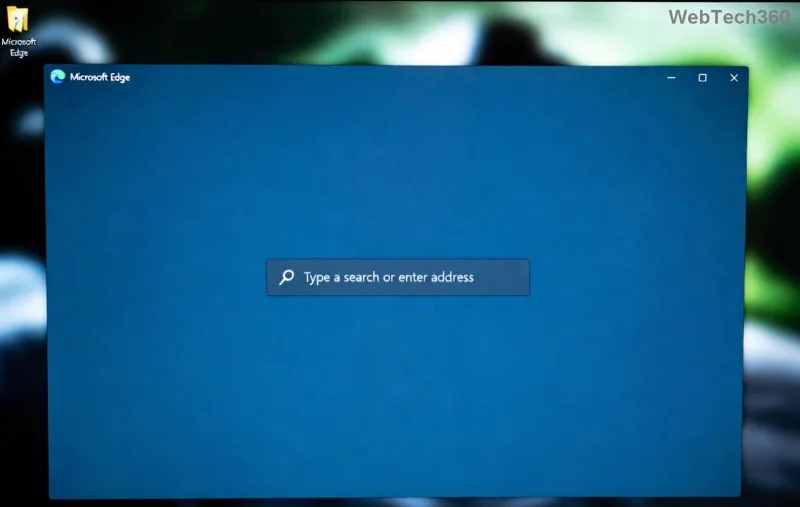
Edge browser security plugin error screenshot

Understanding Common Edge Browser Security Plugin Errors

Edge browser security plugin errors often stem from extension conflicts, outdated software, or permission glitches. Microsoft Edge, built on Chromium, relies on plugins like SmartScreen, antivirus extensions (e.g., Avast, Norton), or ad-blockers for protection. Here's what you'll typically see:

  • Error 0x80070005: Access denied during plugin load.
  • Plugin crash on startup: "Aw, Snap!" or frozen tabs.
  • Site blocked unexpectedly: False positives from security scans.
  • Certificate errors: Invalid security plugin validation.

Recognizing the error type is key. Check Edge's console (F12 > Console tab) for specifics like "Security plugin failed to initialize."

Quick Fixes: Start Here for Instant Relief

Before advanced steps, try these no-brainer solutions. Most users fix Edge browser security plugin errors in under 5 minutes.

  1. Restart Edge: Close all windows (Ctrl+Shift+Q), then relaunch. Clears temporary glitches.
  2. Update Edge: Go to edge://settings/help. Install the latest version—recent patches address plugin stability.
  3. Disable Extensions Temporarily: edge://extensions/ > Toggle off security plugins. Reload pages to test.
Troubleshooting Edge extensions menu

Step-by-Step Troubleshooting Edge Browser Security Plugin Errors

Follow this proven sequence for reliable results. We've prioritized methods from Microsoft support and user-tested fixes.

Step 1: Clear Cache and Data

Corrupted cache often triggers plugin errors.

  1. Hit edge://settings/clearBrowserData.
  2. Select "All time" > Cached images/files + Cookies.
  3. Clear and restart. 🎉

Step 2: Reset Security Plugin Settings

For antivirus-linked plugins:

  • Open your security app (e.g., Windows Defender > Virus & threat protection).
  • Exclude Edge folders: %LocalAppData%\Microsoft\Edge.
  • Re-enable web protection.

Step 3: Run Edge in Safe Mode

Tests for conflicts: Right-click Edge icon > Properties > Add --safe-mode to target field. Launch to isolate issues.

Step 4: Reinstall Problematic Extensions

From edge://extensions/, remove then reinstall from Microsoft Edge Add-ons store.

Edge browser clear cache settings

Error Codes and Solutions Table

Use this handy table for quick reference on top Edge browser security plugin errors:

Error CodeCauseSolution
0x80070005Permission issuesRun Edge as admin; check Windows UAC.
Plugin CrashOutdated extensionUpdate via edge://extensions/.
ERR_CERT_INVALIDSecurity plugin blockWhitelist site or disable plugin temporarily.
Aw, Snap!Memory conflictClear cache; limit tabs.
SmartScreen BlockFalse positiveMicrosoft Edge Help > Advanced options.

Advanced Fixes for Stubborn Issues

If basics fail:

  • Reset Edge Settings: edge://settings/reset > Restore to defaults (keeps bookmarks).
  • Windows Repairs: Run sfc /scannow in admin Command Prompt. Fixes system files impacting plugins.
  • Registry Tweak (Caution!): Backup first. Edit HKEY_LOCAL_MACHINE\SOFTWARE\Policies\Microsoft\Edge to disable strict policies.
  • Reinstall Edge: Download from official site.

Pro tip: Enable InPrivate browsing for testing—bypasses most plugin errors.

Prevent Future Edge Browser Security Plugin Errors

Stay ahead:

  • 🔄 Auto-update extensions weekly.
  • 🛡️ Limit security plugins to 2-3 trusted ones.
  • 📱 Use Edge's built-in Defender SmartScreen over third-party.
  • 💻 Keep Windows updated via Settings > Update & Security.

These habits ensure error-free browsing long-term.

Ready to Surf Securely Again?

Congratulations! You've got the tools to conquer Edge browser security plugin errors. Start with quick fixes, escalate as needed, and enjoy worry-free web access. If issues persist, drop a comment below—we're here to help. Happy browsing! 😊

Leave a Comment

Troubleshooting Edge Browser Security Plugin Errors

Troubleshooting Edge Browser Security Plugin Errors

Struggling with Edge browser security plugin errors? Discover proven fixes for common issues like crashes, blocks, and conflicts. Step-by-step troubleshooting to restore smooth browsing instantly.

Complete List of Microsoft Edge Keyboard Shortcuts

Complete List of Microsoft Edge Keyboard Shortcuts

Unlock peak productivity with the complete list of Microsoft Edge keyboard shortcuts. From tabs and navigation to developer tools, master every essential hotkey for faster browsing in the latest Edge version. Boost your workflow today!

Solving Microsoft Edge Internal Mic Static Sound Fix

Solving Microsoft Edge Internal Mic Static Sound Fix

Tired of annoying static buzz from your internal mic in Microsoft Edge? Follow our proven step-by-step guide to fix Microsoft Edge internal mic static noise permanently. Quick fixes, advanced tweaks, and prevention tips for crystal-clear calls and recordings.

How to Fix Microsoft Edge Capture Card No Signal 60FPS

How to Fix Microsoft Edge Capture Card No Signal 60FPS

Struggling with Microsoft Edge Capture Card No Signal at 60FPS? Discover step-by-step fixes to restore smooth 60FPS video capture, from quick tweaks to advanced troubleshooting. Get your setup working flawlessly today!

How to Manage Microsoft Edge Extensions and Permissions

How to Manage Microsoft Edge Extensions and Permissions

Unlock the full potential of your browser with this expert guide on how to manage Microsoft Edge extensions and permissions. Step-by-step tips for security, speed, and control—start optimizing today!

Troubleshooting Microsoft Edge Msi Error 1722 Win 11

Troubleshooting Microsoft Edge Msi Error 1722 Win 11

Stuck with MSI Error 1722 when installing or updating Microsoft Edge on Windows 11? Follow our expert troubleshooting guide with simple, effective fixes to get Edge running smoothly again. No tech skills required!

How to Change Your Microsoft Edge Profile and Personal Data

How to Change Your Microsoft Edge Profile and Personal Data

Discover step-by-step guide on how to change your Microsoft Edge profile and personal data. Switch profiles effortlessly, manage sync settings, and protect your privacy with the latest Edge features for ultimate control.

Troubleshooting Microsoft Edge HSTS Error and Security Attacks

Troubleshooting Microsoft Edge HSTS Error and Security Attacks

Stuck with Microsoft Edge HSTS Error? Get step-by-step troubleshooting fixes, uncover security attack risks, and secure your browsing. Proven solutions for the latest Edge updates – no tech skills needed!

How to Fix Microsoft Edge Unable to Connect to Proxy Server

How to Fix Microsoft Edge Unable to Connect to Proxy Server

Struggling with Microsoft Edge "Unable to Connect to Proxy Server" error? Discover proven, step-by-step fixes to get back online fast. No tech skills needed – resolve it in minutes!

How to Fix Microsoft Edge Login Screen Background Blur

How to Fix Microsoft Edge Login Screen Background Blur

Tired of the blurry Microsoft Edge login screen background? Get step-by-step fixes to restore sharp, clear visuals on your Windows PC. Proven methods for the latest Edge versions.

How to Fix Microsoft Edge Update Stuck at 0% or 100%

How to Fix Microsoft Edge Update Stuck at 0% or 100%

Frustrated with Microsoft Edge update stuck at 0% or 100%? Discover simple, effective fixes to resolve the issue fast and update smoothly without losing data. Step-by-step guide for Windows users.

How to Fix Microsoft Edge Clock Ahead Error

How to Fix Microsoft Edge Clock Ahead Error

Tired of the frustrating Microsoft Edge "Clock Ahead" Error blocking your sync? Discover step-by-step fixes, from clock sync to Edge reset, for instant relief and smooth browsing. Updated with latest solutions!

How to Install Microsoft Edge on Linux (Ubuntu & Fedora)

How to Install Microsoft Edge on Linux (Ubuntu & Fedora)

Discover how to install Microsoft Edge on Linux effortlessly! Step-by-step guide for Ubuntu & Fedora users. Get Chromium power, speed, and security on your distro now. Official methods, troubleshooting tips included.

How to Play the Microsoft Edge Surf Game Without Internet

How to Play the Microsoft Edge Surf Game Without Internet

Dive into endless fun with our ultimate guide on how to play the Microsoft Edge Surf game without internet. Step-by-step instructions, pro tips, and secrets to master the waves completely offline—no connection required!

How to Fix Microsoft Edge Profile Error on Windows 11

How to Fix Microsoft Edge Profile Error on Windows 11

Tired of the frustrating Microsoft Edge 'Profile Error' on Windows 11? Discover simple, step-by-step fixes that work on the latest updates. Restore smooth browsing in minutes—no tech expertise needed!









