Home
» PC Tips
»
How to view computer configuration easily and quickly
How to view computer configuration easily and quickly
Checking your computer configuration will tell you exactly what hardware your computer is using. From there, you can know exactly whether your computer can run the software or game you love.
There are many ways for you to view your computer configuration, view your laptop configuration. With just a few simple steps, you can check your laptop configuration. Follow the instructions of WebTech360 below to view your computer's hardware configuration.
View computer hardware in DirectX Diagnostic Tool
This is a familiar method for most computer and laptop users. Since Windows XP, this is the choice of many users who want to see their computer configuration. DirectX Diagnostic Tool displays full information not only about hardware, but also about Windows version, current computer model, your computer name...
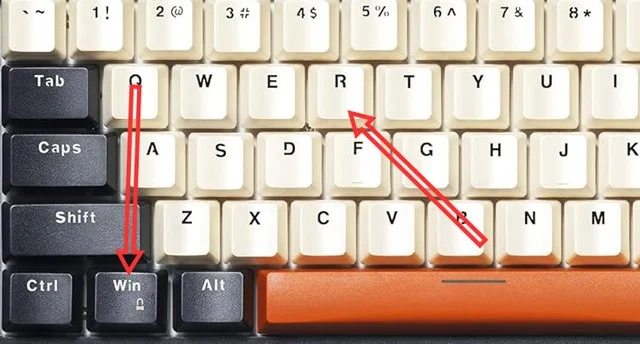
Step 1: Press the Windows + R key combination to open the Run window.
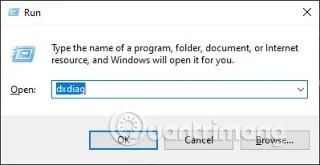
Step 2: In the command box, type " dxdiag" and select Ok or press Enter to open the DirectX Diagnostic Tool panel.
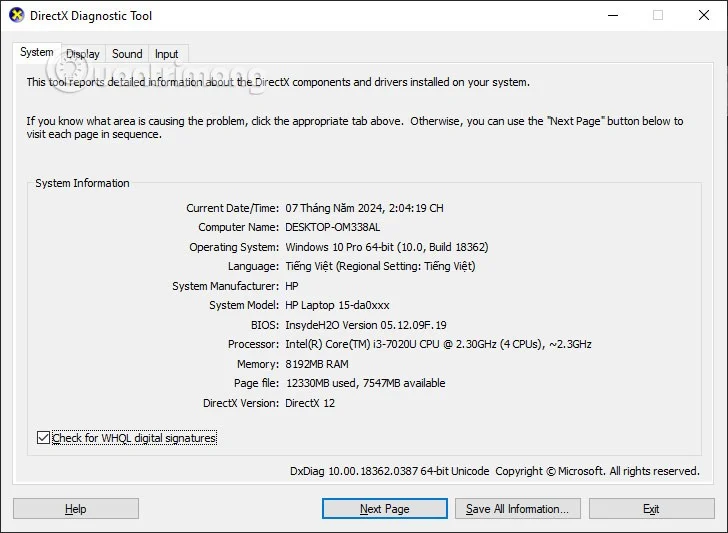
Step 3: In the System tab, which is the first tab that catches your eye, you will have the following details:
Current Date/Time: Current date and time
Computer Name: Your computer name
Operating System: The name of the operating system you are using
Language: Device language
System Manufacturer: Your device manufacturer
System Model: Machine Model
BIOS: Current BIOS version
Processor: CPU in use
Memory: The amount of RAM your computer has
Page file: Extended RAM capacity (virtual RAM)
DirectX Version: Current DirectX version.
Step 4: Go to the Display tab, you will know the type of graphics card that the computer is using. Below is the capacity of that graphics card. The Sound and Input tab will display the sound hardware and input devices that you are using on the computer.
Check computer configuration via Task Manager
The Task Manager window not only tells you information about the computer hardware you own, but also how it is being used.
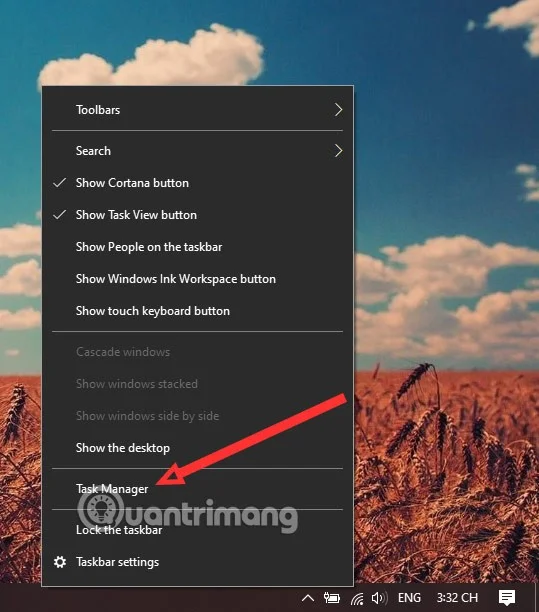
Step 1: Just right-click on the taskbar and select Task Manager, or select the key combination ATL + CTRL + DEL and select Task Manager.
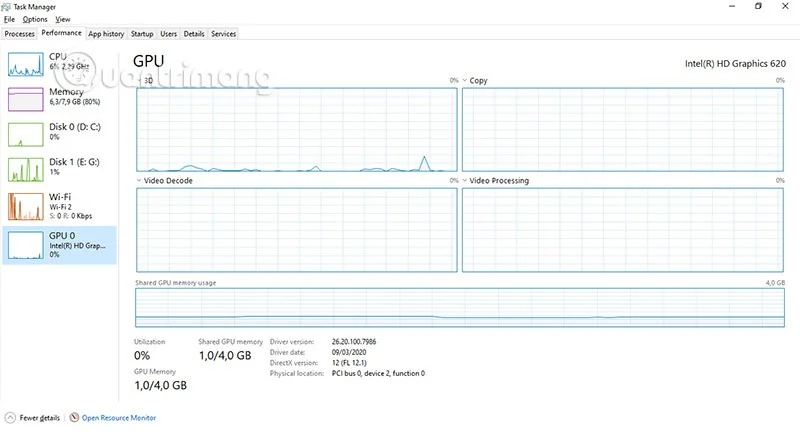
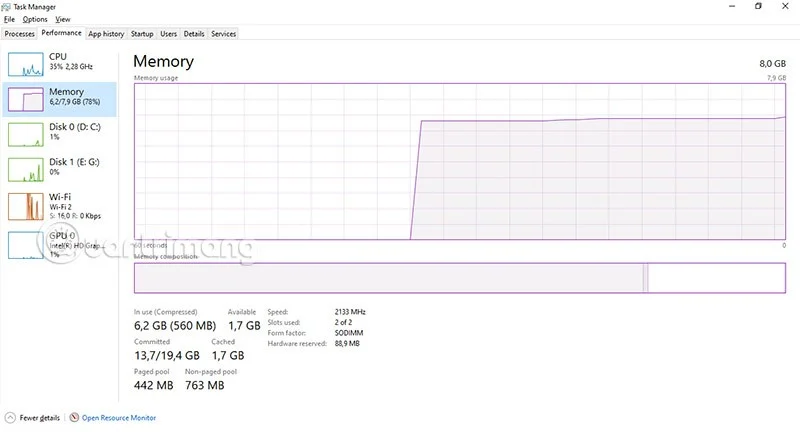
Step 2: Select the Performance tab and here you will see information about your computer hardware. Including CPU, RAM capacity, hard drive, Wifi and graphics card.
The Performance tab will have graphs that show how your computer's hardware is being used. Below the graphs will be indicators of the amount of RAM being used and the amount of RAM remaining, cache memory...
View computer hardware parameters via System Information
Also in the Run window, type the command line "msinfo32 " and select OK to run.
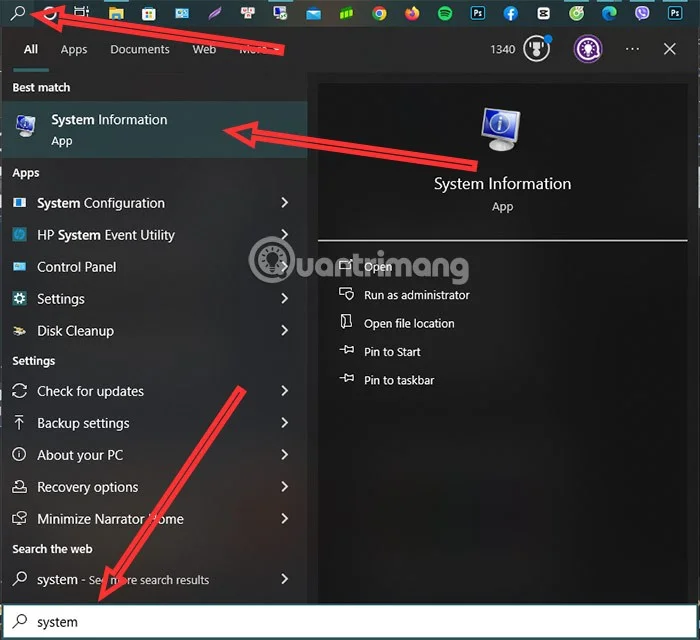
Or you can also select the Search icon on the Taskbar and search for the keyword System Information .
In the System Information window, you will see information divided into two sides, on the left is a column that displays options for you to choose and view information about your computer. Selecting System Summary will give you information about the operating system, CPU, computer name... Meanwhile, selecting Component > Multimedia > Display will give you information about your graphics card.
View hardware information on Windows 11
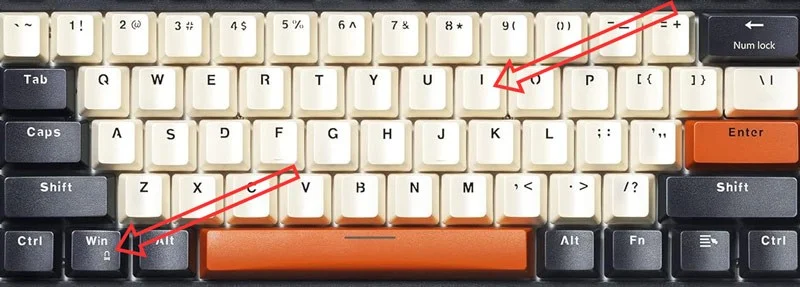
Most of you can view hardware information on Windows 11 using the above methods, however, the way to view hardware information on Windows 11 in the system section will be a little different. Still select the Windows + I key combination to open the Settings window.
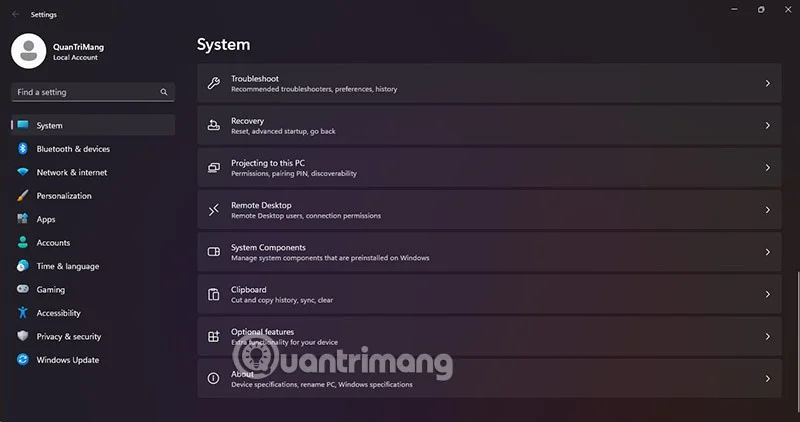
Compared to the window on Windows 10, the system window of Windows 11 will immediately display the System section and you scroll down to select About.
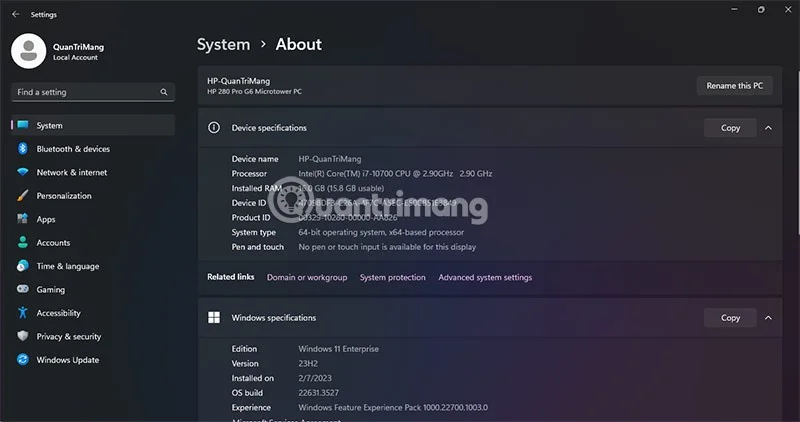
In this section, you will have information about the hardware as well as information about the Windows version you are using, the machine name, the device ID...
How to view hardware specifications on Macbook
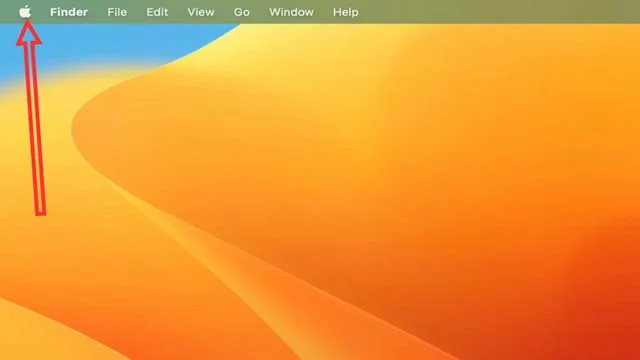
Step 1: To check hardware information for Macbook and macOS devices in general, just select the Apple icon in the upper left corner of the screen.
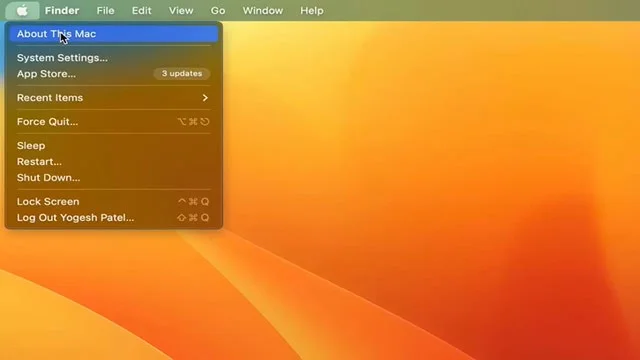
Step 2: Select About This Mac.
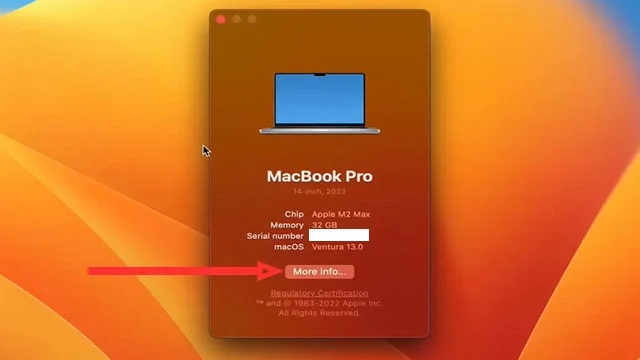
Step 3: In the next window, you will have basic parameters about your macOS device, including: Chip in use, RAM capacity, device serial number and macOS version in use. Select More Info to expand your device information.
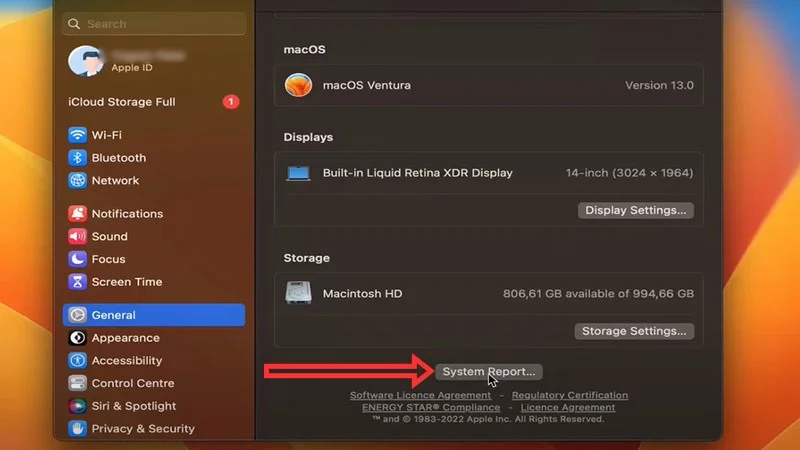
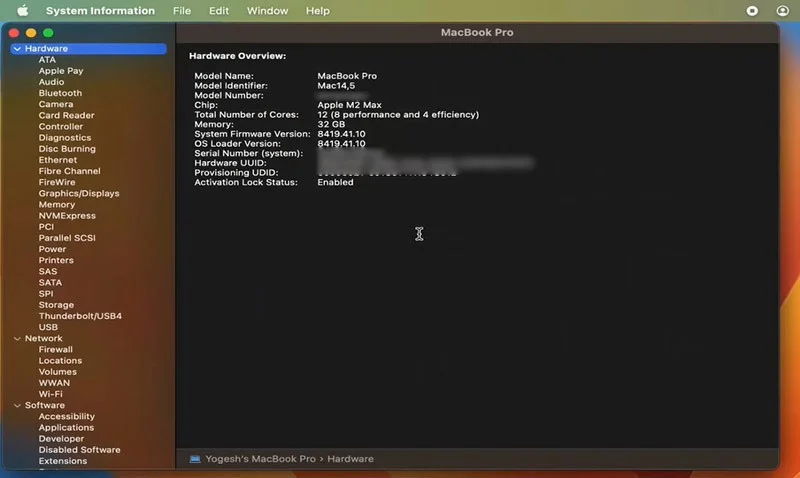
Step 4: The system will take you to the system information panel of the device, here you will see full parameters, versions, hard drive capacity, screen resolution... If you want to see more details about all the information of the device, scroll down to the bottom and select System Report.
Step 5: In this window, you will have full information about your macOS device.
And those are the ways you can use to see your computer configuration. There are a few more ways that WebTech360 has not mentioned in this article, but the above methods are the most popular and also fully display the hardware information that you want to learn most.