Home
» How to
»
How to login Zalo on phones, computers and the web
How to login Zalo on phones, computers and the web
Video: How to Login to Zalo on Phones, Computers, and the Web
Zalo is one of the best and most popular free messaging apps available today. However, how many ways can you log in to Zalo? Or do you need specific devices to access your Zalo account? That's something many users don’t fully understand.
As Vietnam's own OTT application, Zalo has continuously developed since its launch, rapidly gaining popularity as the most widely used chat tool in the country. One distinct feature of a Zalo account is that it can be logged in on multiple devices simultaneously and through various methods. In this article, we will explore the different ways to log in to Zalo in detail.
1. Sign in to Zalo on Mobile
Logging in to Zalo on your phone is the most commonly used method today. The application was designed primarily for mobile devices, ensuring that most operating systems support its usage.
Open the installed Zalo application and input your account details, then select Continue.
If you forget your password, you can recover your Zalo account by following the instructions in the article How to Retrieve a Zalo Password.
2. Sign in on Your Computer
Zalo also works effectively on computers, making it a great option for office environments as it allows for quiet communication without disturbing others.
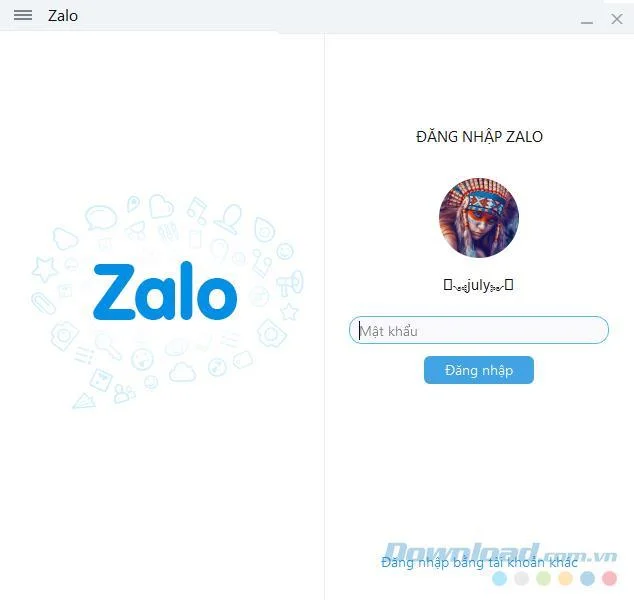
Download and install the software on your computer.
Input your phone number and password to log in.
IMPORTANT: If you are already logged in on mobile, you will need to enter a captcha code in addition to your password to confirm your identity, rather than scanning a QR code.
3. Sign in to Zalo in the Browser
The web version of Zalo provides users an accessible way to communicate without downloading any software. Simply visit the Zalo website.
To log in via browser:
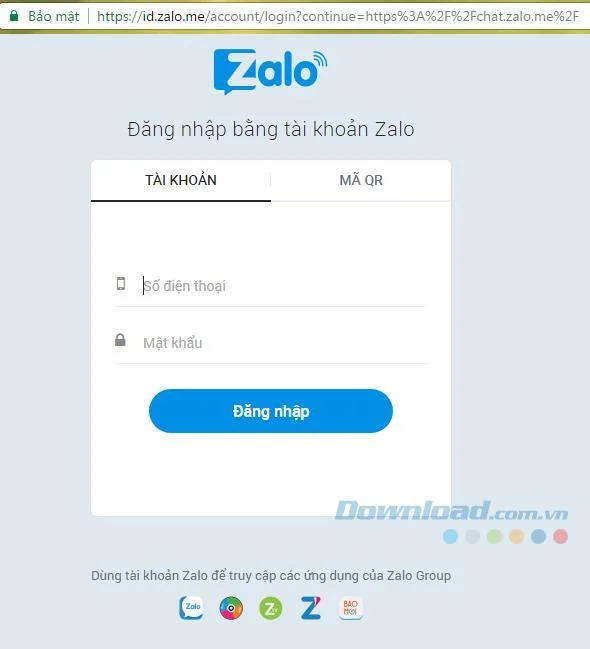
Visit the Zalo website.
Enter your registered phone number and password, then click on Log in.
Note that the web version may require a brief validation step.
4. Login Zalo on the Simulator
Android emulators are popular among users needing to access Android applications without a physical device.
To log in to Zalo using an emulator:
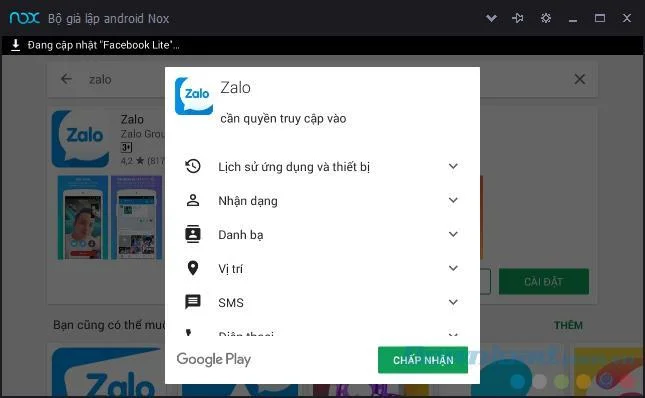
Download Zalo for Android to your emulator.
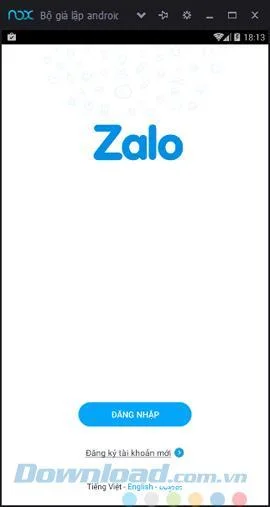
Launch Zalo and input your account details.
5. Instructions to Install Zalo for MacBook
Using a MacBook can enhance your experience with Zalo. Here’s how to install Zalo for your MacBook:
Step-by-Step Installation
Step 1: Access the link https://zalo.me/pc and download Zalo for MacBook.
Step 2: Select where to save the downloaded file and proceed to save.
Step 3: Open the Applications folder on your MacBook.
Step 4: Double-click on the Zalo icon and select Open to complete the installation.
Using Zalo on a MacBook
Utilizing Zalo on a MacBook mirrors the experience on other devices:
Log in with your existing account or register a new one.
Choose to log in via phone number and password or by scanning a QR code.
Tips for Using Zalo on MacBook
Ensure you download Zalo from official sources to maintain security.
Secure your Zalo account with a strong, personalized password.
Utilize Zalo in areas with strong Wi-Fi for optimal performance.
Log out when not in use to protect your account.
ATTENTION: If you’re logged into your Zalo account on mobile, you’ll need to enter a captcha code when logging in on other platforms.
(26) Comments
Tom the Explorer -
Just a reminder: always use a strong password for your Zalo account, just like any other service!
Sofia Queen -
This was a lifesaver! I was struggling all day until I read this. You made it easy
Daniel Walker -
Quick question: Is there a way to have both the phone and web version logged in at the same time?
Hạnh IT -
Just a tip for everyone: always remember to log out from public computers for your safety!
Thế Anh -
I wish there was a way to retrieve a forgotten password easily. Anyone have tips on that
Hương Đà Nẵng -
I had some trouble with the two-factor authentication part, but I navigated through it. Any advice on keeping my account secure?
Kai Nguyen -
Could someone explain why I need to grant location access for logging in on the app? Seems a bit much
Koji Tanaka -
How does Zalo compare to other messaging apps for video calls? Anyone has an opinion
Emily White -
I had a similar experience with the login process. It can be frustrating sometimes, but this guide makes it a lot easier
Lucy.D -
This is so helpful! I didn’t realize that I could access Zalo from the web. I’ll definitely give it a try!
Jack Sparrow -
LOL at the idea of using Zalo to speak with pirates! But hey, if it works, why not!
Jasmine Lee -
I got logged out and panicked! Your guide helped me recover my access quickly
Sunny 1987 -
I have to say Zalo’s interface is way more intuitive than I expected. Glad I finally gave it a try!
Huyền Lizzie -
I didn’t know I could use Zalo on my laptop! This changes everything for me. Thanks for the heads up
Cute Bich -
Wow, logging into Zalo is really easy! I feel silly for not trying it sooner. I'm excited to start using it
Mimi Cat -
Honestly, I didn't think I needed Zalo until I tried it. Now I use it daily! Thanks for the login tips!
John Smith -
Great article! I wasn't sure how to log in to Zalo on my computer, but this made it super easy. Thanks for sharing
Mike 2023 -
Does anyone know if Zalo works well on older phones? I have a pretty old device and I'm worried about compatibility
Phúc IT -
For those having trouble logging in, sometimes clearing the app cache can solve the issue. Just a suggestion
David_Brown -
I’ve been using Zalo for a while, but I really appreciate these tips. Makes the login process seamless
Sarah Jane -
I just logged into Zalo on my phone, and it was a piece of cake! Your step-by-step instructions were really helpful, especially the part about QR codes
Duy Sinh 6789 -
I find the mobile app so much more user-friendly than on the computer. The notifications are instant and that’s a plus
Lucy Bella -
Can’t believe how fast the sign-up process was! Zalo is just awesome. Thanks for the write-up
Linh mèo -
Thanks for the detailed guide! I finally figured out how to change my password after reading your article
Jane Doe -
Superb content! It’d be great to have a video tutorial as well, but the text instructions are clear
Quang vn -
Awesome guide! Your details on web login were spot on. I appreciate that you included screenshots; they helped me a lot












Tom the Explorer -
Just a reminder: always use a strong password for your Zalo account, just like any other service!
Sofia Queen -
This was a lifesaver! I was struggling all day until I read this. You made it easy
Daniel Walker -
Quick question: Is there a way to have both the phone and web version logged in at the same time?
Hạnh IT -
Just a tip for everyone: always remember to log out from public computers for your safety!
Thế Anh -
I wish there was a way to retrieve a forgotten password easily. Anyone have tips on that
Hương Đà Nẵng -
I had some trouble with the two-factor authentication part, but I navigated through it. Any advice on keeping my account secure?
Kai Nguyen -
Could someone explain why I need to grant location access for logging in on the app? Seems a bit much
Koji Tanaka -
How does Zalo compare to other messaging apps for video calls? Anyone has an opinion
Emily White -
I had a similar experience with the login process. It can be frustrating sometimes, but this guide makes it a lot easier
Lucy.D -
This is so helpful! I didn’t realize that I could access Zalo from the web. I’ll definitely give it a try!
Jack Sparrow -
LOL at the idea of using Zalo to speak with pirates! But hey, if it works, why not!
Jasmine Lee -
I got logged out and panicked! Your guide helped me recover my access quickly
Sunny 1987 -
I have to say Zalo’s interface is way more intuitive than I expected. Glad I finally gave it a try!
Huyền Lizzie -
I didn’t know I could use Zalo on my laptop! This changes everything for me. Thanks for the heads up
Cute Bich -
Wow, logging into Zalo is really easy! I feel silly for not trying it sooner. I'm excited to start using it
Mimi Cat -
Honestly, I didn't think I needed Zalo until I tried it. Now I use it daily! Thanks for the login tips!
John Smith -
Great article! I wasn't sure how to log in to Zalo on my computer, but this made it super easy. Thanks for sharing
Mike 2023 -
Does anyone know if Zalo works well on older phones? I have a pretty old device and I'm worried about compatibility
Phúc IT -
For those having trouble logging in, sometimes clearing the app cache can solve the issue. Just a suggestion
David_Brown -
I’ve been using Zalo for a while, but I really appreciate these tips. Makes the login process seamless
Sarah Jane -
I just logged into Zalo on my phone, and it was a piece of cake! Your step-by-step instructions were really helpful, especially the part about QR codes
Duy Sinh 6789 -
I find the mobile app so much more user-friendly than on the computer. The notifications are instant and that’s a plus
Lucy Bella -
Can’t believe how fast the sign-up process was! Zalo is just awesome. Thanks for the write-up
Linh mèo -
Thanks for the detailed guide! I finally figured out how to change my password after reading your article
Jane Doe -
Superb content! It’d be great to have a video tutorial as well, but the text instructions are clear
Quang vn -
Awesome guide! Your details on web login were spot on. I appreciate that you included screenshots; they helped me a lot