Set Up ONLYOFFICE JWT Secrets Across Server and Connector
Configure matching JWT secrets for ONLYOFFICE Docs and its connector, with safe steps for Linux packages, Docker deployments, and verification.
Run ONLYOFFICE Docs behind HAProxy by terminating HTTPS at the proxy, forwarding the original host and scheme, and allowing long-lived WebSocket connections. Start with one healthy Document Server; add more backends only when your ONLYOFFICE deployment is configured for supported multi-node operation, not merely because HAProxy can distribute requests.
HAProxy can distribute HTTP requests between nodes, but that does not make two self-contained ONLYOFFICE installations a coordinated editing cluster. An editor session has persistent connections and application state. The official ONLYOFFICE active-active sample uses backend health checks and a persistence cookie; these are routing mechanisms, not replacements for the shared services and application-level architecture your edition requires.
For a conventional single-server installation, use only docs1 in the backend below. For two nodes, first confirm the cluster architecture, supported edition, shared dependencies, version compatibility, and JWT configuration with your ONLYOFFICE deployment documentation or vendor support. The example addresses—10.0.10.21 and 10.0.10.22—are illustrative private IPs, not discovered hosts.
The public name docs.example.com should resolve to your HAProxy endpoint. HAProxy needs inbound TCP ports 80 and 443 and private-network access to each Document Server on port 80. Your document-management application must also be able to reach the public Docs address, while ONLYOFFICE must be able to fetch documents and send callbacks to the application. Keep backend HTTP private; encrypt the backend hop separately if it crosses an untrusted network.
curl -i http://10.0.10.21/healthcheck and, if present, curl -i http://10.0.10.22/healthcheck. An operational health endpoint normally returns HTTP 200 with a body of true. Investigate routing, firewalls, or server health before configuring balancing if either fails.JWT_SECRET environment variable; since Docs 7.2, relying on an automatically generated secret can cause integration failures after recreation or restart. In supported multi-node deployments, align secrets across nodes according to the vendor's architecture.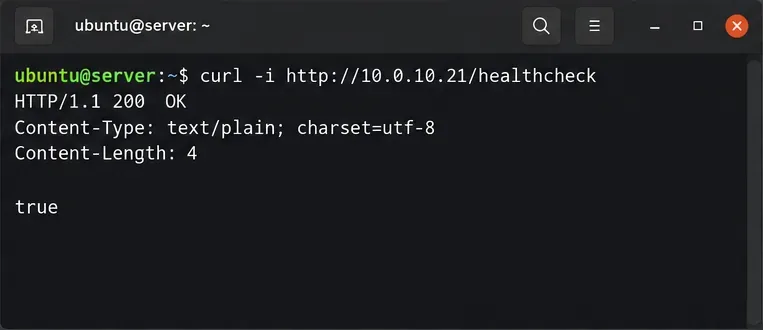
These checks follow the vendor's Docker installation guidance and JWT configuration instructions. Do not disable JWT merely to work around a proxy error.
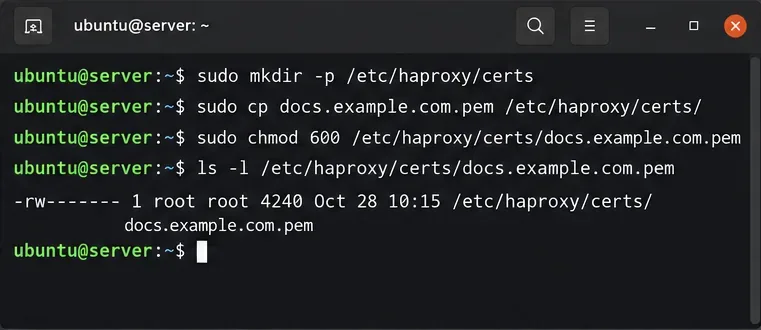
Obtain a trusted certificate covering docs.example.com. In this Linux example, HAProxy reads a PEM file containing the certificate chain followed by the private key. If certificates already exist elsewhere, substitute those paths. Restrict access to the combined PEM and arrange to rebuild it when the certificate renews.
sudo install -d -m 700 /etc/haproxy/certs
sudo sh -c 'umask 077; cat /etc/letsencrypt/live/docs.example.com/fullchain.pem /etc/letsencrypt/live/docs.example.com/privkey.pem > /etc/haproxy/certs/docs.example.com.pem'
Back up your existing /etc/haproxy/haproxy.cfg and adapt the following sections rather than blindly replacing distribution-specific logging or service settings. This is an illustrative configuration for modern HAProxy releases. It accepts HTTP only for redirection, terminates HTTPS on port 443, forwards the public host and scheme, and monitors the application health endpoint.
global
    log /dev/log local0

defaults
    mode http
    log global
    option httplog
    option forwardfor
    timeout connect 5s
    timeout client 60s
    timeout server 60s
    timeout tunnel 1h

frontend docs_http
    bind :80
    http-request redirect scheme https code 301

frontend docs_https
    bind :443 ssl crt /etc/haproxy/certs/docs.example.com.pem
    http-request set-header X-Forwarded-Proto https
    http-request set-header X-Forwarded-Host %[req.hdr(Host)]
    default_backend docs_nodes

backend docs_nodes
    option http-server-close
    balance roundrobin
    cookie SERVERID insert indirect nocache
    option httpchk GET /healthcheck
    http-check expect string true
    server docs1 10.0.10.21:80 check cookie docs1
    server docs2 10.0.10.22:80 check cookie docs2
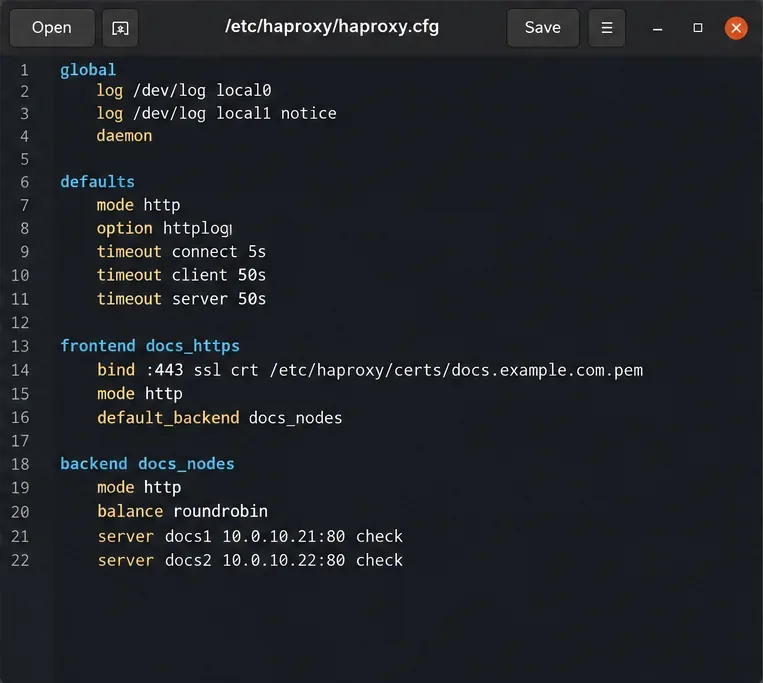
Remove the docs2 line unless the second node is truly ready. The persistence cookie helps subsequent HTTP requests return to their selected node. HAProxy handles an HTTP WebSocket upgrade without a special URL rewrite; timeout tunnel 1h permits idle upgraded connections to remain open longer than ordinary requests. The HAProxy WebSocket documentation explains this behavior.
Setting X-Forwarded-Proto to https is correct here because this frontend terminates public HTTPS. Do not trust an arbitrary client-supplied forwarded scheme or host at an Internet-facing edge. The ONLYOFFICE proxy documentation specifically calls for X-Forwarded-Proto and X-Forwarded-Host to retain the external URL context.
Check syntax before reloading. A nonzero exit status means you must resolve the reported configuration or certificate error before proceeding:
sudo haproxy -c -f /etc/haproxy/haproxy.cfg
sudo systemctl reload haproxy
curl -i https://docs.example.com/healthcheck
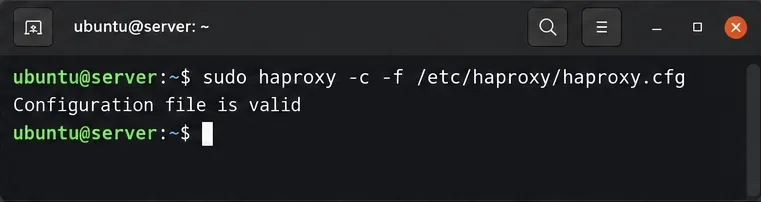
The public health-check response should show HTTP 200 and true when a backend is healthy. HAProxy uses the option httpchk and http-check expect directives to remove failing nodes from new-request rotation; see its health-check reference. A passing check does not prove that document editing or callback delivery works.
Open a document through your integrated application, such as a document-management system connected to ONLYOFFICE Docs. In browser developer tools, use the Network panel to inspect the WebSocket connection: the upgrade handshake should succeed, commonly with HTTP status 101 Switching Protocols. Make a small edit, close the editor, reopen the document, and confirm that the change was saved. For a properly supported two-node deployment, also test a second collaborator and a planned single-node drain during a maintenance window.
If the public health check works but the editor spins or disconnects, inspect mixed-content warnings, WebSocket failures, JWT mismatches, and whether the document application can reach the advertised Docs URL. If a document opens but never saves, investigate callback reachability from Document Server to the source application rather than changing HAProxy's round-robin policy. An interrupted active WebSocket session may still require client reconnection; backend health checks do not promise seamless editing failover.
Final verification: both the public health endpoint and a real edit-and-reopen test should pass. Keep only verified, supported nodes in rotation, confirm certificate renewal reloads the correct PEM, and monitor HAProxy logs for repeated 502/503 responses or unexpected WebSocket disconnects.
Configure matching JWT secrets for ONLYOFFICE Docs and its connector, with safe steps for Linux packages, Docker deployments, and verification.
Configure HAProxy HTTPS, forwarding headers, WebSocket timeouts, and health checks for ONLYOFFICE Docs, then verify editing and saves.
Give an embedded ONLYOFFICE Docs editor your company logo and interface colors with a custom theme file and editor configuration. See edition limits and deployment checks.
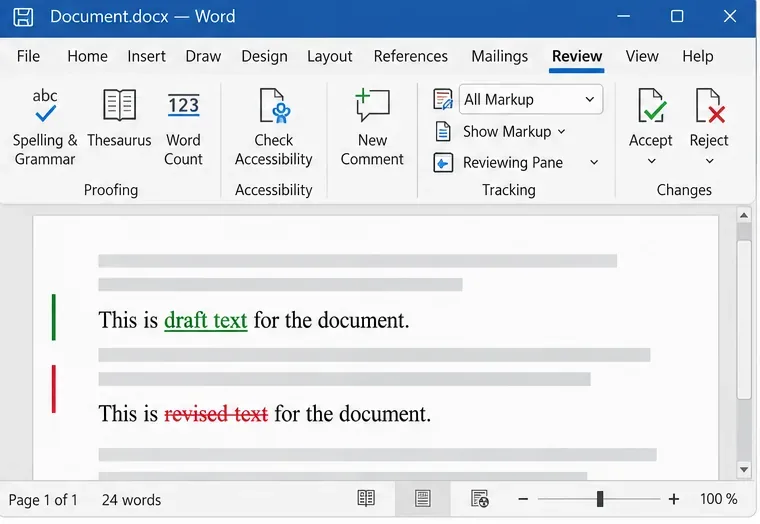
Track edits in Writer, preserve an editable ODT source, and check the exported DOCX in Word before sharing it.
Follow SUSE’s SP7 procedure to enable FIPS mode, reboot safely, verify the active policy, and check whether your compliance requirement calls for validated modules.
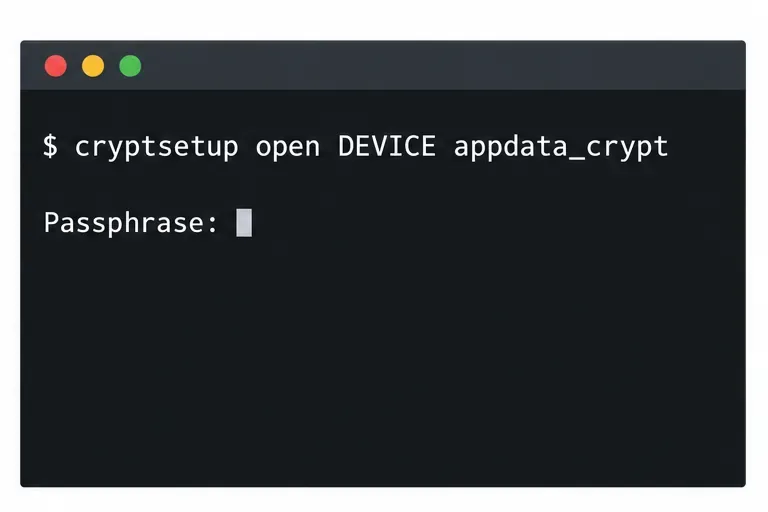
Compare YaST and cryptsetup for a new encrypted SLES data volume, choose LUKS1 or LUKS2, and verify unlock and mount behavior safely.
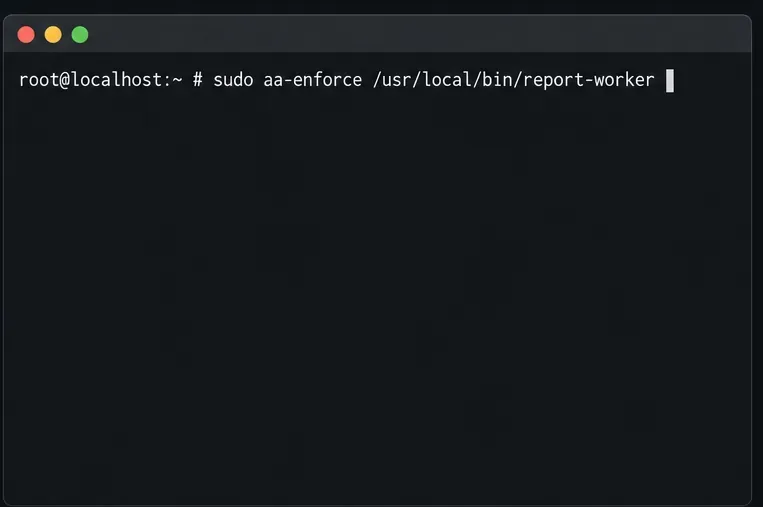
Create, refine, and verify a least-privilege AppArmor profile on SLES 15 SP7, with a clear note on SLES 16’s SELinux default.
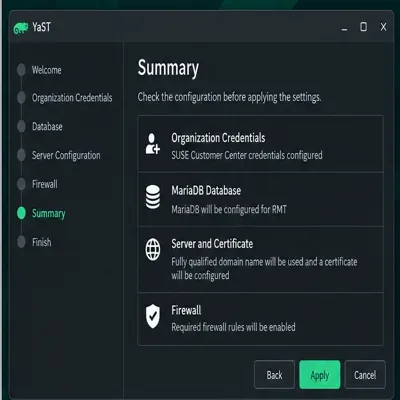
Set up RMT on SLES 15, mirror entitled repositories, and verify HTTPS registration and package access from a test client.
Connect SLES 15 to AD with YaST’s SSSD-based logon management, then verify directory lookup, domain login, and Kerberos tickets.
Set up the right Live Patching path for SLES 16.0 or 15 SP7, apply eligible kernel fixes, and confirm what is active without confusing it with a reboot-required kernel update.