Complete List of Microsoft Edge Keyboard Shortcuts

Imagine zipping through tabs, navigating history, and managing downloads without ever touching your mouse. That's the power of Microsoft Edge keyboard shortcuts! Whether you're a power user juggling dozens of tabs or just want smoother browsing, these hotkeys will transform your experience. In this ultimate guide, we've compiled the complete list of Microsoft Edge keyboard shortcuts – organized, easy-to-scan, and ready for the newest Edge features. Let's dive in and level up your productivity! ⭐
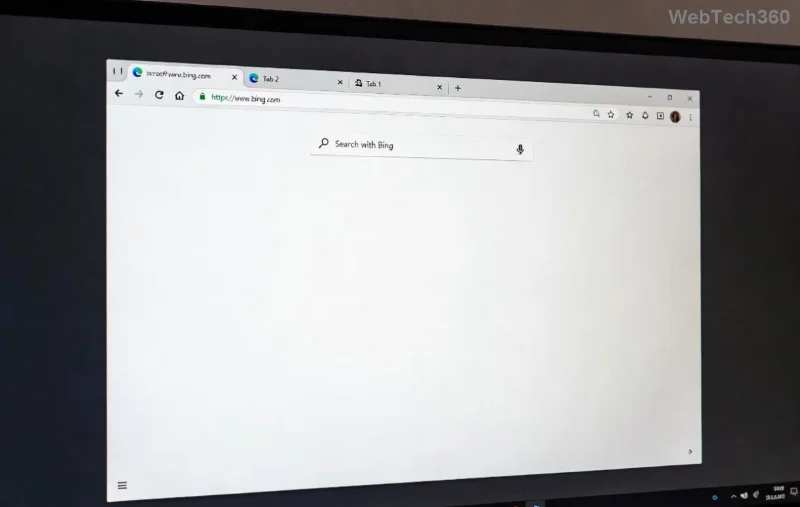
Microsoft Edge browser interface highlighting keyboard shortcuts

👆 Why Use Microsoft Edge Keyboard Shortcuts?

Shortcuts save precious seconds that add up to hours. Studies show keyboard users are up to 50% faster than mouse-dependent ones. Edge, built on Chromium, offers intuitive hotkeys similar to Chrome but with Microsoft polish. Perfect for Windows 10/11 users – and they work flawlessly across profiles. Ready? Here's the full breakdown in handy tables.

1️⃣ Tabs and Windows Shortcuts

Master tab chaos with these essentials. Switch, create, and close tabs lightning-fast!

Action Shortcut (Windows) Shortcut (Mac)
Open new tab Ctrl + T ⌘ + T
New window Ctrl + N ⌘ + N
New InPrivate window Ctrl + Shift + N ⌘ + Shift + N
Close current tab Ctrl + W or Ctrl + F4 ⌘ + W
Switch to next tab Ctrl + Tab or Ctrl + PgDn ⌘ + }
Switch to previous tab Ctrl + Shift + Tab or Ctrl + PgUp ⌘ + {
Reopen closed tab Ctrl + Shift + T ⌘ + Shift + T

2️⃣ Navigation and Address Bar Shortcuts

Jump around pages and search smarter. These Microsoft Edge keyboard shortcuts make navigation effortless.

Action Shortcut (Windows) Shortcut (Mac)
Open address bar / Search Alt + D or Ctrl + L or F6 ⌘ + L
Go back Alt + Left Arrow or Backspace ⌘ + [
Go forward Alt + Right Arrow ⌘ + ]
Go to home page Alt + Home ⌘ + Shift + H
Reload page Ctrl + R or F5 ⌘ + R
Hard reload (ignore cache) Ctrl + Shift + R or Ctrl + F5 ⌘ + Shift + R
Stop loading Esc Esc
Keyboard with Microsoft Edge shortcuts overlaid

3️⃣ History, Bookmarks, and Search Shortcuts

Never lose a page again. Access history, favorites, and search with one keystroke.

Action Shortcut (Windows) Shortcut (Mac)
Open History Ctrl + H ⌘ + Y
Open Downloads Ctrl + J ⌘ + Shift + J
Add to favorites Ctrl + D ⌘ + D
Open Favorites Ctrl + Shift + O ⌘ + Shift + B
Search tabs Ctrl + Space ⌘ + Space

4️⃣ Editing, Zoom, and Full-Screen Shortcuts

Tweak text, zoom in/out, and go immersive – all keyboard-driven.

  • Ctrl + C / Ctrl + V: Copy/Paste (universal!)
  • Ctrl + 0: Reset zoom
  • Ctrl + + / Ctrl + -: Zoom in/out
  • F11: Full screen (toggle)
  • Ctrl + Shift + Delete: Clear browsing data

5️⃣ Developer Tools and Advanced Shortcuts

For coders and tinkerers: Inspect elements and debug like a pro.

Action Shortcut (Windows)
Open DevTools Ctrl + Shift + I or F12
Inspect element Ctrl + Shift + C
Toggle device toolbar Ctrl + Shift + M

Pro Tips to Maximize Your Microsoft Edge Keyboard Shortcuts 🎯

Customize them! Head to edge://settings/keyboardShortcuts to remap for your workflow. Practice daily – start with tab switching and navigation. Combine with Edge's vertical tabs or Collections for next-level efficiency. Feeling stuck? Print this list or pin it! 👍

These Microsoft Edge keyboard shortcuts are pulled from the official Microsoft documentation and verified for the latest builds. Now go dominate your browser – your future self will thank you! 🚀 What's your favorite shortcut? Drop it in the comments below.

Leave a Comment

Complete List of Microsoft Edge Keyboard Shortcuts

Complete List of Microsoft Edge Keyboard Shortcuts

Unlock peak productivity with the complete list of Microsoft Edge keyboard shortcuts. From tabs and navigation to developer tools, master every essential hotkey for faster browsing in the latest Edge version. Boost your workflow today!

Solving Microsoft Edge Internal Mic Static Sound Fix

Solving Microsoft Edge Internal Mic Static Sound Fix

Tired of annoying static buzz from your internal mic in Microsoft Edge? Follow our proven step-by-step guide to fix Microsoft Edge internal mic static noise permanently. Quick fixes, advanced tweaks, and prevention tips for crystal-clear calls and recordings.

How to Fix Microsoft Edge Capture Card No Signal 60FPS

How to Fix Microsoft Edge Capture Card No Signal 60FPS

Struggling with Microsoft Edge Capture Card No Signal at 60FPS? Discover step-by-step fixes to restore smooth 60FPS video capture, from quick tweaks to advanced troubleshooting. Get your setup working flawlessly today!

How to Manage Microsoft Edge Extensions and Permissions

How to Manage Microsoft Edge Extensions and Permissions

Unlock the full potential of your browser with this expert guide on how to manage Microsoft Edge extensions and permissions. Step-by-step tips for security, speed, and control—start optimizing today!

Troubleshooting Microsoft Edge Msi Error 1722 Win 11

Troubleshooting Microsoft Edge Msi Error 1722 Win 11

Stuck with MSI Error 1722 when installing or updating Microsoft Edge on Windows 11? Follow our expert troubleshooting guide with simple, effective fixes to get Edge running smoothly again. No tech skills required!

How to Change Your Microsoft Edge Profile and Personal Data

How to Change Your Microsoft Edge Profile and Personal Data

Discover step-by-step guide on how to change your Microsoft Edge profile and personal data. Switch profiles effortlessly, manage sync settings, and protect your privacy with the latest Edge features for ultimate control.

Troubleshooting Microsoft Edge HSTS Error and Security Attacks

Troubleshooting Microsoft Edge HSTS Error and Security Attacks

Stuck with Microsoft Edge HSTS Error? Get step-by-step troubleshooting fixes, uncover security attack risks, and secure your browsing. Proven solutions for the latest Edge updates – no tech skills needed!

How to Fix Microsoft Edge Unable to Connect to Proxy Server

How to Fix Microsoft Edge Unable to Connect to Proxy Server

Struggling with Microsoft Edge "Unable to Connect to Proxy Server" error? Discover proven, step-by-step fixes to get back online fast. No tech skills needed – resolve it in minutes!

How to Fix Microsoft Edge Login Screen Background Blur

How to Fix Microsoft Edge Login Screen Background Blur

Tired of the blurry Microsoft Edge login screen background? Get step-by-step fixes to restore sharp, clear visuals on your Windows PC. Proven methods for the latest Edge versions.

How to Fix Microsoft Edge Update Stuck at 0% or 100%

How to Fix Microsoft Edge Update Stuck at 0% or 100%

Frustrated with Microsoft Edge update stuck at 0% or 100%? Discover simple, effective fixes to resolve the issue fast and update smoothly without losing data. Step-by-step guide for Windows users.

How to Fix Microsoft Edge Clock Ahead Error

How to Fix Microsoft Edge Clock Ahead Error

Tired of the frustrating Microsoft Edge "Clock Ahead" Error blocking your sync? Discover step-by-step fixes, from clock sync to Edge reset, for instant relief and smooth browsing. Updated with latest solutions!

How to Install Microsoft Edge on Linux (Ubuntu & Fedora)

How to Install Microsoft Edge on Linux (Ubuntu & Fedora)

Discover how to install Microsoft Edge on Linux effortlessly! Step-by-step guide for Ubuntu & Fedora users. Get Chromium power, speed, and security on your distro now. Official methods, troubleshooting tips included.

How to Play the Microsoft Edge Surf Game Without Internet

How to Play the Microsoft Edge Surf Game Without Internet

Dive into endless fun with our ultimate guide on how to play the Microsoft Edge Surf game without internet. Step-by-step instructions, pro tips, and secrets to master the waves completely offline—no connection required!

How to Fix Microsoft Edge Profile Error on Windows 11

How to Fix Microsoft Edge Profile Error on Windows 11

Tired of the frustrating Microsoft Edge 'Profile Error' on Windows 11? Discover simple, step-by-step fixes that work on the latest updates. Restore smooth browsing in minutes—no tech expertise needed!

Troubleshooting Microsoft Edge Context Menu Slow Error

Troubleshooting Microsoft Edge Context Menu Slow Error

Tired of Microsoft Edge context menu slow delays ruining your workflow? Follow our proven, step-by-step troubleshooting guide to eliminate right-click lag and restore lightning-fast performance instantly.








