Desk Decorating Ideas for a Spooky Office Cubicle

Create a spooky office cubicle with Halloween desk decor ideas that keep your workspace usable, tidy, and mindful of workplace safety.
In addition to Vids, Google Workspace is getting a bunch of new Gemini features and functionality at Cloud Next 2024.
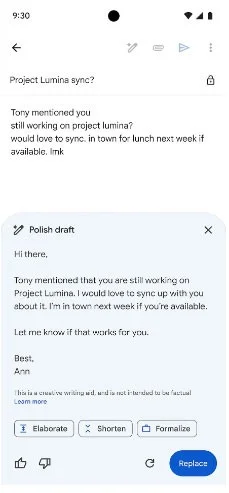
Google is updating Help Me Write in Gmail on mobile with voice typing and prompting that lets you “email easily on the go .” Meanwhile, the “most prominent feature” will “convert raw notes into a finished email with just one click.” Today, Google shared that “70% of business users who use Help Me Write in Docs or Gmail use Gemini suggestions . ”
These new experiences will be available to Gemini Enterprise and Gemini Business customers, as well as Google One AI Premium subscribers.
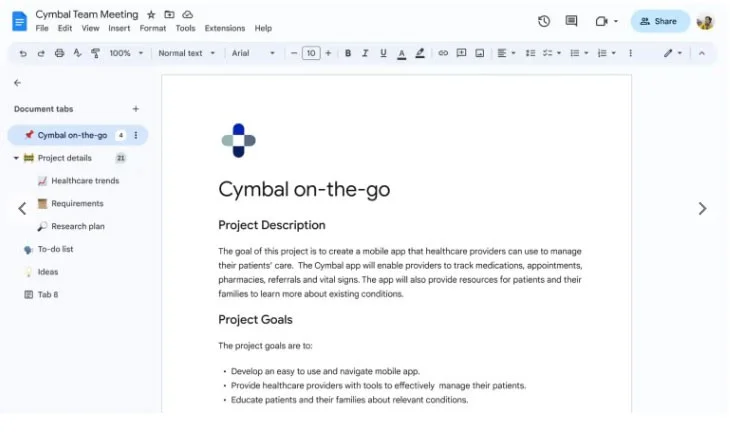
Google Docs is adding a tab feature that “can organize information within a document instead of linking to multiple documents or searching through Drive to find what you're looking for . ”
Additionally, Docs is getting support for edge-to-edge cover images at the top, both of which will be more widely available in the coming weeks.
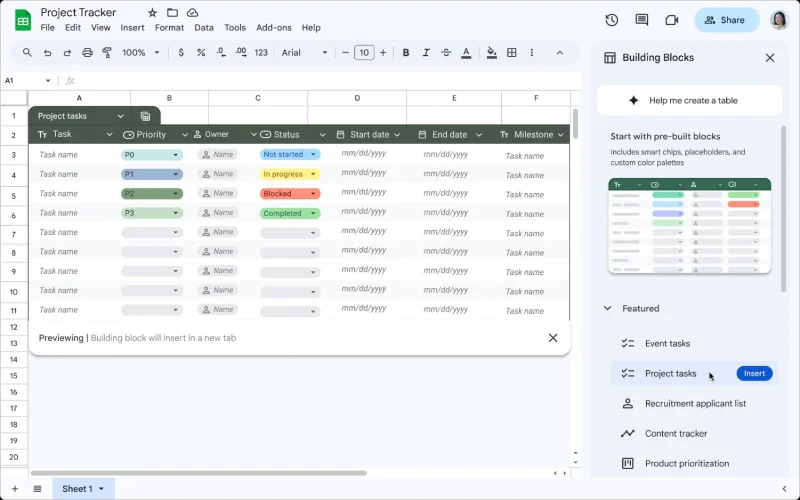
Google Sheets is getting a tables feature that “does the heavy lifting of formatting and organizing data with beautiful design . ”
Choose a template from our new set of building blocks—from project management to event planning—so you never have to build a spreadsheet from scratch again. We're also introducing conditional notifications, which are automated alerts based on custom triggers like changes in a status field.
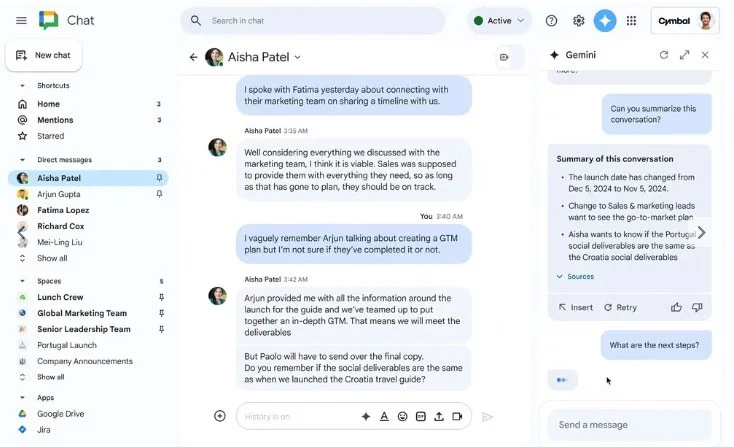
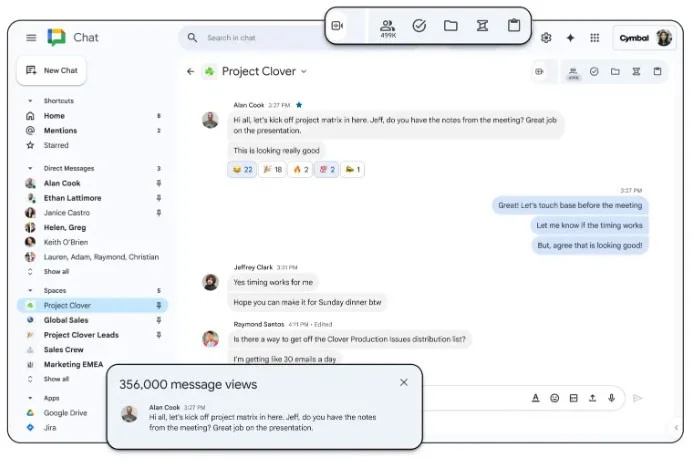
Gemini will use Google Chat to summarize conversations and answer questions. On the web, it will also appear as a sidebar. Chat will also get automatic message translation later this year, while Google is expanding the space to 500,000 members.
Google Meet is adding a “Translate for me” feature that “automatically detects and translates captions” in 52 new languages, for a total of 69, or 4,600 language pairs. Meanwhile, Take notes for ma is in preview mode. At Cloud Next 2024, Google announced that Gemini in Chat and Meet will be available as part of a new Meetings and Messaging AI add-on for businesses for $10 per user per month.
Google also announced a similarly priced AI Security add-on that “allows IT teams to automatically classify and protect sensitive files across the company in Google Drive . ”
This capability uses privacy-protecting AI models trained using data specific to your organization, enabling continuous assessment, classification, and protection of existing and new files in Drive for all your employees, including frontline workers.
You also get classification labels and DLP controls in Gmail, as well as experimental support for post-quantum cryptography (PQC).
Create a spooky office cubicle with Halloween desk decor ideas that keep your workspace usable, tidy, and mindful of workplace safety.
Plan a recognizable Halloween 2026 look with pop culture costumes inspired by Spider-Man, Supergirl, Toy Story 5, Moana, Mario, and Wednesday.
Sort leftover Halloween candy safely, share or repurpose sealed treats, and choose food use or compost for pumpkins based on their condition.
Compare workplace Halloween costume choices by respect, dress code, mobility, and safety—and learn when a subtle accessory or a policy check is the better option.
Find a couples costume that fits your style, budget, and comfort level, from Addams Family classics to original inside-joke duos.
Need a last-minute high school Halloween costume? Compare 10 easy closet-based ideas by prep time, comfort, school-day practicality, and simple safety checks.
Use a simple 2026 Halloween decorating timeline for indoor décor, outdoor displays, and fresh pumpkins, with practical adjustments for weather and events.
Mix five vivid, approachable Halloween cocktails with measured recipes, simple prep tips, and an alcohol-free option for your party guests.
Find 15 office-friendly Halloween costume ideas for 2026, with practical checks for dress codes, respectful themes, comfort, and workplace safety.
Plan a fun elementary school Halloween party with easy crafts, games, inclusive treats, costume tips, and a sample 75-minute classroom schedule.








