Home
» Technology
»
How to Build a Business Continuity Plan for Salesforce Downtime
How to Build a Business Continuity Plan for Salesforce Downtime
When Salesforce becomes unavailable, the biggest operational risk is rarely the error message itself. The real problem is that sales, service, order, marketing, or back-office teams may no longer know where to record work, how to serve customers, or which decisions can safely wait. A useful business continuity plan is therefore not a document that simply says “check Salesforce Trust and wait.” It should keep the most important business processes moving at an acceptable level until normal service returns.
The quality of the plan can be judged by outcomes. During a disruption, people should know what to do, where to record temporary work, who can make decisions, how customers are informed, and how temporary records are reconciled after recovery. The plan should also make clear where continuity stops being safe. Some processes can run manually for hours; others should pause because duplicate transactions, regulatory mistakes, or data inconsistency would create more harm than waiting.
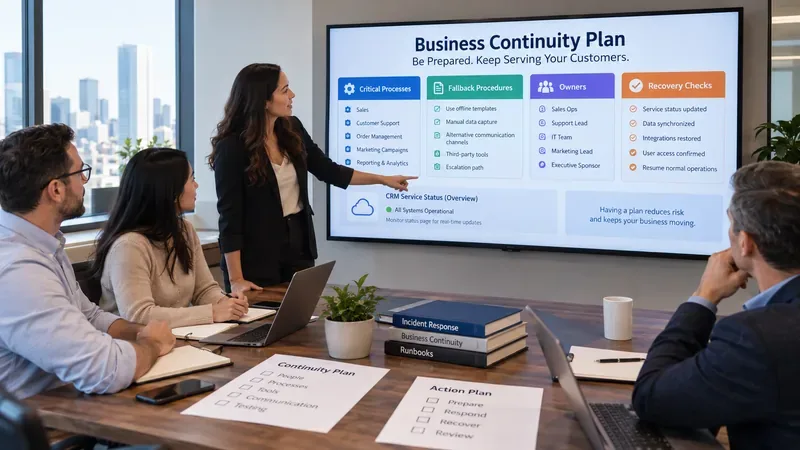
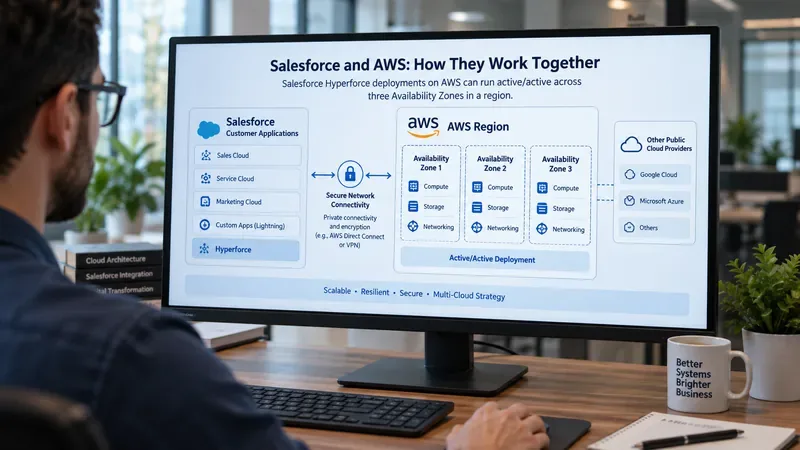
A continuity-planning team reviews critical processes, fallback procedures, accountable owners, and recovery checks. The screen is illustrative rather than an actual Salesforce interface.
Start with the outcome you need during downtime
A business continuity plan should begin with business impact, not technology. NIST’s Contingency Planning Guide for Federal Information Systems recommends determining contingency requirements and priorities through a business impact analysis. Although the publication is written for federal information systems, the underlying discipline is broadly useful: identify essential functions, understand the effect of disruption, define recovery priorities, and maintain tested contingency procedures.
For Salesforce, that means asking which business activities must continue even when the platform is unavailable. A sales team may need to capture urgent prospect commitments. A support organization may need to receive and triage critical customer incidents. A field team may need access to a small set of customer or asset details. Finance may decide that some transactions should stop completely until Salesforce and connected systems are stable.
A strong continuity objective is specific enough to test. For example, “customer support must remain operational” is vague. “Priority-1 customer incidents can still be received, assigned, acknowledged, and tracked with no lost requests during a four-hour Salesforce outage” is measurable.
Define acceptable degradation, not an unrealistic promise of normal operations
Continuity is not the same as full functionality. The goal is usually to preserve a minimum viable business service until the primary system returns. For each critical Salesforce-dependent process, define what “good enough during an outage” means.
Business process
Continuity target
Acceptable temporary degradation
Stop condition
Customer support
Receive and prioritize urgent cases
Use approved temporary intake and queue tracking
Pause noncritical case updates if reconciliation risk becomes too high
Sales
Capture time-sensitive commitments and next actions
Use controlled offline templates
Do not finalize transactions requiring unavailable approvals or authoritative pricing
Order management
Preserve urgent order requests
Queue requests for later system entry
Stop if duplicate or incorrect fulfillment could occur
Field operations
Continue priority visits with essential reference data
Use approved cached or exported operational data where policy allows
Stop if current customer, safety, or entitlement data cannot be verified
The stop condition is important. A continuity plan that tells people to keep working at any cost can create a second incident: duplicated orders, conflicting case updates, missing approvals, or sensitive information stored in unapproved tools.
Know how Salesforce communicates an incident
Your plan should define an authoritative status source. Salesforce documents the Trust Status site as its source for service availability and performance information. Salesforce also provides Trust notifications through email or SMS for service issues, maintenance, and product releases. The current overview is available in Salesforce Help: Trust Status.
Salesforce’s Incident Trust Communications article explains that the company can use the Trust site, Trust Notifications, informational messages, Help banners, incident alert emails, and live webinars to communicate critical unplanned incidents and remediation progress.
A good continuity plan does not ask every employee to interpret status pages independently. Assign an incident owner or small incident team to verify the affected instance or service, summarize what is known, and publish internal updates on a defined cadence.
Make the plan instance-specific
Salesforce status is not one global binary state. Your organization should know which Salesforce instance or service identifiers matter. Salesforce’s View Instance Information for Your Salesforce Organization guidance, updated August 4, 2026, explains how to find the instance in Setup under Company Information or by using the Salesforce Status site.
Salesforce also notes that its Trust site reports incidents and maintenance events by affected instance and service. The Check for Ongoing Incidents or Maintenance guidance shows that an event record includes the affected instances and services along with status and timing information.
Your continuity runbook should therefore record the production org’s relevant domain and instance details, plus any separately monitored Salesforce products such as Marketing Cloud or Commerce services that matter to your operations.
Design fallback workflows around controlled data capture
The most practical fallback is often not a replacement CRM. It is a controlled method for preserving the minimum information required to continue urgent work. That could be an approved spreadsheet, service desk queue, internal form, collaboration channel, phone process, or other system already covered by your organization’s security and retention policies.
The fallback method should define:
which fields are mandatory;
who may create or modify temporary records;
how each record receives a unique temporary identifier;
what sensitive data must not be copied outside Salesforce;
how time, customer identity, owner, and action history are recorded;
how duplicates are detected before the data is entered back into Salesforce.
The best sign that this part of the plan is working is that the recovery team can later answer, “What changed while Salesforce was unavailable?” without relying on memory, chat history, or handwritten notes scattered across multiple teams.
Backups support recovery, but they are not a substitute for continuity
Salesforce recommends a routine backup strategy as part of data management and security. Its April 2, 2026 guidance, Best practices to back up Salesforce data, distinguishes between business data such as records and files and metadata such as custom fields, layouts, reports, dashboards, Apex, and Visualforce.
Salesforce lists native backup approaches including Salesforce Backup, Data Export Service, Data Loader exports, and report exports. Its Export Backup Data from Salesforce documentation notes that standard Data Export can generate CSV-based backups on weekly or monthly schedules depending on edition.
However, backup is a recovery control, not an outage operating mode. A backup does not automatically provide a usable live substitute for Salesforce. Large exports may also be too old, too broad, too sensitive, or too difficult to use safely for frontline continuity. Decide in advance whether any exported data is genuinely needed during an outage, and protect it accordingly.
Separate recovery objectives from continuity objectives
A continuity target describes how the business operates while Salesforce is unavailable. A recovery target describes how normal operations are restored and how temporary work is reconciled.
For each process, document at least three practical objectives:
Maximum tolerable interruption: how long the process can be unavailable before business impact becomes unacceptable.
Temporary operating target: what minimum service must continue during that period.
Reconciliation target: how quickly temporary records must be validated and entered into Salesforce after service recovery.
These targets should come from business owners, not from generic IT assumptions. A two-hour tolerance may be reasonable for one department and unacceptable for another.
Assign decision rights before an outage
A plan slows down when people know the tasks but not who has authority. Define named roles or role-based ownership for incident declaration, fallback activation, customer communications, security exceptions, vendor escalation, recovery validation, and the final decision to return to normal processing.
At minimum, one person should be able to activate the continuity mode, and another should be able to approve the return to normal service. For high-impact processes, avoid making one individual the only person who can act; designate backups for essential roles.
Test for business outcomes, not merely whether the document was read
NIST SP 800-34 Rev. 1 includes testing, training, exercises, and plan maintenance as core elements of contingency planning. A Salesforce continuity test should therefore simulate a meaningful loss of access and measure actual performance.
Useful test criteria include:
the incident owner identifies the correct Salesforce instance or service;
critical teams receive the activation message within the target time;
users can locate the approved fallback process without asking IT individually;
temporary records contain the required fields and ownership information;
no unapproved sensitive data is copied into the fallback system;
a sample of temporary records can be reconciled into Salesforce without duplicates;
the team can explain who has authority to declare recovery complete.
If a tabletop exercise only confirms that participants can open the plan, it has not demonstrated continuity. A better exercise proves that people can execute the workflow and recover cleanly.
Know when the plan needs to change
Do not wait for a real outage to discover that the plan is obsolete. Review it after meaningful changes to Salesforce architecture, critical integrations, business processes, compliance requirements, team ownership, backup strategy, contact-center routing, or customer communication channels.
Change the approach when test results show recurring weaknesses. Examples include employees creating uncontrolled spreadsheets despite the official fallback, recovery taking too long because temporary records lack unique identifiers, or business teams discovering that the declared continuity target is insufficient for real customer demand.
A useful plan has version ownership and a review trigger. “Review annually” is better than nothing, but “review annually and after major Salesforce, integration, ownership, or process changes” is more resilient.
What this plan cannot guarantee
No continuity plan can guarantee uninterrupted business during every Salesforce outage. Some failures can affect connected systems, identity providers, networks, communications tools, or public-cloud services at the same time. A severe or prolonged incident can also exceed the capacity of manual fallback procedures.
There are also security and data-quality limits. Moving sensitive Salesforce data into an emergency tool may violate policy or regulation. Working offline can create stale decisions, conflicting records, and duplicate transactions. The safest continuity choice for some high-risk processes is controlled suspension rather than manual continuation.
That is why a mature plan states both its intended operating window and its escalation threshold. If the outage lasts longer than expected, if the fallback queue becomes too large, or if data integrity can no longer be maintained, leadership should shift from routine continuity procedures to broader crisis-management decisions.
How to know your Salesforce continuity plan is ready
The plan is in good shape when a realistic exercise can demonstrate four things: the business can identify what matters, continue essential work at an agreed minimum level, preserve trustworthy temporary records, and return to Salesforce without losing or duplicating important activity.
Use a final readiness check:
Every critical Salesforce-dependent process has an owner and an outage tolerance.
The production instance and official Salesforce status sources are documented.
Fallback tools are approved, accessible, and understood by users.
Temporary data has a defined schema, identifier, access policy, and reconciliation method.
Incident and customer communication responsibilities are explicit.
Backups are treated as recovery controls and tested separately from operational fallback.
The team has practiced the plan and recorded measurable gaps.
There is a clear rule for when to abandon manual continuation and escalate.
A Salesforce business continuity plan is successful not because it is comprehensive on paper, but because it produces predictable behavior under pressure. The most useful plan is small enough to execute, detailed enough to prevent unsafe improvisation, and tested well enough that the organization knows where its limits are before a real outage exposes them.