Home
» How to
»
How to create chat in Instagram notes
How to create chat in Instagram notes
The new Instagram Notes update adds a new chat option, allowing you to create responses to your notes with whatever you like. People who follow you will see the suggested content in your Instagram notes and can react or chat with them. Here's how to create a chat in your Instagram notes.
How to create chat in Instagram notes
Step 1:
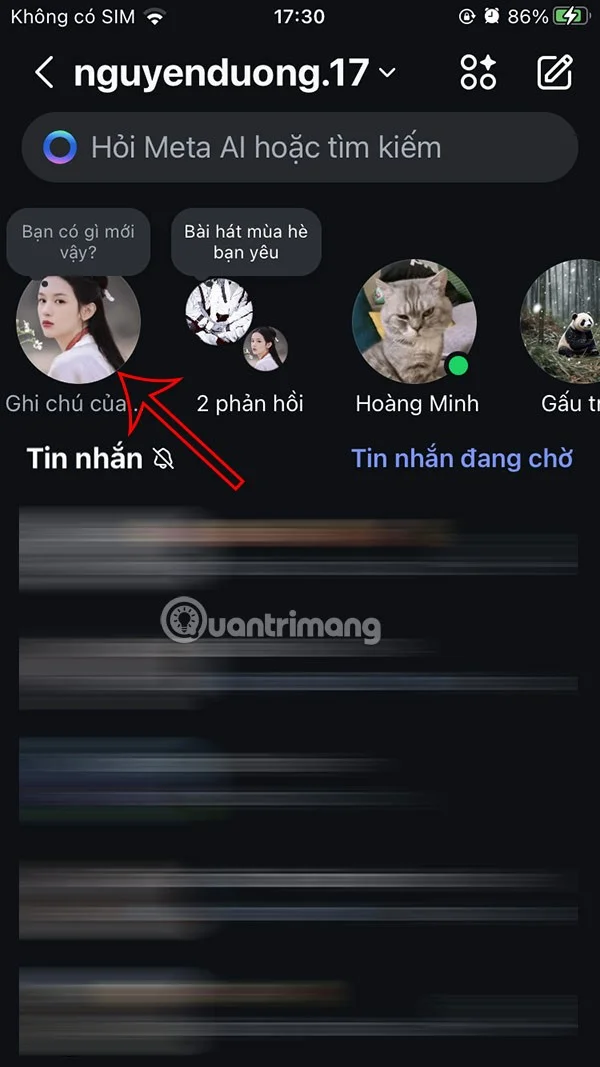
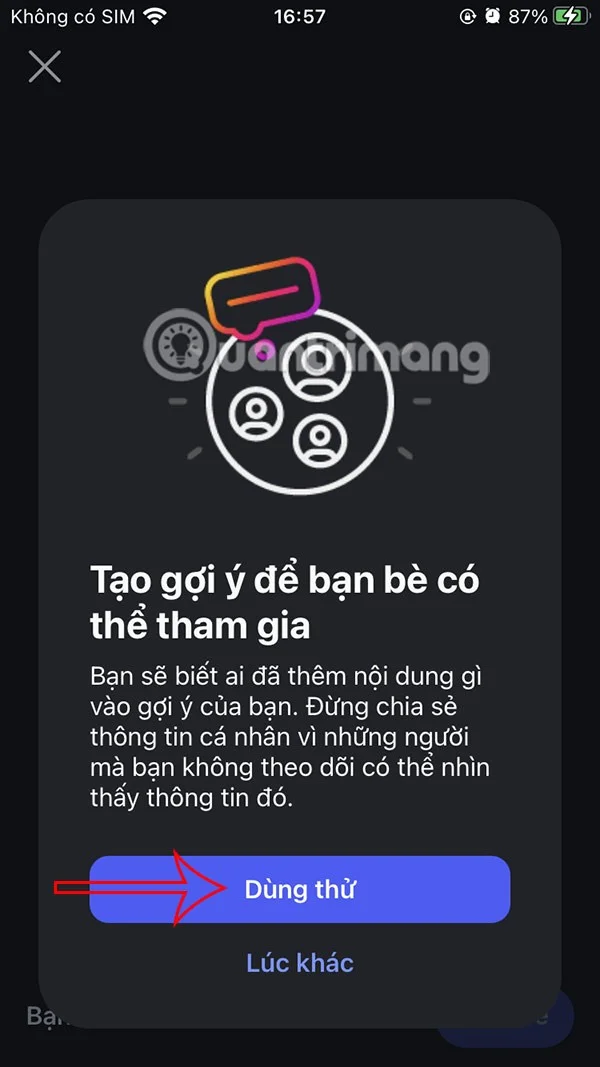
You access Instagram messages, then click on your notes . At this time, the user continues to click on the question mark icon . Display the suggestion creation notification, click Try it .
Step 2:
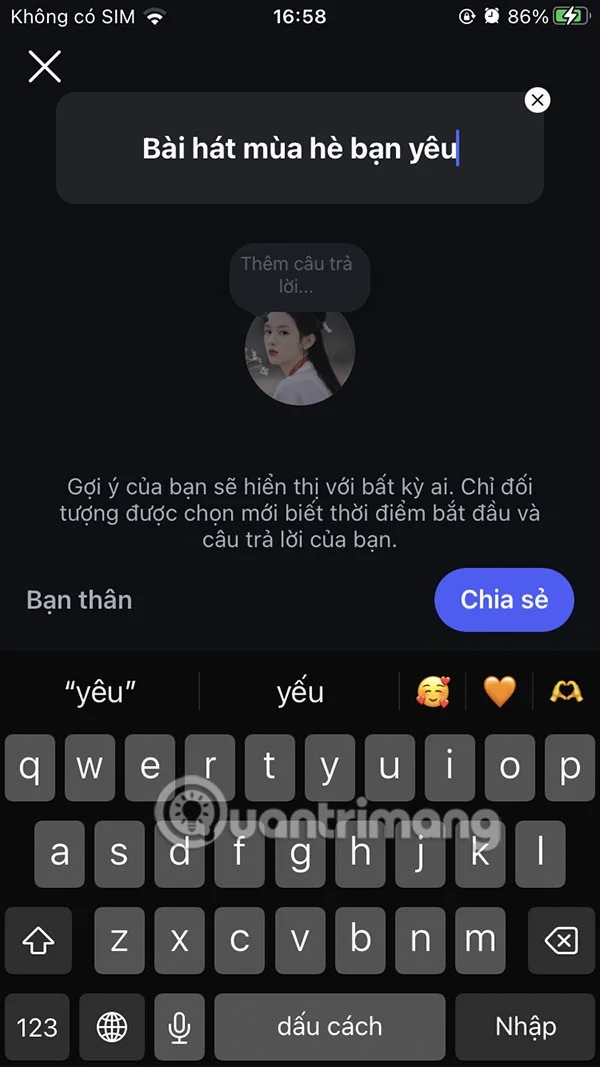
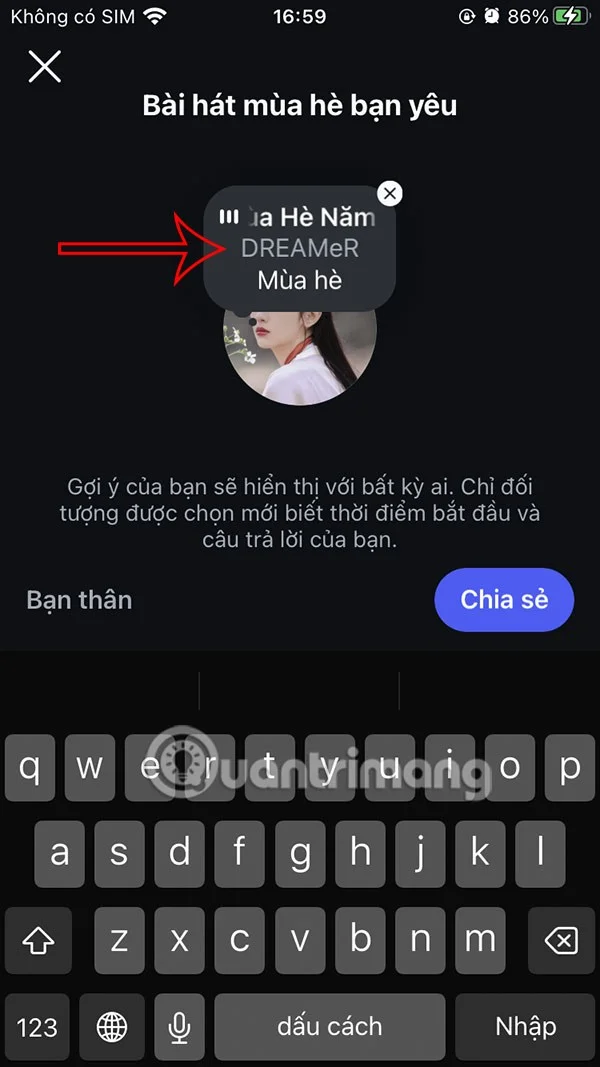
First, you enter the chat content , create a note suggestion for your friends to see and respond to. Then we insert more songs if we want, or just write the content of the note. Finally, click Share to execute.
Step 3:
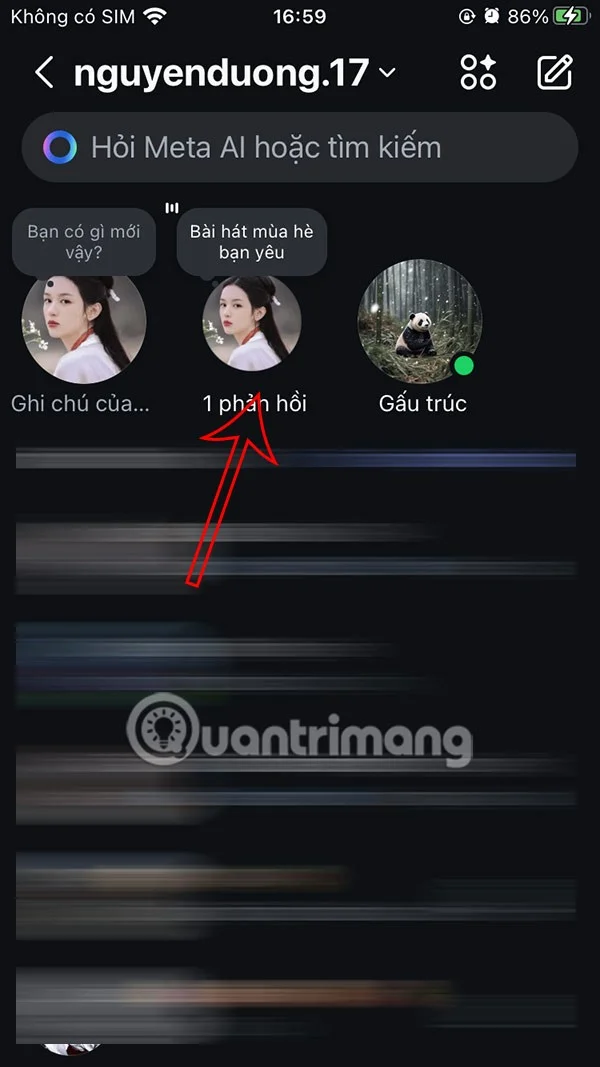
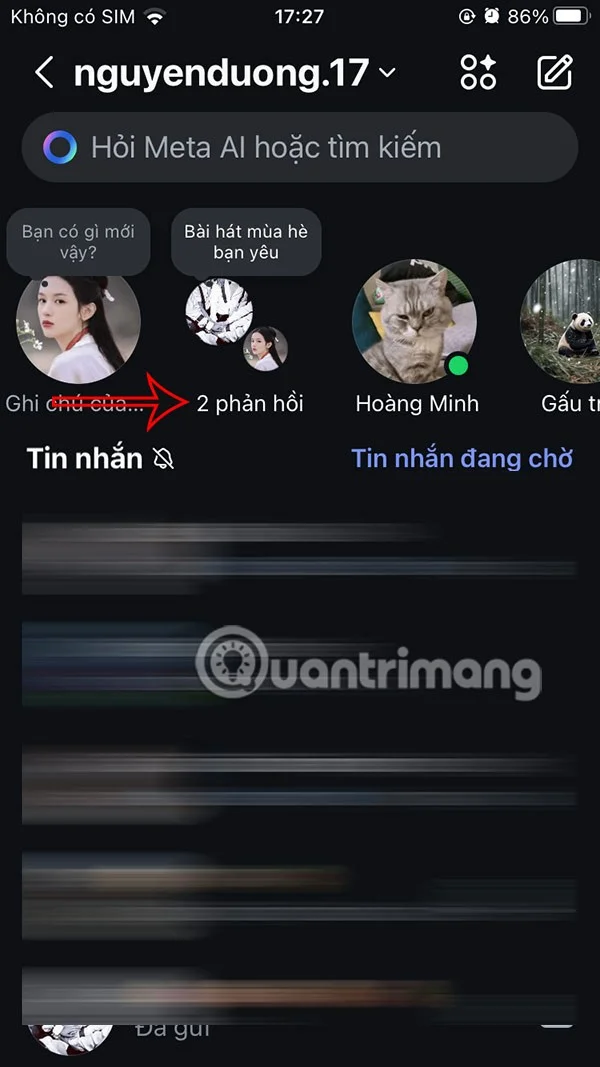
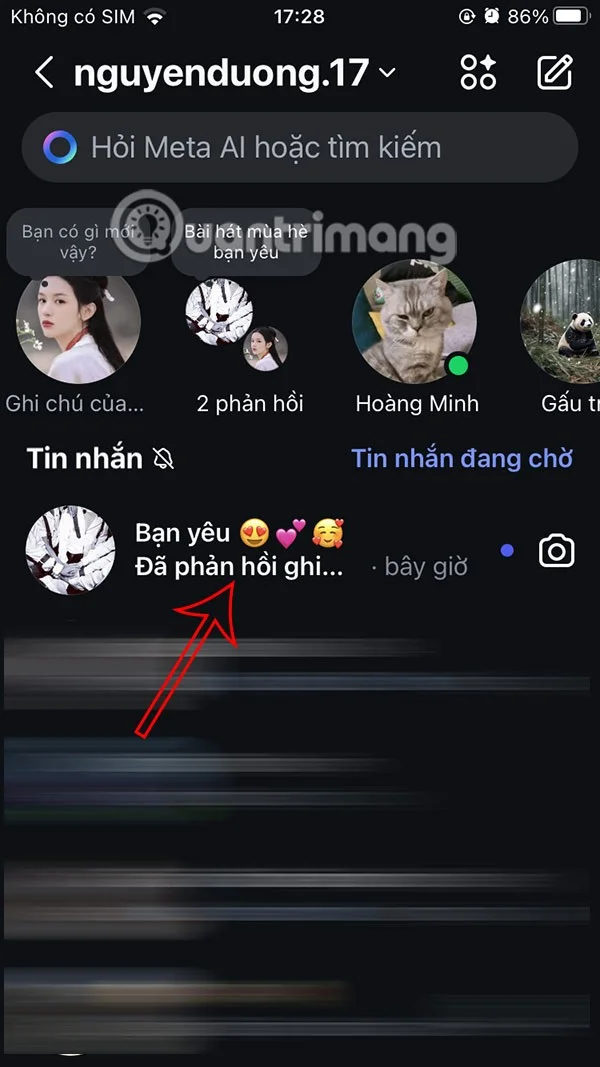
Now you will see your Instagram note is created. Now your friends will see your Instagram note conversation and they just need to tap to join . We will see the number of responses as shown.
Step 4:
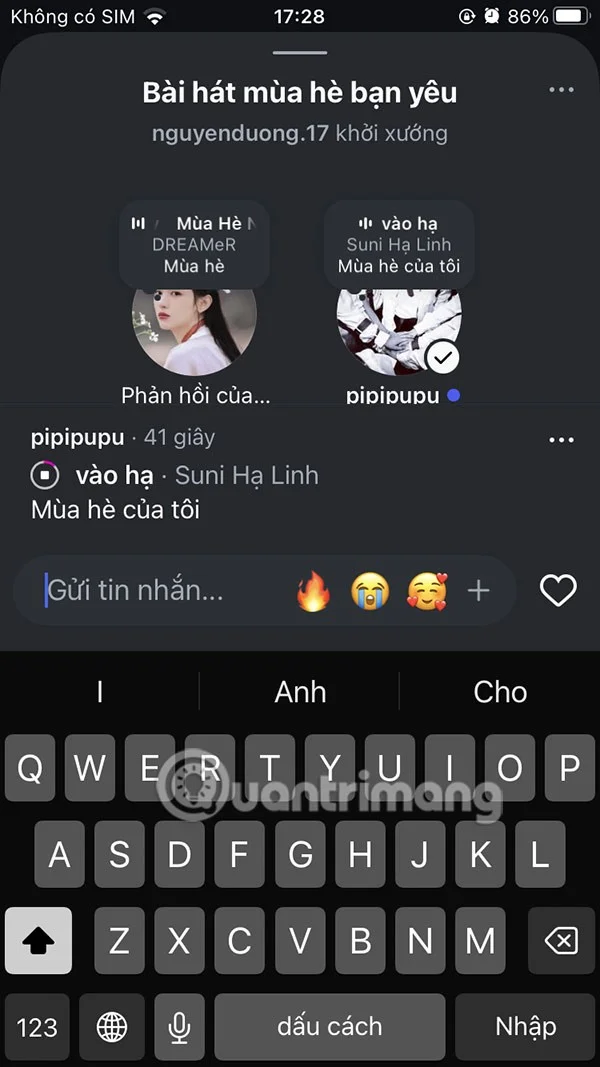
As a result, we see the content of the note response from friends . You can chat back by clicking on their content to respond. We can type the content or drop the emoticon we want.
Comments or emojis will now appear as notifications in Instagram messages.