If you want to connect with people who share your hobbies, games, or professional interests, learning how to find a server on Discord is the fastest way to get started. Discord offers a built-in Server Discovery feature plus several other straightforward methods that let you browse and join public servers without leaving the app. This article shows exactly how to locate and join servers that match what you are looking for.
Getting Ready to Search for Servers
Make sure you have a verified Discord account and the latest version of the desktop app, web version, or mobile app installed. Server Discovery is available to all users, but some servers require you to meet age or verification rules before you can join. Having your account settings open will help if a server asks for additional confirmation steps.
How to Find a Server on Discord Using Server Discovery
-
Access the Discovery tab
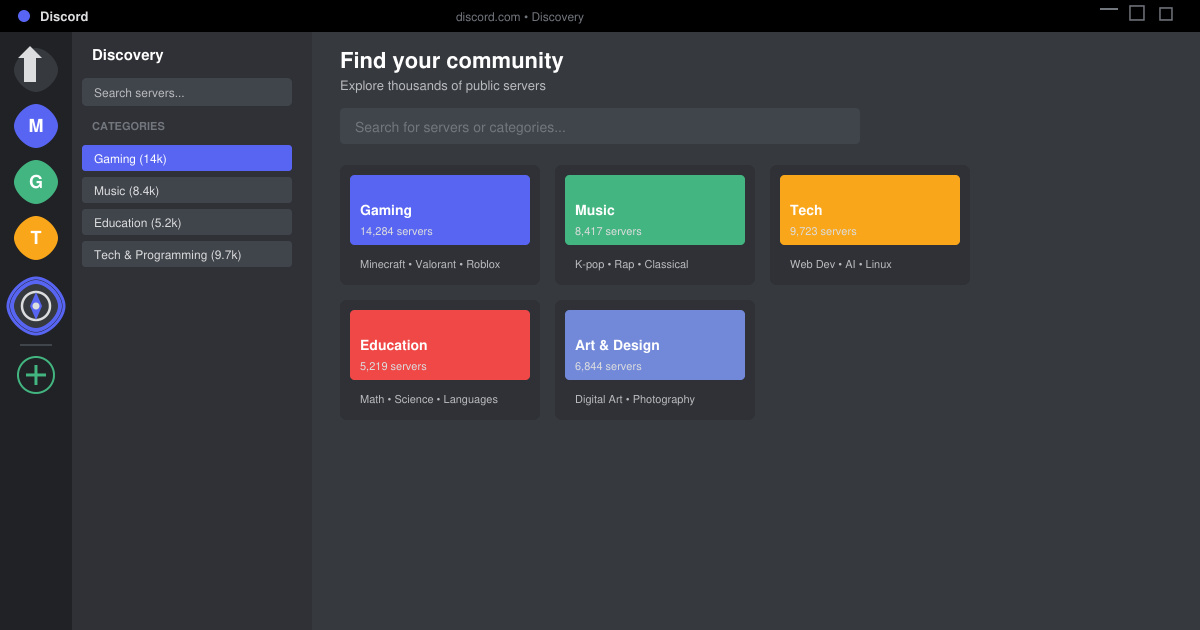
Open Discord and look at the far left sidebar. Click the compass icon labeled “Explore Public Servers.” This opens the official Server Discovery page directly inside Discord.
-
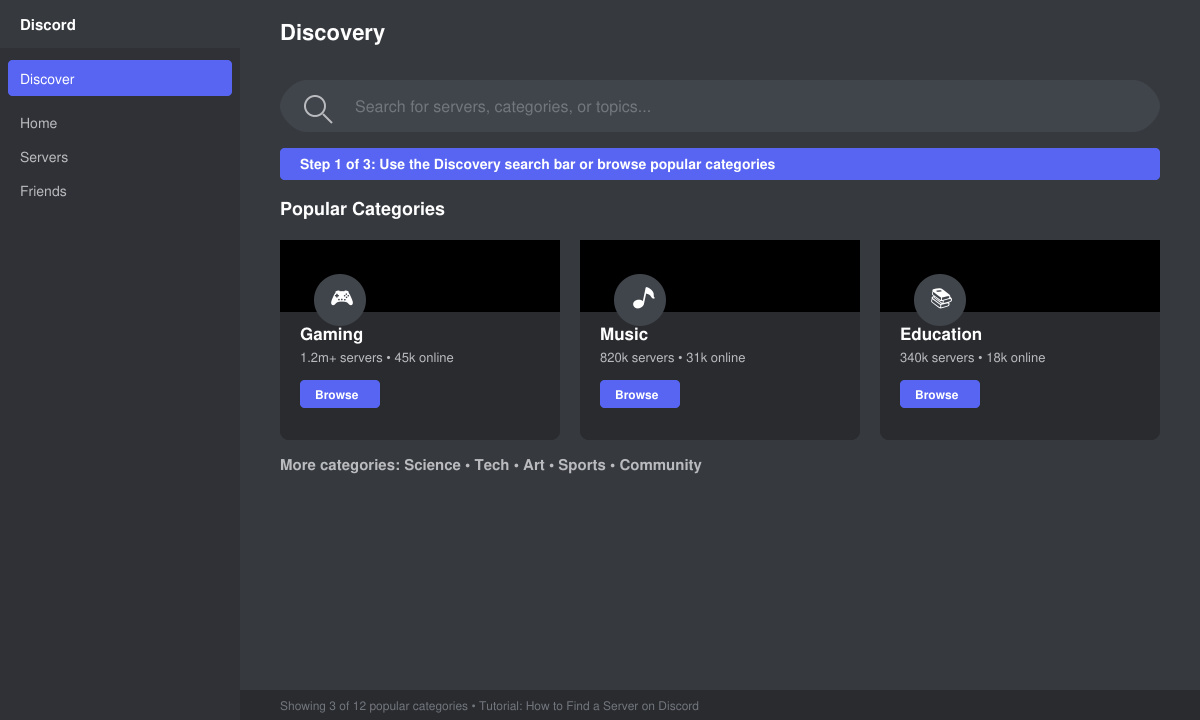
Use the search bar or browse categories
Type keywords that describe the community you want, such as “Minecraft,” “book club,” or “web development.” You can also scroll through the listed categories and click any that interest you to see curated server lists.
-
Review server details before joining
Click any server card to open its page. Read the description, member count, rules, and tags. Check whether the server requires verification or has an age gate so you know what to expect after clicking Join Server.
-
Click Join Server and complete any onboarding
Once you select Join Server, Discord adds the server to your list on the left. Many servers automatically open a welcome channel with rules and a short onboarding quiz or reaction to verify you are a real person.
Additional Ways to Locate Servers Quickly
You can also find servers through direct invite links shared on websites, social media, or other Discord servers. Paste the invite link into the Discord search bar or click it in your browser and the app will open the join screen. Another option is asking friends for recommendations inside existing servers you already use; many communities maintain channels dedicated to sharing invite links for related topics.
Fixing Common Problems When Searching
- If the compass icon does not appear, update Discord to the newest release or restart the app; the feature is hidden in very old versions.
- Some servers disappear from search results after reaching member limits; try broadening your keywords or checking back later in the day.
- When a server asks for verification that never arrives, open User Settings > Privacy & Safety and make sure “Allow direct messages from server members” is enabled.
- Mobile users who cannot see Discovery should tap the three-line menu, then tap the compass icon at the bottom of the server list.
Frequently Asked Questions
Can I search for servers without using Discovery?
Yes. You can paste any valid invite link into Discord or ask friends to send invites through direct messages or other servers.
Are all servers listed in Discovery public?
Every server shown in Discovery is public and open for anyone to join, though some still require a quick verification step after you join.
Is there a limit to how many servers I can join?
Discord allows up to 200 servers on one account. Once you reach that number you must leave an existing server before joining another.
Final Notes on Finding Servers
Mastering how to find a server on Discord gives you direct access to thousands of active communities. Start with the built-in Discovery tool, then explore invite links and friend recommendations to keep expanding your server list.