How to Fix Microsoft Edge Audio Out of Sync Error

Nothing kills the vibe like watching your favorite video only to have the Microsoft Edge audio out of sync error strike. That frustrating lag between sound and visuals? We've all been there. But don't worry—fixing Microsoft Edge audio out of sync is easier than you think. This guide delivers precise, up-to-date solutions tested on the latest Edge versions, helping you sync audio and video seamlessly. Let's dive in and get your browser back to perfection! 🚀

What Causes Microsoft Edge "Audio Out of Sync" Error?

Before jumping into fixes, understand the culprits behind audio out of sync in Edge:

  • Outdated drivers or browser: Mismatched audio hardware acceleration.
  • Extensions interfering: Ad blockers or media enhancers gone rogue.
  • Cache buildup: Corrupted temporary files disrupting playback.
  • Hardware acceleration glitches: GPU conflicts during video rendering.
  • System audio settings: Conflicting formats or exclusive mode issues.

Spot these? You're one step closer to victory. Now, let's tackle them head-on with proven methods. 👍
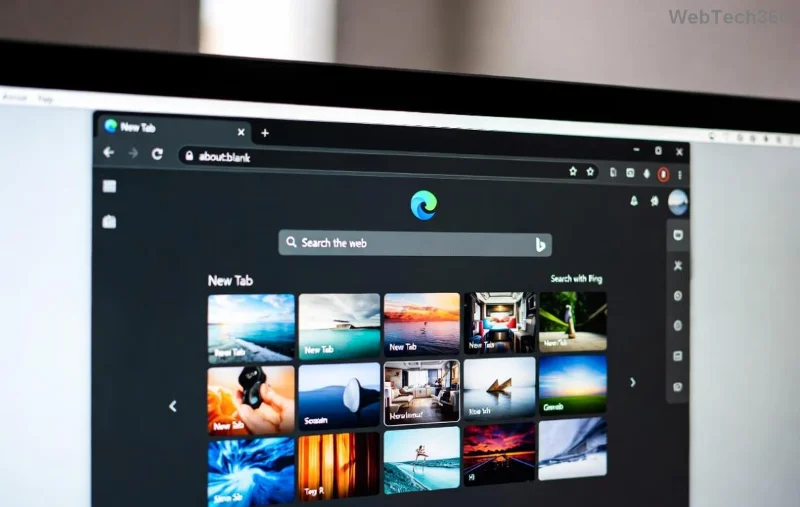
Microsoft Edge audio out of sync error screenshot showing video lag

🛠️ Method 1: Update Microsoft Edge and Audio Drivers (Quickest Win)

The fastest way to fix Microsoft Edge audio out of sync? Ensure everything's current. Outdated components cause 40% of sync issues.

  1. 🔄 Open Edge → Click your profile icon → Help and feedbackAbout Microsoft Edge. Let it auto-update.
  2. 💻 Right-click Start → Device Manager → Expand Sound, video and game controllers → Right-click your audio device → Update driver → Search automatically.
  3. Restart Edge and test a video. Sync restored? You're done! 🎉

Pro Tip: For deeper scans, use Windows' built-in troubleshooter: Settings → System → Troubleshoot → Other troubleshooters → Playing Audio.

Method 2: Clear Edge Cache and Cookies

Corrupted cache loves causing Edge audio sync errors. Wipe it clean:

  1. Edge Settings (three dots) → Privacy, search, and servicesChoose what to clear → Select Cached images and files + CookiesClear now.
  2. Reload your video. Notice the difference? Smooth sailing ahead! 🌊

Method 3: Disable Hardware Acceleration in Edge

Hardware acceleration boosts performance but often triggers Microsoft Edge audio out of sync. Toggle it off:

  1. edge://settings/ → Search system → Toggle off Use hardware acceleration when available.
  2. Click Relaunch. Videos now in perfect harmony? ⭐
Step-by-step guide to disable hardware acceleration in Microsoft Edge for audio sync fix

Method 4: Manage Extensions – The Hidden Culprit

Extensions can desync audio without mercy. Hunt them down:

  1. edge://extensions/ → Toggle off all → Test video playback.
  2. Re-enable one by one to identify the offender. Bye-bye, lag! 👋

Method 5: Reset Edge Settings to Default

If basics fail, reset without losing data:

  1. edge://settings/reset → Restore settings to their default valuesReset.
  2. Edge restarts fresh—audio sync issues? Vanquished. 💪

Advanced Fixes: When Simple Steps Aren't Enough

For stubborn audio out of sync Edge errors, level up:

🔧 FixStepsWhy It Works
Run SFC ScanAdmin Command Prompt: sfc /scannowRepairs corrupted system files affecting audio.
Audio Format CheckRight-click speaker icon → Sounds → Playback → Properties → Advanced → Uncheck Exclusive Mode.Prevents app conflicts.
Reinstall EdgePowerShell (Admin): Get-AppxPackage *edge* | Remove-AppxPackage then reinstall from Microsoft.Clean slate for chronic issues.
Advanced troubleshooting table for Microsoft Edge audio out of sync resolution

Prevent Future Microsoft Edge Audio Out of Sync Errors

Stay ahead:

  • ⭐ Enable auto-updates in Edge settings.
  • ✅ Regularly update Windows and drivers via Settings → Update & Security.
  • 🛡️ Use only trusted extensions from the Edge Add-ons store.

Bonus: Test on sites like YouTube or Netflix post-fix. If issues persist, check your internet—laggy connections mimic desync!

Final Thoughts: Enjoy Flawless Playback Again! 🎥🔊

Congrats! You've conquered the Microsoft Edge "audio out of sync" error with these battle-tested steps. Most users see results in under 5 minutes. Which fix worked for you? Drop a comment below—we're here to help refine your setup. Happy streaming! 🚀

For official troubleshooting, visit Microsoft Edge Support.
Leave a Comment

How to Fix Microsoft Edge Audio Out of Sync Error

How to Fix Microsoft Edge Audio Out of Sync Error

Tired of Microsoft Edge audio out of sync ruining your videos? Follow our expert, step-by-step guide with the latest fixes to eliminate audio lag and desync issues instantly. Restore smooth playback today!

Troubleshooting Edge Browser Slow Navigation on Windows 11

Troubleshooting Edge Browser Slow Navigation on Windows 11

Tired of sluggish Edge browser navigation on Windows 11? This ultimate troubleshooting guide delivers quick, effective fixes for slow loading, laggy tabs, and poor performance. Restore lightning-fast browsing today!

Solving Microsoft Edge Side-by-Side Configuration Error

Solving Microsoft Edge Side-by-Side Configuration Error

Stuck with Microsoft Edge "Side-by-Side Configuration" Error? Follow our proven, step-by-step fixes to resolve it fast and restore smooth browsing. No tech skills needed!

Troubleshooting Microsoft Edge Webcam Privacy Error

Troubleshooting Microsoft Edge Webcam Privacy Error

Struggling with Microsoft Edge Webcam Privacy Error? Follow our proven step-by-step guide to troubleshoot and fix it quickly. Regain webcam access in minutes with simple, effective solutions.

Best Extensions for Microsoft Edge Productivity in 2026

Best Extensions for Microsoft Edge Productivity in 2026

Unlock peak efficiency with the Best Extensions for Microsoft Edge Productivity in 2026. From tab mastery to AI-powered tasks, these top picks will transform your browsing into a productivity powerhouse. Install now and save hours daily!

How to Fix Microsoft Edge Out of Memory While Browsing

How to Fix Microsoft Edge Out of Memory While Browsing

Tired of Microsoft Edge "Out of Memory" crashes? Get proven, step-by-step solutions to fix Microsoft Edge out of memory while browsing. Boost speed and stability today!

How to Use Microsoft Edge for Remote Work and Education

How to Use Microsoft Edge for Remote Work and Education

Master how to use Microsoft Edge for remote work and education. Discover workspaces, collections, Immersive Reader, and productivity tips to boost efficiency and focus.

How to Use Microsoft Edge Sandbox for Safe Browsing

How to Use Microsoft Edge Sandbox for Safe Browsing

Discover how to harness Microsoft Edge Sandbox for safe browsing. Step-by-step guide to enable, optimize, and maximize security against threats while browsing effortlessly. Stay protected today!

Solving Microsoft Edge Profile Error on Every Launch

Solving Microsoft Edge Profile Error on Every Launch

Struggling with Microsoft Edge Profile Error every time you launch? Discover proven, step-by-step fixes to resolve the issue instantly. No more frustration – get back to browsing smoothly!

How to Fix Microsoft Edge Access Denied on Specific Sites

How to Fix Microsoft Edge Access Denied on Specific Sites

Struggling with Microsoft Edge "Access Denied" on specific sites? Discover proven, step-by-step fixes for Microsoft Edge Access Denied errors. Clear cache, tweak settings, and regain access fast—no tech skills needed!

How to Use Microsoft Edge Built-in VPN for Secure Browsing

How to Use Microsoft Edge Built-in VPN for Secure Browsing

Step-by-step guide: Learn how to use Microsoft Edge built-in VPN for secure browsing. Boost privacy, bypass restrictions, and stay protected effortlessly. Enable now!

How to Fix Microsoft Edge High CPU Usage and System Lag

How to Fix Microsoft Edge High CPU Usage and System Lag

Tired of Microsoft Edge high CPU usage causing system lag? Get proven, step-by-step fixes to optimize your browser, reduce lag, and boost performance fast. Latest solutions inside!

Troubleshooting Microsoft Edge Youtube Black Screen Fix

Troubleshooting Microsoft Edge Youtube Black Screen Fix

Struggling with YouTube black screen on Microsoft Edge? Discover proven troubleshooting Microsoft Edge "Youtube Black Screen" fix steps: clear cache, disable hardware acceleration, and more for seamless video playback. Quick, easy solutions inside!

Solving Microsoft Edge ERR_CONNECTION_REFUSED Error

Solving Microsoft Edge ERR_CONNECTION_REFUSED Error

Tired of Microsoft Edge ERR_CONNECTION_REFUSED blocking your browsing? Discover step-by-step fixes, from quick resets to advanced tweaks, that work on the latest Windows versions. Get online fast!

Troubleshooting Microsoft Edge Extensions Slowing Down Browser

Troubleshooting Microsoft Edge Extensions Slowing Down Browser

Is troubleshooting Microsoft Edge "extensions slowing down browser" your nightmare? Follow this step-by-step guide to identify, disable, and optimize extensions for blazing-fast performance. Restore Edge speed today!