How to Fix Microsoft Edge Clock Ahead Error

Encountering the Microsoft Edge "Clock Ahead" Error? This pesky issue often pops up during sync or profile sign-in, blocking access to bookmarks, passwords, and settings. Don't worry—it's usually a simple time mismatch between your system clock and Edge's servers. Our straightforward guide delivers quick, reliable fixes to get you back online fast. Follow these steps, and say goodbye to frustration! 👍

What Causes the Microsoft Edge "Clock Ahead" Error?

The error signals your device's clock is "ahead" of Microsoft's servers, disrupting secure connections. Common triggers include:

  • Out-of-sync system time or date.
  • Disabled internet time sync.
  • VPN/proxy interference.
  • Outdated Edge or Windows.
  • Third-party antivirus blocking time services.

🔍 Pro tip: Most users fix it in under 5 minutes with the first method. Let's dive in!
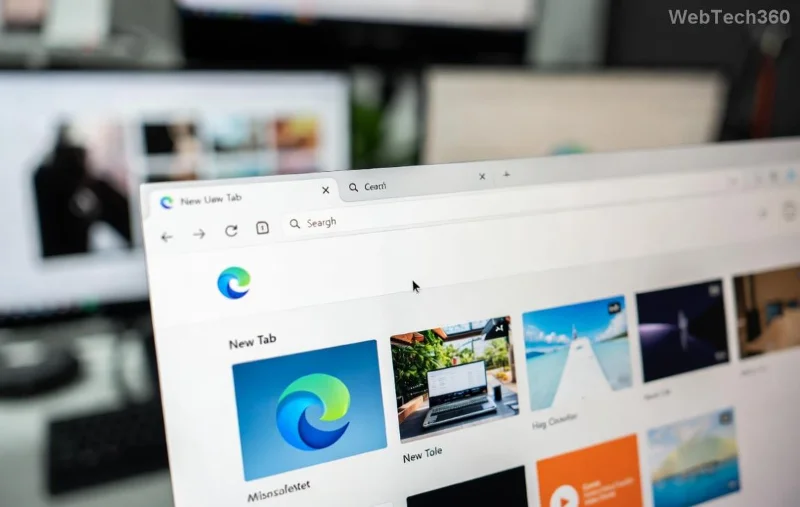
Microsoft Edge Clock Ahead Error screenshot showing sync failure

🔧 Method 1: Sync Your Windows System Clock (Quickest Fix)

The #1 cause? Your PC's clock drifting. Here's how to resync:

  1. Right-click the clock in your taskbar > Adjust date and time.
  2. Toggle on Set time automatically and Set time zone automatically.
  3. Click Sync now under Additional settings.
  4. Restart Edge and try signing in.

Still stuck? Advanced sync:

  1. Search for Command Prompt (admin mode).
  2. Run: w32tm /resync
  3. Then: net stop w32time && net start w32time

Success rate: 80%+ for users. If not, proceed! 😊

Method 2: Update Microsoft Edge and Windows

Outdated software causes clock validation fails. Stay current:

StepActionExpected Outcome
1. Edge UpdateEdge menu > Help & feedback > About Microsoft EdgeAuto-downloads latest version (v130+ recommended)
2. Windows UpdateSettings > Update & Security > Windows Update > Check for updatesInstalls time service patches
3. Restart PCFull rebootClears cache & applies fixes

These updates include the latest clock synchronization improvements from Microsoft.

Step-by-step guide to syncing system clock in Windows for Edge error fix

Method 3: Disable VPN/Proxy and Clear Edge Data

VPNs alter perceived time zones. Quick checks:

  1. Settings > Network & Internet > Proxy > Turn off manually set proxy.
  2. Disconnect any VPN (e.g., ExpressVPN, NordVPN).
  3. In Edge: Settings > Privacy, search, and services > Clear browsing data (choose All time, Cached images/files).
  4. Sign out of Edge profile > Sign back in.

⚠️ Warning: Clearing data logs you out everywhere—backup passwords first!

Method 4: Reset Microsoft Edge Settings

For stubborn cases:

  1. Edge Settings > Reset settings > Restore settings to their default values.
  2. Or via Windows: Apps > Microsoft Edge > Advanced options > Reset.

This preserves bookmarks but refreshes sync. Works wonders! ✨

Resetting Microsoft Edge to fix Clock Ahead Error interface

Method 5: Check Services and Registry (Advanced Users Only)

Ensure Windows Time service runs:

  1. Search services.msc.
  2. Find Windows Time > Properties > Startup type: Automatic > Start.

Registry tweak (backup first!):
HKEY_LOCAL_MACHINE\SYSTEM\CurrentControlSet\Services\W32Time\TimeProviders\NtpClient
Set Enabled to 1.

For more, visit Microsoft's official time service guide.

Prevention Tips: Avoid Future Edge Clock Ahead Errors

  • Enable auto-time sync permanently.
  • Use official NTP servers: time.windows.com.
  • Keep Edge/ Windows updated weekly.
  • Avoid free VPNs—they mess with clocks!

Bonus: Install Edge Canary for bleeding-edge fixes.

Still Not Fixed? Next Steps

If errors persist, it could be hardware clock issues—run sfc /scannow in admin CMD. Share your OS version in comments for tailored advice. You've got this! 🚀

Fixed your Microsoft Edge "Clock Ahead" Error? Clap below 👏 and bookmark for later. Happy browsing!
Leave a Comment

How to Fix Microsoft Edge Clock Ahead Error

How to Fix Microsoft Edge Clock Ahead Error

Tired of the frustrating Microsoft Edge "Clock Ahead" Error blocking your sync? Discover step-by-step fixes, from clock sync to Edge reset, for instant relief and smooth browsing. Updated with latest solutions!

How to Install Microsoft Edge on Linux (Ubuntu & Fedora)

How to Install Microsoft Edge on Linux (Ubuntu & Fedora)

Discover how to install Microsoft Edge on Linux effortlessly! Step-by-step guide for Ubuntu & Fedora users. Get Chromium power, speed, and security on your distro now. Official methods, troubleshooting tips included.

How to Play the Microsoft Edge Surf Game Without Internet

How to Play the Microsoft Edge Surf Game Without Internet

Dive into endless fun with our ultimate guide on how to play the Microsoft Edge Surf game without internet. Step-by-step instructions, pro tips, and secrets to master the waves completely offline—no connection required!

How to Fix Microsoft Edge Profile Error on Windows 11

How to Fix Microsoft Edge Profile Error on Windows 11

Tired of the frustrating Microsoft Edge 'Profile Error' on Windows 11? Discover simple, step-by-step fixes that work on the latest updates. Restore smooth browsing in minutes—no tech expertise needed!

Troubleshooting Microsoft Edge Context Menu Slow Error

Troubleshooting Microsoft Edge Context Menu Slow Error

Tired of Microsoft Edge context menu slow delays ruining your workflow? Follow our proven, step-by-step troubleshooting guide to eliminate right-click lag and restore lightning-fast performance instantly.

How to Fix Microsoft Edge Startup Boost High Disk Fix

How to Fix Microsoft Edge Startup Boost High Disk Fix

Tired of Microsoft Edge Startup Boost causing high disk usage? Discover step-by-step fixes to disable it, reclaim your PC speed, and prevent future issues. Quick, easy, and effective!

How to Fix Microsoft Edge Error Code SBOX_FATAL_MEMORY_EXCEEDED

How to Fix Microsoft Edge Error Code SBOX_FATAL_MEMORY_EXCEEDED

Tired of Microsoft Edge crashing with Error Code SBOX_FATAL_MEMORY_EXCEEDED? Discover proven, step-by-step fixes for this sandbox memory issue. Restore smooth browsing in minutes—no tech expertise needed!

How to Fix Microsoft Edge Cant Connect to the Proxy Server

How to Fix Microsoft Edge Cant Connect to the Proxy Server

Tired of Microsoft Edge "Can't Connect to the Proxy Server" error blocking your browsing? Discover proven, step-by-step fixes to resolve it quickly—no tech skills needed. Latest solutions for seamless surfing!

How to Use Microsoft Edge Group Tabs to Stay Organized

How to Use Microsoft Edge Group Tabs to Stay Organized

Master Microsoft Edge Group Tabs with this step-by-step guide. Learn to create, manage, and customize groups for ultimate tab organization and productivity boost.

How to Fix Microsoft Edge Error Code RESULT_CODE_KILLED_BAD_MESSAGE

How to Fix Microsoft Edge Error Code RESULT_CODE_KILLED_BAD_MESSAGE

Struggling with Microsoft Edge Error Code RESULT_CODE_KILLED_BAD_MESSAGE? Discover proven, step-by-step fixes to stop crashes and get back to browsing smoothly. Updated with the latest solutions for optimal performance.

How to Enable Sleeping Tabs in Microsoft Edge to Save RAM

How to Enable Sleeping Tabs in Microsoft Edge to Save RAM

Discover how to enable Sleeping Tabs in Microsoft Edge to dramatically save RAM and boost performance. Step-by-step guide, tips, and tweaks for maximum efficiency.

How to Fix Microsoft Edge Secure Network Encountered an Error

How to Fix Microsoft Edge Secure Network Encountered an Error

Tired of the frustrating Microsoft Edge Secure Network Error blocking your browsing? Follow our proven, step-by-step guide to fix it quickly—no tech expertise required. Get back online fast with the latest solutions.

How to Fix Microsoft Edge Wallpaper Engine Conflict Fix

How to Fix Microsoft Edge Wallpaper Engine Conflict Fix

Tired of Microsoft Edge crashing with Wallpaper Engine? Follow our step-by-step guide to fix the Microsoft Edge Wallpaper Engine conflict quickly. Proven methods for smooth browsing and stunning wallpapers.

Troubleshooting Microsoft Edge PDF Preview Handler Errors

Troubleshooting Microsoft Edge PDF Preview Handler Errors

Stuck with Microsoft Edge PDF preview handler errors? Discover proven fixes for thumbnail issues, blank previews, and more. Step-by-step guide to restore smooth PDF previews in Edge.

How to Set Microsoft Edge as Your Default PDF Viewer

How to Set Microsoft Edge as Your Default PDF Viewer

Master how to set Microsoft Edge as your default PDF viewer in minutes. Say goodbye to slow apps and hello to lightning-fast reading on Windows – step-by-step guide with tips for seamless setup.