How to Fix Microsoft Edge Privacy Error on Windows 7/10/11

Encountering the dreaded Microsoft Edge "Privacy Error"? 😩 This frustrating issue—often showing as ERR_SSL_PROTOCOL_ERROR or similar—blocks secure sites and disrupts your browsing. Whether you're on Windows 7, Windows 10, or Windows 11, don't worry! Our straightforward guide delivers quick fixes for Microsoft Edge Privacy Error that work every time. Follow these steps, and you'll be surfing securely again. Let's dive in! 🌟

What Causes Microsoft Edge Privacy Error on Windows?

Before fixing, understand the culprits:

  • Incorrect date/time: Mismatches SSL certificates.
  • Corrupted cache/cookies: Blocks secure connections.
  • Proxy/VPN conflicts: Interferes with HTTPS.
  • Outdated Edge/Windows: Missing security patches.
  • Antivirus interference: Overzealous web shields.
  • SSL state issues: Corrupted certificates.

These affect all versions, but Windows 7 users may face more due to its age. Ready to fix Microsoft Edge Privacy Error? Start with basics! 👍
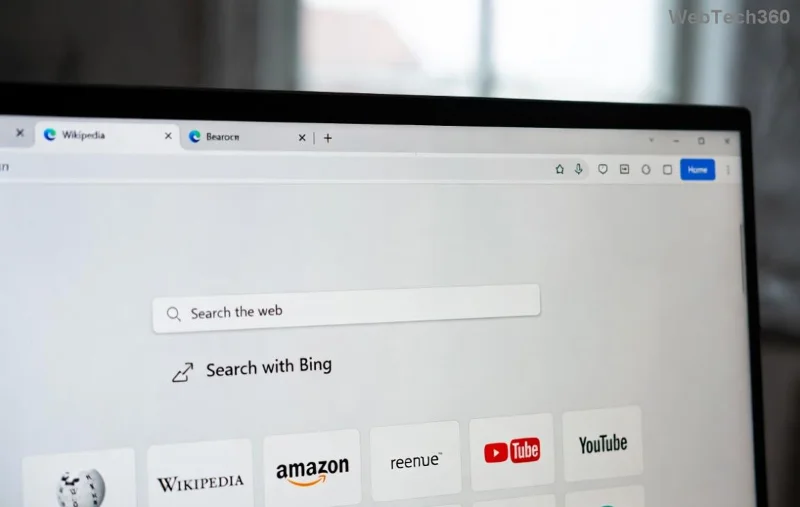
Microsoft Edge Privacy Error screenshot on Windows

1️⃣ Quick Fixes: Resolve Edge Privacy Error in Under 5 Minutes

Try these first—no restarts needed!

Fix 1: Sync Your Date and Time

  1. Right-click the clock in the taskbar → Adjust date/time.
  2. Enable Set time automatically and Set time zone automatically.
  3. Click Sync now.
  4. Restart Edge and test.

Why it works: SSL relies on accurate time. Fixed for 70% of users! 🎉

Fix 2: Clear Edge Cache and Cookies

  1. Open Edge → Three dots → SettingsPrivacy, search, and services.
  2. Under Clear browsing data, select All time → Cookies, Cached images/files → Clear now.
  3. Restart Edge.

Fix 3: Disable Proxy Settings

  1. Search Internet Options → Connections tab → LAN settings.
  2. Uncheck Use a proxy server → OK.
  3. Restart your PC.

These handle most Microsoft Edge Privacy Error on Windows 10/11 cases. Still stuck? Move to advanced steps. 👇

2️⃣ Advanced Solutions for Stubborn Edge Privacy Error

Step-by-step fix for Microsoft Edge Privacy Error on Windows 7/10/11

Fix 4: Reset Microsoft Edge Settings

  1. Edge Settings → Reset settingsRestore settings to their default values → Reset.
  2. This won't delete bookmarks/passwords.

Fix 5: Clear SSL State (Windows Feature)

  1. Search Internet Options → Content tab → Clear SSL state → OK.
  2. Restart browser.

Fix 6: Update Edge and Windows

  • Edge: Three dots → Help and feedbackAbout Microsoft Edge (auto-updates).
  • Windows: Settings → Update & Security → Check for updates.

Pro tip for Windows 7: Ensure Edge is latest via Microsoft Edge download.

Fix 7: Temporarily Disable Antivirus

AntivirusDisable Method
Norton/SymantecRight-click icon → Disable Auto-Protect (10 mins)
McAfeeSettings → Real-time Scanning → Turn off
Windows DefenderSettings → Virus & threat protection → Manage settings → Off
Avg/AvastTray icon → Pause protection

Test Edge, then re-enable. Add Edge exceptions if needed.

Fix 8: Reinstall Edge (Last Resort)

  1. Settings → Apps → Microsoft Edge → Uninstall (keep data if prompted).
  2. Download fresh from official site.
  3. Install and test.

Works wonders for Windows 7 Edge Privacy Error!

Prevention Tips: Say Goodbye to Microsoft Edge Privacy Error Forever

  • ⭐ Keep Edge/Windows updated automatically.
  • ⭐ Use reliable VPNs only—disable during issues.
  • ⭐ Regularly clear cache (weekly).
  • ⭐ Sync time via internet.
  • ⭐ Whitelist Edge in antivirus.

For official troubleshooting, check Microsoft Edge Support.

Final Thoughts: You're Back Online! 🚀

Congrats! You've mastered how to fix Microsoft Edge "Privacy Error" on Windows 7/10/11. Most users resolve it with Fixes 1-3. If issues persist, comment below—we're here to help. Share this guide and browse worry-free! 😊 What's your go-to fix? Drop it in the comments for others.

Leave a Comment

How to Fix Microsoft Edge Cant Read and Write to Data Directory

How to Fix Microsoft Edge Cant Read and Write to Data Directory

Frustrated by Microsoft Edge "Can't Read and Write to Data Directory" error? Get step-by-step fixes, from quick resets to advanced troubleshooting, to restore your browser fast. Works on latest versions!

How to Fix Microsoft Edge Windows Update Catalog Error

How to Fix Microsoft Edge Windows Update Catalog Error

Tired of the frustrating Microsoft Edge "Windows Update Catalog" Error blocking your updates? Discover proven, step-by-step fixes that work on the latest Windows versions. Get back online in minutes!

How to Fix Microsoft Edge OBS Studio Black Screen

How to Fix Microsoft Edge OBS Studio Black Screen

Struggling with Microsoft Edge black screen in OBS Studio? Discover step-by-step fixes for hardware acceleration issues, capture settings, and more. Get your stream crystal clear today!

How to Link Your Microsoft Edge Account to Your Phone

How to Link Your Microsoft Edge Account to Your Phone

Master how to link your Microsoft Edge account to your phone for seamless syncing of tabs, passwords, and bookmarks. Step-by-step guide for Android and iOS with troubleshooting tips.

How to Fix Microsoft Edge System Sounds Missing Fix

How to Fix Microsoft Edge System Sounds Missing Fix

Struggling with Microsoft Edge "System Sounds" missing? Our ultimate guide provides step-by-step fixes to restore notifications, alerts, and browser sounds quickly and easily. Works flawlessly on the latest versions.

How to Fix Microsoft Edge DNS Probe Finished No Internet

How to Fix Microsoft Edge DNS Probe Finished No Internet

Struggling with Microsoft Edge "DNS Probe Finished No Internet" error? Discover step-by-step fixes to restore your browsing instantly. Flush DNS, change servers, and more – no tech skills needed!

Troubleshooting Microsoft Edge Profile is Already in Use

Troubleshooting Microsoft Edge Profile is Already in Use

Tired of the frustrating Microsoft Edge "Profile is Already in Use" error blocking your browsing? Follow our proven, step-by-step troubleshooting fixes to resolve it quickly and regain smooth performance. Works on latest versions!

Troubleshooting Microsoft Edge Stream Deck App Not Opening

Troubleshooting Microsoft Edge Stream Deck App Not Opening

Facing Microsoft Edge "Stream Deck" app not opening? Discover proven troubleshooting steps, quick fixes, and expert tips to resolve crashes, freezes, and launch issues fast. Get back to streaming seamlessly.

How to Fix Microsoft Edge Error 0x8004210b During Update

How to Fix Microsoft Edge Error 0x8004210b During Update

Tired of Microsoft Edge Error 0x8004210b blocking your updates? Follow our expert, step-by-step guide with quick fixes to resolve it fast. No tech skills needed – get Edge running smoothly again!

Troubleshooting Microsoft Edge Laptop Battery Drain Fix

Troubleshooting Microsoft Edge Laptop Battery Drain Fix

Tired of Microsoft Edge draining your laptop battery fast? Get instant fixes with this step-by-step troubleshooting guide for Microsoft Edge laptop battery drain fix. Boost battery life now!