How to Fix Microsoft Edge Proxy Server Error and Connection Issues

Imagine firing up Microsoft Edge only to hit the dreaded "Proxy Server Error" message: "The proxy server isn't responding." 😩 Your tabs freeze, downloads stall, and browsing grinds to a halt. Don't worry—this common glitch affects millions, but it's fixable today.

In this guide, we'll tackle Microsoft Edge Proxy Server Error and connection issues head-on with simple, proven steps. From quick resets to deep tweaks, you'll be back online swiftly. Follow along—you'll thank us later! 👇
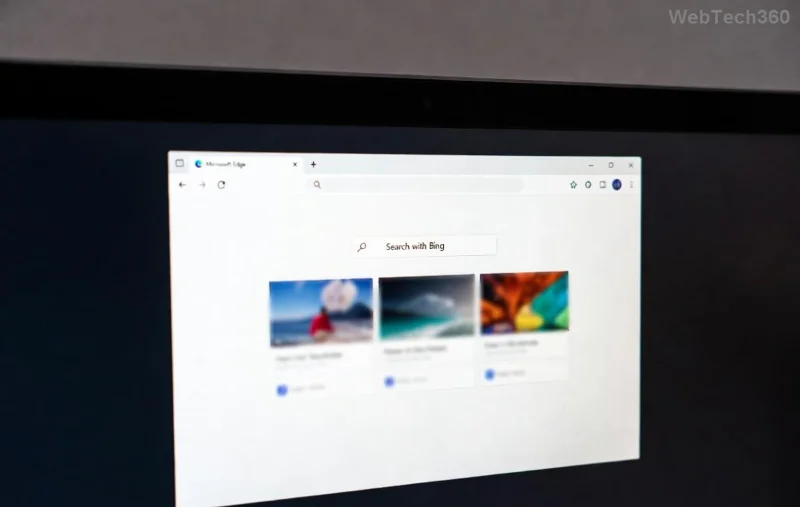
Screenshot of Microsoft Edge Proxy Server Error message

Why Does Microsoft Edge Proxy Server Error Happen?

Quick reality check: This error pops up when Edge can't connect through your network's proxy settings. Common culprits include:

  • Misconfigured proxy settings in Windows or Edge.
  • VPN or antivirus interference. ✅
  • Corrupted cache/DNS. ⭐
  • Outdated Edge or Windows glitches.

Pro tip: 80% of cases resolve with the first few fixes. Let's dive in—no fluff, just results!

👉 Step-by-Step Fixes for Microsoft Edge Proxy Server Error

1. Quick Edge Reset (Fastest Fix – 2 Minutes)

Start here—resets Edge without losing data.

  1. Open Microsoft Edge > Three dots (⋮) > Settings.
  2. Go to Reset settings > Restore settings to their default values > Reset.
  3. Restart Edge. Test browsing! 😊

2. Disable Proxy in Edge Settings

Edge has built-in proxy overrides—turn 'em off.

  1. Edge Settings > System and performance.
  2. Toggle off Use a proxy server.
  3. Save & relaunch.
Microsoft Edge proxy settings menu guide

3. Fix Windows Proxy Settings (Core Network Tweak)

Windows controls the real proxy—here's the master switch.

StepActionExpected Result
1Search "Proxy settings" in Windows Start menu > Open.Proxy page loads.
2Under Automatic proxy setup: Turn OFF "Automatically detect settings."No auto-proxy conflicts. ✅
3Under Manual proxy setup: Turn OFF "Use a proxy server."Direct connection restored.
4Save > Restart PC.Error gone! ⭐

Stuck? Run Command Prompt as admin & type: netsh winhttp reset proxy. Hit Enter—boom, proxies cleared.

4. Flush DNS & Reset Network (For Stubborn Connection Issues)

Corrupted DNS? Nuke it.

  1. Admin Command Prompt: ipconfig /flushdns, then netsh int ip reset.
  2. Restart PC. Edge should fly!

5. Update or Repair Microsoft Edge

Outdated? Update via Settings > About Microsoft Edge. Still buggy?

Fixing Edge connection issues via command prompt

6. Check VPN/Antivirus Interference

VPN on? Disable temporarily. Antivirus (e.g., Norton) blocking? Add Edge exception or pause real-time protection. Test—freedom! 🚀

Advanced Fixes for Persistent Edge Proxy Error

If basics fail:

  • Hosts File Check: Edit C:\Windows\System32\drivers\etc\hosts (admin Notepad). Remove proxy lines.
  • Registry Tweak (Caution!): Search "regedit" > HKEY_LOCAL_MACHINE\SOFTWARE\Policies\Microsoft\Edge. Delete ProxySettings if present.
  • Safe Mode Test: Boot Windows Safe Mode + Networking. Works? Culprit is software.

For enterprise users: Group Policy might enforce proxies—chat with IT. 👨‍💼

Prevention Tips: Stay Proxy-Error Free Forever

  • ⭐ Keep Edge updated automatically.
  • ✅ Avoid shady VPNs/extensions.
  • Regular network resets (monthly).
  • Use Edge's InPrivate mode for testing.

Bonus: If errors persist across browsers, it's your ISP/modem—reboot router or call support.

Ready to Surf Smoothly? You've Got This! 🎉

Congrats—you now hold the keys to banish Microsoft Edge Proxy Server Error and connection issues for good. Try the steps in order; most users fix it by Step 3. Share your win in comments below—what fixed it for you?

Bookmark this for later. Happy browsing! 🌐

Leave a Comment

How to Fix Microsoft Edge Proxy Server Error and Connection Issues

How to Fix Microsoft Edge Proxy Server Error and Connection Issues

Tired of Microsoft Edge Proxy Server Error blocking your browsing? Get proven, step-by-step fixes for connection issues. Restore smooth surfing fast—no tech skills needed!

Solving Microsoft Edge DAW Latency in Web Apps (2026)

Solving Microsoft Edge DAW Latency in Web Apps (2026)

Tired of Microsoft Edge DAW latency ruining your web audio apps? Unlock lightning-fast fixes for 2026 with step-by-step solutions. Slash delays in Digital Audio Workstations and boost performance now!

How to Fix Microsoft Edge Safe Mode Networking Error

How to Fix Microsoft Edge Safe Mode Networking Error

Tired of the frustrating Microsoft Edge "Safe Mode Networking" Error blocking your browsing? Discover proven, step-by-step fixes to restore full networking in Edge safe mode. Works on latest Windows versions – get online fast!

How to Fix Microsoft Edge Video Playback Stuttering

How to Fix Microsoft Edge Video Playback Stuttering

Struggling with Microsoft Edge video playback stuttering? Discover step-by-step fixes to eliminate lag, buffering, and choppy videos. Get smooth streaming today with our expert guide.

Solving Microsoft Edge 0x80072efe Connection Aborted

Solving Microsoft Edge 0x80072efe Connection Aborted

Stuck with Microsoft Edge 0x80072efe Connection Aborted error? Get step-by-step fixes for this frustrating issue, including quick resets, proxy tweaks, and advanced troubleshooting to restore your browsing instantly. Solve it now!

Solving Microsoft Edge Search Paused Indexing Fix

Solving Microsoft Edge Search Paused Indexing Fix

Tired of Microsoft Edge "Search Paused" blocking your tab searches? Get proven, step-by-step indexing fixes to rebuild your index, speed up Edge, and eliminate the error for good. Works on latest versions!

Solving Microsoft Edge Motherboard Driver Compatibility

Solving Microsoft Edge Motherboard Driver Compatibility

Tired of Microsoft Edge crashes from motherboard driver incompatibility? Get step-by-step fixes for smooth browsing, updated drivers, and hardware tweaks. Solve "Motherboard Driver" compatibility in minutes!

How to Enable Hardware Acceleration in Microsoft Edge

How to Enable Hardware Acceleration in Microsoft Edge

Discover how to enable Hardware Acceleration in Microsoft Edge for smoother browsing, faster rendering, and better video playback. Step-by-step guide with tips to boost your Edge performance instantly. Perfect for gamers and power users!

Troubleshooting Microsoft Edge Firewall Blocking Connections

Troubleshooting Microsoft Edge Firewall Blocking Connections

Tired of Microsoft Edge "Firewall" blocking your connections? Follow this expert troubleshooting Microsoft Edge "Firewall" blocking connections guide for quick, reliable fixes. Restore smooth browsing instantly!

How to Fix Microsoft Edge DirectAccess Connectivity Error

How to Fix Microsoft Edge DirectAccess Connectivity Error

Tired of the frustrating Microsoft Edge "DirectAccess" connectivity error blocking your browsing? Discover proven, step-by-step solutions to fix Microsoft Edge DirectAccess error quickly and restore seamless connectivity. Works on latest Windows!

How to Use Microsoft Edge Read Aloud Feature for PDFs

How to Use Microsoft Edge Read Aloud Feature for PDFs

Master the Microsoft Edge Read Aloud feature for PDFs with this step-by-step guide. Enjoy customizable voices, speeds, and multitasking bliss for seamless reading. Perfect for students, professionals, and accessibility needs.

How to Fix Microsoft Edge Acrylic Effect Not Showing

How to Fix Microsoft Edge Acrylic Effect Not Showing

Discover how to fix Microsoft Edge Acrylic Effect not showing. Step-by-step guide with hardware acceleration tweaks, flags, and updates for that stunning blur effect back in seconds. Works on latest Edge versions!

Troubleshooting Edge Browser Security Plugin Errors

Troubleshooting Edge Browser Security Plugin Errors

Struggling with Edge browser security plugin errors? Discover proven fixes for common issues like crashes, blocks, and conflicts. Step-by-step troubleshooting to restore smooth browsing instantly.

Complete List of Microsoft Edge Keyboard Shortcuts

Complete List of Microsoft Edge Keyboard Shortcuts

Unlock peak productivity with the complete list of Microsoft Edge keyboard shortcuts. From tabs and navigation to developer tools, master every essential hotkey for faster browsing in the latest Edge version. Boost your workflow today!

Solving Microsoft Edge Internal Mic Static Sound Fix

Solving Microsoft Edge Internal Mic Static Sound Fix

Tired of annoying static buzz from your internal mic in Microsoft Edge? Follow our proven step-by-step guide to fix Microsoft Edge internal mic static noise permanently. Quick fixes, advanced tweaks, and prevention tips for crystal-clear calls and recordings.