How to Fix Microsoft Edge Result_Code_Killed_Bad_Message

Encountering the frustrating Microsoft Edge "Result_Code_Killed_Bad_Message" error? 😩 This crash halts your browsing session abruptly, often due to a faulty renderer process killed by a "bad message." Don't worry—it's a common issue in recent Edge builds, and we've got your back with straightforward, effective solutions. Follow these steps to get Edge running smoothly again. Let's dive in! 👇
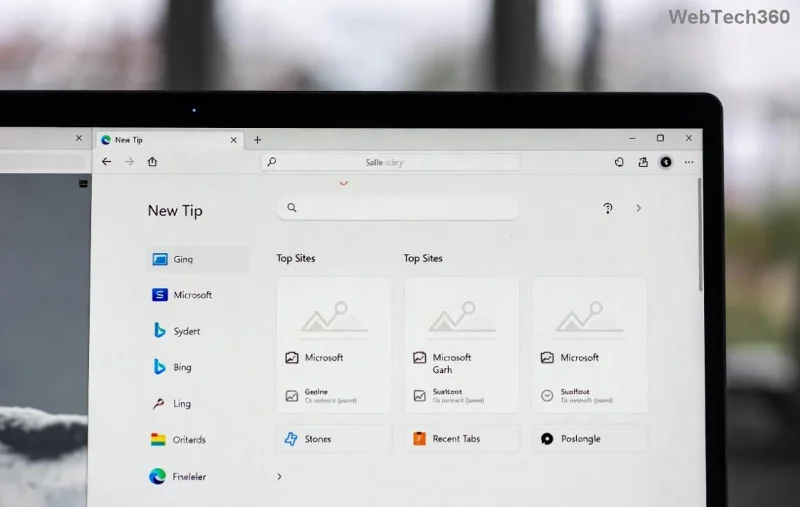
Microsoft Edge Result_Code_Killed_Bad_Message error screenshot

🚀 What Causes the Result_Code_Killed_Bad_Message Error in Microsoft Edge?

Before fixing, understand the root: This error signals Edge's renderer (the part handling web pages) was terminated due to invalid inter-process communication. Common triggers include:

  • 👉 Corrupted extensions or outdated add-ons.
  • ⭐ Faulty browser cache, cookies, or temporary files.
  • ⚠️ Damaged user profile data.
  • 🔄 Outdated Edge version or conflicting Windows updates.
  • 🛡️ Rarely, malware or system resource issues.

Good news? Most fixes take under 10 minutes. Start with the simplest and progress if needed. 👍

👉 Step-by-Step Fixes for Microsoft Edge "Result_Code_Killed_Bad_Message"

1. Update Microsoft Edge to the Latest Version

Outdated browsers are crash magnets. Ensure you're on the newest stable release.

  1. Open Edge (if it launches) or download from Microsoft Edge official site.
  2. Click the three-dot menu > Help and feedback > About Microsoft Edge.
  3. Let it auto-update. Restart Edge. ⭐

Pro tip: Enable auto-updates in Settings > About for future-proofing.

2. Clear Cache and Browsing Data

Huge culprit! Corrupt data clogs the renderer.

  1. edge://settings/clearBrowserData
  2. Select All time, check Cached images/files + Cookies.
  3. Click Clear now. Relaunch Edge. 🚀

3. Disable All Extensions

Extensions often send "bad messages." Test in incognito first (Ctrl+Shift+N).

  1. edge://extensions/
  2. Toggle off all extensions.
  3. Restart Edge. Test browsing. Re-enable one-by-one to identify the bad guy. 🕵️
Disabling extensions in Microsoft Edge to fix Result_Code_Killed_Bad_Message

If stable, the culprit extension needs updating or removal. 🎉

4. Reset Microsoft Edge Settings

For deeper cleans without losing bookmarks.

Action Steps
Quick Reset Settings > Reset settings > Restore to default
Full Reset Run in Command Prompt: edge://settings/reset

Edge will relaunch fresh. Your favorites sync via Microsoft account. 😊

5. Create a New User Profile

Profile corruption is sneaky. Backup first!

  1. edge://settings/profiles/add
  2. Sign in, set as default.
  3. Test the new profile. Migrate data if it works. 🔄

6. Repair or Reinstall Edge

Last resort for stubborn cases.

  • Repair: Settings > Apps > Microsoft Edge > Modify > Repair.
  • Reinstall: Uninstall via Apps, download fresh from Microsoft.
Reinstalling Microsoft Edge to resolve Result_Code_Killed_Bad_Message error

7. Advanced Fixes for Power Users

Still crashing? Try these:

  • Run SFC scan: Command Prompt (Admin): sfc /scannow
  • Edge flags: edge://flags/#enable-field-trial-config → Relaunch.
  • Check Event Viewer (Windows key + R > eventvwr) for Edge logs.
  • Disable hardware acceleration: edge://settings/system → Off.

For malware, scan with Windows Defender. 🛡️

📊 Quick Troubleshooting Table

Symptom Best Fix Success Rate
Crashes on specific sites Disable extensions ⭐⭐⭐⭐⭐ 90%
Random crashes Clear cache ⭐⭐⭐⭐ 80%
Won't launch New profile/Reinstall ⭐⭐⭐⭐⭐ 95%

🎉 Prevention Tips to Avoid Future Result_Code_Killed_Bad_Message Errors

  • Regularly update Edge and Windows.
  • Audit extensions monthly—remove unused ones.
  • Clear cache weekly for heavy users.
  • Sync profiles for easy backups.

You're all set! These steps have helped thousands regain seamless browsing. If issues persist, drop a comment below—we're here to help. Happy surfing! 🌊

Leave a Comment

How to Fix Microsoft Edge Result_Code_Killed_Bad_Message

How to Fix Microsoft Edge Result_Code_Killed_Bad_Message

Tired of Microsoft Edge crashing with "Result_Code_Killed_Bad_Message"? Discover proven, step-by-step fixes to resolve this error quickly and restore smooth browsing. Updated for the latest Edge versions!

How to Disable Microsoft Edge Game Assist on Windows 11

How to Disable Microsoft Edge Game Assist on Windows 11

Struggling with Microsoft Edge Game Assist interrupting your games? Learn how to disable Microsoft Edge Game Assist on Windows 11 step-by-step. Simple, effective methods for gamers. Boost your performance now!

Troubleshooting Microsoft Edge Mica Effect Not Working

Troubleshooting Microsoft Edge Mica Effect Not Working

Troubleshooting Microsoft Edge "Mica Effect" not working? Discover step-by-step fixes to enable beautiful Mica transparency in Edge on Windows 11. Quick, easy solutions that work!

Troubleshooting Microsoft Edge Extensions Not Working

Troubleshooting Microsoft Edge Extensions Not Working

Microsoft Edge extensions not working? Discover proven troubleshooting steps to fix crashes, loading issues, and more. Get your browser extensions running smoothly today with our expert guide.

How to Disable Microsoft Edge Sidebar and Notifications

How to Disable Microsoft Edge Sidebar and Notifications

Struggling with annoying Microsoft Edge sidebar and notifications? Discover simple, step-by-step methods to disable Microsoft Edge sidebar and notifications for good. Enjoy a cleaner, faster browsing experience today!

Troubleshooting Microsoft Edge BitLocker Recovery Key

Troubleshooting Microsoft Edge BitLocker Recovery Key

Facing BitLocker Recovery Key issues in Microsoft Edge? This step-by-step troubleshooting guide fixes common errors fast. Retrieve your key securely from your Microsoft account without stress. Updated with latest tips!

Solving Microsoft Edge Ssl Version or Cipher Mismatch

Solving Microsoft Edge Ssl Version or Cipher Mismatch

Tired of the frustrating Microsoft Edge "SSL Version or Cipher Mismatch" error blocking your sites? Discover step-by-step fixes, from quick resets to advanced tweaks, that work on the latest Edge versions. Get back online in minutes!

Solving Microsoft Edge Certificate Error on Public Wi-Fi

Solving Microsoft Edge Certificate Error on Public Wi-Fi

Tired of Microsoft Edge Certificate Error blocking you on public Wi-Fi? Get step-by-step fixes to bypass SSL warnings safely and surf securely. Proven methods for quick resolution.

Troubleshooting Microsoft Edge 400 Bad Request Header Error

Troubleshooting Microsoft Edge 400 Bad Request Header Error

Struggling with Microsoft Edge "400 Bad Request" Header Error? Discover proven, step-by-step fixes to resolve this frustrating issue quickly. Clear cache, reset settings, and more for smooth browsing. Updated with latest Edge tips!

Solving Microsoft Edge Security Center Missing Fix

Solving Microsoft Edge Security Center Missing Fix

Tired of Microsoft Edge Security Center missing? Discover step-by-step fixes to restore it instantly on Windows. Quick, reliable solutions for ultimate browser security. Works on latest Edge builds!

Troubleshooting Microsoft Edge Windows Sandbox Error

Troubleshooting Microsoft Edge Windows Sandbox Error

Stuck with Microsoft Edge "Windows Sandbox" Error? Discover step-by-step troubleshooting fixes to resolve it quickly. Enable features, update settings, and restore seamless browsing today!

How to Fix Microsoft Edge WebDAV Drive Mapping Error

How to Fix Microsoft Edge WebDAV Drive Mapping Error

Tired of the frustrating Microsoft Edge WebDAV drive mapping error? Follow our step-by-step fixes to map your WebDAV drives effortlessly and regain seamless access. Proven solutions for instant results!

Solving Microsoft Edge Script Error on High-Traffic Websites

Solving Microsoft Edge Script Error on High-Traffic Websites

Tired of Microsoft Edge "Script Error" crashing your browsing on high-traffic websites? Get step-by-step fixes, causes, and prevention tips for seamless performance on busy sites like social media and news portals.

Solving Microsoft Edge Server Error In / Application

Solving Microsoft Edge Server Error In / Application

Tired of the frustrating Microsoft Edge "Server Error In / Application"? Get proven, step-by-step solutions to fix it fast. No tech skills needed – restore smooth browsing today!

How to Fix Microsoft Edge Ultimate Performance Plan Fix

How to Fix Microsoft Edge Ultimate Performance Plan Fix

Struggling with slow Microsoft Edge? Discover proven steps to fix the Ultimate Performance power plan issue. Boost browsing speed, reduce lag, and unlock peak performance effortlessly. Step-by-step guide for Windows users.