
Keep Writer Revisions Visible When Exporting to DOCX
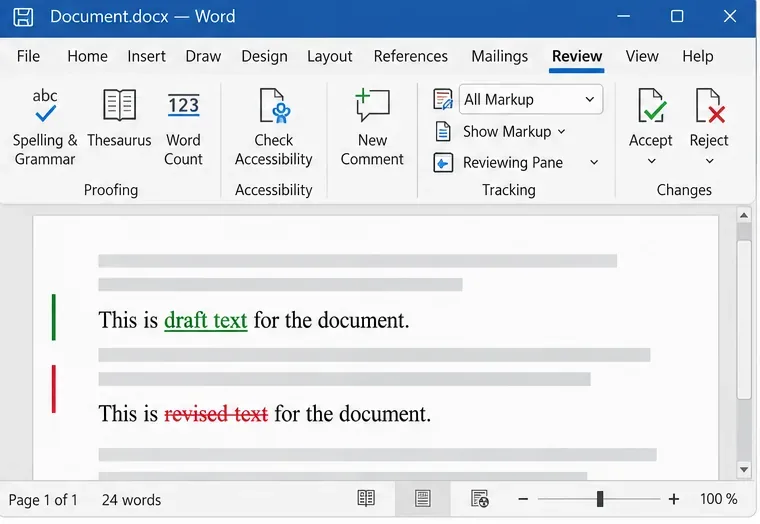
Track edits in Writer, preserve an editable ODT source, and check the exported DOCX in Word before sharing it.
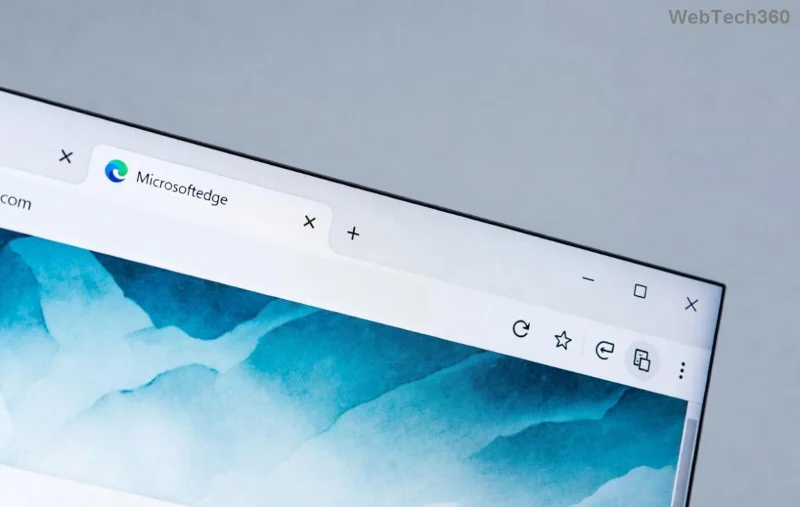
Is your PC grinding to a halt because of Microsoft Edge Startup Boost high disk usage? You're not alone! This feature, designed to launch Edge lightning-fast, often backfires by constantly writing to your disk, spiking usage to 100% and slowing everything down. 😩 Don't worry— we've got your back with simple, effective fixes that work on the latest Edge versions.
In this guide, we'll dive straight into the how to fix Microsoft Edge Startup Boost high disk usage, from quick toggles to advanced tweaks. Follow these steps, and you'll feel the difference immediately. Let's reclaim your disk space and speed! 💪

Startup Boost pre-loads Edge processes at boot to cut launch time by seconds. But it keeps background services running, hammering your HDD or SSD with writes—especially on slower drives. Common symptoms:
✅ Good news: Disabling it is safe and reversible. No data loss, just smoother performance.
The fastest way to stop Microsoft Edge Startup Boost high disk usage is through built-in settings.
Restart Edge and check Task Manager (Ctrl + Shift + Esc). Disk usage should drop instantly! 🎉
If settings don't stick, head to edge://flags.
edge://flags in the address bar.This nukes the feature at its core. Pro tip: Also disable "Hardware Acceleration" if disk issues persist.
For immediate relief:
🔧 Quick table of common culprits:
| Process Name | Why It Spikes Disk | Action |
|---|---|---|
| msedge.exe | Preloads tabs | End task |
| edgewebview.exe | Background services | End task |
| Microsoft Edge Update | Constant checks | Disable in Services |
Bloated cache amplifies disk writes.
Bonus: Run edge://settings/clearBrowserData for speed.
Latest Edge patches fix many disk bugs. Check via three-dot menu > Help and feedback > About Microsoft Edge.
If outdated:
Still stuck? Reset Edge: Settings > Reset settings > Restore settings to default. Keeps bookmarks intact!
Prevent Edge from auto-starting:
For SSD users: Enable TRIM via Command Prompt (admin): fsutil behavior set DisableDeleteNotify 0.
Backup registry first! Press Win + R > regedit.
HKEY_LOCAL_MACHINE\SOFTWARE\Policies\Microsoft\Edge.Source for policy details: Microsoft Edge Policies Docs.
To keep Microsoft Edge Startup Boost high disk usage away:
These steps have helped thousands regain snappy PCs. If issues persist, check for malware with Windows Defender. Your feedback? Drop it below—we're here to help! 👇
Ready to surf smoothly? Apply these now and enjoy the boost—without the bloat! 🚀
Track edits in Writer, preserve an editable ODT source, and check the exported DOCX in Word before sharing it.
Follow SUSE’s SP7 procedure to enable FIPS mode, reboot safely, verify the active policy, and check whether your compliance requirement calls for validated modules.
Compare YaST and cryptsetup for a new encrypted SLES data volume, choose LUKS1 or LUKS2, and verify unlock and mount behavior safely.
Create, refine, and verify a least-privilege AppArmor profile on SLES 15 SP7, with a clear note on SLES 16’s SELinux default.
Set up RMT on SLES 15, mirror entitled repositories, and verify HTTPS registration and package access from a test client.
Connect SLES 15 to AD with YaST’s SSSD-based logon management, then verify directory lookup, domain login, and Kerberos tickets.
Set up the right Live Patching path for SLES 16.0 or 15 SP7, apply eligible kernel fixes, and confirm what is active without confusing it with a reboot-required kernel update.
Load a custom SLES 15 kernel module without disabling Secure Boot. Match the running kernel, sign the .ko file, enroll a MOK key, and verify loading.
SLES 15 SP5 can migrate online to SP6, but each node must reboot. Use a tested rolling upgrade or blue-green cutover to keep workloads reachable.
Use SUSE’s supported STIG profile to scan SLES 15, test remediation, review remaining findings, and retain assessment evidence.








