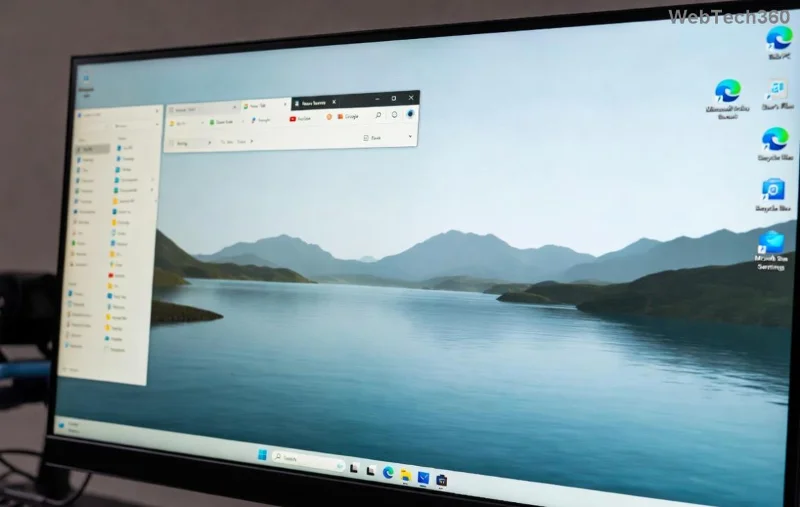
Deploy Shared Pardus Wallpapers and Policies with Lider Ahenk
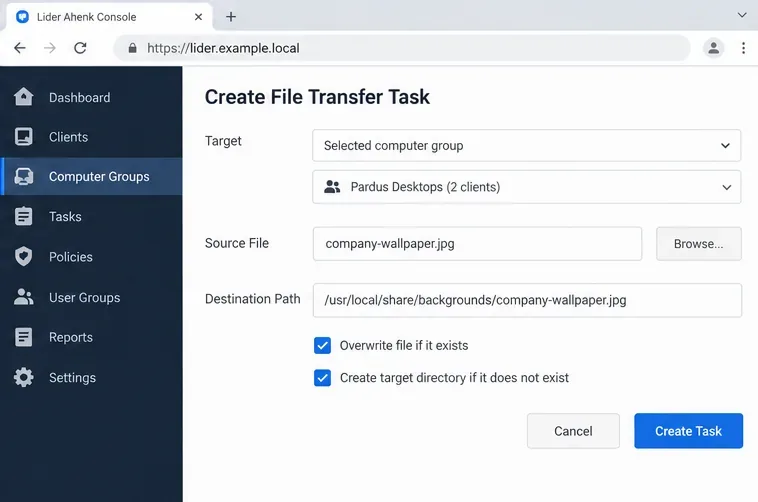
Distribute a custom wallpaper to Pardus clients, configure Xfce or GNOME desktops, and apply Lider Ahenk user policies with safe pilot checks.
Imagine firing up your Windows 11 PC, ready to dive into work or stream your favorite show, only to be hit with the frustrating "DHCP Server Not Found" error. Your internet connection vanishes, leaving you disconnected from the digital world. 😩 Don't worry—this common networking glitch is fixable, and we're here to guide you through it with simple, effective steps. By the end of this article, you'll have your connection back up and running smoothly, feeling empowered and frustration-free.
In this focused guide, we'll break down what causes the Windows 11 DHCP Server Not Found error and provide actionable fixes. Whether it's a router hiccup or a software misconfiguration, we've got you covered with the latest troubleshooting methods. Let's get your network humming again!
The DHCP Server Not Found error occurs when your Windows 11 device can't locate a Dynamic Host Configuration Protocol (DHCP) server on your network. DHCP is like the behind-the-scenes hero that automatically assigns IP addresses to your devices, ensuring they can communicate with your router and the internet.
Without it, your PC might show a limited or no connectivity status, often displaying an APIPA address (like 169.254.x.x) instead of a proper IP. This issue is more prevalent in Windows 11 due to its enhanced security features and network stack updates, but it's not unique—it's reported across home and office setups.
Common culprits include:
Understanding this sets the stage for targeted fixes. Ready to troubleshoot? Let's dive in with the most reliable solutions, starting from the simplest. 👆
Before jumping into advanced tweaks, start with these no-fuss steps. They resolve the issue for most users in under 5 minutes and require no technical expertise.
The classic reboot often clears temporary DHCP glitches. Power cycle your router, modem, and Windows 11 PC:
Why it works: This refreshes the DHCP lease, forcing your device to request a new IP address. If you're back online, you're golden! 🎉
Windows 11's troubleshooter is a smart tool that auto-detects and fixes DHCP Server Not Found issues.
This often resolves IP assignment problems without manual intervention. Pro tip: Run it in Safe Mode if the error persists for deeper diagnostics.
If basic steps don't cut it, let's level up. These methods target deeper network configurations in Windows 11. We'll use Command Prompt for precision—don't worry, we'll keep it straightforward.
Manually releasing and renewing your IP can kickstart the DHCP process.
ipconfig /releaseipconfig /renewipconfig /flushdnsnetsh int ip resetnetsh winsock resetThis flushes out corrupted DHCP data and resets the TCP/IP stack. It's a game-changer for stubborn errors, restoring full connectivity. 👍
Outdated drivers are a frequent cause of Windows 11 DHCP Server Not Found issues, especially after updates.
For the latest drivers, visit your manufacturer's site (e.g., Intel or Realtek). This ensures compatibility with Windows 11's networking protocols.
Your router's DHCP server might be disabled or overwhelmed. Access its settings:
ipconfig in Command Prompt.If you're on a corporate network, contact your IT admin. This fix often uncovers misconfigurations that block Windows 11 from finding the server.
Antivirus or VPNs can block DHCP requests. Temporarily disable them:
If a third-party tool is the issue, add exceptions for network services or update it to the latest version.
To make it even easier, here's a quick-reference table for DHCP Server Not Found scenarios in Windows 11:
| Scenario | Symptoms | Recommended Fix |
|---|---|---|
| Wi-Fi Connection Drops | Intermittent "No Internet" with APIPA IP | Run troubleshooter + Restart router |
| Ethernet Wired Issue | Static IP conflict | ipconfig /release & /renew |
| After Windows Update | Sudden DHCP failure | Update drivers + Winsock reset |
| Multiple Devices Affected | Whole network down | Check router DHCP settings |
This table helps you pinpoint the right fix fast—saving time and reducing hassle. 🌟
Once fixed, keep the issue at bay with these proactive tips:
For more in-depth help, check Microsoft's official support: Fix Wi-Fi issues in Windows.
Congratulations—you've now armed yourself with the tools to conquer the Windows 11 DHCP Server Not Found error! Start with the quick fixes, escalate as needed, and soon you'll be browsing without a hitch. If these steps don't resolve it, consider hardware checks or professional help. Your smooth, connected experience awaits—happy networking! 🚀
Got questions or a unique twist on this error? Drop a comment below—we're here to help keep you online.
Distribute a custom wallpaper to Pardus clients, configure Xfce or GNOME desktops, and apply Lider Ahenk user policies with safe pilot checks.
Fix a 1024 × 768 ceiling by checking SPICE, virtual video, the guest channel, and spice-vdagent—with safe checks when Pardus lacks a package candidate.
Set up the Lider server, configure its installer safely, register Ahenk endpoints, and verify a pilot before expanding central management.
Download the official Pardus 23 desktop ISO, write it safely with Rufus, and boot a Windows PC into a temporary Live session.
Find out why Pardus 23 cannot detect your sound card, then use targeted ALSA, firmware, and PipeWire or PulseAudio checks to restore playback.
Save HamoniKR preferences to external storage, include hidden home folders, and choose a safe restore mode when moving to a fresh installation.
Install and configure xrdp on Pardus, choose the right Xfce session, restrict network access, and verify that remote login works.
Diagnose Pardus 23 APT connection failures, confirm the official yirmiuc sources, and restore apt update without bypassing package signature checks.
Configure printers on Harmonica OS using CUPS, compare driverless IPP with legacy drivers, and verify USB or network printing with a test page.
Use a recovery shell to set a new Harmonica OS root password, with checks for encrypted disks, read-only filesystems, and accounts that use sudo.