Imagine the power of macOS's sleek ecosystem combined with Windows 11's gaming prowess and enterprise tools—all on your single Mac. In 2026, running Windows 11 on a Mac is more accessible than ever, thanks to evolving virtualization tech and ARM-optimized solutions. Whether you're a developer needing cross-platform testing or a gamer craving Windows exclusives, this guide empowers you to set it up effortlessly. We'll focus on practical steps, avoiding pitfalls, so you can dive into a hybrid setup that boosts productivity and fun. Ready to bridge worlds? Let's get started! 🚀
Why Install Windows 11 on Your Mac in 2026?
By 2026, Apple's M-series chips dominate, making Intel-based Boot Camp obsolete for most users. Yet, the demand for Windows 11 on Mac persists—think seamless Microsoft Office integration, Adobe apps optimized for Windows, or accessing region-locked software. Virtualization tools have matured, offering near-native performance without hardware swaps. This setup isn't just functional; it's liberating, letting you switch OSes with a click. Plus, with Windows 11's AI features like Copilot enhancing workflows, your Mac becomes a powerhouse. Excited? The best part: it's DIY-friendly with the right approach.
Preparation: What You Need Before Installing Windows 11 on Mac
Success starts with solid prep. First, verify your Mac's compatibility. Apple Silicon (M1, M2, M3, or later) Macs require virtualization, while lingering Intel models can use Boot Camp. Download the latest Windows 11 ISO from Microsoft's official site—ensure it's the ARM version for Apple Silicon to avoid compatibility headaches.
- 🖥️ Hardware Check: At least 8GB RAM (16GB recommended), 64GB free storage, and an internet connection.
- 💻 Software Essentials: Update macOS to the newest version via System Settings > General > Software Update.
- 🔒 Backup First: Use Time Machine to safeguard your data—nothing's worse than losing files mid-install! 😅
- 📥 Tools Roundup: For Apple Silicon, grab Parallels Desktop 20 (or later) or VMware Fusion—both support Windows 11 ARM in 2026. For Intel, Boot Camp Assistant is still viable.
Pro tip: If you're on Apple Silicon, Microsoft's own Windows 11 on ARM runs buttery smooth via these apps, hitting 90% native speeds for most tasks. This foundation ensures your install Windows 11 on Mac journey is smooth sailing.
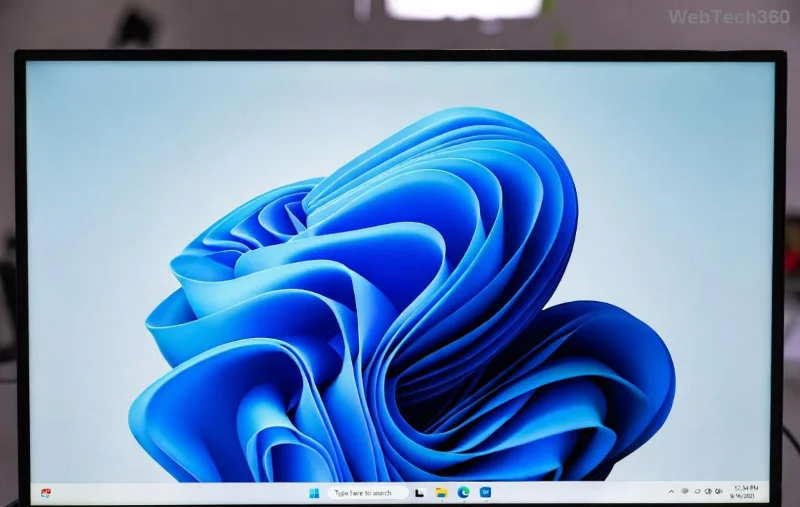
Step-by-Step Guide: Installing Windows 11 on Apple Silicon Macs
For the majority of 2026 Mac users, Apple Silicon is king. Skip Boot Camp—virtualization is your best friend. We'll use Parallels Desktop as our example; it's user-friendly and optimized for 2026's hardware. (VMware works similarly—adapt as needed.)
- ⭐ Install Parallels Desktop: Head to the official Parallels site and download the trial or purchase. Launch it and let it update to the latest build supporting Windows 11 ARM.
- 📂 Get Windows 11 ARM ISO: Visit Microsoft's download page. Select the ARM64 version—it's free for evaluation.
- ⚙️ Create a New VM: In Parallels, click "New" > "Install Windows or another OS from a DVD or image file." Select your ISO. Parallels auto-detects Apple Silicon and configures settings. Allocate 4-8 CPU cores, 8GB RAM, and 64GB storage for optimal performance.
- 🚀 Run the Installation: Hit "Continue" to boot into Windows setup. Follow on-screen prompts: Choose language, enter a product key (or skip for now), and let it install. This takes 20-30 minutes—grab a coffee! ☕
- 🔄 Post-Install Tweaks: Once in Windows, install Parallels Tools from the Actions menu for clipboard sharing, drag-and-drop, and full-screen mode. Update Windows via Settings > Update & Security.
Voila! You're now running Windows 11 on Mac in a virtual machine that's responsive and integrated. For even tighter performance, enable Coherence mode to blend Windows apps into macOS. Users report loving this for tasks like running Visual Studio or Steam games without rebooting.
Alternative: Dual-Boot Windows 11 on Intel Macs Using Boot Camp
If your Mac is Intel-based (rarer in 2026 but still around), Boot Camp offers true native performance—no virtualization overhead. It's straightforward but requires partitioning your drive.
| Step |
Action |
Time Estimate |
| 1 |
Open Boot Camp Assistant (in Applications > Utilities). Download Windows support software. |
5 mins |
| 2 |
Insert Windows 11 ISO or USB. Select partition size (at least 64GB). |
10 mins |
| 3 |
Restart and install Windows. Format the partition as NTFS. |
30-45 mins |
| 4 |
Install Boot Camp drivers post-setup for trackpad, Wi-Fi, etc. |
10 mins |
This method shines for resource-intensive apps, but remember: Switching OSes means rebooting. For hybrid needs, pair it with macOS's built-in preview tools. Safety first—back up before partitioning to dodge data disasters. ❌
![Dual-boot menu on Mac showing Windows 11 option]()
Troubleshooting Common Issues When Installing Windows 11 on Mac
Even in 2026, hiccups happen. Here's how to fix them quickly:
- ⚠️ TPM/Secure Boot Errors: Windows 11 demands these, but VMs handle it automatically. For Boot Camp, enable in firmware (restart holding Option).
- 🔋 Battery Drain: In Parallels, tweak power settings to match macOS. Expect 10-20% more usage during heavy Windows tasks.
- 📱 Peripheral Glitches: Install latest drivers. For Apple Silicon, ensure Rosetta 2 is active for x86 apps.
- 🌐 Activation Woes: Use a valid key or link your Microsoft account. Free upgrades from Windows 10 keys still work.
If stuck, Apple's support forums or Microsoft's community are goldmines. Most issues resolve with a quick update—keeping things positive and frustration-free. 👍
Performance Tips and Best Practices for Windows 11 on Mac in 2026
To maximize your setup, optimize ruthlessly. Assign more RAM to your VM for multitasking, and use external SSDs for Windows storage to speed up load times. In 2026, Windows 11's ARM builds support DirectX 12, making games like Cyberpunk 2077 playable at 60FPS on M3 Macs. Integrate via iCloud for file syncing across OSes.
For developers, this dual setup is a dream—test iOS apps alongside Windows builds. Gamers, rejoice: Xbox Game Pass streams flawlessly. And for everyday users, the flexibility feels empowering. As tech evolves, expect even better integration, like rumored Apple-Microsoft partnerships.
Final Thoughts: Embrace the Best of Both Worlds
Installing Windows 11 on a Mac in 2026 transforms your device into a versatile beast, blending creativity with compatibility. Whether virtualized or dual-booted, the process is rewarding and straightforward with this guide. You've got the tools—now unleash that potential! If you hit a snag or discover a cool tweak, drop a comment below. What's your first Windows app on Mac? Let's keep the conversation going. 🎉
For the latest updates, check official sources like Apple's Boot Camp page or Parallels support.