Home
» How to
»
Instructions to turn off TikTok auto-update
Instructions to turn off TikTok auto-update
While using the latest versions of TikTok gives you a better experience with new features, it may not. Many people do not like setting up TikTok to automatically update and prefer to update the app manually to avoid the app taking up a lot of space on the device. Here is a guide to turn off TikTok auto-update on your phone.
How to turn off automatic TikTok updates iPhone
Step 1:
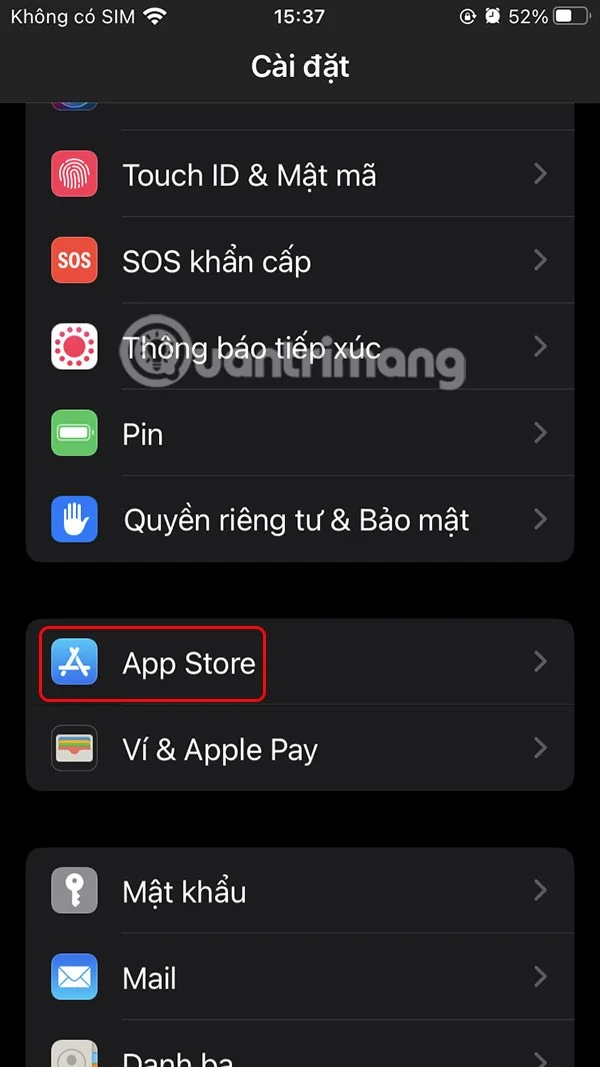
Users access Settings on iPhone then click on App Store in the displayed list.
Step 2:
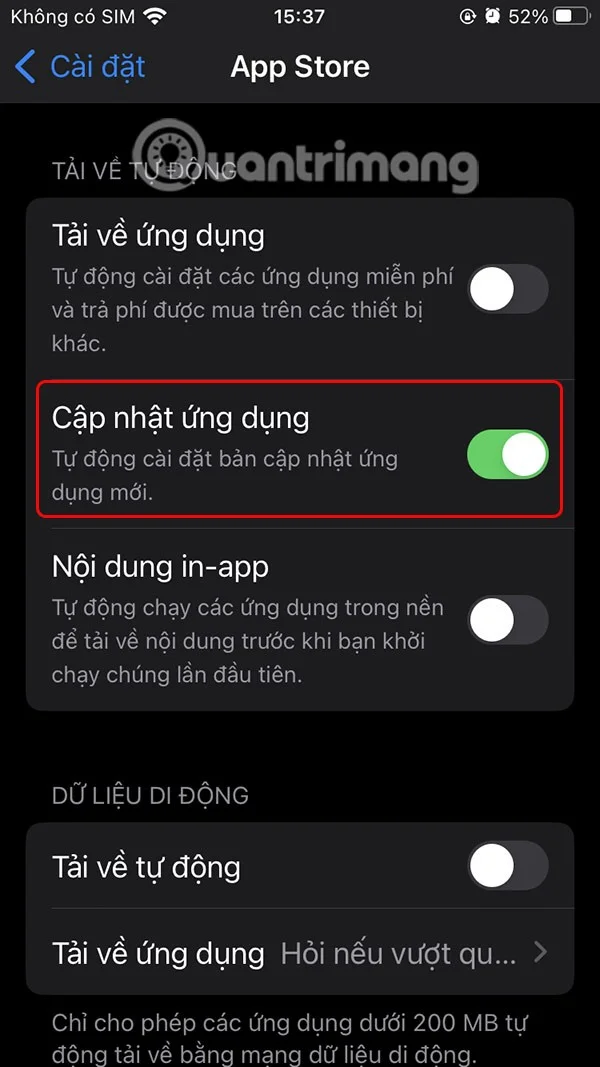
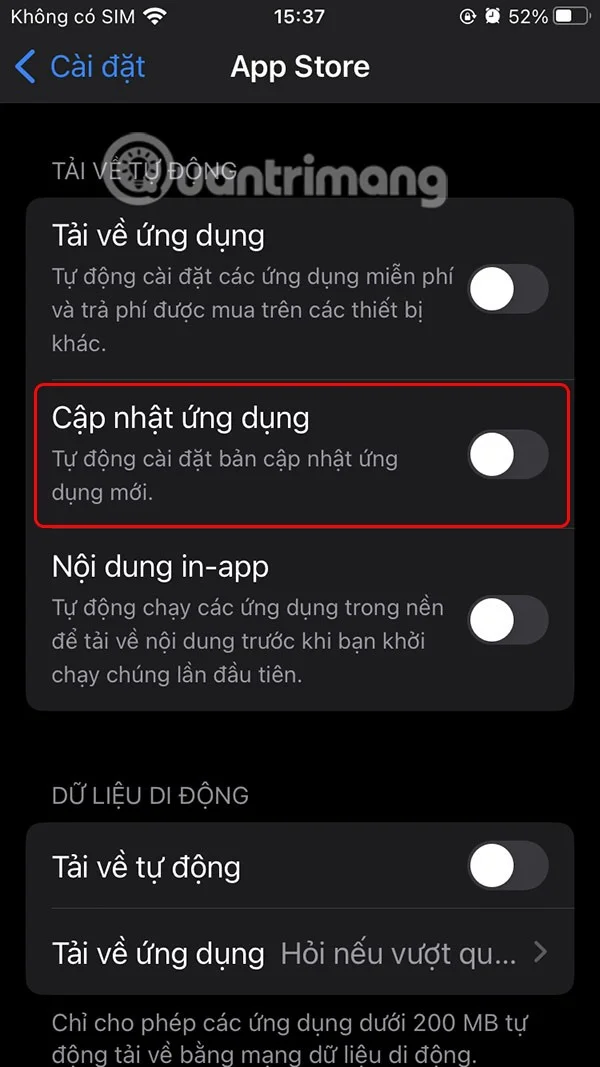
Go to the interface to set up options in the App Store. Now the user turns off the App Update option to apply this setting to all applications in use on the iPhone, including turning off automatic TikTok updates.
How to turn off TikTok auto updates on Android
Step 1:
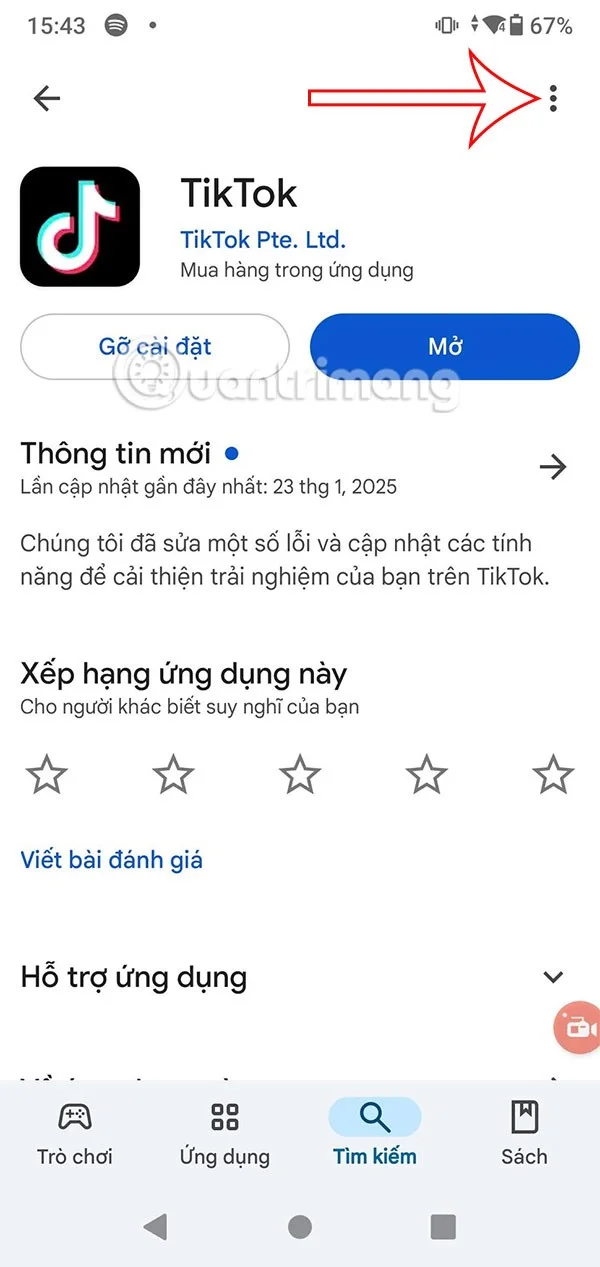
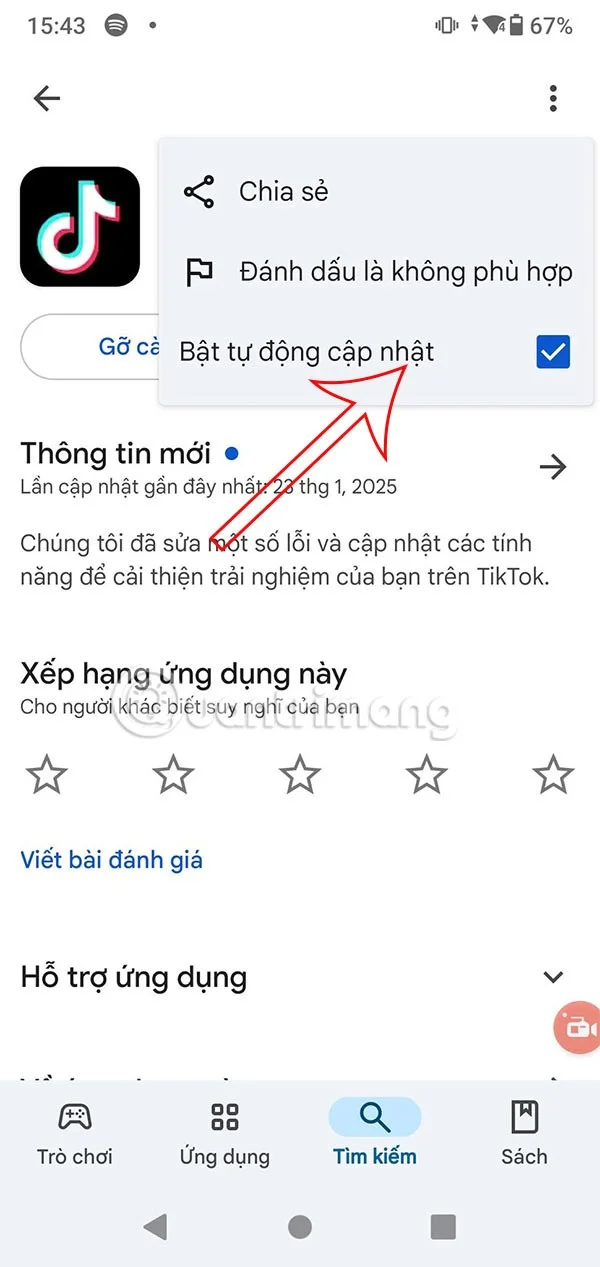
We access the Google Play Store and search for the TikTok application. Next, click on the 3-dot icon in the top right corner of the screen.
Step 2:
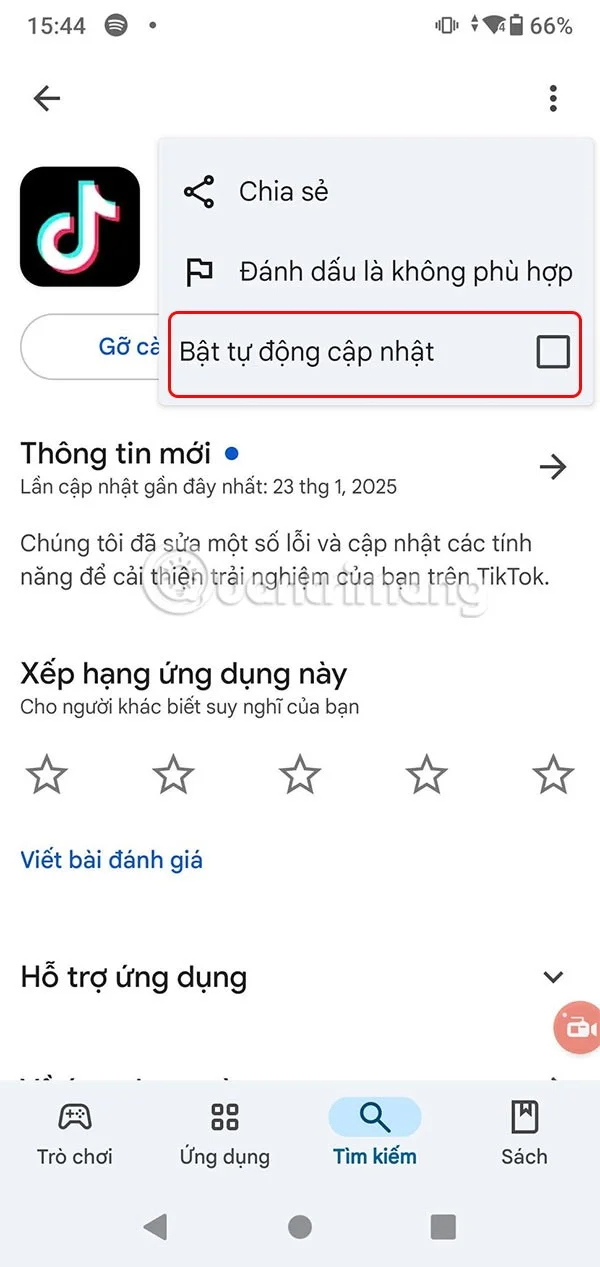
Show menu for TikTok app, you need to uncheck Enable auto-update to turn off auto-update of TikTok app on Android.
This way the TikTok app will no longer update automatically and you will need to manually update it in the Play Store and App Store.