Set Nextcloud’s Public URL So It Can Reach Itself
Fix Nextcloud’s missing outgoing address warning by setting its canonical URL and checking DNS, HTTPS, and reverse-proxy routing from the server itself.
Nextcloud 34.0.2 introduced a bundled Redis-compatible KeyValueCache backend, so current Nextcloud can use Redis without installing PHP’s Redis extension. On a single Ubuntu 24.04 server, use APCu for the fast local cache and Redis for distributed caching and transactional file locking, connected through a Unix socket. This keeps Redis off the network and gives Nextcloud a shared cache that works across PHP requests.
The current Nextcloud 35 Administration Manual documents two Redis paths. For Nextcloud 34.0.2 or later, the recommended KeyValueCache uses Predis bundled with Nextcloud; you install the Redis server and set memcache.kvstore, but do not need php-redis. Older Nextcloud releases use the PhpRedis extension and a different config.php block. Check your version with sudo -u www-data php /var/www/nextcloud/occ status, replacing the path if your installation lives elsewhere.
This guide assumes Nextcloud and Redis run on the same Ubuntu host, the web server runs as www-data, and you manage PHP and Redis directly. If you installed Nextcloud through Snap, AIO, Docker, or another appliance, follow that package’s service and filesystem conventions instead of applying host-level commands blindly. APCu is faster for local caching than Redis, while Redis is suitable for distributed cache and file locks. See the Nextcloud memory caching documentation.
Update Ubuntu’s package index, install the Redis server and APCu PHP module, and enable Redis at boot:
sudo apt update
sudo apt install redis-server php-apcu
sudo systemctl enable --now redis-server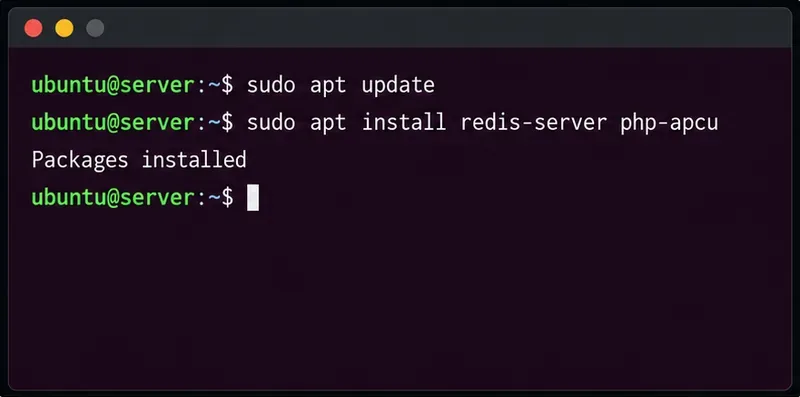
On Ubuntu 24.04, the default PHP line is 8.3, and php-apcu is the distribution package name. Redis is a separate service; APCu is loaded by PHP. Restart the PHP handler after installing APCu so the web-facing PHP process loads the module. If you use PHP-FPM, that is typically php8.3-fpm; if Apache uses mod_php, restart apache2. Check your active service names before restarting.
For this single-host setup, use a Unix socket and turn off Redis’s TCP listener. Edit /etc/redis/redis.conf. Update the existing active directives rather than leaving multiple conflicting copies, then set:
port 0
unixsocket /run/redis/redis-server.sock
unixsocketperm 770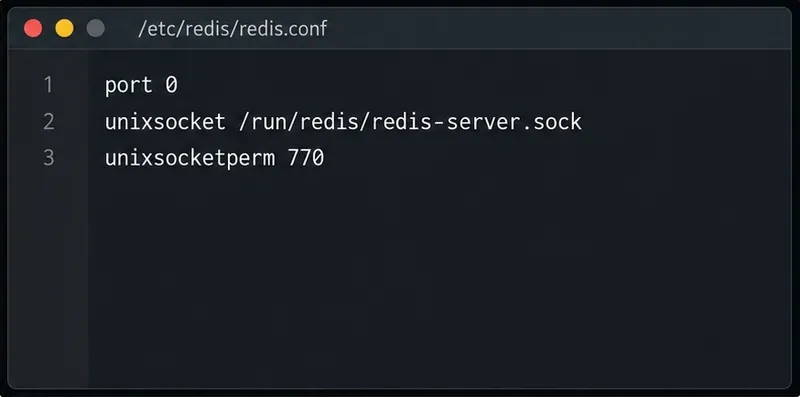
port 0 disables the TCP port; Redis listens through the socket path instead. The permission mode 770 lets the Redis owner and group access the socket while denying access to other local users. Add the web server account to the Redis group:
sudo usermod -aG redis www-data
sudo systemctl restart redis-server
Restart the PHP-FPM service or Apache after changing group membership, because running processes keep their old group list. Use the service that actually runs Nextcloud’s PHP. Redis documentation recommends restricting access to trusted clients; a local socket avoids exposing a cache port on an internet-facing interface. See Redis security guidance.
Back up config/config.php, then add these entries inside the existing PHP configuration array. Do not replace the rest of the file. Use the path where your Nextcloud installation is located.
'memcache.local' => '\OC\Memcache\APCu',
'memcache.distributed' => '\OC\Memcache\KeyValueCache',
'memcache.locking' => '\OC\Memcache\KeyValueCache',
'memcache.kvstore' => [
    'server' => [
        'host' => '/run/redis/redis-server.sock',
    ],
],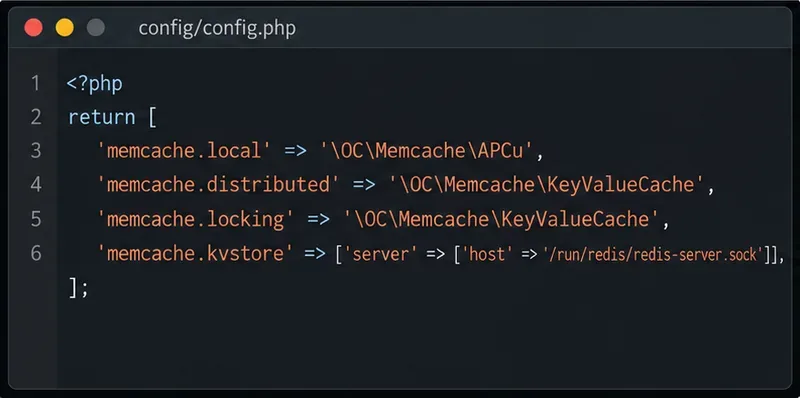
The leading slash in the host path tells Nextcloud’s KeyValueCache to use a Unix socket, so no TCP port or protocol setting is needed. Redis supplies both memcache.distributed and memcache.locking; the latter moves transactional file locks away from the database. Keep memcache.local on APCu for lower-latency local cache access. The exact entries and socket options are in Nextcloud’s KeyValueCache and Unix socket instructions and its transactional file locking guide.
First confirm that the Redis service is active and that the socket answers:
sudo systemctl status redis-server
redis-cli -s /run/redis/redis-server.sock ping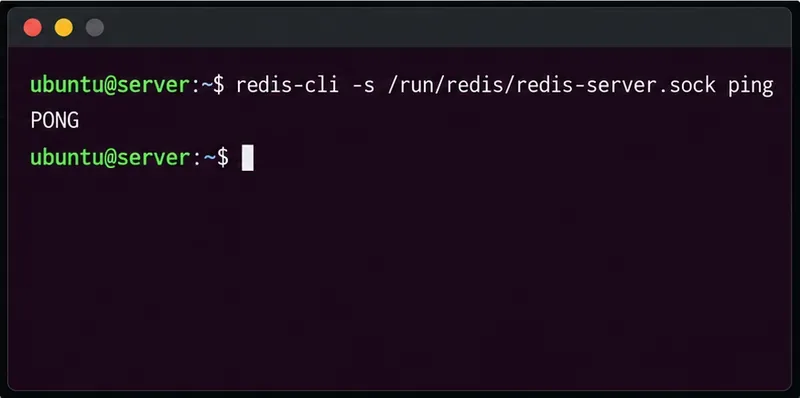
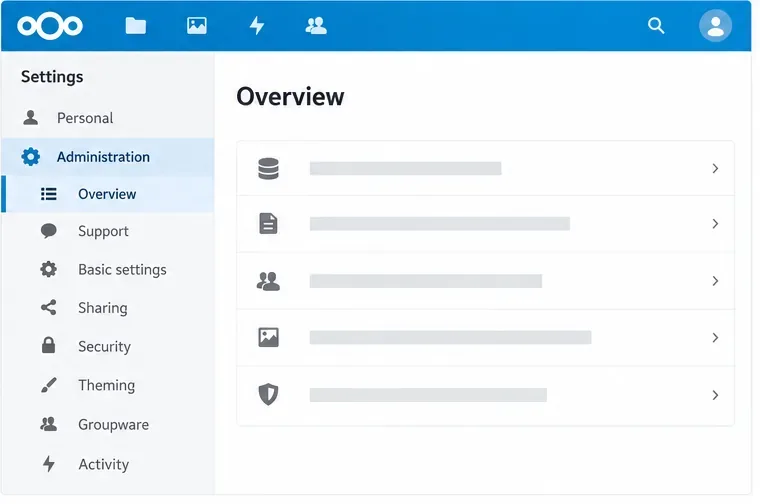
The expected response to the second command is PONG. Then sign in to Nextcloud and open the Administration settings overview. Confirm the local-cache warning is gone, and check the Nextcloud log if a Redis or cache warning remains. You can also run sudo -u www-data php /var/www/nextcloud/occ status to confirm the instance still loads; this command checks Nextcloud availability, not the cache by itself.
If Redis reports “Permission denied” or Nextcloud cannot connect, check that the socket exists, that www-data belongs to the redis group, and that the socket’s group and mode allow access. Restart Redis and the PHP handler after changing group membership. If Redis cannot create the socket, check for a typo in the configured path and inspect sudo journalctl -u redis-server -n 50. Do not solve a socket-permission problem by opening Redis to the public network.
If your Nextcloud version is older than 34.0.2, install the PHP Redis extension that matches the PHP version serving Nextcloud. On a standard Ubuntu 24.04 PHP 8.3 setup, the package is php-redis; Ubuntu lists it as the PHP 8.3 Redis extension. Restart the active PHP handler after installing it. In config.php, use the legacy Redis classes and connection block instead of the KeyValueCache entries above:
'memcache.local' => '\OC\Memcache\APCu',
'memcache.distributed' => '\OC\Memcache\Redis',
'memcache.locking' => '\OC\Memcache\Redis',
'redis' => [
    'host' => '/run/redis/redis-server.sock',
    'port' => 0,
],
Ubuntu’s Noble php-redis package listing confirms the package mapping. Do not configure both backends at once. After saving the matching configuration, repeat the socket ping and Nextcloud admin overview check.
Fix Nextcloud’s missing outgoing address warning by setting its canonical URL and checking DNS, HTTPS, and reverse-proxy routing from the server itself.
Configure APCu and Redis over a local Unix socket for Nextcloud caching and file locking, with steps for current and older Nextcloud releases.
Check Nextcloud’s cron mode, repair its systemd service and timer, and verify that background jobs run after startup and every five minutes.
Enable reliable Nextcloud file locking, choose the right Redis or Valkey backend, and verify the warning clears without risking concurrent file changes.
Fix common Nextcloud scan findings with current updates, HTTPS and HSTS, precise reverse-proxy trust, and checks against the public server.
Back up Nextcloud’s files and MariaDB together, schedule encrypted Restic snapshots with cron, and verify recovery without risking the live server.
Configure Nextcloud SSE for the storage that needs it, protect encryption keys, and measure transfer and CPU impact before encrypting existing files.
Connect Nextcloud’s file search to Elasticsearch, index document contents, and choose a setup that fits your server and security needs.
Configure Nextcloud to remove deleted files after a defined retention period, schedule background jobs reliably, and avoid commands that purge every user’s trash.
Run Nextcloud’s OCC repair safely, preview the database changes, and check why the warning might remain.