Imagine this: You're ready to back up important files or install new software, but your GPT disk suddenly throws a frustrating "write protected" error. 😩 It's a common headache for users dealing with external hard drives, USB sticks, or SSDs formatted in GPT (GUID Partition Table). The good news? This issue is fixable with the right steps. In this guide, we'll walk you through understanding and solving GPT disk "write protected" error efficiently, so you can get back to seamless data management without the stress.
Whether you're on Windows, macOS, or Linux, these methods are based on the latest troubleshooting techniques as of 2026. We'll keep things straightforward, focusing on safe, effective solutions that prioritize your data's security. Let's dive in and reclaim control of your storage device!
What Causes the GPT Disk "Write Protected" Error?
Before jumping into fixes, it's helpful to know why this happens. A GPT disk "write protected" error typically occurs when your disk's partition table (GPT) prevents modifications to protect data integrity. Common culprits include:
- Physical write-protection switch: Many USB drives have a tiny slider on the side.
- Software locks: Antivirus or disk management tools might enable read-only mode.
- Corrupted file system: GPT partitions can get flagged as protected after improper ejection or power loss.
- Permissions issues: User account controls or group policies on your OS.
- Hardware faults: Failing drives might default to write-protection to prevent further damage.
Understanding the root cause helps you choose the best fix. Now, let's tackle it step by step. Follow along, and you'll feel that satisfying click when your disk is unlocked! 🚀
Step 1: Quick Checks for Physical and Basic Fixes
Start with the simplest solutions—they resolve most GPT disk write protected issues without tools.
- Check for a physical switch: Flip the write-protect tab on your USB or SD card if present. Eject and reinsert the disk. This alone fixes it for many users!
- Run Disk Check: On Windows, open Command Prompt as admin and type
chkdsk X: /f (replace X with your drive letter). For macOS, use Disk Utility's First Aid. This repairs minor GPT corruption.
- Update your OS and drivers: Ensure Windows, macOS, or Linux is up to date. Outdated drivers can trigger write-protection on GPT disks.
If these don't work, don't worry—we've got more advanced options ahead. These basics often bring a quick win and keep your data safe. 👍
Step 2: Software Solutions to Remove Write Protection
For stubborn cases, software tweaks can lift the write protected flag from your GPT partition. Always back up data first if possible to avoid risks.
Using Registry Editor on Windows
Windows users, this method targets system-level protections:
- Press Win + R, type
regedit, and hit Enter.
- Navigate to
HKEY_LOCAL_MACHINE\SYSTEM\CurrentControlSet\Control\StorageDevicePolicies.
- If the key doesn't exist, create it. Set
WriteProtect to 0.
- Restart your PC and test the disk.
This disables enforced write-protection for removable GPT disks. Pro tip: Only edit the registry if you're comfortable—it's powerful but precise.
Command-Line Fixes for All OS
Try these universal commands:
| OS |
Command |
Purpose |
| Windows |
diskpart > list disk > select disk X > attributes disk clear readonly |
Clears read-only attribute on GPT disk |
| macOS/Linux |
sudo diskutil eraseDisk free Untitled or hdparm -r0 /dev/sdX |
Resets protection; use with caution |
These commands directly address GPT disk "write protected" error by resetting attributes. Run them in admin/terminal mode for best results.
![Screenshot of diskpart command fixing write protection]()
Step 3: Advanced Fixes with Third-Party Tools
If built-in tools fall short, trusted software can handle complex GPT write-protection. Here's what works in 2026:
- EaseUS Partition Master: Free version scans and removes protection from GPT disks. Download from their official site and follow the "Remove Write Protection" wizard.
- MiniTool Partition Wizard: Excellent for repartitioning without data loss. Select your GPT disk, right-click, and choose "Modify Attributes" to disable read-only.
- DiskGenius: Ideal for deep repairs on corrupted GPT tables. It previews changes, ensuring you don't lose files.
These tools are user-friendly and updated regularly for compatibility with the latest hardware. Remember, scan for malware first—sometimes viruses mimic write-protection errors.
Stuck on a specific OS? The next section tailors advice to keep you moving forward effortlessly.
OS-Specific Tips for Solving GPT Disk Errors
Windows 11/10
Enable writing via Group Policy: Search for "gpedit.msc," go to Computer Configuration > Administrative Templates > System > Removable Storage Access, and set policies to "Not Configured." This unlocks write protected disk restrictions on GPT volumes.
macOS Ventura/Sonoma
In Terminal, use sudo pmset -a disk_sleep 0 to prevent sleep-induced locks, then repair with Disk Utility. For persistent issues, boot into Recovery Mode and run First Aid on the GPT disk.
Linux (Ubuntu/Fedora)
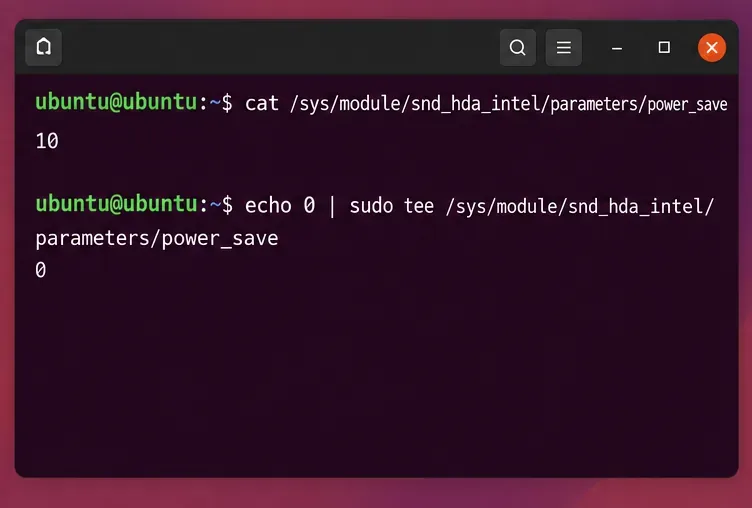
Install udisks2 and use udisksctl power-off -b /dev/sdX to reset, followed by mkfs -t ext4 /dev/sdX1 if reformatting is needed. Always unmount first!
![Cross-platform tools for fixing GPT write protection]()
Preventing Future GPT Disk "Write Protected" Errors
Once fixed, let's ensure it doesn't happen again. Adopt these habits:
- ⭐ Always safely eject disks using the OS tray icon.
- 🔒 Use reliable enclosures for external GPT drives to avoid physical damage.
- 📊 Regularly back up with tools like Time Machine or Windows Backup.
- 🛡️ Keep antivirus updated to block malicious write-locks.
By staying proactive, you'll minimize downtime and keep your workflow smooth. If your disk is under warranty, consider manufacturer support for hardware checks.
When to Seek Professional Help
If none of these steps work and data recovery is critical, don't force it—reach out to pros. Services like those from Seagate or Microsoft Support offer diagnostics. For severe corruption, data recovery experts can salvage GPT partitions without write errors.
Congratulations—you've now got the tools to conquer the GPT disk "write protected" error! 🎉 Apply these fixes, and you'll be editing files in no time. If you have questions or a unique scenario, drop a comment below—we're here to help. Stay organized and error-free!