ONLYOFFICE vs LibreOffice: What Performance Tests Show
See what recent release data can—and cannot—prove, then compare both office suites on the same files and computer.
Chrome isolates audio per tab and per site for security and performance reasons. When a tab mutes automatically or an extension interferes with the Web Audio API, sound stops even though system volume remains active. Before changing system settings, confirm the issue is isolated to Chrome by testing the same site in another browser.
Prerequisites include a stable internet connection for updates and administrator access on your computer to adjust device drivers if needed.
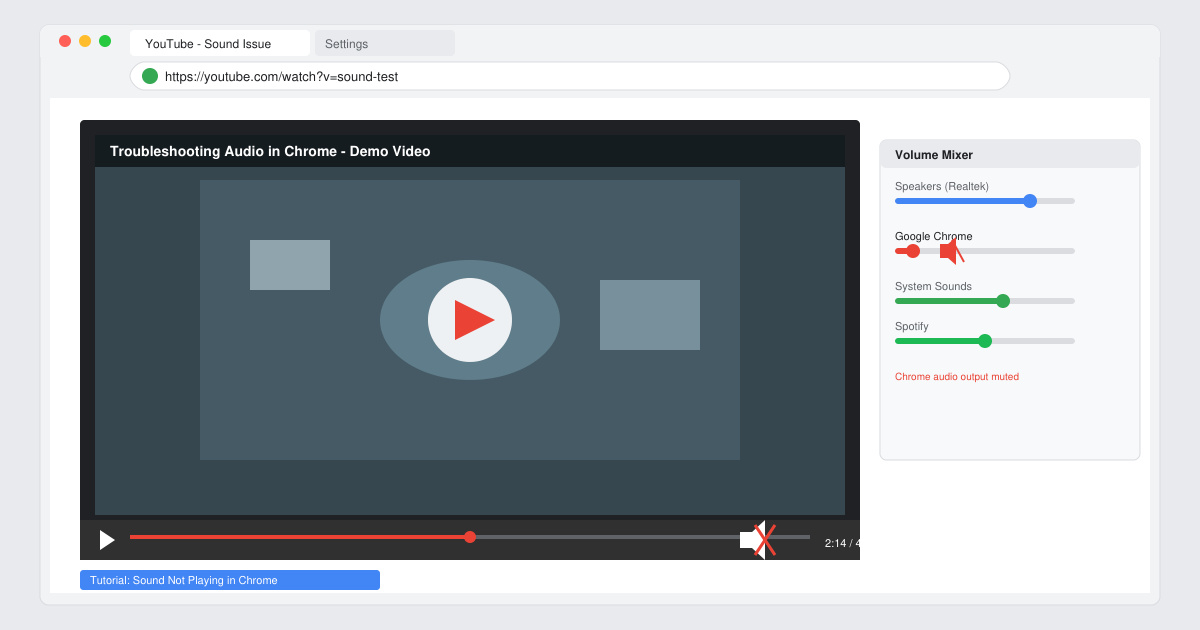
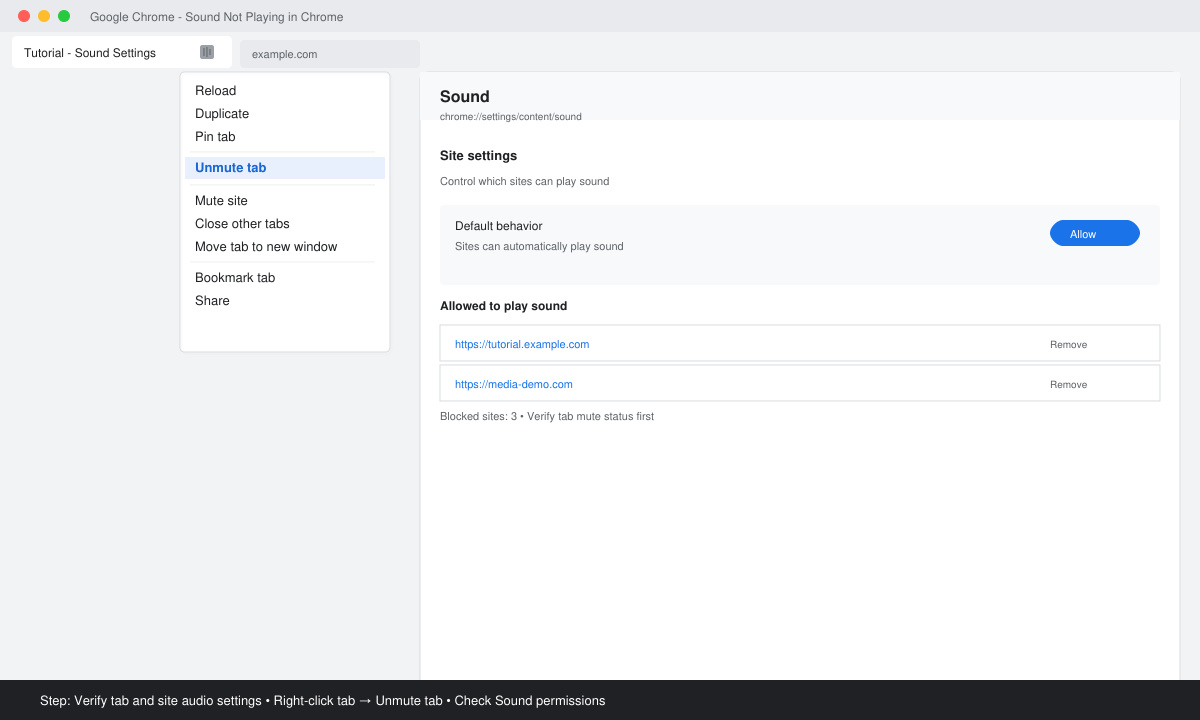
Open the affected tab in Chrome. Click the speaker icon in the address bar if present, or right-click the tab and select Unmute tab. Next, click the three-dot menu, choose Settings, navigate to Privacy and security > Site Settings > Sound, and ensure the site is not listed under Muted.
Click the three-dot menu in the top right, hover over Help, then select About Google Chrome. The browser automatically checks for updates; if an update is available, click Relaunch after installation completes.
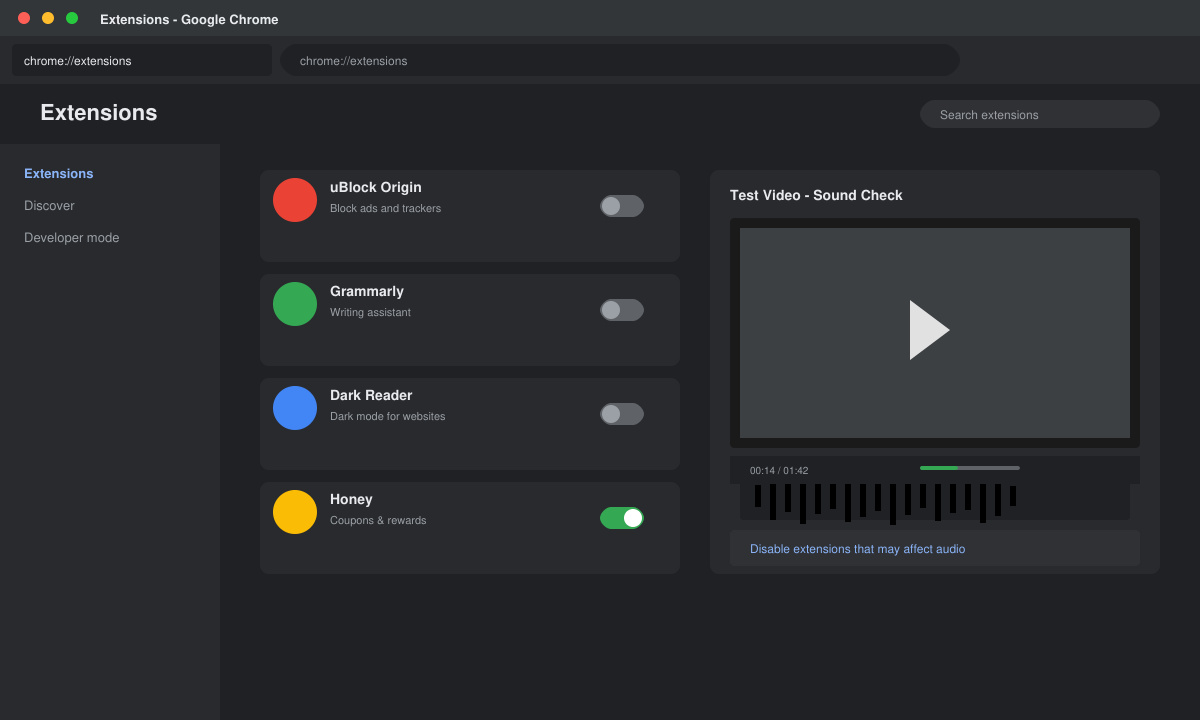
Type chrome://extensions in the address bar and press Enter. Toggle off all extensions one by one, testing audio after each change. Pay special attention to ad blockers, VPNs, and audio enhancers.
Go to chrome://settings/reset. Click Restore settings to their original defaults, then confirm. Separately clear browsing data via chrome://settings/clearBrowserData, selecting Cached images and files for the past 7 days.
On Windows, right-click the speaker icon in the taskbar and open Sound settings; ensure the correct output device is selected and Chrome appears under App volume. On macOS, open System Settings > Sound and confirm output selection while Chrome is active.
Chrome uses its own audio stack that can conflict with certain extensions or flags; other browsers rely on different rendering engines and therefore bypass the same conflicts.
Yes. Most solutions involve only browser-level adjustments such as unmuting tabs, disabling extensions, or resetting settings, which take effect immediately without a full system reboot.
No. Clearing only cached images and files leaves passwords, bookmarks, and history intact when you select that specific option in the clear-data dialog.
Applying the steps above resolves Sound Not Playing in Chrome in the vast majority of cases by addressing the most common causes first.
See what recent release data can—and cannot—prove, then compare both office suites on the same files and computer.
Compare exact matches, left-side lookups, missing-value handling, and version support so you can choose a reliable Calc formula.
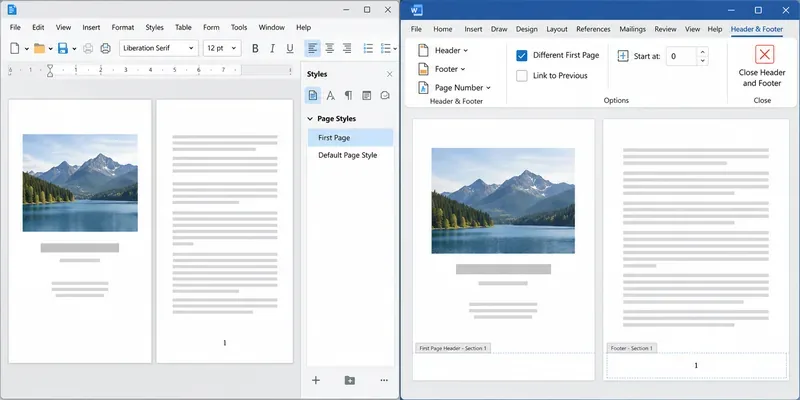
Learn how Writer page styles and Word section links affect cover pages, Roman numerals, and numbering restarts when you move a document.
You've just nailed a great product demo. The energy was right, you handled objections like a pro and you could see the lightbulb moment on your prospect's face. The Zoom call is over, you click “End Recording,” and you feel great.
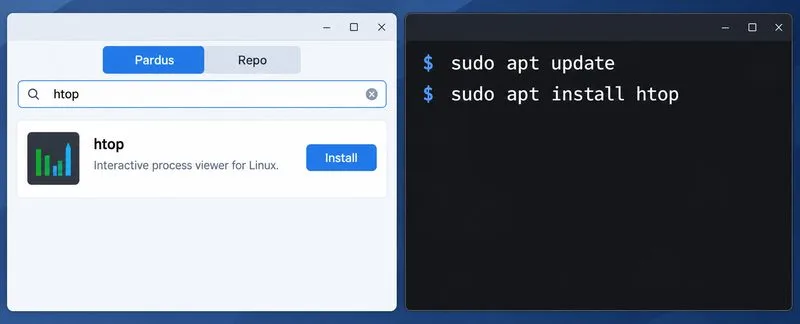
Compare Pardus Software Center with APT commands to find, install, remove, and update packages using the method that fits your task.
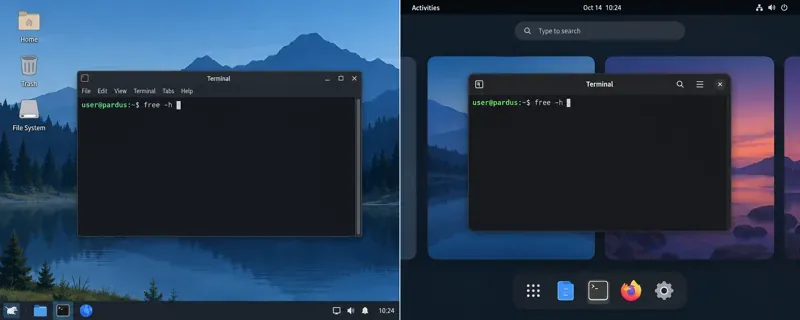
See what Pardus’s published RAM requirements mean, then compare XFCE and GNOME on the same PC with repeatable MemAvailable readings.
See where HamoniKR 8.0 fits in a business desktop plan, what its Korean-focused features support, and what to verify before a wider rollout.
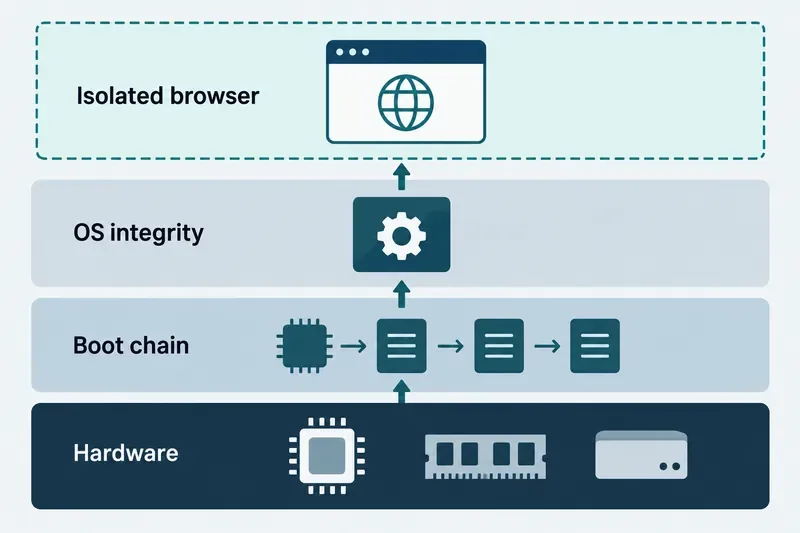
Understand how Gooroom’s boot verification and runtime protections fit together, what “sandbox” means, and which settings you should verify on your device.
Compare HamoniKR 8.0 LTS and Lite requirements, then test Wi-Fi, graphics, and laptop controls from a live USB before installing.
Compare the current SLES and RHEL baselines, understand why kernel numbers do not predict speed, and build a fair test around your real server workload.