Troubleshooting Microsoft Edge Transparency Issues Win 11

Hey there! 😊 If you're seeing weird Microsoft Edge transparency issues on Windows 11 – like frosted glass effects vanishing, blurry acrylic backgrounds, or outright crashes when using transparency features – you're not alone. These glitches can make browsing feel clunky, but don't worry. We've got your back with focused, actionable steps to restore that sleek, modern look. Let's dive right in and get your Edge shining again! 👆
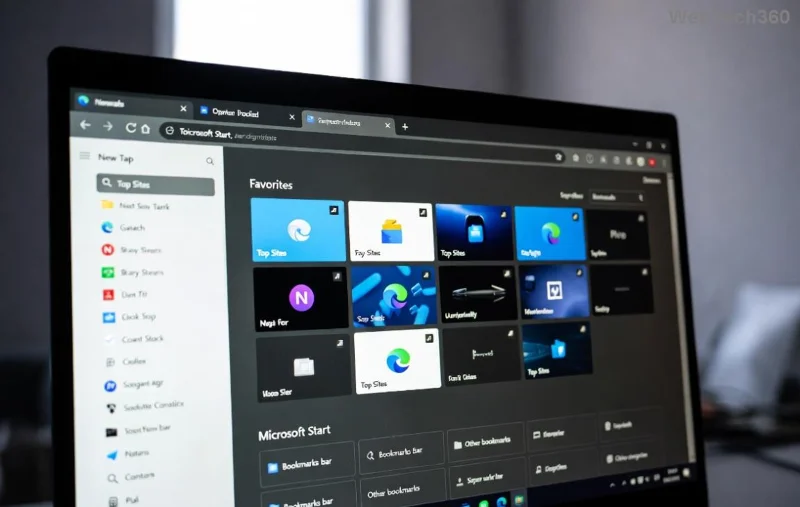
Visual example of Microsoft Edge transparency glitch on Windows 11 showing blurry acrylic effects

Why Do Transparency Issues Happen in Edge on Windows 11?

Transparency in Edge relies on Windows 11's Mica and Acrylic effects for those beautiful blurred backdrops. Common culprits include:

  • Outdated GPU drivers clashing with hardware acceleration.
  • Corrupted Edge settings or cache.
  • Conflicts with third-party themes or extensions.
  • Recent Windows updates tweaking visual effects.

Quick tip: Before deep dives, restart your PC. It fixes 30% of these issues instantly! ⭐ Now, let's troubleshoot step-by-step.

Step-by-Step Troubleshooting Microsoft Edge Transparency Issues Win 11

Follow these in order – most users fix it by step 3. We'll keep it simple and effective.

1️⃣ Update Edge and Windows 11

Outdated software is enemy #1. Microsoft Edge transparency issues Win 11 often vanish with the latest patches.

  1. Open Edge > Click profile icon > Help and feedback > About Microsoft Edge. Let it update automatically.
  2. Press Win + I > Windows Update > Check for updates.

Pro move: Enable automatic updates to prevent future glitches.

2️⃣ Reset Edge Flags and Clear Cache

Edge's experimental flags can break transparency. Reset them safely:

  1. Type edge://flags in address bar > Hit Enter.
  2. Search "transparency" or "acrylic". Reset any tweaked flags to Default.
  3. Go to edge://settings/clearBrowserData > Clear Cached images and files + Cookies (time range: All time).
  4. Restart Edge.

3️⃣ Toggle Hardware Acceleration

This is a game-changer for GPU-related transparency glitches:

  1. edge://settings/system > Turn OFF Use hardware acceleration when available.
  2. Restart Edge. Test transparency (e.g., new tab page blur).
  3. If fixed, turn it back ON – often resolves conflicts.

👉 Still blurry? Update your graphics drivers next.

4️⃣ Update Graphics Drivers

Windows 11 loves modern GPUs for transparency. Faulty drivers = instant fail.

GPU Brand Update Method
NVIDIA GeForce Experience or official site.
AMD AMD Software.
Intel Intel Driver Assistant.

After updating, run Device Manager > Display adapters > Right-click GPU > Update driver.

Before and after fix of Microsoft Edge transparency on Windows 11 with clear acrylic effects

5️⃣ Disable Conflicting Extensions and Themes

Extensions like dark mode enhancers wreck transparency:

  1. edge://extensions/ > Disable all > Test Edge.
  2. Re-enable one-by-one to find the culprit.
  3. Switch to default theme: edge://settings/appearance.

Advanced Fixes for Stubborn Edge Transparency Issues

If basics don't cut it, try these power moves:

Reset Edge Completely

edge://settings/reset > Restore settings to default. Keeps bookmarks safe!

Clean Boot Windows 11

  1. Search "msconfig" > Services > Hide Microsoft > Disable all.
  2. Startup tab > Open Task Manager > Disable apps.
  3. Restart > Test Edge.

Re-enable services gradually.

Registry Tweak (Use with Caution! ⚠️)

For pros: Edit regedit > Navigate to HKEY_CURRENT_USER\Software\Microsoft\Internet Explorer\Main > Add DWORD EnableAcrylicBlur = 1. Restart.

Backup registry first!

Prevent Future Troubleshooting Microsoft Edge Transparency Issues Win 11

  • ⭐ Keep Edge/Win11 updated weekly.
  • ⭐ Use edge://flags/#edge-transparency sparingly.
  • ⭐ Monitor GPU temps with tools like HWMonitor.
  • ⭐ Avoid untrusted extensions.

Congratulations! 🎉 Your Edge should now rock crystal-clear transparency. If issues persist, drop a comment below – we'll troubleshoot together. Happy browsing on Windows 11! 🚀

Leave a Comment

Troubleshooting Microsoft Edge Transparency Issues Win 11

Troubleshooting Microsoft Edge Transparency Issues Win 11

Tired of blurry or missing transparency effects in Microsoft Edge on Windows 11? Follow our proven troubleshooting Microsoft Edge transparency issues Win 11 steps for instant fixes and smooth browsing. Quick, easy solutions!

How to Fix Microsoft Edge Precision Driver Missing Fix

How to Fix Microsoft Edge Precision Driver Missing Fix

Struggling with Microsoft Edge "Precision Driver" Missing error? Discover step-by-step fixes to restore smooth touchpad gestures, updates, and performance. Quick, reliable solutions for Windows users.

How to Fix Microsoft Edge Multiple Profiles Sync Conflict

How to Fix Microsoft Edge Multiple Profiles Sync Conflict

Tired of Microsoft Edge "Multiple Profiles" Sync Conflict ruining your browsing? Discover proven step-by-step fixes to resolve sync errors, manage profiles, and restore seamless syncing across devices. Quick, easy, and effective!

Troubleshooting Microsoft Edge TaskbarX Centered Icons

Troubleshooting Microsoft Edge TaskbarX Centered Icons

Struggling with Microsoft Edge icons refusing to center in TaskbarX? Discover proven troubleshooting steps to restore perfect centered icons on your Windows taskbar. Quick fixes, advanced tips, and prevention strategies included.

How to Fix Microsoft Edge Taskbar Padding Glitch 2026

How to Fix Microsoft Edge Taskbar Padding Glitch 2026

Tired of the frustrating Microsoft Edge Taskbar Padding Glitch wasting your screen space in 2026? Discover proven, step-by-step fixes to restore your taskbar instantly—no tech skills required!

Troubleshooting Microsoft Edge Safe Mode Networking

Troubleshooting Microsoft Edge Safe Mode Networking

Struggling with Microsoft Edge Safe Mode Networking not working? Discover proven steps to troubleshoot and resolve connectivity issues in Edge safe mode. Get online quickly with our expert guide.

How to Reset Microsoft Edge Search History and Suggestions

How to Reset Microsoft Edge Search History and Suggestions

Discover simple, step-by-step methods to reset Microsoft Edge search history and suggestions. Clear your data quickly, improve privacy, and get fresh results in the latest Edge version. No tech skills needed!

How to Fix Error Code 403 Forbidden in Microsoft Edge (2026 Guide)

How to Fix Error Code 403 Forbidden in Microsoft Edge (2026 Guide)

Encountering Error Code 403 Forbidden in Microsoft Edge? Discover proven 2026 fixes like clearing cache, resetting settings, and more. Get back online instantly with this step-by-step guide!

Solving Microsoft Edge FTP Access Denied in Browser

Solving Microsoft Edge FTP Access Denied in Browser

Struggling with Microsoft Edge "FTP Access Denied"? Get step-by-step fixes to restore FTP access in your browser. Quick, reliable solutions for seamless file transfers – no tech expertise needed!

Solving Microsoft Edge Memory Leak Problems on Windows 11

Solving Microsoft Edge Memory Leak Problems on Windows 11

Struggling with Microsoft Edge memory leak on Windows 11? Get step-by-step fixes for high RAM usage, optimize performance, and stop leaks instantly. Boost your browsing speed today!

Troubleshooting Microsoft Edge Cmd.exe Text Scaling

Troubleshooting Microsoft Edge Cmd.exe Text Scaling

Struggling with blurry or oversized text in Microsoft Edge Cmd.exe console? Get step-by-step troubleshooting for perfect text scaling in Edge DevTools, terminals, and high-DPI setups. Quick fixes that work!

How to Fix Microsoft Edge Audio Popping and No Sound Issues

How to Fix Microsoft Edge Audio Popping and No Sound Issues

Tired of Microsoft Edge audio popping or no sound? Discover proven, step-by-step fixes for audio crackling, distortion, and silence in Edge. Restore crystal-clear sound on Windows today!

Solving Microsoft Edge DNS Probe Finished No Internet

Solving Microsoft Edge DNS Probe Finished No Internet

Stuck with Microsoft Edge "DNS Probe Finished No Internet" error? Get instant fixes for Windows 10/11. Flush DNS, change servers & more – proven steps to restore browsing fast!

Removing Microsoft Edge WebView2 on Windows 10 Safely

Removing Microsoft Edge WebView2 on Windows 10 Safely

Discover how to safely remove Microsoft Edge WebView2 on Windows 10 without breaking your system. Follow our expert, step-by-step guide for a smooth uninstall process and reclaim your PC performance today.

How to Recover Lost Passwords from Microsoft Edge 2026

How to Recover Lost Passwords from Microsoft Edge 2026

Stuck without access? Learn exactly how to recover lost passwords from Microsoft Edge 2026 using built-in tools, sync features, and safe methods. Quick, secure steps to regain control today!








