Plan a Halloween Game Night With Tarot, Mahjong, and More

Choose Halloween party games by group size, experience, and mood, with simple ways to make tarot and mahjong welcoming for every guest.
Quick view
1. Disadvantages when the refrigerator is frozen
2. The structure of the refrigerator does not freeze
3. Benefits of using a refrigerator that does not freeze
4. Some inexpensive refrigerators have snow-free technology
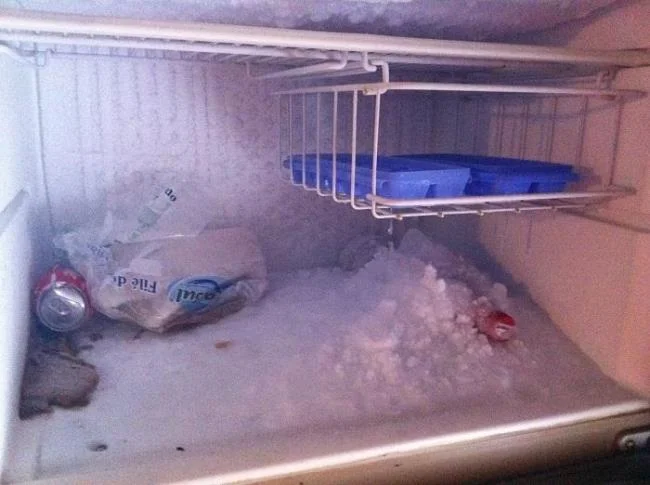
When the refrigerator is operating for a short time, a layer of ice will appear around the freezer compartment. This often makes your refrigerator inefficiently operated, the power consumption when the refrigerator is frozen is many times larger than normal. In general, when your refrigerator is frozen, you face directly with the following problems:
+ Loss of food storage space : The snow layer too thick will reduce the capacity of the refrigerator.
+ Waste money: When the snow is thickened, it will make you consume a lot of electricity because the cold air does not spread to the food because it is blocked by the snow.
+ Spend time cleaning: When the refrigerator is closed too much snow, you have to spend time cleaning and defrosting cleaning if you do not want to completely lose the food storage space of the freezer.
Because of the above difficulties, scientists have studied to the extremely convenient non-freezing refrigerator.
A non-freezing refrigerator consists of three basic parts: a timer, a heating coil, and a temperature sensor.
The working principle of this technology is as follows: The timer will time the time about 6 hours, will activate the heating coil. This coil is wound around the cooling wire. The temperature at this time will melt the snow that is stuck around the coils. When the snow melts, the temperature sensor detects and reduces the temperature down to 0 degrees C and turns off the heating wire, at which point the refrigerant wire continues to supply cold steam to the refrigerator.
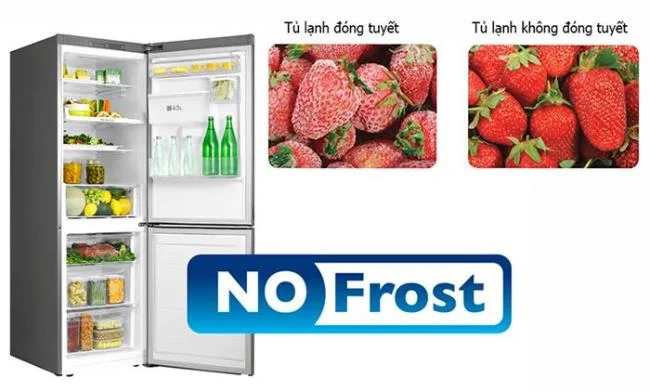
In addition, the refrigerator also has a fan system, which helps to provide an even flow of cold air throughout the refrigerator, keeps food from rancid, preserves longer time as well as prevents the refrigerator from getting bad smells caused by the inter-air. kept in circulation.
When using a refrigerator that does not freeze, first of all, you must realize that you will use 100% of the food storage space completely, helping to preserve food better . Besides, users do not need to worry too much about wasting time on cleaning and defrosting fatigue and complications.
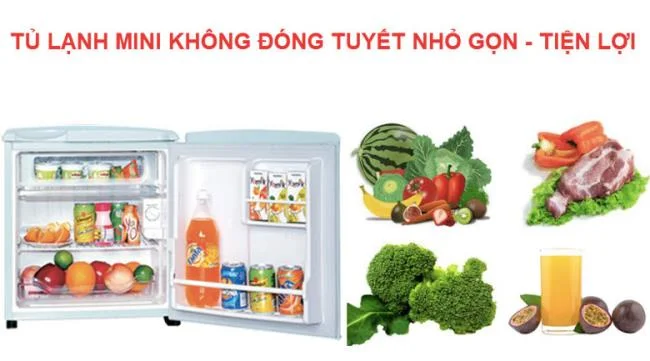
Currently, refrigerator manufacturers LG , Samsung , Toshiba , Panasonic ... all show their concern to customers when launching a series of good-priced refrigerators with non-freezing technology, such as:
It can be said that refrigerators using non-freezing technology are indeed very convenient, right? How do you feel about refrigerators with this technology? Leave your comments below the article!
Choose Halloween party games by group size, experience, and mood, with simple ways to make tarot and mahjong welcoming for every guest.
Compare 2026 dog Halloween costume trends by search interest, fit, comfort, and mobility—from hot dog and shark looks to simple bandanas.
Learn how the Gravity Falls-inspired summer Halloween works, choose a date and celebration style, and plan a low-stress Summerween party.
Plan an inclusive virtual Halloween party for remote teams with time-zone-friendly scheduling, simple games, accessible options, and a practical hosting checklist.
Explore seven Halloween team building games for the workplace, with quick rules, hybrid-friendly options, accessibility tips, and practical safety guidance.
Mix a glossy prop-only fake blood batch, choose safer products for skin and costumes, and test cleanup before Halloween night.
Create a gentle Halloween look with pastel colors, friendly ghosts, easy no-carve accents, and practical safety tips for your home.
Create a spooky office cubicle with Halloween desk decor ideas that keep your workspace usable, tidy, and mindful of workplace safety.
Plan a recognizable Halloween 2026 look with pop culture costumes inspired by Spider-Man, Supergirl, Toy Story 5, Moana, Mario, and Wednesday.
Sort leftover Halloween candy safely, share or repurpose sealed treats, and choose food use or compost for pumpkins based on their condition.








