
Windows 11s built-in security tools cant protect you from these threats

Windows today is much better at protecting your security than it used to be, but Windows Security and its associated tools are still not perfect. You need to be on the lookout for threats that computer security doesn't have a solution for.

5. Phishing and Social Engineering

Many of the most common security threats you face today aren't sophisticated malware, like traditional computer viruses. Instead, attackers take advantage of human psychology (called social engineering ) to manipulate you into giving away personal information without even realizing you're giving it to the scammer.

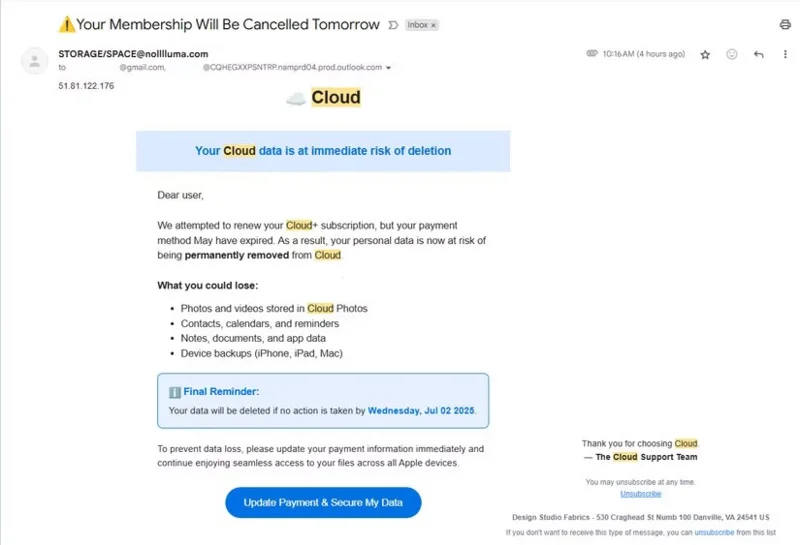
This can take many forms. Phishing emails , such as the “cloud storage is full” fake emails that people often receive, are a good example. By tricking you into “confirming” your credit card information or account login information on a fake website, these attacks don’t require cracking Windows security tools.
Windows 11's built-in security tools can't protect you from these threats

While Windows Security does protect you from some phishing sites ( App & browser control > Reputation-based protection settings > Warn me about malicious apps and sites ), it's not perfect. When reporting on scams, writers sometimes open fake sites to better describe them, and don't always have to bypass security warnings to access them.

4. Weak account security and data breaches

While poor password habits may not be a direct threat to your Windows PC, they are still a serious problem. If you use short, weak passwords for your accounts, Windows Security won’t alert you to the problem. It won’t give you guidance on whether your password is strong enough, or when two-factor authentication is available for one of your accounts but you’re not using it.

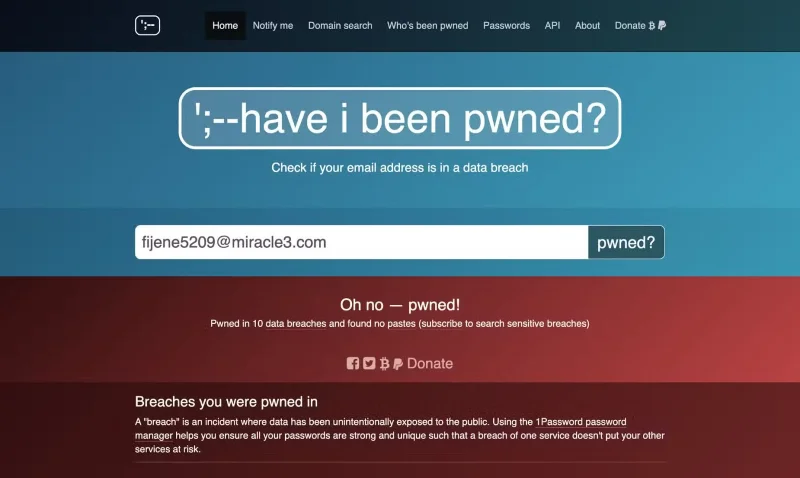
Data breaches are also out of the control of Windows Security. If a website is breached, your passwords, credit card information, or other personal information could be leaked to the Internet (no matter how strong your password is). Windows tools also won't alert you when a website has been breached, like Have I Been Pwned?.

Windows 11's built-in security tools can't protect you from these threats
The Have I Been Pwned website is used to check if your email has been compromised.

3. Zero-Day Attack

Zero-Day attacks are very difficult for security tools to defend against. The term refers to completely new vulnerabilities that manufacturers have “0 days” to address. Since they haven’t been updated to cover the new attacks, Windows Security won’t detect them.

The usual fix for these vulnerabilities is an emergency patch, illustrating the importance of keeping Windows up to date .

2. Exploiting outdated applications

The applications on your computer can be just as dangerous an attack surface as Windows itself. Outdated applications with known vulnerabilities provide a way for malicious attackers to get into your system. Many people have made this mistake; they have dozens of programs installed on their computers that just sit dormant because they are rarely used.

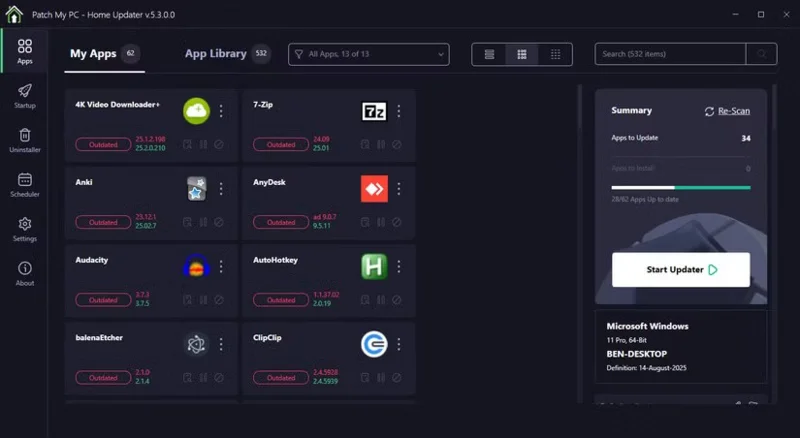
Unless they're Microsoft Store apps, they won't update automatically. You'll need to run a PC updater like Patch My PC to install regular updates without spending hours clicking "next" prompts. Otherwise, attackers have another surface to compromise your system.

Windows 11's built-in security tools can't protect you from these threats
Patch My PC Home Updater on Windows

1. Attacks on other devices

We focus on comprehensive security, not just locking down Windows devices. We've looked at why Windows Security can't protect your data on much of the Internet; it's similar to identifying common attacks on other platforms.

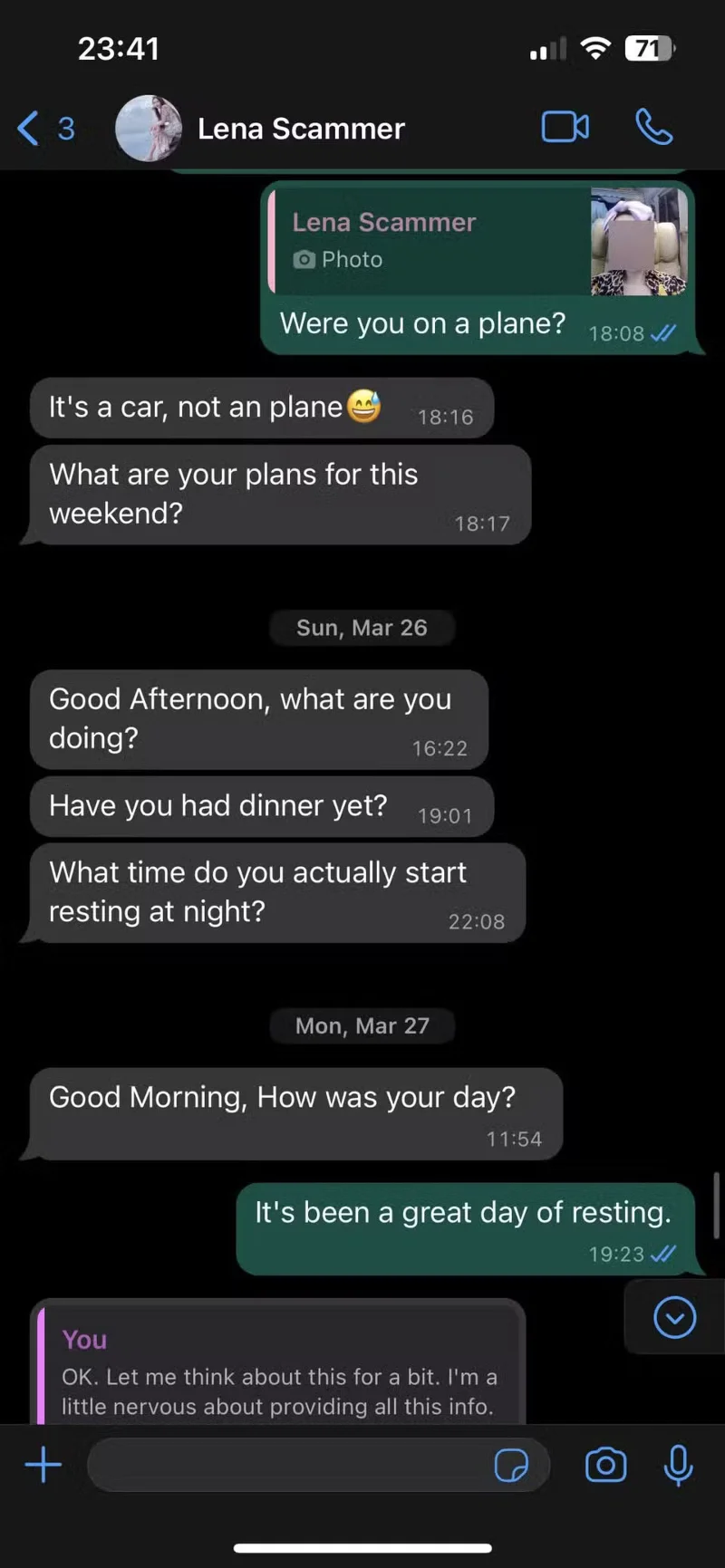
Good security practices are largely the same across devices these days. Android, iOS, and macOS all have built-in security protections, and the same advice about not clicking on strange email attachments and being wary of “urgent” emails applies there. But on your phone in particular, scammers can try to manipulate you in ways they wouldn’t on a PC.

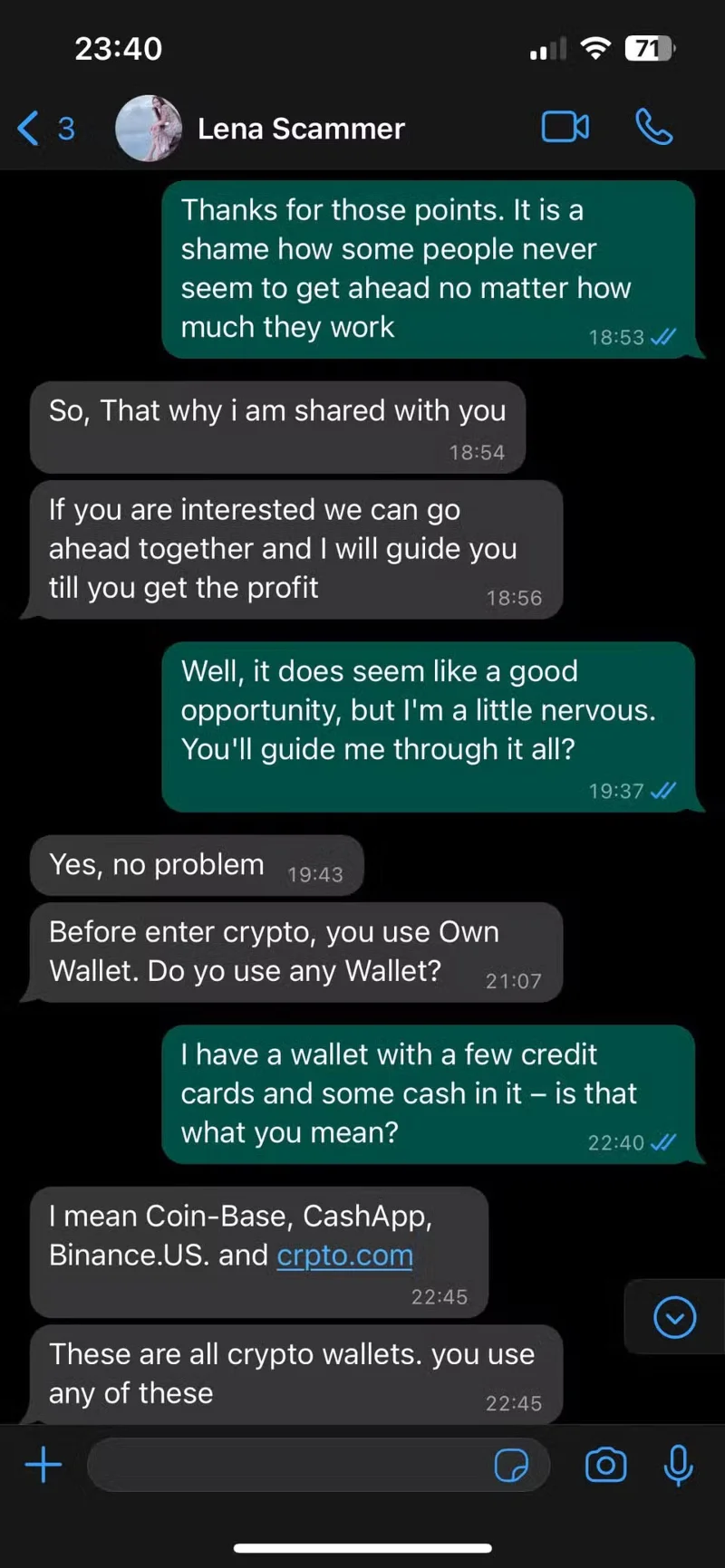
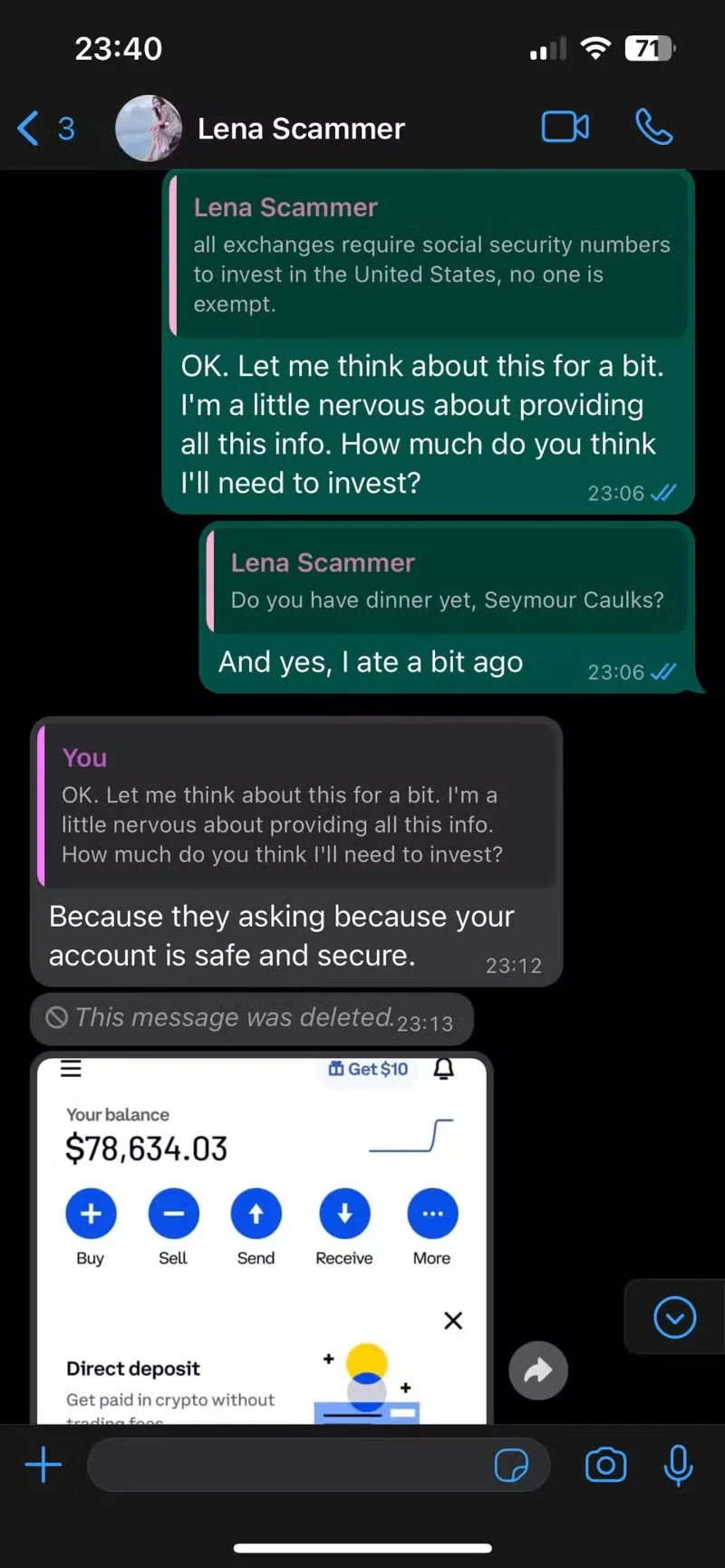
One of the most common examples of this is romance scams, where a random person texts you, pretends they dialed the wrong number, and then says they want to be friends. In one of these “scam” schemes, the scammer tries to romanticize you and then trick you into sending them cryptocurrency, pretending you’re “investing” in their awesome platform.

Windows 11's built-in security tools can't protect you from these threats
Tags: #System
Sign up and earn $1000 a day ⋙

Leave a Comment

Fix Windows Error Code 0xc0000098: Backup ACPI.sys to Prevent Boot Failure

Fix Windows Error Code 0xc0000098: Backup ACPI.sys to Prevent Boot Failure

Error code 0xc0000098 in Windows causes a blue screen error on startup. The ACPI.sys driver is often to blame, especially on unsupported versions of Windows 11 like 23H2 or 22H2 or Windows 10.

Quickly fix Windows 10/8/7 computer error that freezes and cannot exit Safe Mode

Quickly fix Windows 10/8/7 computer error that freezes and cannot exit Safe Mode

In some cases, sometimes you start your computer in Safe Mode and the computer freezes. So how to fix the error in this case, please refer to the article below of WebTech360.

How to fix Snipping Tool keeps showing error

How to fix Snipping Tool keeps showing error

Snipping Tool is a powerful photo and video capture tool on Windows. However, this tool sometimes has some errors, such as constantly displaying on the screen.

How to get the fastest internet connection from your router

How to get the fastest internet connection from your router

Every network has a router to access the Internet, but not everyone knows how to make the router work better. In this article, we will introduce some router tips to help speed up the wireless connection in the network.

Common Mistakes When Performing Internet Speed ​​Tests

Common Mistakes When Performing Internet Speed ​​Tests

If the results seem slower than expected, don't be too quick to blame your ISP - mistakes when performing the test can skew your numbers.

What is QoS? How to use QoS for faster Internet speeds when you need it most

What is QoS? How to use QoS for faster Internet speeds when you need it most

In the article below, we will introduce and guide you to learn about the concept of QoS - Quality of Service on router devices.

Why cant this built-in Credential Manager feature in Windows replace a password manager?

Why cant this built-in Credential Manager feature in Windows replace a password manager?

Windows has a built-in Credential Manager, but it's not what you think it is—and certainly not a replacement for a password manager.

How to install free HEVC codecs on Windows 10 (for H.265 video)

How to install free HEVC codecs on Windows 10 (for H.265 video)

Microsoft charges for its official codecs and doesn't include them in Windows 10. However, you can get them for free without pulling out your credit card and spending $0.99.

Instructions to fix Access Denied error when accessing files or folders on Windows

Instructions to fix Access Denied error when accessing files or folders on Windows

While having trouble accessing files and folders can be frustrating, don't panic—with a few simple tweaks, you can regain access to your system.

How to check if USB Boot has been created successfully?

How to check if USB Boot has been created successfully?

After creating a USB boot to install Windows, users should check the USB boot's performance to see if it was created successfully or not.

4 Types of Windows Data That Are Growing in Size: How to Control Them?

4 Types of Windows Data That Are Growing in Size: How to Control Them?

Although Windows Storage Sense efficiently deletes temporary files, some types of data are permanent and continue to accumulate.

How to turn off background apps in Windows 11, reduce RAM consumption on Win 11

How to turn off background apps in Windows 11, reduce RAM consumption on Win 11

You can turn off Windows 11 background apps to optimize performance, save battery and reduce RAM consumption.

Instructions to fix the error “Network path was not found” in Windows

Instructions to fix the error “Network path was not found” in Windows

When a computer, mobile device, or printer tries to connect to a Microsoft Windows computer over a network, for example, the error message network path was not found — Error 0x80070035 may appear.

How to block Internet connection of Windows 10 software and applications

How to block Internet connection of Windows 10 software and applications

We can block Internet access for any application or software on the computer, while other programs can still access the network. The following article will guide readers on how to disable Internet access for software and applications on Windows.

How to Stay Safe on Windows 10 Until 2030

How to Stay Safe on Windows 10 Until 2030

Instead of paying $30 for a year of security updates, keep Windows 10 safe until 2030 with this simple solution.

Fix Windows Error Code 0xc0000098: Backup ACPI.sys to Prevent Boot Failure

Fix Windows Error Code 0xc0000098: Backup ACPI.sys to Prevent Boot Failure

Error code 0xc0000098 in Windows causes a blue screen error on startup. The ACPI.sys driver is often to blame, especially on unsupported versions of Windows 11 like 23H2 or 22H2 or Windows 10.

Quickly fix Windows 10/8/7 computer error that freezes and cannot exit Safe Mode

Quickly fix Windows 10/8/7 computer error that freezes and cannot exit Safe Mode

In some cases, sometimes you start your computer in Safe Mode and the computer freezes. So how to fix the error in this case, please refer to the article below of WebTech360.

How to fix Snipping Tool keeps showing error

How to fix Snipping Tool keeps showing error

Snipping Tool is a powerful photo and video capture tool on Windows. However, this tool sometimes has some errors, such as constantly displaying on the screen.

How to get the fastest internet connection from your router

How to get the fastest internet connection from your router

Every network has a router to access the Internet, but not everyone knows how to make the router work better. In this article, we will introduce some router tips to help speed up the wireless connection in the network.

Common Mistakes When Performing Internet Speed ​​Tests

Common Mistakes When Performing Internet Speed ​​Tests

If the results seem slower than expected, don't be too quick to blame your ISP - mistakes when performing the test can skew your numbers.

What is QoS? How to use QoS for faster Internet speeds when you need it most

What is QoS? How to use QoS for faster Internet speeds when you need it most

In the article below, we will introduce and guide you to learn about the concept of QoS - Quality of Service on router devices.

Why cant this built-in Credential Manager feature in Windows replace a password manager?

Why cant this built-in Credential Manager feature in Windows replace a password manager?

Windows has a built-in Credential Manager, but it's not what you think it is—and certainly not a replacement for a password manager.

How to install free HEVC codecs on Windows 10 (for H.265 video)

How to install free HEVC codecs on Windows 10 (for H.265 video)

Microsoft charges for its official codecs and doesn't include them in Windows 10. However, you can get them for free without pulling out your credit card and spending $0.99.

Instructions to fix Access Denied error when accessing files or folders on Windows

Instructions to fix Access Denied error when accessing files or folders on Windows

While having trouble accessing files and folders can be frustrating, don't panic—with a few simple tweaks, you can regain access to your system.

How to check if USB Boot has been created successfully?

How to check if USB Boot has been created successfully?

After creating a USB boot to install Windows, users should check the USB boot's performance to see if it was created successfully or not.

4 Types of Windows Data That Are Growing in Size: How to Control Them?

4 Types of Windows Data That Are Growing in Size: How to Control Them?

Although Windows Storage Sense efficiently deletes temporary files, some types of data are permanent and continue to accumulate.

How to turn off background apps in Windows 11, reduce RAM consumption on Win 11

How to turn off background apps in Windows 11, reduce RAM consumption on Win 11

You can turn off Windows 11 background apps to optimize performance, save battery and reduce RAM consumption.

Instructions to fix the error “Network path was not found” in Windows

Instructions to fix the error “Network path was not found” in Windows

When a computer, mobile device, or printer tries to connect to a Microsoft Windows computer over a network, for example, the error message network path was not found — Error 0x80070035 may appear.

How to block Internet connection of Windows 10 software and applications

How to block Internet connection of Windows 10 software and applications

We can block Internet access for any application or software on the computer, while other programs can still access the network. The following article will guide readers on how to disable Internet access for software and applications on Windows.

How to Stay Safe on Windows 10 Until 2030

How to Stay Safe on Windows 10 Until 2030

Instead of paying $30 for a year of security updates, keep Windows 10 safe until 2030 with this simple solution.