Solving Microsoft Edge Side-by-Side Configuration Error
Stuck with Microsoft Edge "Side-by-Side Configuration" Error? Follow our proven, step-by-step fixes to resolve it fast and restore smooth browsing. No tech skills needed!
Spotify is not just a music listening app, but with this app users can connect with more people, find friends and add friends on Spotify to the follow list. So you can not only follow artists, but also friends can easily follow on Spotify. Here are some ways to add friends on Spotify.
Use the invite link to join Spotify
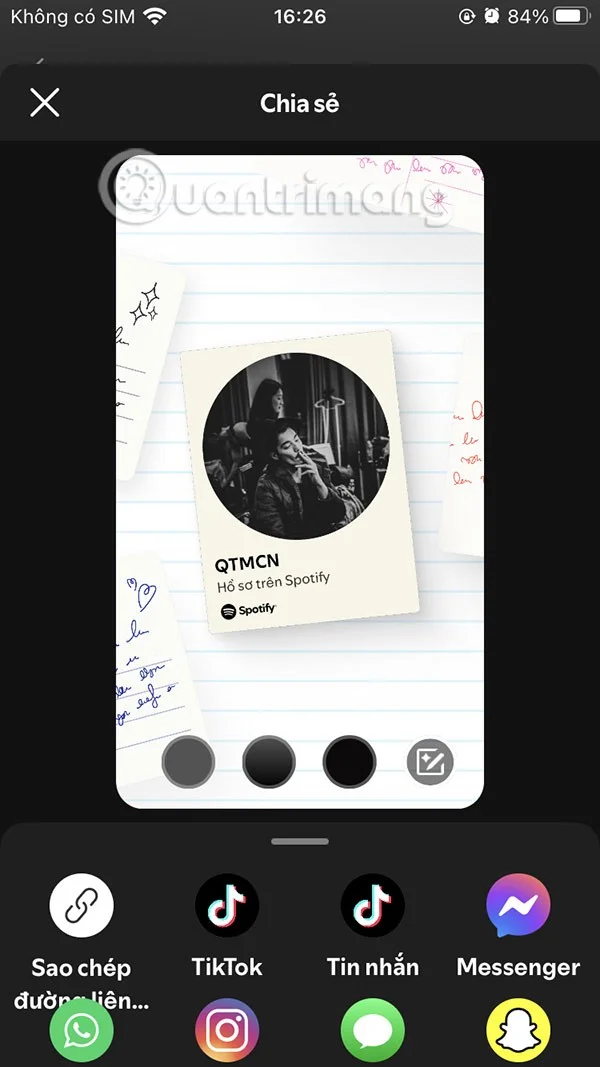
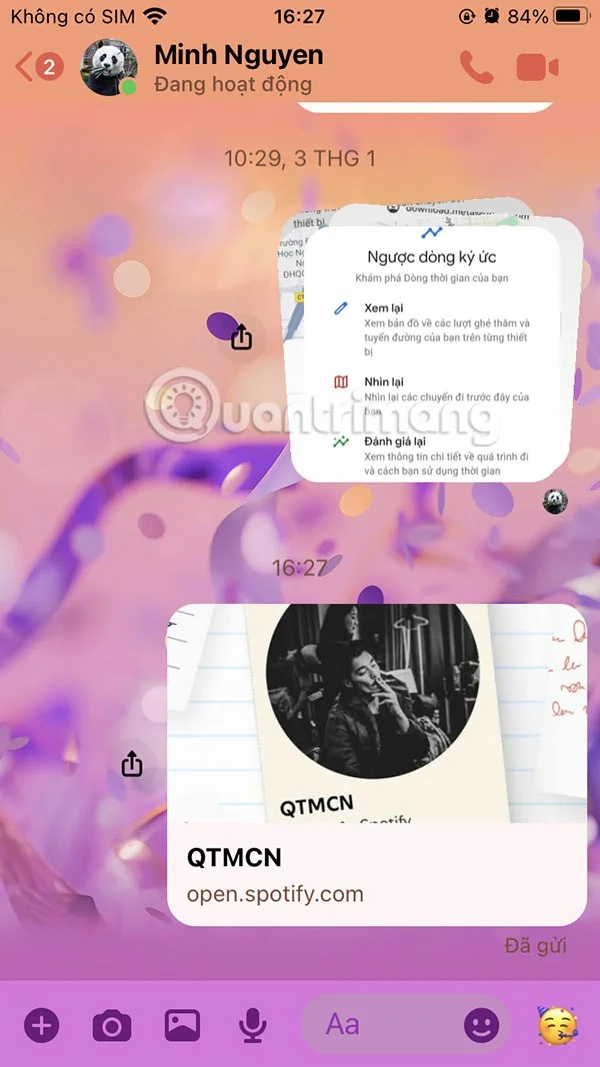
The easiest way to find someone on Spotify is to use an invite link. Share that link with others and all they need to do is click here to follow your Spotify account.
In your Spotify profile interface, tap the share icon . Next, select the display interface for your Spotify profile photo and then select share below via supported applications.


Connect Spotify to Facebook
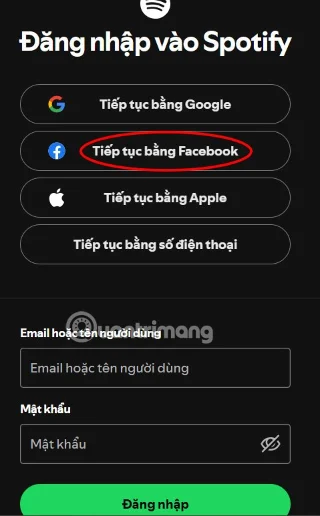
You can sign up or log in to Spotify using your Google or Facebook account. If you connect to Spotify through Facebook, you can easily find friends to follow through your friend finder list.

Friends' activity can only be tracked on the Spotify desktop app. You can find this by clicking on the friends' activity icon next to your account profile picture.

Find Spotify account
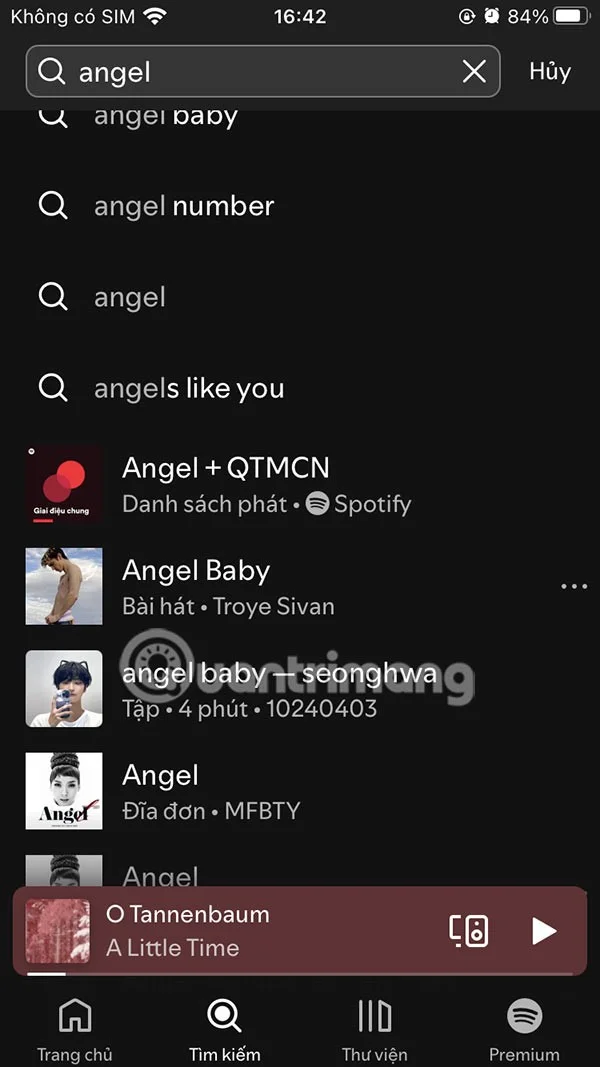
Another way to find friends on Spotify is to type and search for their display name in the Spotify search tab. Just type your friend's full Spotify account name in the search bar.


Scan Spotify Code
While sharing a Spotify profile link is simple, there is another convenient way to follow friends on Spotify without having to go through another app, which is the Spotify code version.
In the Spotify profile interface, click on the 3 dots icon and select Show Spotify code . Now we will see the Spotify code to send to friends .


Stuck with Microsoft Edge "Side-by-Side Configuration" Error? Follow our proven, step-by-step fixes to resolve it fast and restore smooth browsing. No tech skills needed!
Struggling with Microsoft Edge Webcam Privacy Error? Follow our proven step-by-step guide to troubleshoot and fix it quickly. Regain webcam access in minutes with simple, effective solutions.
Unlock peak efficiency with the Best Extensions for Microsoft Edge Productivity in 2026. From tab mastery to AI-powered tasks, these top picks will transform your browsing into a productivity powerhouse. Install now and save hours daily!
Tired of Microsoft Edge "Out of Memory" crashes? Get proven, step-by-step solutions to fix Microsoft Edge out of memory while browsing. Boost speed and stability today!
Master how to use Microsoft Edge for remote work and education. Discover workspaces, collections, Immersive Reader, and productivity tips to boost efficiency and focus.
Discover how to harness Microsoft Edge Sandbox for safe browsing. Step-by-step guide to enable, optimize, and maximize security against threats while browsing effortlessly. Stay protected today!
Struggling with Microsoft Edge Profile Error every time you launch? Discover proven, step-by-step fixes to resolve the issue instantly. No more frustration – get back to browsing smoothly!
Struggling with Microsoft Edge "Access Denied" on specific sites? Discover proven, step-by-step fixes for Microsoft Edge Access Denied errors. Clear cache, tweak settings, and regain access fast—no tech skills needed!
Step-by-step guide: Learn how to use Microsoft Edge built-in VPN for secure browsing. Boost privacy, bypass restrictions, and stay protected effortlessly. Enable now!
Tired of Microsoft Edge high CPU usage causing system lag? Get proven, step-by-step fixes to optimize your browser, reduce lag, and boost performance fast. Latest solutions inside!
Struggling with YouTube black screen on Microsoft Edge? Discover proven troubleshooting Microsoft Edge "Youtube Black Screen" fix steps: clear cache, disable hardware acceleration, and more for seamless video playback. Quick, easy solutions inside!
Tired of Microsoft Edge ERR_CONNECTION_REFUSED blocking your browsing? Discover step-by-step fixes, from quick resets to advanced tweaks, that work on the latest Windows versions. Get online fast!
Is troubleshooting Microsoft Edge "extensions slowing down browser" your nightmare? Follow this step-by-step guide to identify, disable, and optimize extensions for blazing-fast performance. Restore Edge speed today!
Struggling with Microsoft Edge "JavaScript Runtime Error" on Windows 12? Discover proven, step-by-step fixes to resolve it quickly. Clear cache, reset settings, and more for smooth browsing. Updated with the latest tips!
Struggling with Microsoft Edge prompting "Windows Hello PIN" reset? Discover proven, step-by-step fixes for the Windows Hello PIN Reset issue in Edge. Quick solutions that work on the latest Windows updates – no tech skills needed!