Install and Sign Custom Kernel Modules on SLES 15 Secure Boot

Load a custom SLES 15 kernel module without disabling Secure Boot. Match the running kernel, sign the .ko file, enroll a MOK key, and verify loading.
Recently, social networks have been spreading information about a beautiful heart-beating code to confess to your crush, originating from the Chinese movie Light Up Me, Warm Me. Right after the image of the heart-beating image was broadcast, not only IT people but also many young people were curious about this heart-beating code to be able to confess to their crush. If you are not familiar with code and are not an IT person, just follow the article below to be able to make Thu Khoa Ly's heart-beating code very simply.
Table of Contents
In addition to the normal heart code or the code with text inside, you can try the image insertion code, using the other person's photo or the photo of 2 people inserted into the heart image with the heart beating effect and surrounding light. If you like the heart beating style with image insertion, you can refer to the way to create the heart beating code below.
Step 1:
First, you access the link below to download the heart beating code folder to insert the image to your computer. Next, we will unzip the file as usual.
https://drive.google.com/file/d/1sOWvnQvfElynPpPWoqrDXTyoKW4m1RB9/view?usp=share_link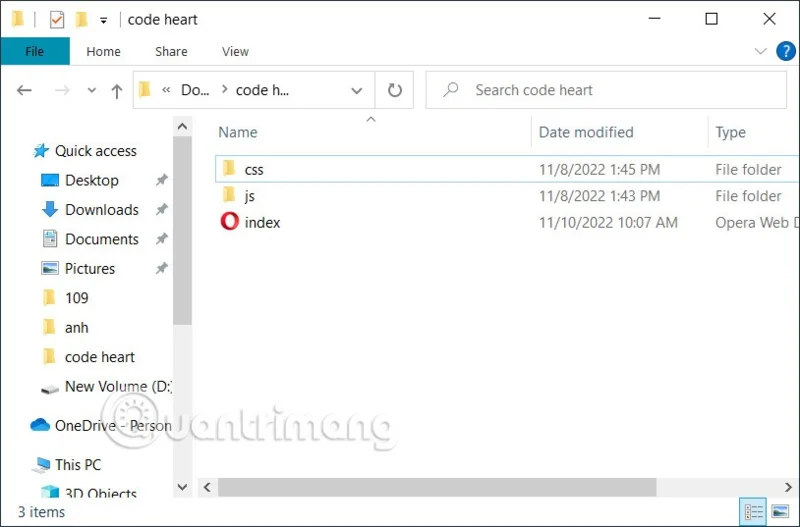
Step 2:
Next, to insert an image into the heart image, you will move the image file into the same folder containing the heart code . This way, when editing the code to insert the image, it will work.
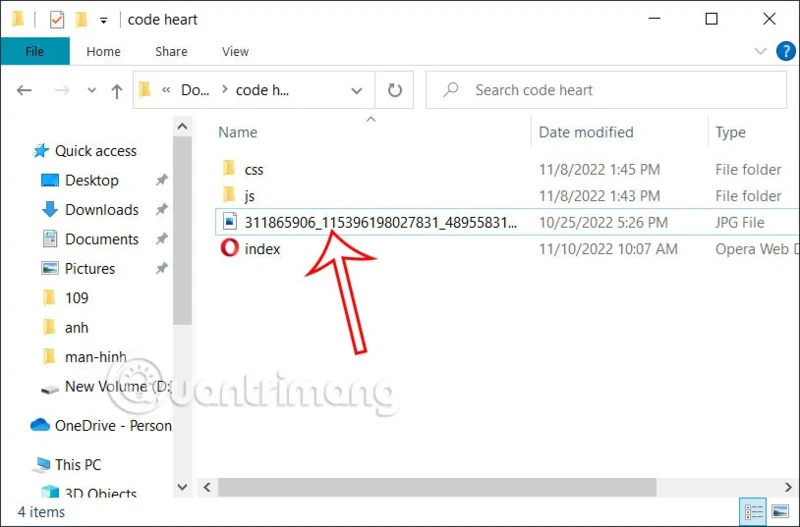
Step 3.
We will copy the image name and see what format the image is to insert into the code.
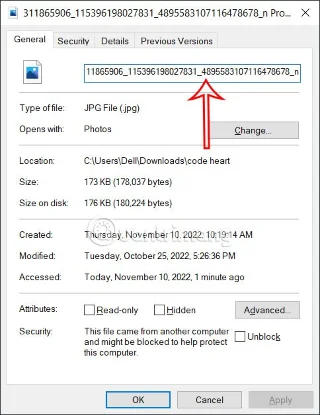
Step 4:
Right- click on the index.html file and select Notepad to open it or use the HTML file reader tool that you have installed on your computer if you have one.
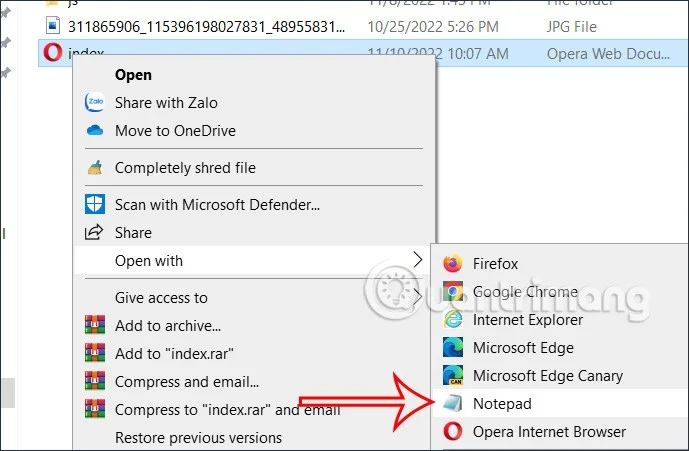
Step 5:
We will proceed to edit the code as we like. At EDIT HERE we will edit the content displayed in the heart. STARDUST1 can edit the year if desired.
At STARDUST2 you fill in your name and that person's name. STARDUST3 can change Love You to another line depending on you.
The img line will fill in the name and format of the image to be inserted in the middle as shown.
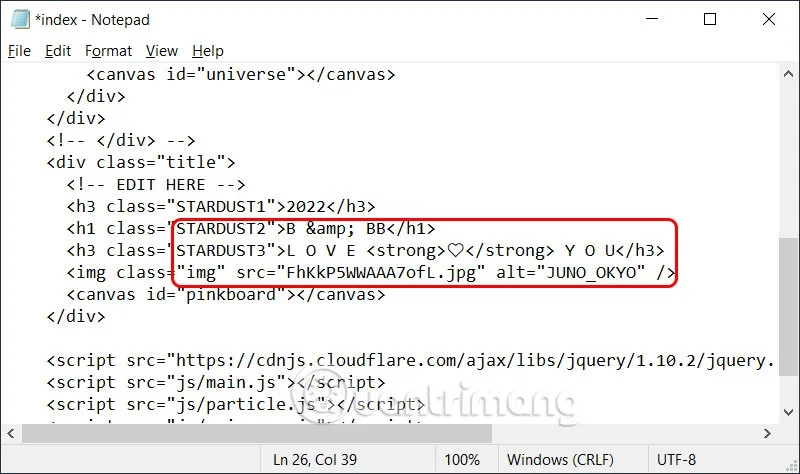
Step 6:
Finally, click File, select Save to save the results and you're done.
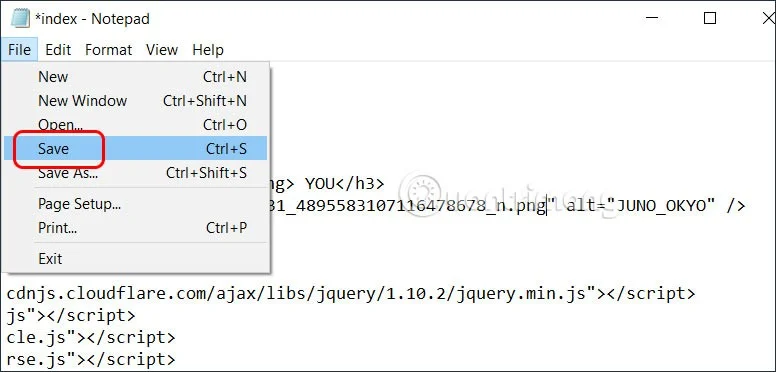
Now you open the HTML file as usual to see what the beating heart code looks like.

Video to create heart beating code, valedictorian Ly inserts photo
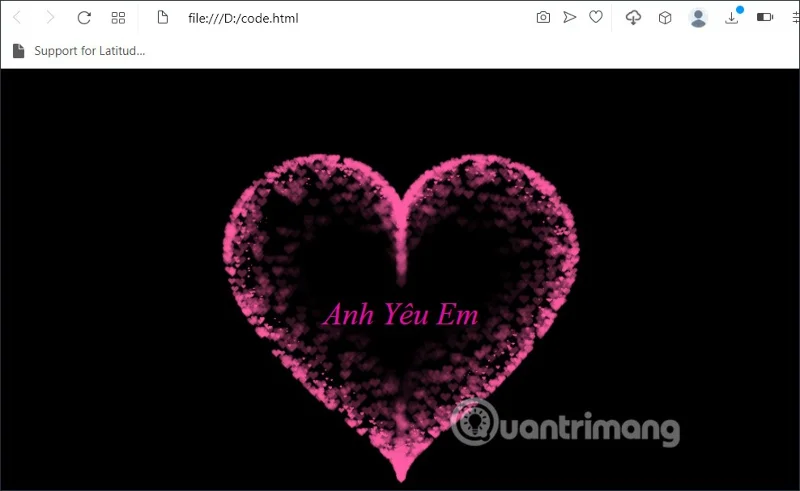
The heart beating code below has text displayed inside and can be edited to your liking.
Anh Yêu Em
If you don't like the heart beating code with text inside, you can use the regular heart beating code below.
This beating heart code will be different from the 2 heart types above when it has more beautiful surrounding rays of light.
Add a heart beating code for you to download and send to your crush. The heart beating of this code is red, surrounded by other beautiful small hearts.
Step 1:
First, copy the above code to your computer as usual. Then we open this code with Notepad. Here, we will select the code with the text displayed in the heart for you to edit if you want.
Step 2:
Then we will open this code and proceed to edit the content in the code. You scroll down below and there will be an option to change the text content displayed in the heart shape . We can fill in any content we want in this code line. You can also change the font size in the font-size line as you like.
Step 3:
Then click File, select Save As to save as a new html file as shown below.
That's it. Just open this newly saved code file to see the result of the beating heart code. To give this beating heart to your crush, just send the html code file.
Load a custom SLES 15 kernel module without disabling Secure Boot. Match the running kernel, sign the .ko file, enroll a MOK key, and verify loading.
SLES 15 SP5 can migrate online to SP6, but each node must reboot. Use a tested rolling upgrade or blue-green cutover to keep workloads reachable.
Use SUSE’s supported STIG profile to scan SLES 15, test remediation, review remaining findings, and retain assessment evidence.
Trace a failed Cockpit connection through DNS, port 9090, the systemd socket, firewalld, TLS, and login settings using current SUSE guidance.
Create a redundant Ethernet connection on SLES 15 with YaST and Wicked, configure active-backup bonding, and verify both ports and failover.
Turn an existing SLES 15 system into a reviewed AutoYaST profile, validate it, and use it to deploy a test server with fewer manual steps.
Install the SLES 15 KVM and libvirt tools, enable the right host service, and configure selected virtual machines to start after a reboot.
Use systemd jobs and the previous boot journal to locate a slow service, mount, or storage dependency, then correct it without masking the cause.
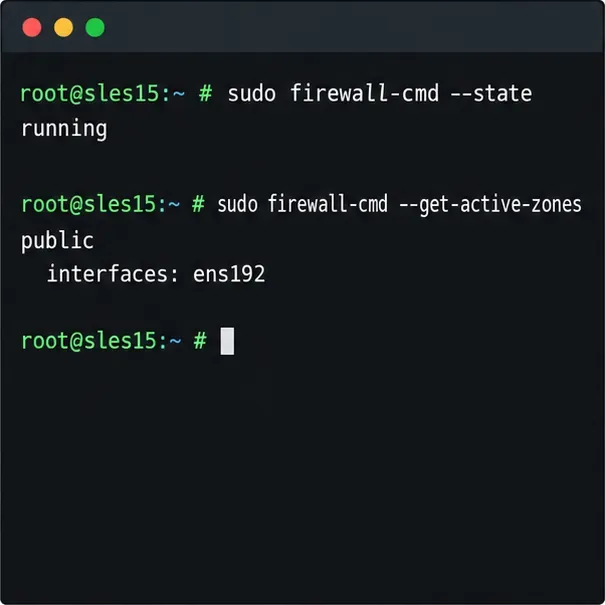
Use firewall-cmd to inspect the active zone, allow HTTP safely, preserve SSH access, and verify that the rule survives a reload on SLES 15.
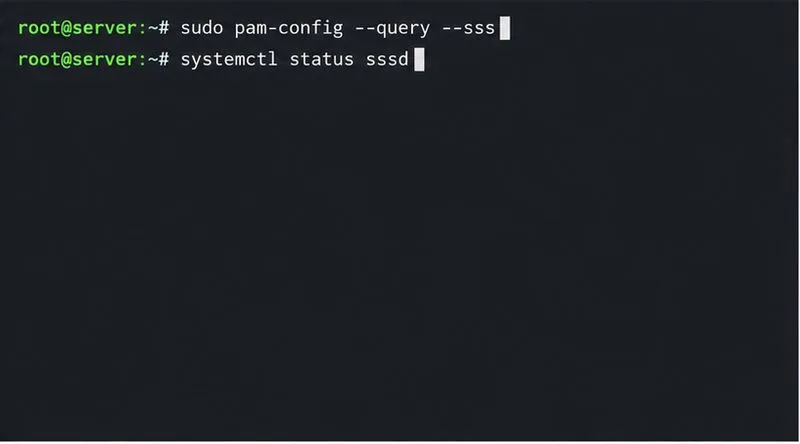
Trace a PAM failure to its service, account policy, or identity provider, then repair the right SLES configuration while preserving a working admin session.