Get LibreOffice to Recognize Your Java Runtime

Install a compatible Java runtime, enable it in LibreOffice, and troubleshoot an empty JRE list without changing unrelated settings.
Need a quick way to edit PDFs without installing desktop software? The Adobe Acrobat Free Online PDF Editor lets you modify text, add signatures, fill forms, and convert files straight from your browser. This guide walks through the exact process using Adobe's official web tools so you can finish tasks in minutes.
Adobe offers several free PDF tools at acrobat.adobe.com that require no download. These browser-based features cover basic editing, page organization, and simple conversions. You only need a free Adobe account to unlock most options, and files stay secure during upload and processing. The service works on Chrome, Firefox, Edge, and Safari with no extra plugins required.
Before starting, prepare your PDF file on your computer or cloud storage. Common tasks include correcting typos, inserting images, or rearranging pages. Limits exist on the free tier, such as a maximum of two tasks per month for some advanced edits, but basic changes remain unlimited.
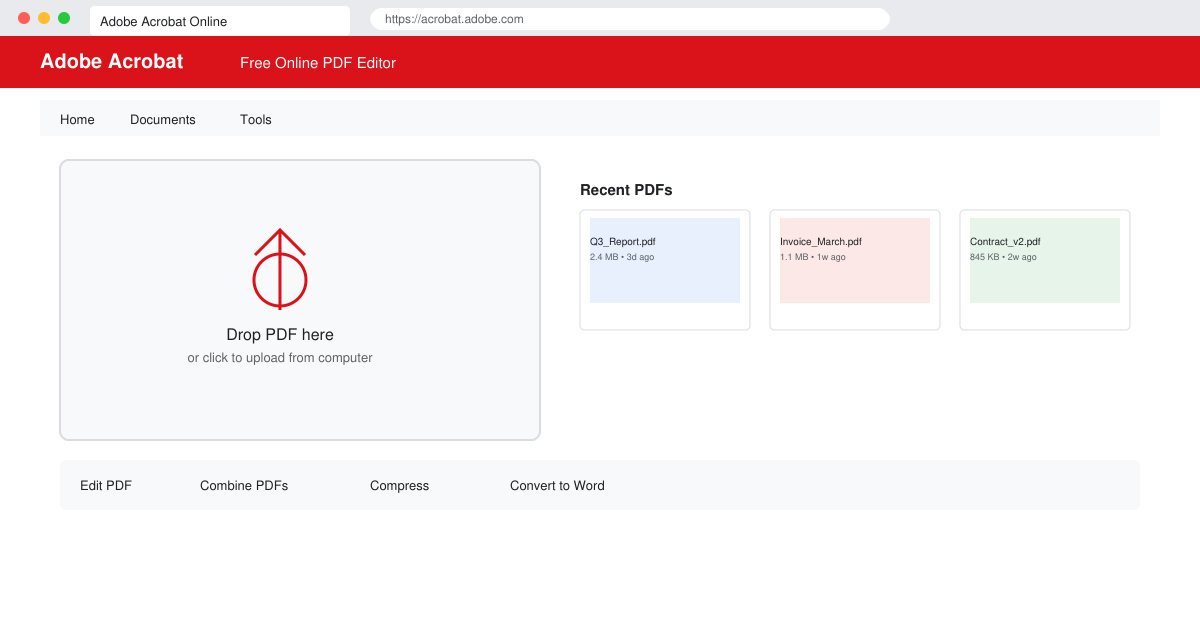
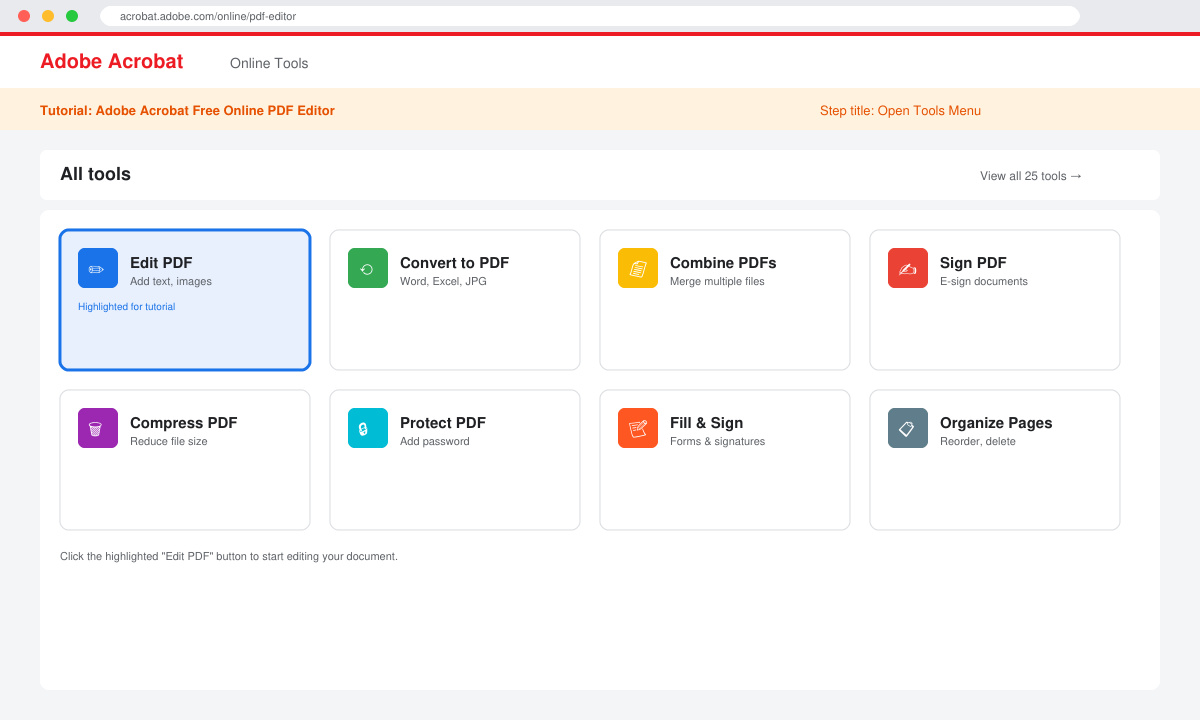
Open your browser and go to acrobat.adobe.com. Click the "Sign in" button in the top right, then enter your Adobe ID or create one with your email. Once logged in, select the Tools menu from the top navigation bar and choose the specific editor you need, such as Edit PDF or Fill & Sign.
Click the blue "Select a file" button or drag your PDF directly onto the upload area. The file transfers securely to Adobe's servers. Wait for the progress bar to complete, which usually takes under 30 seconds for files under 100 MB.
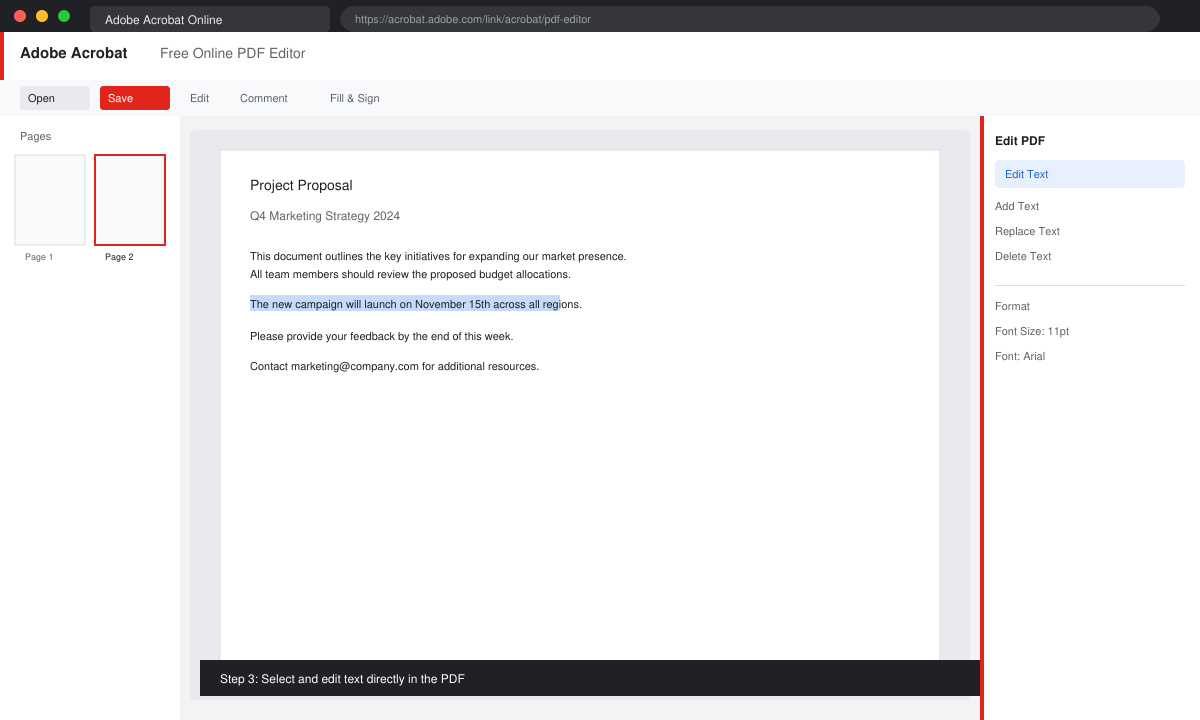
Once loaded, click any text block to edit it directly. Use the toolbar on the right to add images, links, or shapes. For form fields, select Fill & Sign from the left panel and type into existing fields or create new ones with the text tool.
Click the Preview button to check your work across all pages. When finished, select Save As from the File menu, choose your desired format (PDF, Word, or JPEG), and download the edited version to your device.
Basic editing, signing, and conversion tools are free with an Adobe account. Some features like advanced OCR or batch processing require a paid Acrobat subscription.
No. You must first remove the password using the desktop version of Acrobat or another tool before uploading to the free online editor.
Adobe deletes uploaded files automatically after processing unless you save them to Adobe Document Cloud. You can also delete them manually from your account at any time.
The Adobe Acrobat Free Online PDF Editor provides a reliable browser solution for everyday PDF tasks without software installation. Follow the steps above to handle edits quickly and securely.
Install a compatible Java runtime, enable it in LibreOffice, and troubleshoot an empty JRE list without changing unrelated settings.
Build a small LibreOffice container, convert office documents without a GUI, and verify PDF output while limiting host-file access.
Reduce oversized LibreOffice presentation files by compressing embedded photos, choosing sensible image settings, and checking slide quality before sharing.
Match LibreOffice’s page dimensions to your printer, check printable margins, and correct scaling before printing a custom-size document.
Replace repeated cell access with bulk range reads and writes, then benchmark the result and protect formulas in large Calc workbooks.
Split a long manuscript into chapters, assemble them in Writer, and keep styles, contents, and export checks consistent.
Use Base’s direct PostgreSQL option to enter your server details, sign in, save an ODB connection file, and troubleshoot common access errors.
Install a font in your Linux user font folder, restart LibreOffice Flatpak, and confirm it appears in Writer without weakening the app sandbox.
Protect your work and isolate network-drive save crashes in LibreOffice on macOS Sonoma with a local-first workflow, permission checks, and targeted tests.
Preserve leading zeros in Calc by setting ID columns to Text during CSV import, checking the preview, and verifying the saved data.








