Get LibreOffice to Recognize Your Java Runtime

Install a compatible Java runtime, enable it in LibreOffice, and troubleshoot an empty JRE list without changing unrelated settings.
Adobe Acrobat PDF Maker appears as a toolbar or ribbon inside Microsoft Office applications after you install Acrobat. It also works as a standalone printer driver called Adobe PDF. The tool supports direct conversion from over 20 file formats while letting you choose page size, compression level, and whether to include bookmarks or links. You need an active Acrobat subscription or perpetual license for full access; the free Reader version does not include PDF Maker.
Before starting, confirm Acrobat is installed and updated. Open any Office file and look for the Acrobat tab in the ribbon. If the tab is missing, run the Acrobat installer again and select the Office integration option during setup.
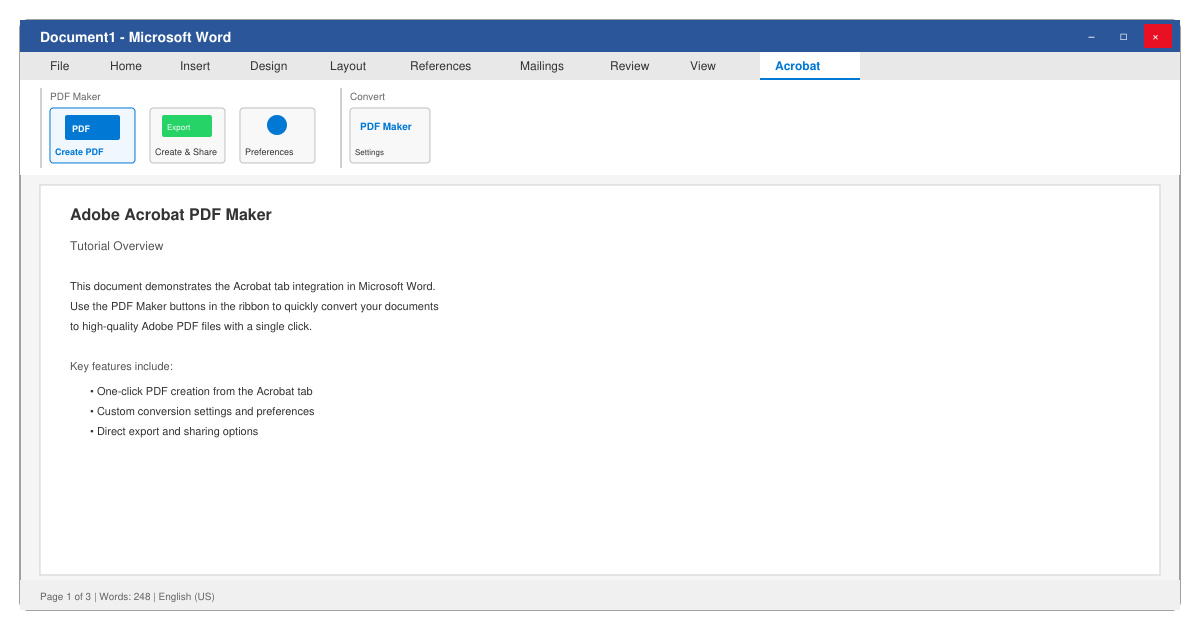
Launch Microsoft Word, Excel, or PowerPoint. Click the Acrobat tab that appears in the top ribbon. If you are converting a non-Office file, open Adobe Acrobat itself instead and choose Tools then Create PDF.
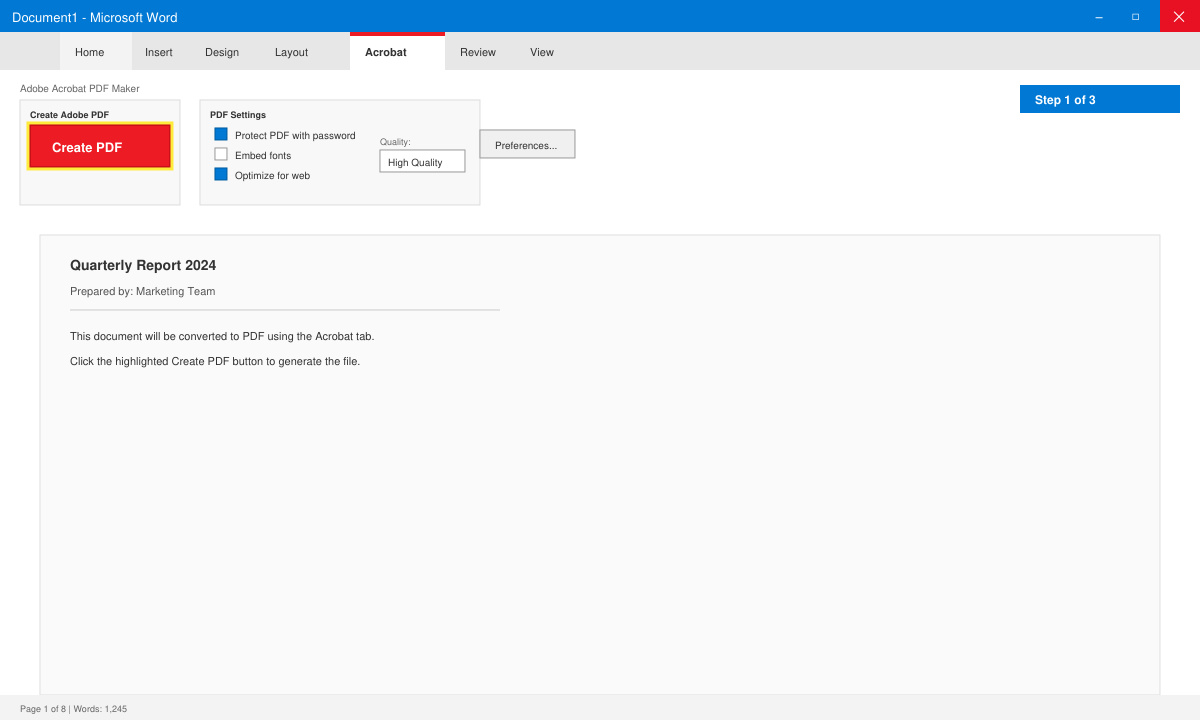
Click Create PDF in the Acrobat tab. A dialog box appears where you can choose the output folder, file name, and quality preset. Select High Quality Print for documents that will be printed or Standard for email distribution. Check the box labeled Create Bookmarks if you want automatic navigation links based on headings.
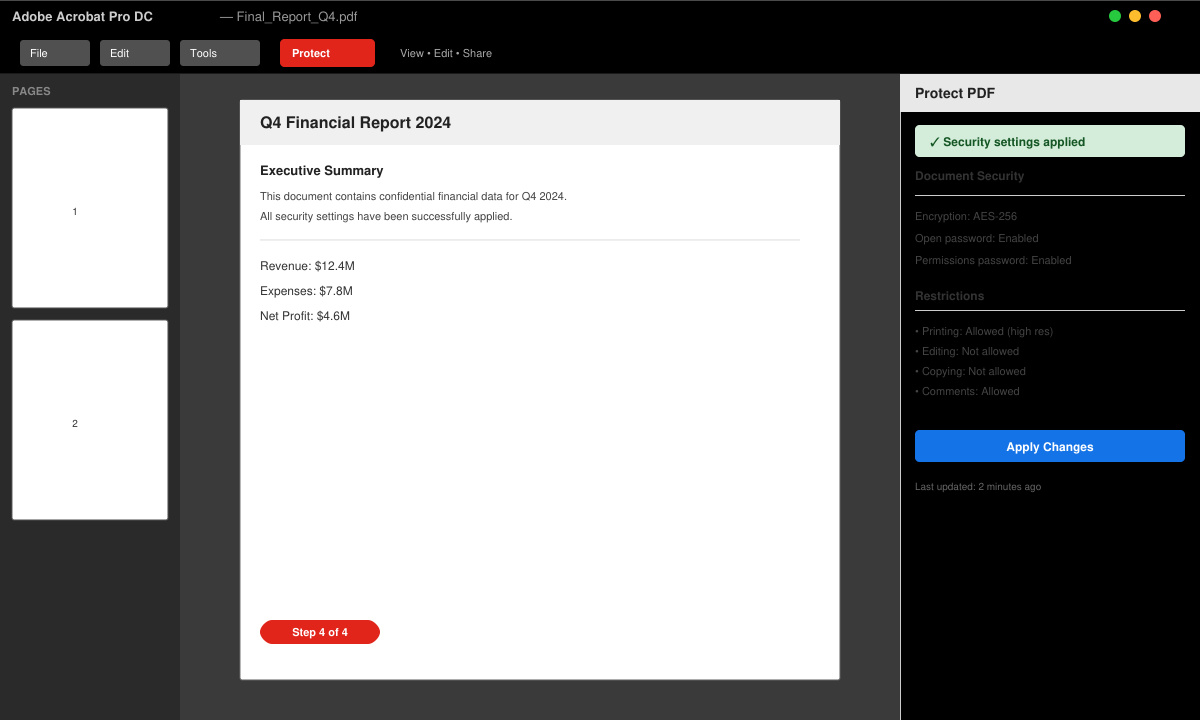
Before finalizing, click the Settings button. Under the Security tab, enable password protection or restrict editing. Add document properties such as title, author, and subject in the Metadata section so the resulting PDF carries proper information when shared.
Click Create. Adobe Acrobat PDF Maker processes the file and opens the new PDF automatically. Scroll through each page to verify images, fonts, and tables rendered correctly. Use the Edit PDF tool if minor text fixes are needed.
Yes. Open Adobe Acrobat, go to Tools, select Create PDF, and choose any supported file type including images, scanned paper, or HTML pages.
Basic conversion does not produce form fields. After creating the PDF, use the Prepare Form tool inside Acrobat to add text fields, checkboxes, and signature areas.
Yes. In Acrobat, choose Tools then Combine Files. Add multiple documents and click Combine to produce a single PDF using the same conversion engine.
Adobe Acrobat PDF Maker delivers reliable, high-fidelity PDF creation when you follow the settings outlined above. Keep the software updated to maintain compatibility with the latest Office versions and file formats.
Install a compatible Java runtime, enable it in LibreOffice, and troubleshoot an empty JRE list without changing unrelated settings.
Build a small LibreOffice container, convert office documents without a GUI, and verify PDF output while limiting host-file access.
Reduce oversized LibreOffice presentation files by compressing embedded photos, choosing sensible image settings, and checking slide quality before sharing.
Match LibreOffice’s page dimensions to your printer, check printable margins, and correct scaling before printing a custom-size document.
Replace repeated cell access with bulk range reads and writes, then benchmark the result and protect formulas in large Calc workbooks.
Split a long manuscript into chapters, assemble them in Writer, and keep styles, contents, and export checks consistent.
Use Base’s direct PostgreSQL option to enter your server details, sign in, save an ODB connection file, and troubleshoot common access errors.
Install a font in your Linux user font folder, restart LibreOffice Flatpak, and confirm it appears in Writer without weakening the app sandbox.
Protect your work and isolate network-drive save crashes in LibreOffice on macOS Sonoma with a local-first workflow, permission checks, and targeted tests.
Preserve leading zeros in Calc by setting ID columns to Text during CSV import, checking the preview, and verifying the saved data.








