Get LibreOffice to Recognize Your Java Runtime

Install a compatible Java runtime, enable it in LibreOffice, and troubleshoot an empty JRE list without changing unrelated settings.
Keeping Adobe Reader software up to date protects your system from security vulnerabilities while adding new viewing and annotation tools. This article walks through the precise process for an Adobe Reader software update on both Windows and macOS using only official sources. You will finish with the current version installed and verified.
Adobe releases patches several times each year to fix vulnerabilities that attackers actively exploit. Older versions of Adobe Reader can leave PDFs open to malicious code embedded in documents. An Adobe Reader software update also brings improvements to rendering speed and compatibility with newer PDF standards.
Before starting, confirm you have administrator rights on your computer and a stable internet connection. Close any open PDF files in Adobe Reader. The process differs slightly between Windows and macOS, so follow the section that matches your operating system.
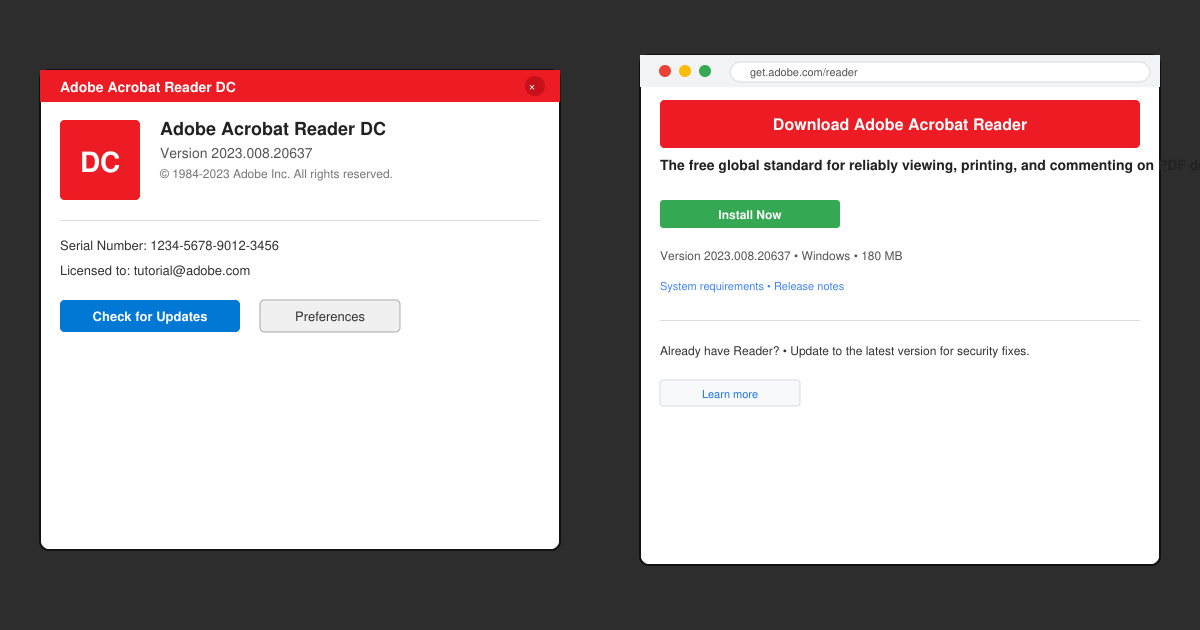
Open Adobe Reader. Click Help in the top menu bar, then select About Adobe Acrobat Reader. Note the version number shown in the dialog box. Compare it against the latest release listed on the official Adobe site to confirm whether an update is required.
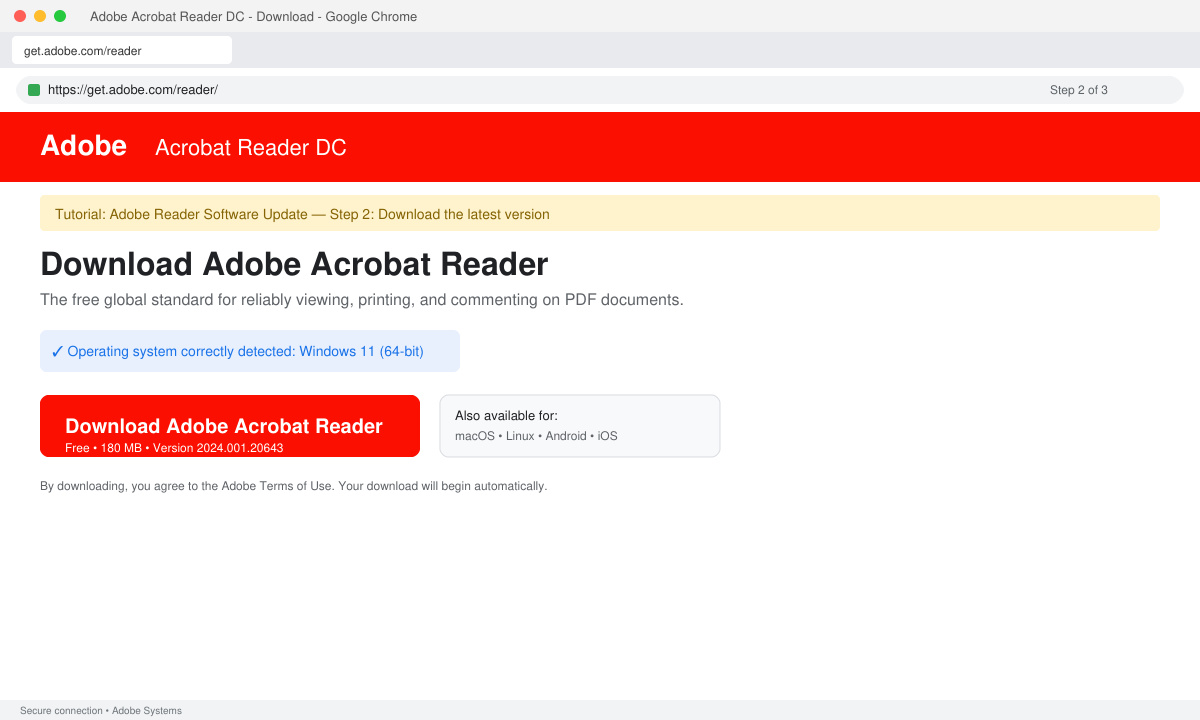
Go directly to get.adobe.com/reader in your browser. Click the Download button. The site detects your operating system automatically and offers the correct installer. Save the file to your Downloads folder rather than running it immediately.
Double-click the downloaded file. On Windows, allow the User Account Control prompt. On macOS, drag the new Adobe Reader icon into the Applications folder when prompted. Choose the default installation options unless you need to change the install location. The installer removes the old version automatically.
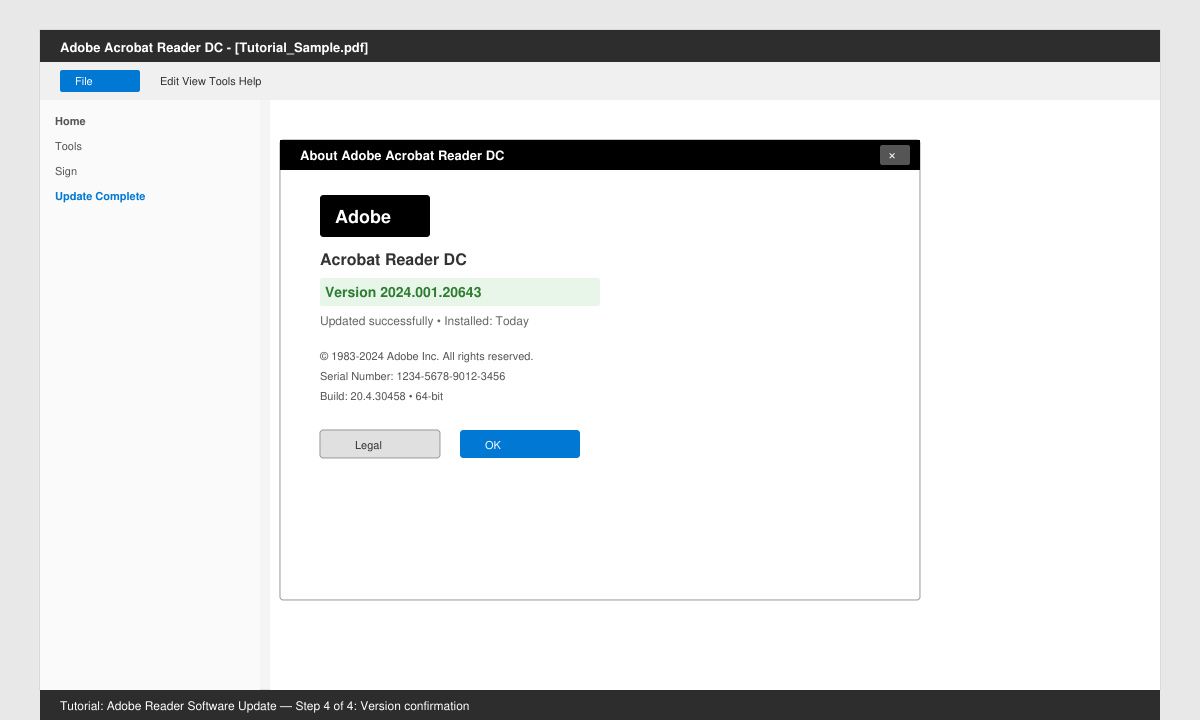
Restart your computer after installation finishes. Reopen Adobe Reader and return to Help > About Adobe Acrobat Reader. Confirm the version number now matches the latest release you checked earlier. Open a test PDF to ensure rendering works without errors.
Adobe Reader checks for updates on launch when the preference is enabled, but many users prefer manual control to avoid unexpected bandwidth use. You can force a check inside Help > Check for Updates.
The official installer handles removal during the process, so no separate uninstall step is needed in normal cases. Manual removal is only required when the installer detects a conflict.
Yes. Adobe rebranded the free reader as Acrobat Reader DC, but the update process remains identical. The paid Acrobat Pro product uses a different installer and licensing model.
Following the steps above completes an Adobe Reader software update safely and confirms the new version is active. Regular updates keep PDF viewing secure and reliable.
Install a compatible Java runtime, enable it in LibreOffice, and troubleshoot an empty JRE list without changing unrelated settings.
Build a small LibreOffice container, convert office documents without a GUI, and verify PDF output while limiting host-file access.
Reduce oversized LibreOffice presentation files by compressing embedded photos, choosing sensible image settings, and checking slide quality before sharing.
Match LibreOffice’s page dimensions to your printer, check printable margins, and correct scaling before printing a custom-size document.
Replace repeated cell access with bulk range reads and writes, then benchmark the result and protect formulas in large Calc workbooks.
Split a long manuscript into chapters, assemble them in Writer, and keep styles, contents, and export checks consistent.
Use Base’s direct PostgreSQL option to enter your server details, sign in, save an ODB connection file, and troubleshoot common access errors.
Install a font in your Linux user font folder, restart LibreOffice Flatpak, and confirm it appears in Writer without weakening the app sandbox.
Protect your work and isolate network-drive save crashes in LibreOffice on macOS Sonoma with a local-first workflow, permission checks, and targeted tests.
Preserve leading zeros in Calc by setting ID columns to Text during CSV import, checking the preview, and verifying the saved data.








