Get LibreOffice to Recognize Your Java Runtime

Install a compatible Java runtime, enable it in LibreOffice, and troubleshoot an empty JRE list without changing unrelated settings.
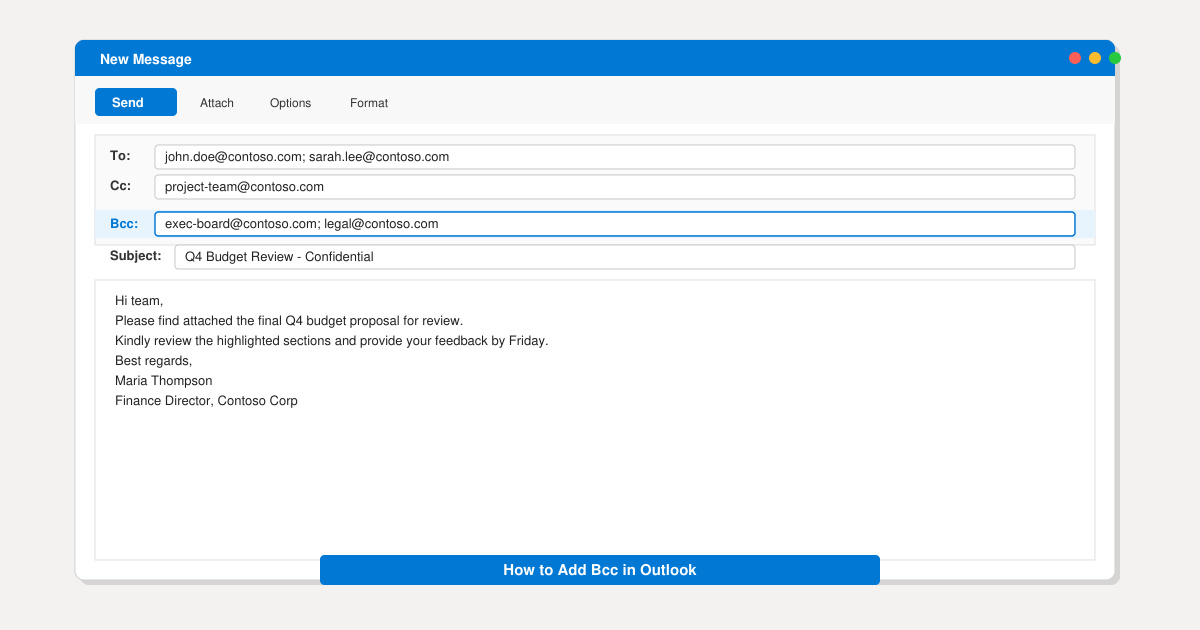
Need to email a group while keeping addresses private from each other? Knowing how to add Bcc in Outlook lets you do exactly that without extra tools. This article shows the precise clicks required in the desktop client, Outlook on the web, and the mobile apps.
The Bcc field is hidden by default in every Outlook version to keep the interface clean. Once enabled, it stays visible for that message window until you close it. You can use Bcc on any account type, including Microsoft 365, Exchange, Outlook.com, and IMAP accounts. No add-ins or paid upgrades are required.
Before you start, make sure you have the latest version of Outlook installed. Older 2016 or 2019 builds may show slightly different ribbon labels, but the Bcc option remains available.
Launch the Outlook desktop application and click New Email on the Home tab. In the new message window, look at the top ribbon and click the Options tab.
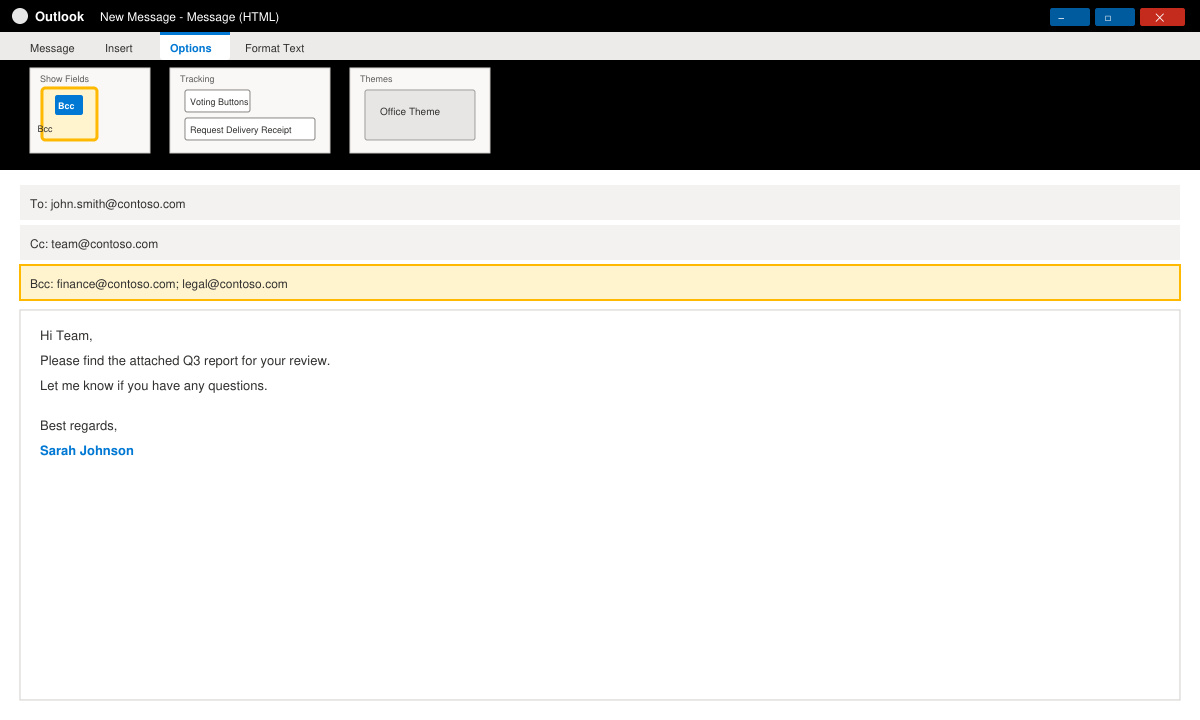
In the Show Fields group, click the Bcc button. The Bcc line now appears directly below the Cc field. Type or paste the hidden recipients into this box.
Fill in the subject and body as usual, then click Send. Every recipient in the Bcc field receives the email, but no one can see those addresses.
Go to outlook.office.com or outlook.live.com and sign in. Click the New mail button on the left sidebar to open the compose pane.
Click the small down arrow next to the Cc field label. The Bcc line appears underneath. Enter the addresses you want to hide.
Complete your message and press Send. Recipients in Bcc remain invisible to everyone else on the thread.
No built-in setting forces Bcc to appear on every new message. You must enable it manually each time or use a VBA macro for automation.
Yes. On Mac, click the three-dot icon in the new message toolbar and choose Bcc Recipients to reveal the field.
They will not see other Bcc addresses, but they can usually tell the message was not addressed directly to them if the To field contains someone else.
Mastering how to add Bcc in Outlook takes less than thirty seconds once you know the exact menu locations. Use the steps above for whichever Outlook version you open most often.
Install a compatible Java runtime, enable it in LibreOffice, and troubleshoot an empty JRE list without changing unrelated settings.
Build a small LibreOffice container, convert office documents without a GUI, and verify PDF output while limiting host-file access.
Reduce oversized LibreOffice presentation files by compressing embedded photos, choosing sensible image settings, and checking slide quality before sharing.
Match LibreOffice’s page dimensions to your printer, check printable margins, and correct scaling before printing a custom-size document.
Replace repeated cell access with bulk range reads and writes, then benchmark the result and protect formulas in large Calc workbooks.
Split a long manuscript into chapters, assemble them in Writer, and keep styles, contents, and export checks consistent.
Use Base’s direct PostgreSQL option to enter your server details, sign in, save an ODB connection file, and troubleshoot common access errors.
Install a font in your Linux user font folder, restart LibreOffice Flatpak, and confirm it appears in Writer without weakening the app sandbox.
Protect your work and isolate network-drive save crashes in LibreOffice on macOS Sonoma with a local-first workflow, permission checks, and targeted tests.
Preserve leading zeros in Calc by setting ID columns to Text during CSV import, checking the preview, and verifying the saved data.








