Hey, fellow gamers! Tired of Microsoft Edge hogging your precious RAM and CPU while you're deep in a raid or clutching a 1v5? In 2026, Windows 11 still ships with this stubborn bloatware, but fear not – this guide shows you how to completely uninstall Microsoft Edge from Windows 11. No more background tabs killing your FPS. We'll nuke it safely, step-by-step, so you can game harder, longer. Let's dive in! 🚀
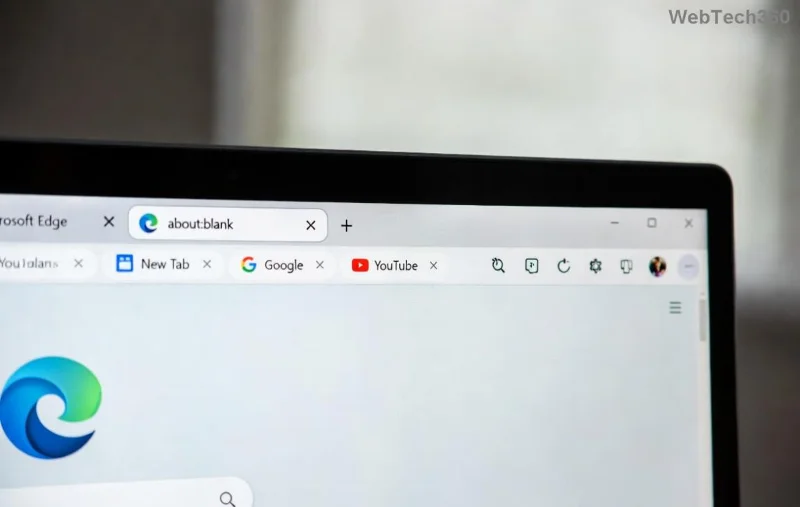
👉 Why Uninstall Microsoft Edge on Windows 11? Gamers, Listen Up!
Edge loves auto-updating and lurking in the background, sipping resources like a thirsty noob in a battle royale. Removing it completely:
- ⭐ Frees up to 500MB+ RAM instantly.
- ⭐ Boosts CPU for smoother 144Hz gaming.
- ⭐ Stops forced updates interrupting your grind.
- ⭐ Customizes your rig for max performance.
Warning: Edge is a system app, so standard uninstall won't cut it. Backup your data first – we're going nuclear! 😎
Step 1: Disable Edge Updates & Background Processes
Before nuking, starve it:
- Hit Win + I for Settings.
- Go to Apps > Installed apps.
- Search "Microsoft Edge", click three dots → Advanced options → Turn off Background apps.
- Open Services (search "services.msc"): Stop "EdgeUpdate" services.
Step 2: PowerShell Magic – The Core Uninstall Microsoft Edge Windows 11 Command
Time for the big guns. PowerShell removes Edge for all users. Run as Administrator:
Get-AppxPackage *edge* | Remove-AppxPackage
Get-AppxPackage -AllUsers Microsoft.MicrosoftEdge.Stable | Remove-AppxPackage -AllUsers
Restart your PC. Boom – Edge is gone from user profiles! But residuals linger...
Step 3: Obliterate Residual Files & Folders
Hunt down leftovers manually:
| Folder Path | Action |
|---|---|
| C:\Program Files (x86)\Microsoft\Edge | Delete entire folder |
| C:\Users\[YourUser]\AppData\Local\Microsoft\Edge | Delete contents |
| %LOCALAPPDATA%\Microsoft\EdgeWebView | Full wipe |
| C:\Windows\SystemApps\Microsoft.MicrosoftEdge_8wekyb3d8bbwe | Delete (hidden – enable view hidden files) |
Pro tip: Use Everything search tool for "Edge" files. Delete 'em all! 🗑️
Step 4: Clean the Registry – For True Completion
Registry holds Edge's ghost. Export backup first! Run regedit as Admin:
- Navigate to
HKEY_LOCAL_MACHINE\SOFTWARE\Microsoft\EdgeUpdate→ Delete key. HKEY_CURRENT_USER\Software\Microsoft\Edge→ Nuke it.- Search "Edge" globally (Ctrl+F) and delete matches (careful!).
Tools like CCleaner can automate, but manual is safest for pros.
Step 5: Block Reinstallation Forever
Windows loves reinstalling Edge via updates. Block it:
- Group Policy Editor (gpedit.msc): Computer Configuration → Administrative Templates → Windows Components → Microsoft Edge → Set "Prevent installation" to Enabled.
For Home edition, use Registry:
reg add "HKEY_LOCAL_MACHINE\SOFTWARE\Microsoft\EdgeUpdate" /v DoNotUpdateToEdgeWithChromium /t REG_DWORD /d 1 /f
✅ Troubleshooting Common Issues
| ❌ Issue | 🔧 Fix |
|---|---|
| Error: "Access Denied" | Run PowerShell as true Admin; take ownership of folders. |
| Edge reinstalls after update | Disable Windows Update for Edge via Microsoft Docs. |
| Broken shortcuts | Recreate or use Chrome/Firefox. |
If PowerShell fails, boot into Safe Mode and retry. Gamers, you're unbreakable! 💪
🎮 Gaming Perks After Uninstall
Post-purge, fire up your fave titles:
- Valorant/COD: Stable 200+ FPS.
- Cyberpunk 2077: RT on without stutters.
- Monitor with Task Manager – see that sweet resource drop! 📈
Switch to Chrome, Firefox, or Brave for browsing bliss.
Final Boss: Is It Safe in 2026?
Yes! Millions have ditched Edge without issues. Windows 11 runs fine sans browser – it's not vital. Stay updated via official support. Questions? Drop in comments!
Congrats, warrior! Your PC is now a gaming beast. Share your FPS gains below. 👇 Game on! 🎮✨