How to enable Notification Cooldown on Android 16

The new Android 16 has been provided by Google with a new feature called Notification Cooldown, which helps slow down the process of displaying too many notifications. This feature will adjust the intensity of notifications coming from an application at the same time, reducing the impact of the sound of those application notifications. Below are instructions for installing Notification Cooldown Android 16.

What is Notification Cooldown feature on Android 16?

Notification Cooldown will gradually reduce the volume and vibration intensity of notifications when you receive too many notifications from the same app at once.

For example, if Instagram sends you a series of notifications, all notifications have the same volume and vibration level. When Notification Cooldown is activated, only the first notification has the default notification volume and vibration level, and the following notifications gradually decrease in volume.

How to set Notification Cooldown on Android 16

Step 1:

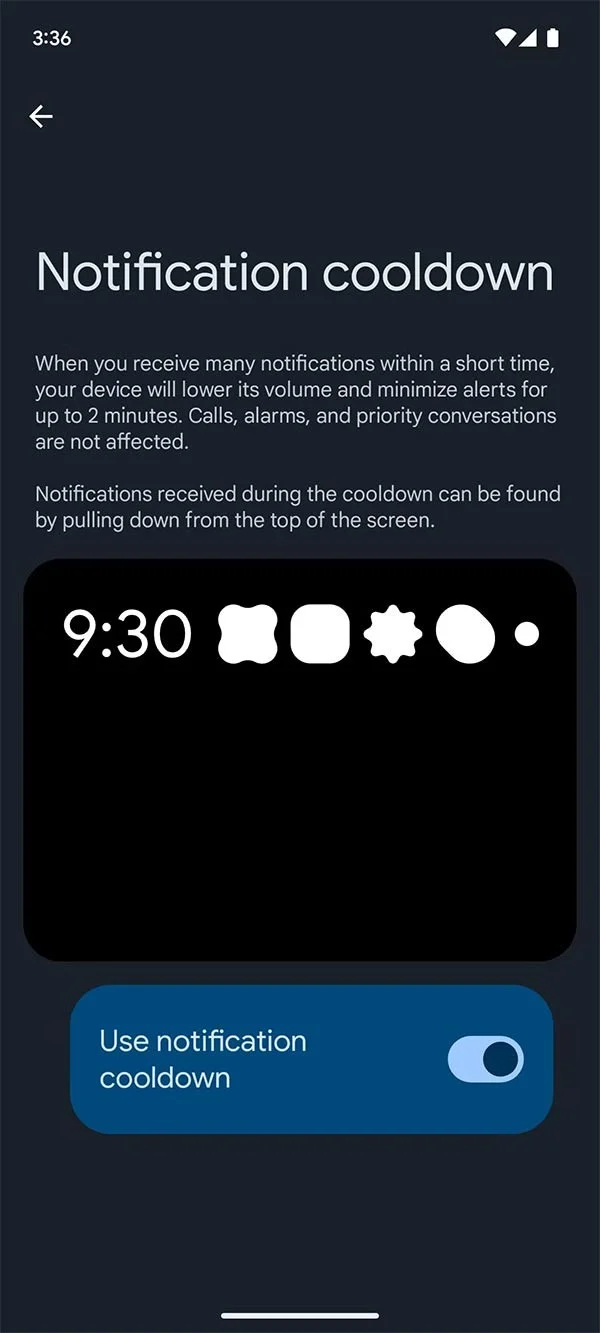
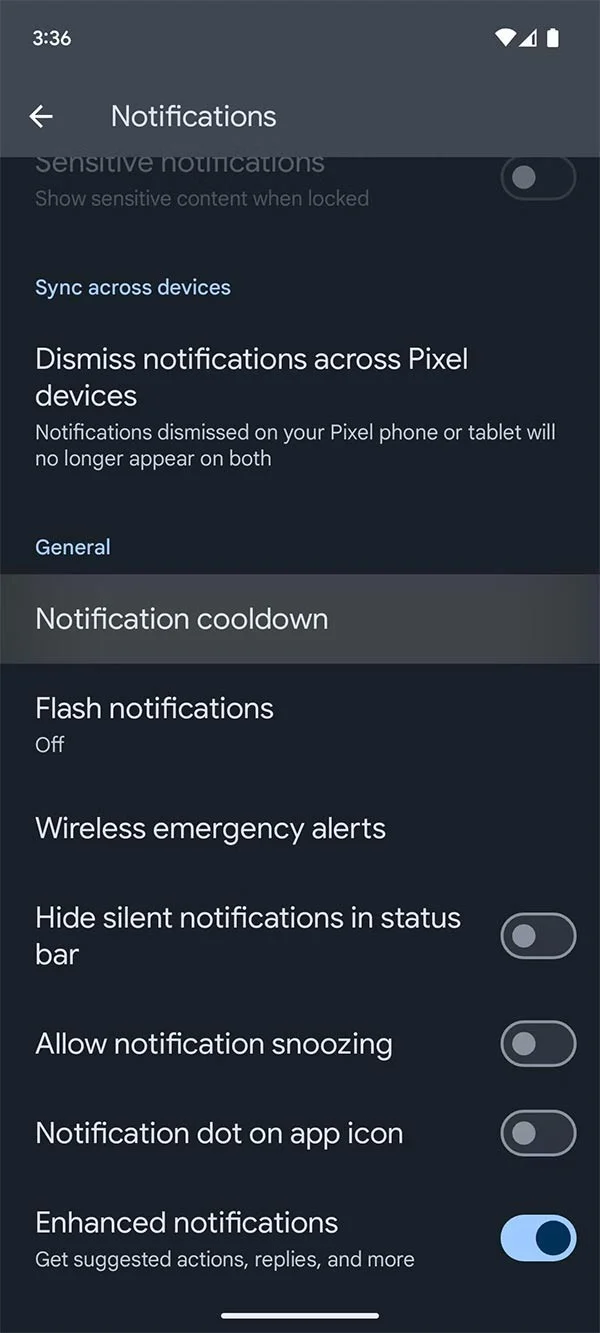
First, click on Settings and then select Notifications in the displayed list. Then click on Notification Cooldown to adjust the notification mode for Android.
How to enable Notification Cooldown on Android 16

Step 2:

Switch to the new interface, you need to enable the Use Notification Cooldown option below and you're done.

Then Android notifications are automatically adjusted so as not to disturb you.

How to enable Notification Cooldown on Android 16

Leave a Comment

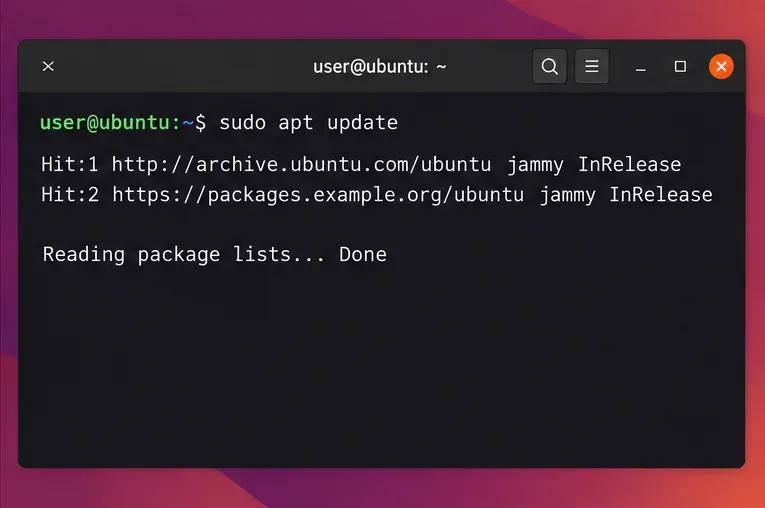
Fix APT Signature Errors by Repairing the Repository Key

Fix APT Signature Errors by Repairing the Repository Key

Resolve Ubuntu APT signature warnings safely by identifying the failing source, refreshing its verified key, and checking the result without disabling security.

How to Convert Three-Phase Voltage, Current, kW, kVA, and Power Factor

How to Convert Three-Phase Voltage, Current, kW, kVA, and Power Factor

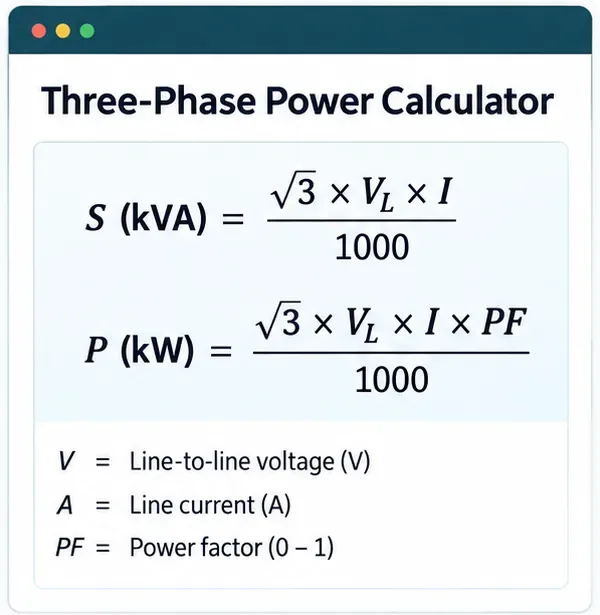
Learn the balanced three-phase formulas and convert line voltage, current, kW, kVA, and power factor step by step, with a worked example and limits to check.

Cap a Command’s CPU and Memory Use with Ubuntu cgroups

Cap a Command’s CPU and Memory Use with Ubuntu cgroups

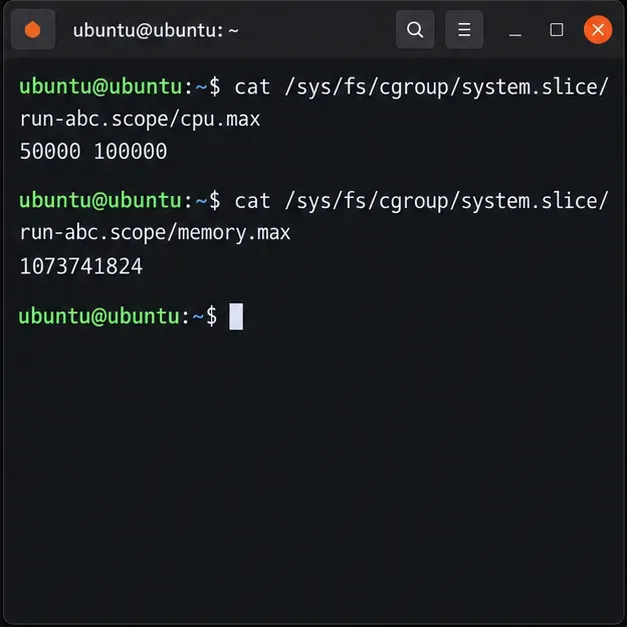
Run a workload inside a systemd scope with CPUQuota and MemoryMax, then verify the limits through cgroup v2.

Encrypt Pi-hole Upstream DNS on Ubuntu Server 24.04

Encrypt Pi-hole Upstream DNS on Ubuntu Server 24.04

Set up dnscrypt-proxy as Pi-hole’s local DoH bridge on Ubuntu 24.04, with a localhost-only listener, resolver selection, and checks before switching DNS.

Get Ubuntu 24.04 Touchpad Gestures Working on Wayland

Get Ubuntu 24.04 Touchpad Gestures Working on Wayland

Check Ubuntu’s touchpad settings, confirm Wayland, and test GNOME’s built-in swipes before troubleshooting apps or hardware.

Build a Debian 12 RAID 1 Mirror with mdadm

Build a Debian 12 RAID 1 Mirror with mdadm

Create and verify a two-disk Debian 12 RAID 1 data array, format it safely, and configure it to assemble and mount after reboot.

Encrypt Debian 12 Swap with a Fresh Key at Every Boot

Encrypt Debian 12 Swap with a Fresh Key at Every Boot

Set up random-key encryption for an existing Debian 12 swap partition, verify the active dm-crypt mapping, and understand the hibernation trade-off.

How to Restrict SSH Users to Specific Directories on Ubuntu 24.04 (SFTP Chroot Guide)

How to Restrict SSH Users to Specific Directories on Ubuntu 24.04 (SFTP Chroot Guide)

Restrict Ubuntu 24.04 SSH accounts to designated SFTP folders with chroot, proper permissions, Match rules, and safe tests—without granting shell access.

Release Ubuntu’s APT Lock Safely and Finish the Update

Release Ubuntu’s APT Lock Safely and Finish the Update

Find which process owns Ubuntu’s dpkg frontend lock, let package work finish, and repair interrupted installations without deleting lock files.

How to Set Up Automated Btrfs Snapshots on Ubuntu Desktop

How to Set Up Automated Btrfs Snapshots on Ubuntu Desktop

Set up scheduled Btrfs system snapshots on Ubuntu Desktop with Timeshift, verify the Ubuntu subvolume layout, choose retention, and understand what snapshots cannot protect.