Get LibreOffice to Recognize Your Java Runtime

Install a compatible Java runtime, enable it in LibreOffice, and troubleshoot an empty JRE list without changing unrelated settings.
Need to access the contents of a compressed archive? Learning how to extract a RAR file takes just a few minutes once you have the right free software installed. This guide walks through the exact process on the most common platforms so you can open RAR files without errors or extra costs.
RAR files are compressed archives created by WinRAR. You need a compatible extractor program because Windows and macOS do not open them natively. The free tool 7-Zip works on Windows and can handle most RAR files, while The Unarchiver is reliable on Mac. Make sure your RAR file is not corrupted by checking its size and source before beginning.
Close any programs that might be using the destination folder. Have at least as much free disk space as the uncompressed size of the archive. No internet connection is required after the extractor is installed.
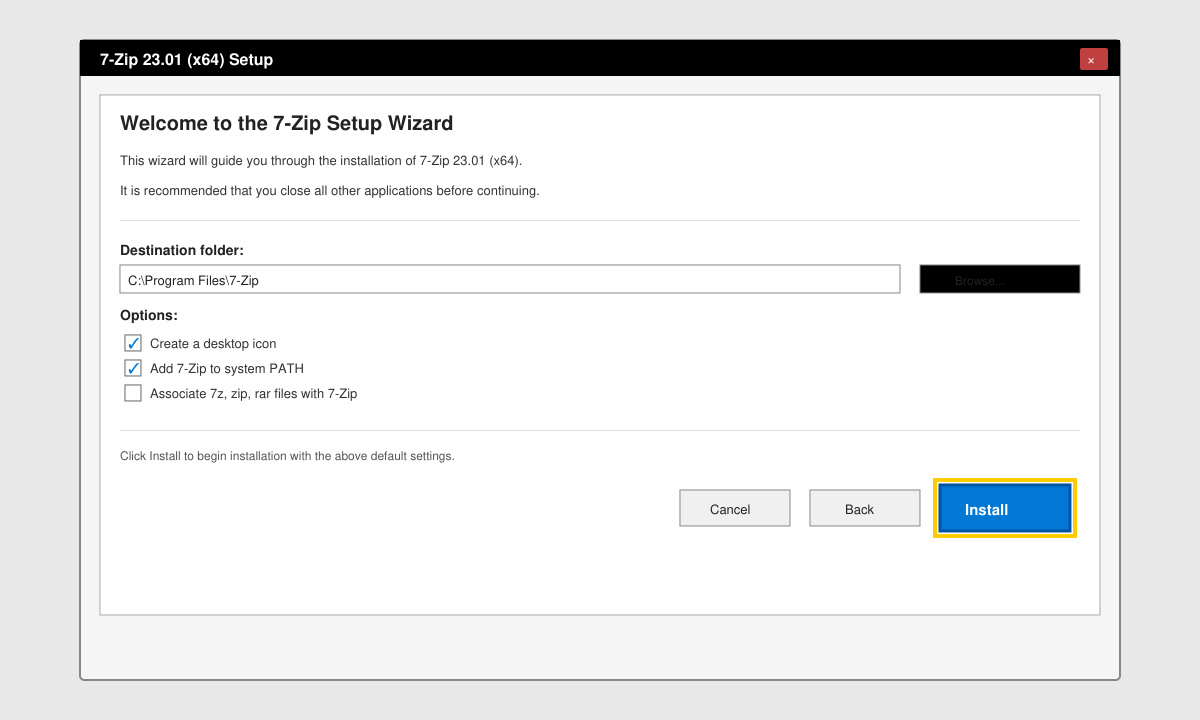
Go to the official 7-zip.org website, click the Download link for your Windows version (32-bit or 64-bit), run the installer, and follow the on-screen prompts. Accept the default folder location and finish the setup.
Open File Explorer and navigate to the folder containing the RAR archive. Do not double-click the file yet; right-clicking gives you the extraction menu.
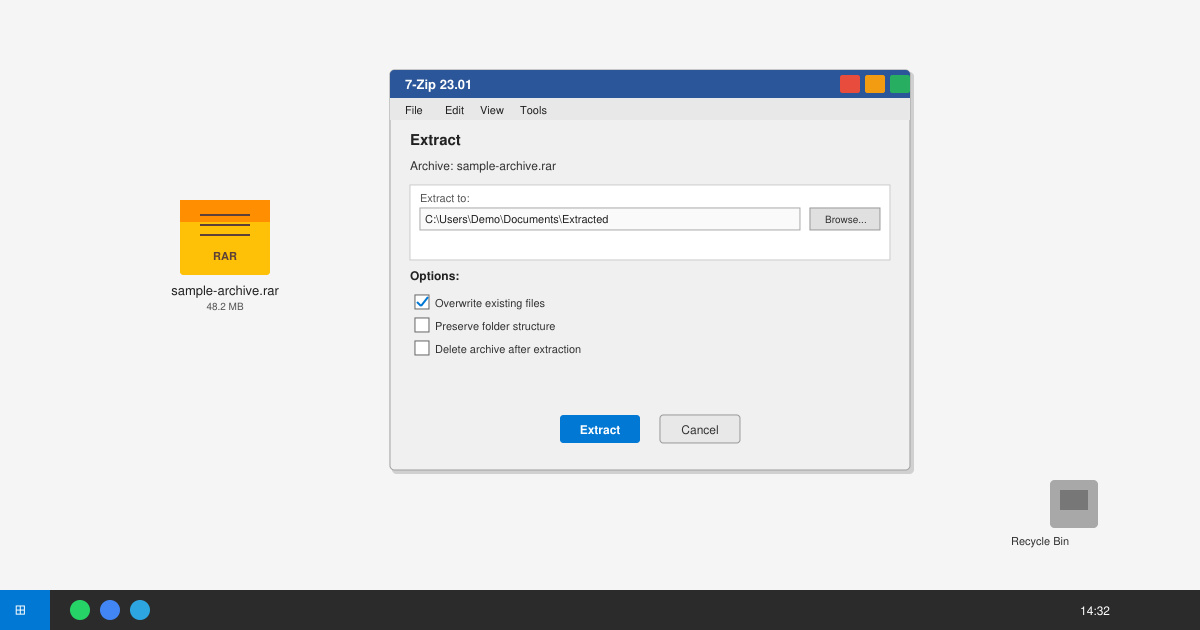
Right-click the RAR file, hover over 7-Zip in the context menu, then select “Extract to foldername\”. This creates a new subfolder with the same name as the archive and places all files inside it.
If the RAR file is password-protected, a small window appears. Type the exact password and click OK. 7-Zip will then decompress the contents.
Open the newly created folder and check that all expected files are present and open correctly. Delete the original RAR file only after confirming everything works.
Windows 11 still requires a third-party app. Online extractors exist but are not recommended for private or large files due to upload risks and size limits.
Yes. 7-Zip is open-source software hosted on SourceForge and used by millions. It supports RAR, ZIP, 7z, and many other formats without bundled ads.
Keep all parts (.rar, .r00, .r01, etc.) in the same folder. Right-click only the first file (.rar) and extract; 7-Zip will automatically use the remaining parts.
Once 7-Zip or an equivalent tool is installed, how to extract a RAR file becomes a simple right-click operation that works reliably across devices.
Install a compatible Java runtime, enable it in LibreOffice, and troubleshoot an empty JRE list without changing unrelated settings.
Build a small LibreOffice container, convert office documents without a GUI, and verify PDF output while limiting host-file access.
Reduce oversized LibreOffice presentation files by compressing embedded photos, choosing sensible image settings, and checking slide quality before sharing.
Match LibreOffice’s page dimensions to your printer, check printable margins, and correct scaling before printing a custom-size document.
Replace repeated cell access with bulk range reads and writes, then benchmark the result and protect formulas in large Calc workbooks.
Split a long manuscript into chapters, assemble them in Writer, and keep styles, contents, and export checks consistent.
Use Base’s direct PostgreSQL option to enter your server details, sign in, save an ODB connection file, and troubleshoot common access errors.
Install a font in your Linux user font folder, restart LibreOffice Flatpak, and confirm it appears in Writer without weakening the app sandbox.
Protect your work and isolate network-drive save crashes in LibreOffice on macOS Sonoma with a local-first workflow, permission checks, and targeted tests.
Preserve leading zeros in Calc by setting ID columns to Text during CSV import, checking the preview, and verifying the saved data.








