How to Fix Microsoft Edge Update Stuck at 0% or 100%

Nothing's more annoying than seeing your Microsoft Edge update stuck at 0% or hovering endlessly at 100%. 😩 Don't worry—this common glitch affects many Windows users, but it's fixable with straightforward steps. Whether it's a temporary hiccup or deeper issue, our guide will get you back to seamless browsing. Let's dive in and resolve it today!

Why Does Microsoft Edge Update Get Stuck?

Understanding the root causes helps you pick the right fix. Here's a quick breakdown:

Cause Symptoms Quick Indicator
Network interruptions or slow internet Stuck at 0% – Download fails to start 🔄 Progress bar doesn't move
Corrupted cache or temporary files Hangs at any percentage, especially 100% Previous updates failed
Background services conflict (BITS, Windows Update) Edge update 100% stuck during installation ❌ Error codes like 0x80070002
Antivirus or third-party software blocking Freezes mid-update 🛡️ Security scan active

Ready to fix it? Start with the easiest methods and escalate if needed. Most users succeed with the first few steps! ✅
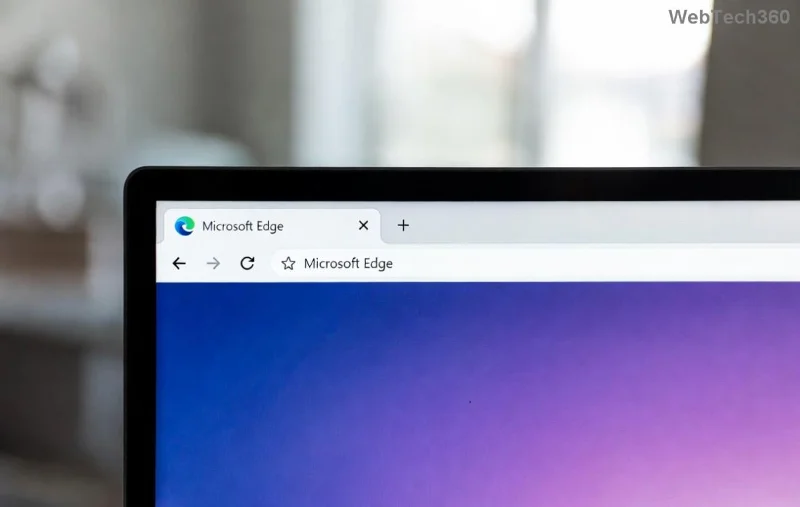
Microsoft Edge update stuck at 0% error screen

Method 1: Quick Restart and Basic Checks 🔄

Over 50% of Microsoft Edge update stuck issues vanish with a simple reboot. Here's how:

  1. 1️⃣ Restart your PC: Close all apps, restart Windows, then relaunch Edge and check for updates via Settings > About Microsoft Edge.
  2. 2️⃣ Verify internet connection: Switch to a stable Wi-Fi or Ethernet. Run a speed test—aim for at least 5 Mbps download.
  3. 3️⃣ Close Edge completely: Use Task Manager (Ctrl + Shift + Esc) to end all msedge.exe processes.

If still stuck, move on—no data loss here!

Method 2: Run Windows Update Troubleshooter 🛠️

Microsoft's built-in tool targets update glitches perfectly.

  1. Press Win + I to open Settings.
  2. Go to System > Troubleshoot > Other troubleshooters.
  3. Find Windows Update and click Run. Let it detect and fix issues.
  4. Restart and retry Edge update.

This fixes corrupted files causing Edge update 0% stuck. Pro tip: Run it weekly for smooth updates! ⭐

Method 3: Clear Edge Cache and Reset Update Components

Corrupted data is a prime suspect for Microsoft Edge update 100% stuck.

  1. Open Command Prompt as Admin (search cmd, right-click > Run as administrator).
  2. Stop services: Type these one by one, pressing Enter:
    • net stop bits
    • net stop wuauserv
    • net stop appidsvc
    • net stop cryptsvc
  3. Rename folders:
    • ren %systemroot%\SoftwareDistribution SoftwareDistribution.old
    • ren %systemroot%\system32\catroot2 catroot2.old
  4. Restart services:
    • net start wuauserv
    • net start bits
  5. Reboot and update Edge.

⚠️ Backup important data first, though this is safe for most users.

Step-by-step Command Prompt fix for Edge update stuck at 100%

Method 4: Reset or Reinstall Microsoft Edge

For stubborn cases:

  1. In Edge, go to Settings > Reset settings > Restore settings to default.
  2. If needed, download the latest Edge installer from Microsoft's site: Official Edge Download.
  3. Run installer—it handles repairs automatically.

Keep favorites and passwords safe with sync enabled! 😊

Method 5: Advanced Fixes – Antivirus and Permissions

  • Temporarily disable antivirus: Real-time protection can block updates. Whitelist Edge afterward.
  • Run SFC / DISM: In Admin CMD: sfc /scannow then DISM /Online /Cleanup-Image /RestoreHealth.
  • Check for Windows conflicts: Ensure Windows is fully updated first via Settings > Update & Security.

For error-specific help, visit Microsoft Edge Support.

Prevent Future Edge Update Stuck Issues

Stay ahead:

  • ✅ Update Edge manually monthly.
  • ⭐ Use wired internet for large downloads.
  • 🔧 Keep Windows and antivirus current.

Congratulations—you've conquered the Microsoft Edge update stuck at 0% or 100% nightmare! If these steps worked, drop a thumbs up below. Still stuck? Share your error code in comments for tailored advice. Happy browsing! 🎉
Leave a Comment

How to Fix Microsoft Edge Unable to Connect to Proxy Server

How to Fix Microsoft Edge Unable to Connect to Proxy Server

Struggling with Microsoft Edge "Unable to Connect to Proxy Server" error? Discover proven, step-by-step fixes to get back online fast. No tech skills needed – resolve it in minutes!

How to Fix Microsoft Edge Login Screen Background Blur

How to Fix Microsoft Edge Login Screen Background Blur

Tired of the blurry Microsoft Edge login screen background? Get step-by-step fixes to restore sharp, clear visuals on your Windows PC. Proven methods for the latest Edge versions.

How to Fix Microsoft Edge Update Stuck at 0% or 100%

How to Fix Microsoft Edge Update Stuck at 0% or 100%

Frustrated with Microsoft Edge update stuck at 0% or 100%? Discover simple, effective fixes to resolve the issue fast and update smoothly without losing data. Step-by-step guide for Windows users.

How to Fix Microsoft Edge Clock Ahead Error

How to Fix Microsoft Edge Clock Ahead Error

Tired of the frustrating Microsoft Edge "Clock Ahead" Error blocking your sync? Discover step-by-step fixes, from clock sync to Edge reset, for instant relief and smooth browsing. Updated with latest solutions!

How to Install Microsoft Edge on Linux (Ubuntu & Fedora)

How to Install Microsoft Edge on Linux (Ubuntu & Fedora)

Discover how to install Microsoft Edge on Linux effortlessly! Step-by-step guide for Ubuntu & Fedora users. Get Chromium power, speed, and security on your distro now. Official methods, troubleshooting tips included.

How to Play the Microsoft Edge Surf Game Without Internet

How to Play the Microsoft Edge Surf Game Without Internet

Dive into endless fun with our ultimate guide on how to play the Microsoft Edge Surf game without internet. Step-by-step instructions, pro tips, and secrets to master the waves completely offline—no connection required!

How to Fix Microsoft Edge Profile Error on Windows 11

How to Fix Microsoft Edge Profile Error on Windows 11

Tired of the frustrating Microsoft Edge 'Profile Error' on Windows 11? Discover simple, step-by-step fixes that work on the latest updates. Restore smooth browsing in minutes—no tech expertise needed!

Troubleshooting Microsoft Edge Context Menu Slow Error

Troubleshooting Microsoft Edge Context Menu Slow Error

Tired of Microsoft Edge context menu slow delays ruining your workflow? Follow our proven, step-by-step troubleshooting guide to eliminate right-click lag and restore lightning-fast performance instantly.

How to Fix Microsoft Edge Startup Boost High Disk Fix

How to Fix Microsoft Edge Startup Boost High Disk Fix

Tired of Microsoft Edge Startup Boost causing high disk usage? Discover step-by-step fixes to disable it, reclaim your PC speed, and prevent future issues. Quick, easy, and effective!

How to Fix Microsoft Edge Error Code SBOX_FATAL_MEMORY_EXCEEDED

How to Fix Microsoft Edge Error Code SBOX_FATAL_MEMORY_EXCEEDED

Tired of Microsoft Edge crashing with Error Code SBOX_FATAL_MEMORY_EXCEEDED? Discover proven, step-by-step fixes for this sandbox memory issue. Restore smooth browsing in minutes—no tech expertise needed!

How to Fix Microsoft Edge Cant Connect to the Proxy Server

How to Fix Microsoft Edge Cant Connect to the Proxy Server

Tired of Microsoft Edge "Can't Connect to the Proxy Server" error blocking your browsing? Discover proven, step-by-step fixes to resolve it quickly—no tech skills needed. Latest solutions for seamless surfing!

How to Use Microsoft Edge Group Tabs to Stay Organized

How to Use Microsoft Edge Group Tabs to Stay Organized

Master Microsoft Edge Group Tabs with this step-by-step guide. Learn to create, manage, and customize groups for ultimate tab organization and productivity boost.

How to Fix Microsoft Edge Error Code RESULT_CODE_KILLED_BAD_MESSAGE

How to Fix Microsoft Edge Error Code RESULT_CODE_KILLED_BAD_MESSAGE

Struggling with Microsoft Edge Error Code RESULT_CODE_KILLED_BAD_MESSAGE? Discover proven, step-by-step fixes to stop crashes and get back to browsing smoothly. Updated with the latest solutions for optimal performance.

How to Enable Sleeping Tabs in Microsoft Edge to Save RAM

How to Enable Sleeping Tabs in Microsoft Edge to Save RAM

Discover how to enable Sleeping Tabs in Microsoft Edge to dramatically save RAM and boost performance. Step-by-step guide, tips, and tweaks for maximum efficiency.

How to Fix Microsoft Edge Secure Network Encountered an Error

How to Fix Microsoft Edge Secure Network Encountered an Error

Tired of the frustrating Microsoft Edge Secure Network Error blocking your browsing? Follow our proven, step-by-step guide to fix it quickly—no tech expertise required. Get back online fast with the latest solutions.